
Earn Recurring Revenue as an Affiliate
FastComments has an affiliate program which provides excellent recurring payouts to affiliates! Read on to learn more.
Why to be a FastComments Affiliate? 
At the time of writing this in 2024 the all-time subscriber churn rate for FastComments is 1.2%, and the average spend per customer is $261.
The FastComments affiliate program pays out a 30% commission monthly for referred customers. This means that if you refer a customer that ends up paying $100 a month, you'd get $30 a month until they cancel.
FastComments is very customer focused and an agile company, we are generally good at retaining customers sent our way, and fixing bugs or adding features if needed to retain our customers and keep them happy.
Getting Started
To get started, you must create a FastComments account on FastComments.com.
If you'd like to also host FastComments on your own sites, then you would want to sign up here.
Otherwise, you can create a regular "commenter" account. You can do this by leaving your desired username and email on the login page.
This will create a commenter account for you. You can use this account to comment with FastComments and also set up the Affiliates program via the Affiliates nav item.
Commission
FastComments pays out a 30% commission on all referred revenue.
The Affiliates Dashboard
The FastComments Affiliates dashboard starts out like the following:
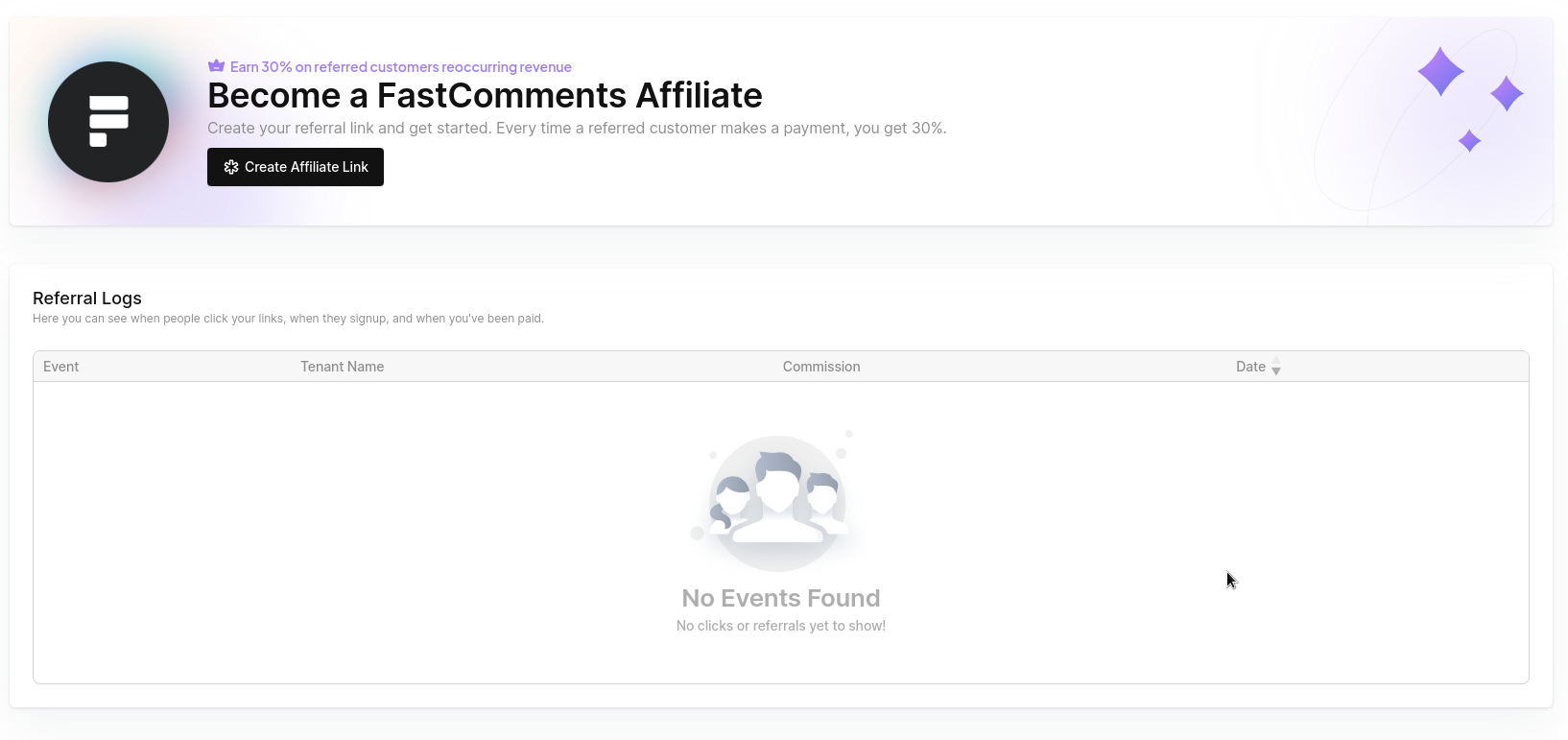
Once you set up your affiliate link, you will have access to various metrics:
- Total Link Clicks
- Total Commission
- Total Referrals
- Total Active Conversions
- Pending Payouts
- Estimated MRR
Payout Schedule
Payouts happen at the end of the month. We have automated systems in place to calculate the payouts, but sending them out is a manual process which may be delayed by holidays or weekends.
Note that for Flex customers, commission is not earned until their first payment.
Payouts are done via PayPal.
Marketing Materials
The FastComments affiliate kit has everything you need to promote FastComments:
- Display banners in 8 standard ad sizes, plus social images for 1200x628 and 1080x1080 posts
- The FastComments logo and mark as SVG and PNG, in black and white
- Screenshots of the comment widget and the moderation queue
- Brand guidelines (PDF) covering logo usage, colors, typography, and promotion rules
- Swipe copy: descriptions, emails, social posts, review talking points, and approved product claims
Download the affiliate kit (ZIP)
Linking
Every link must go to the FastComments homepage with your affiliate code:
 Run
Run 
The code is read on the homepage only. A link to any other page, such as pricing or the demos, does not credit you, even with ?via= added.
Banners
The kit includes two campaigns, each in a light and a dark theme:
- live-comments: "Live comments for any website"
- moderation: "Moderation that keeps up"
Display banners come in 728x90, 468x60, 320x50, 300x250, 336x280, 160x600, 300x600, and 970x250, each in a 1x and a retina @2x version. The social images (1200x628 and 1080x1080) are for uploading to social platforms.
To embed a banner, upload it to your site and wrap it in your affiliate link. When you use a @2x file, set the width and height of the displayed size:
Run Rules
- Disclose that you earn a commission wherever you promote FastComments, and add
rel="sponsored"to affiliate links on web pages. - Use only the approved claims listed in the kit's swipe copy. Don't promise a free plan, discounts, or coupon codes, and don't name or compare against competitors.
- Don't present yourself as FastComments or as an official partner.
The brand guidelines in the kit have the full details.
Custom Materials
Contact us if you need custom sizes or other custom materials, and include your affiliate code.
In conclusion, we look forward to being your affiliate partner! Feel free to ask any questions below.