
ユーザー
ユーザー
ユーザーの種類 
FastComments には、4種類のユーザーが存在します。
- 管理者
- モデレーター
- コメント投稿者
- SSO コメント投稿者
ユーザー名
With FastComments, username must be unique across all sites and communities. This is because it used to log you in to fastcomments.com.
The exception is SSO - since SSO users are tied to a specific FastComments.com Tenant - they can have any username within that community.
表示名
FastComments also supports Display Name. Display names do not have to be unique, and may contain emojis. You can set your display name
on the アカウントの詳細 page.
表示名の一意性
If two FastComments.com users, on two very different major communities both have similar names, then we'd like them to just be able to set their preferred display name. However, we can't restrict where people comment with their global FastComments account, so sometimes this may result in confusion.
Having a similar name to another user, or a moderator, by itself is not a case for abuse. However, if you abuse this by intentionally impersonating other users, we may
disable this feature on your account, and you will be limited to just using username.
管理者ユーザー
Moderators と Administrators をテナントに追加できます。
デフォルトでは、コメント時にこれらのユーザーのコメントの横に
それぞれ Moderator と Administrator ラベルが表示されます。
管理者には、たとえば他の管理者を管理するための、細かなロールベースの権限(RBAC)を付与できます。
コメント投稿者
Commenters はいかなるテナントにも属しません。SSO Commenters は SSO 統合の一部として自動的に作成されます。
SSO Commenters には管理者権限を与えることができます。もし彼らのメールアドレスが既存の
管理者のメールアドレスと一致する場合、権限は同じになります。
管理者の追加
Super Admin 権限を持つユーザーは、他のモデレーターを追加および削除できます。
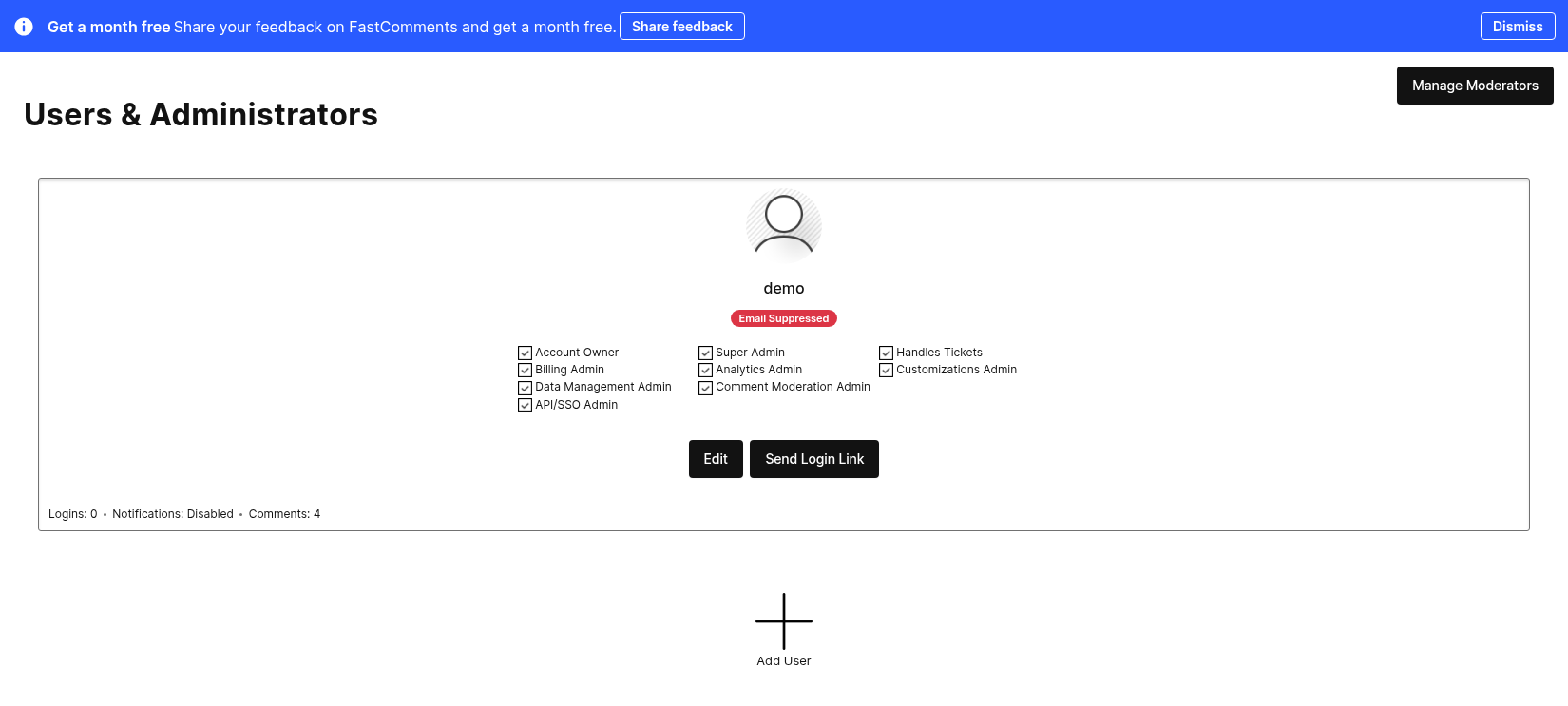
ユーザーは、Users ページ に移動し、下部の Add User をクリックすることで追加できます。

ユーザーを追加する際、アバター、ユーザー名、メールアドレス、ロケール、権限を設定できます。
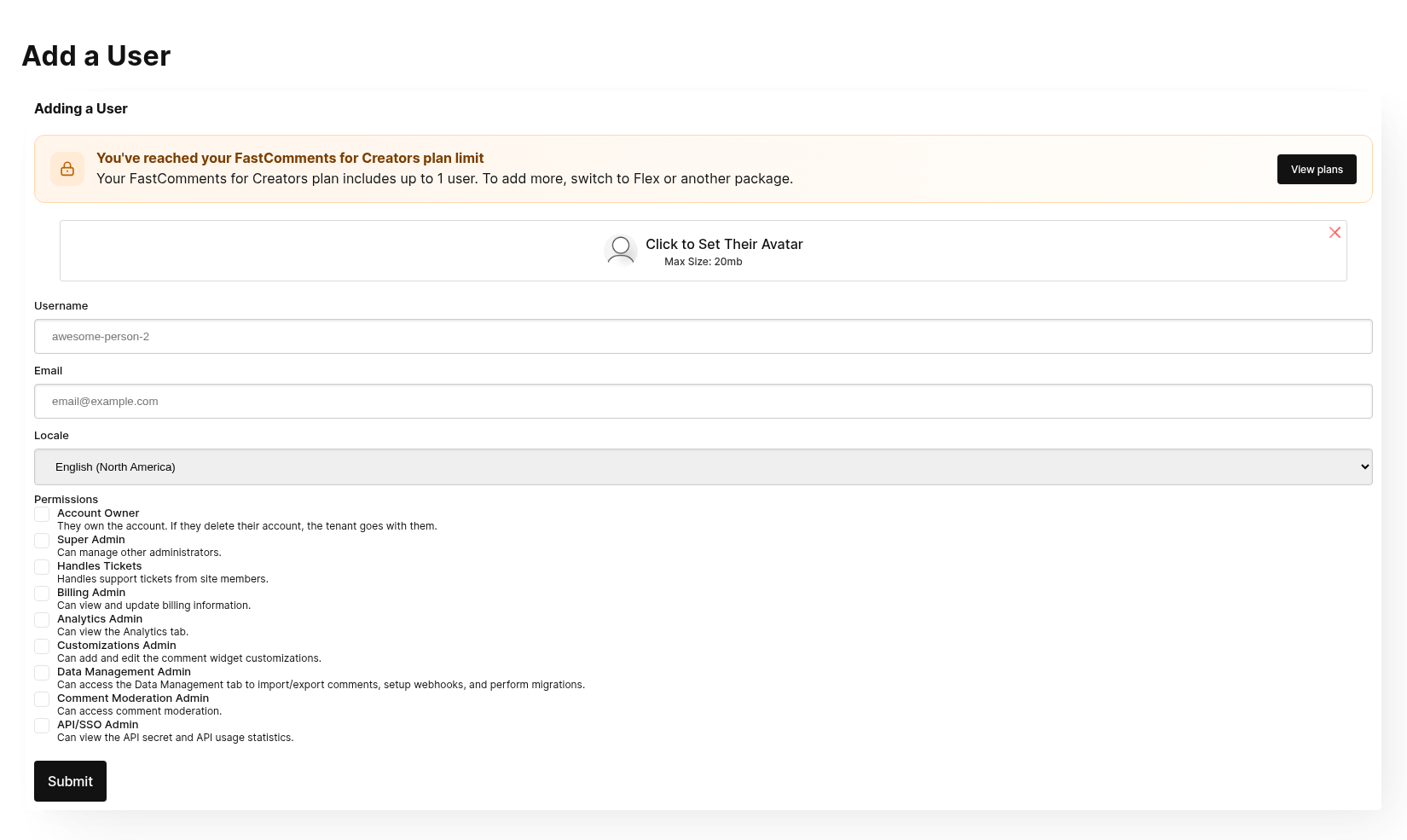
管理者を追加すると、ウェルカムメールとログインリンクが送信されます。
モデレーターの追加
モデレーターの追加に関するドキュメントはこちらをご覧ください。
Note that unlike Administrators, Moderator permissions are fixed - they cannot be changed. Moderators only have access
to the Moderate Comments page. They cannot change settings.
While it is possible to simply add an Administrator with the Moderate Comments permission, there are some benefits
to utilizing the moderator-specific users:
- 現在、コメントのモデレーション統計(承認されたコメント、削除、編集、利用者のバンなど)は
Moderatorsに関するもののみ提供しています。 - それらはすべて、別個の1箇所で管理できます。
Administrators can manage and view stats around Moderators here.
If you would like to add a user whom primarily does comment moderation, but is able to do other
things with the account, consider creating an Administrator and customizing their permissions. However, you will
not have access to statistics regarding their moderation performance.
管理者権限の更新
任意の Administrator に対するロールベースの権限(RBAC)は、別の Super Admin によっていつでも更新できます。
ログアウトする必要はありません。更新された権限は 直ちに適用されます。
開発者
あなたがAdministratorsにしたくない開発者には、Administratorユーザーを作成することを検討してください
次の権限:
- Analytics Admin
- Customizations Admin
- Data Management Admin
- Comment Moderation Admin
- API/SSO Admin
この権限セットにより、開発者はFastCommentsを設定するために必要なすべてを得られるとともに システムが正しく動作しているかを確認するために必要な可視性も得られます。
これらの権限の理由は次のとおりです:
- Analytics Admin: これは FastComments の使用状況をデバッグするために使用できます。
- Customizations Admin: これはコメントウィジェットにカスタムスタイルを適用するために必要です。
- Data Management Admin: これはインポートおよびエクスポートの管理やウェブフックの設定に必要です。
- Comment Moderation Admin: これは少なくともセットアップ時にコメントデータを閲覧するために必要です。
- API/SSO Admin: これにより、彼らは当社のプラットフォームからAPI keysを直接取得できます。私たちは
これが
AdministratorがそれをコピーしてAPI Secretをメールで送るよりも安全であると考えていますが メールはあまり安全ではない可能性があります。