FastComments.com

הוספת תגובות לאתרי GoHighLevel

עם FastComments נוכל להוסיף בקלות מערכת תגובות בזמן אמת לכל אתר שנבנה באמצעות GoHighLevel.

שים לב שמדריך זה דורש חשבון FastComments. מומלץ להירשם קודם ואז לחזור לכאן. אפשר ליצור חשבון כאן.

ההתחברות מראש תוודא שקטעי הקוד שנוצרו כבר מקושרים לחשבונך.

אתרי מנויים ב-GoHighLevel ואתרים אחרים

המדריך הזה מחולק לשתי קטגוריות: אתרי מנויים ואתרי GoHighLevel רגילים.

נתחיל עם ההוראות לאתרי מנויים.

שלב 1: ערוך קורס Internal Link

ראשית, נשנה את ההגדרות של הקורס שלנו.

כדי לעשות זאת, פתח את הקורס ולחץ על Edit Details.
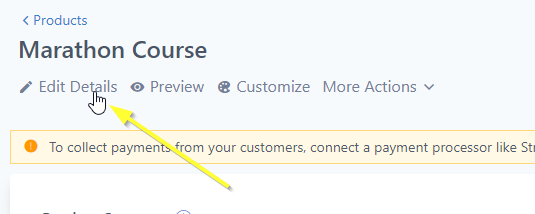
ערוך את פרטי הקורס
ערוך את פרטי הקורס

שלב 2: פתח הגדרות מתקדמות Internal Link

כעת עלינו לפתוח את ההגדרות של Advanced:
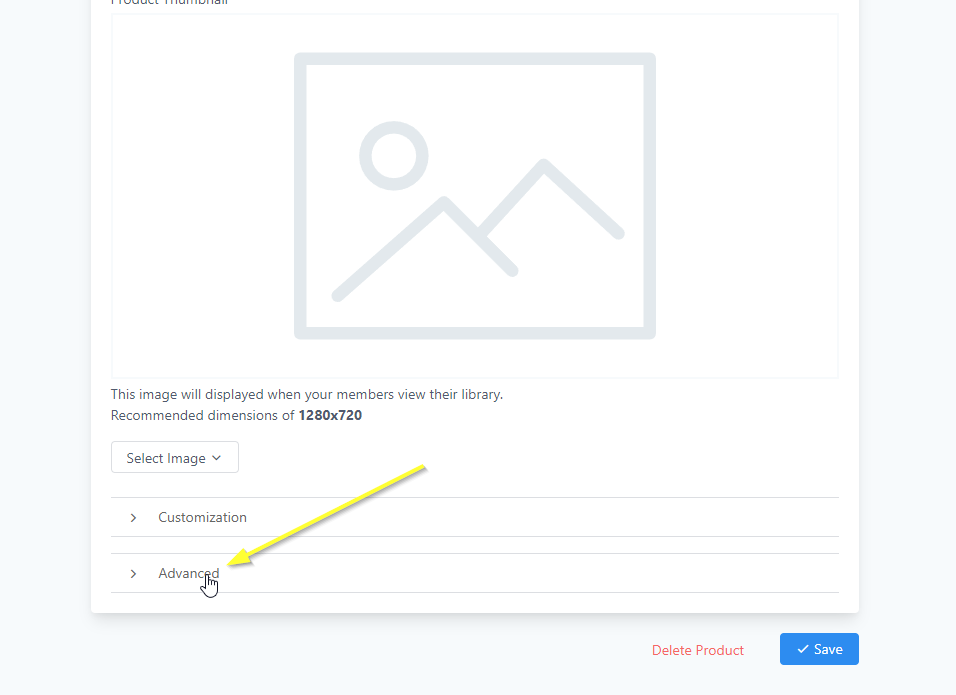
פתח את ההגדרות המתקדמות

נוסיף את הקוד שלנו לקטע Tracking Code. עבור אל אותו קטע ולחץ על Footer Code.

שלב 3: העתק קוד Internal Link

כעת נייצר את קוד FastComments המותאם אישית שלך. השתמש באשף למטה כדי להגדיר כיצד אתה רוצה ש-FastComments יפעל באתר ה-GoHighLevel שלך:

FastComments Configuration Wizard

Choose the type of commenting experience you want
How should the widget be placed on your pages?
Comma-separated URL patterns (leave empty for all pages)
Your FastComments tenant ID (use "demo" for testing)

סוגי תיבות תגובות שונים

ניתן להגדיר את השורה TYPE = 'commenting' כדי להחליף את המוצר בשימוש (למשל ניתן לשנות אותה ל-live עבור צ'אט שידור או collab עבור צ'אט שיתופי).

הצבת תיבת התגובות במקום שתרצה

נניח שאתה רוצה להציב תיבות תגובות בחלקים ספציפיים של הדף ולא במיקומי ברירת המחדל. שנה את השורה הזו:

const TARGET_ELEMENT_ID = ''; // set to use target div mode

ל:

const TARGET_ELEMENT_ID = 'fc_box'; // set to use target div mode

ואז בעורך GHL, לחץ על כפתור "code" והוסף את הקוד במקום שבו תרצה שהתגובות יופיעו:

Div של GoHighLevel FastComments
Copy Copy
1
2<div
3 id="fc_box"
4 type="commenting"
5 urlid="custom-chat-id"
6></div>
7

סוג תיבת תגובות שונה לכל דף

נניח שאתה רוצה שמשתמשים יסמנו וידונו בחלקי טקסט, או שישתמשו בממשק צ'אט השידור במקום.

ראשית בצע את השלבים למעלה ב"הצבת תיבת התגובות במקום שתרצה".

שים לב שבקטע הקוד הקטן הזה יש type="commenting".

אם אתה רוצה להפעיל למשל צ'אט שיתופי, שנה את ה-type ל-type="collab".

הצגה רק בדפים ספציפיים

אם לא תגדיר את TARGET_ELEMENT_ID, תוכל במקום זאת להגדיר את המשתנה VALID_PATTERNS, כדי לקבוע באילו נתיבי URL התגובות יוצגו. כברירת מחדל, הן יוצגו בדפים שמכילים /post ב-URL.

הגדרת צ'אט שיתופי

אתה יכול להורות לצ'אט השיתופי להוסיף פונקציונליות שיתופית רק סביב HTML בתוך אזור ספציפי. לדוגמה, נניח שאתה מוסיף את קוד ה-footer למעלה ואז מוסיף את ה-div הזה בתוכן הפוסט/דף כדי להפעיל צ'אט שיתופי:

צ'אט שיתופי עם תוכן מוגדר
Copy Copy
1
2<div
3 id="fc_box"
4 type="collab"
5 urlid="custom-chat-id"
6><p>This content will have collab chat!</p></div>
7

ואז רכיב הפסקה בתוך ה-<div> יכלול צ'אט שיתופי, ושום דבר אחר בדף לא יכלול זאת. אם לא תציב תוכן כלשהו ב-<div>, הצ'אט השיתופי יופעל על כל גוף הפוסט.

שלב 4: הדבק קוד Internal Link

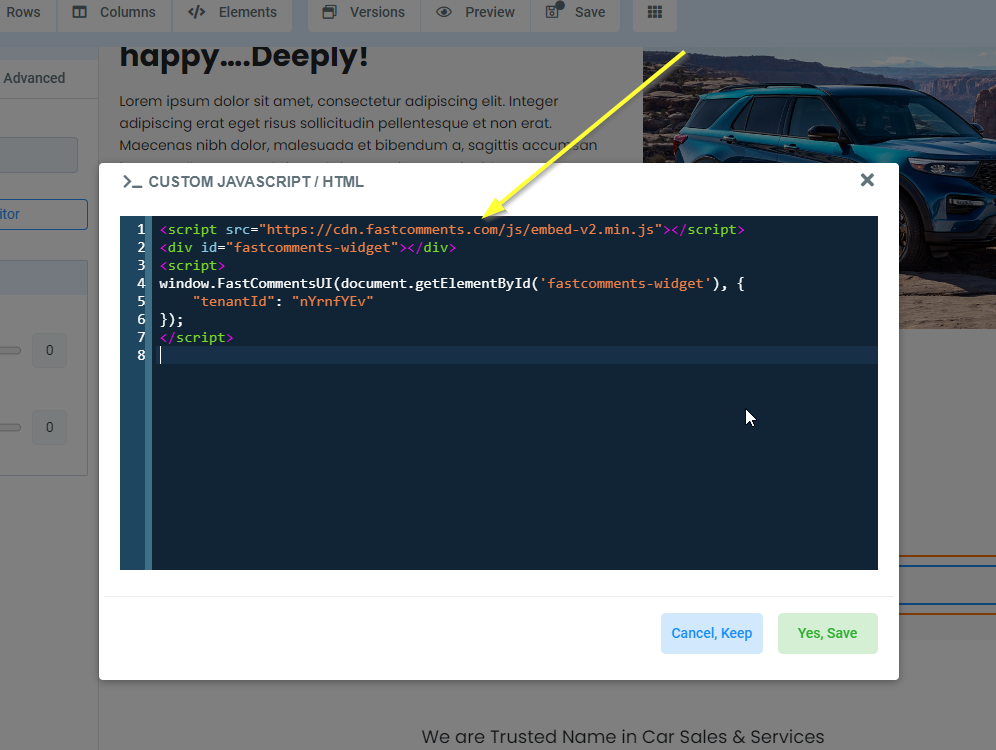
כעת, לאחר שהעתקנו את קטע הקוד שלנו, הדבק אותו בסעיף Footer Code כפי שמוצג:
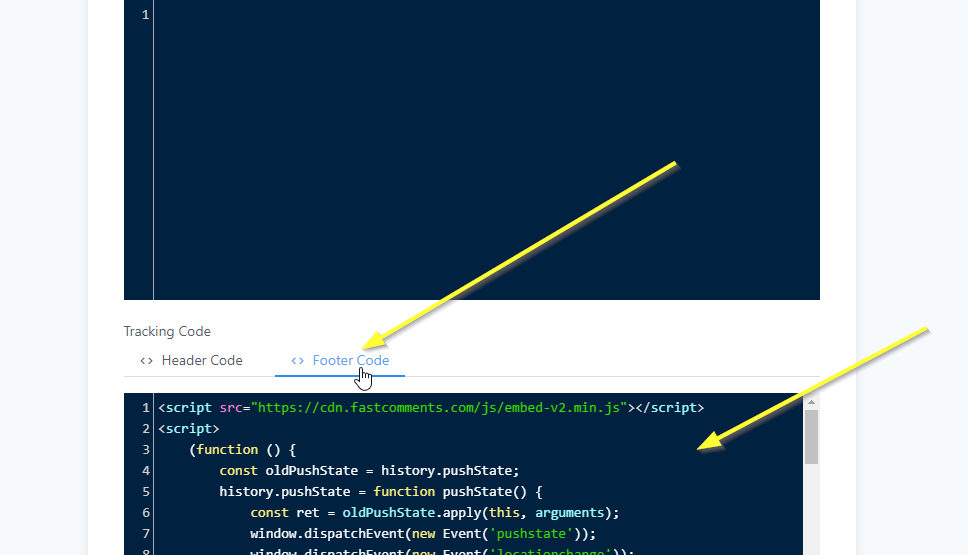
הדבק קוד
הדבק קוד

הצלחה באתר החבר Internal Link

זהו! כעת נוספו תגובות חיות לקורס GoHighLevel שלך.
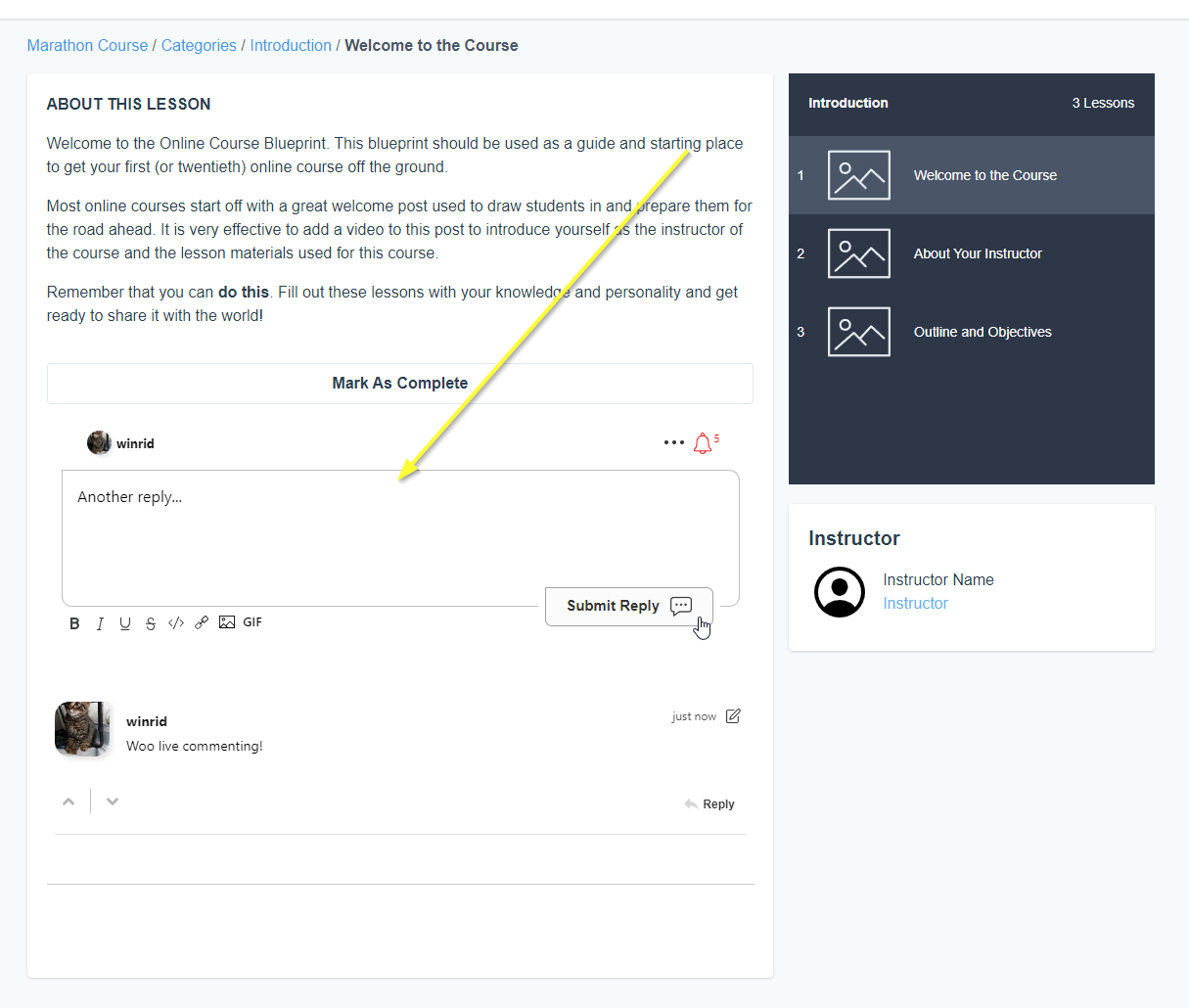
הצלחה
הצלחה

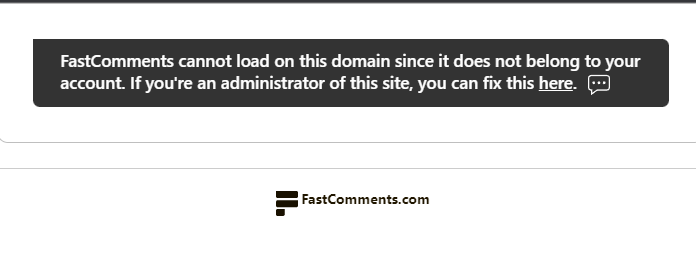
אם נתקלת בשגיאת permission denied, או אם ברצונך להתאים אישית את FastComments, המשך לקרוא.

התאמה אישית של אתר החבר Internal Link

FastComments מיועד להיות מותאם כך שיתאים לאתר שלך.

אם ברצונך להוסיף עיצוב מותאם אישית או לכוונן את התצורה, עיין בתיעוד ההתאמה שלנו כדי ללמוד כיצד.

שלב 1: הוסף אלמנט קוד מותאם Internal Link

ראשית, נפתח את העורך עבור הדף באתר שלנו שאליו נרצה להוסיף תגובות.
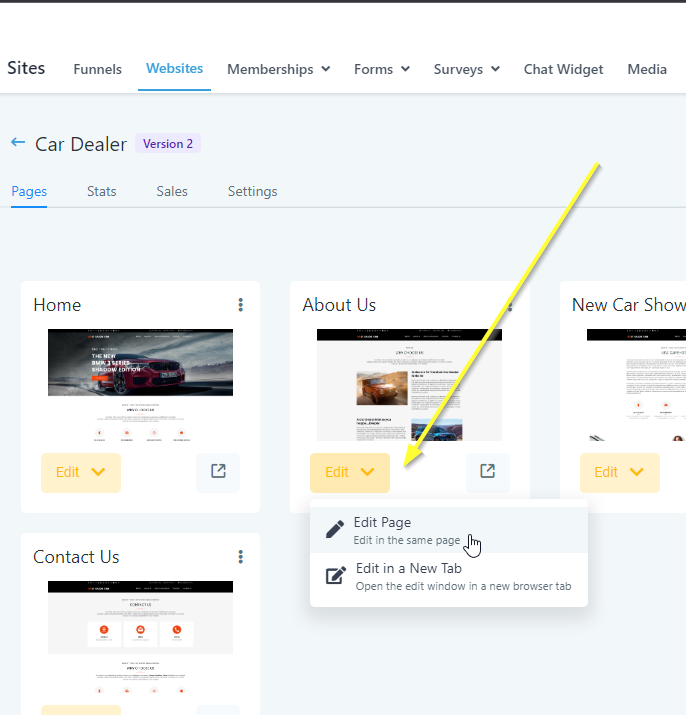
פתח את העורך
פתח את העורך

עכשיו מצאו את המקום בדף שבו אתם רוצים להוסיף תגובות. הזיזו את סמן העכבר לקצה אותו אזור. יופיע סמל +:
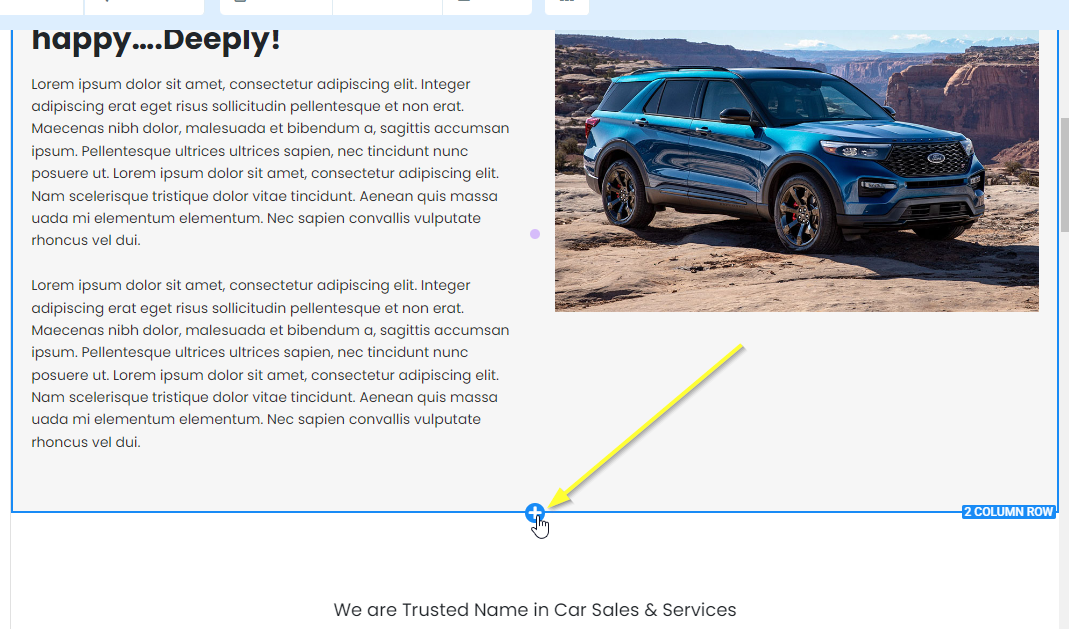
הוסף מקטע
הוסף מקטע

אם נלחץ על כך, יישאלנו כמה עמודות יהיו במקטע החדש. נבחר ב-1 COLUMN:
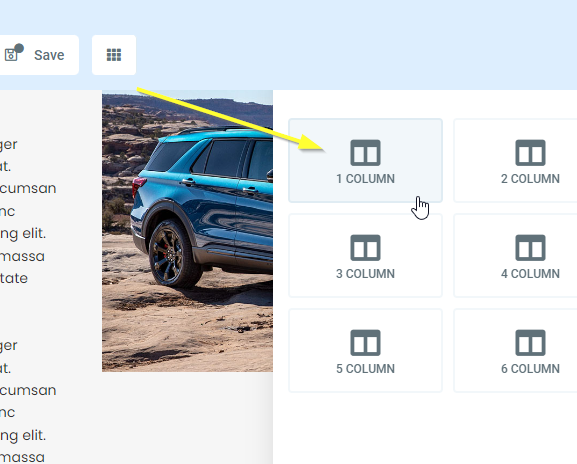
הוסף עמודה
הוסף עמודה

עכשיו, אם תעבירו את סמן העכבר מעל שורת העמודה החדשה בת 1 עמודה, תהיה לכם אפשרות להוסיף אלמנט. לחצו על כך:
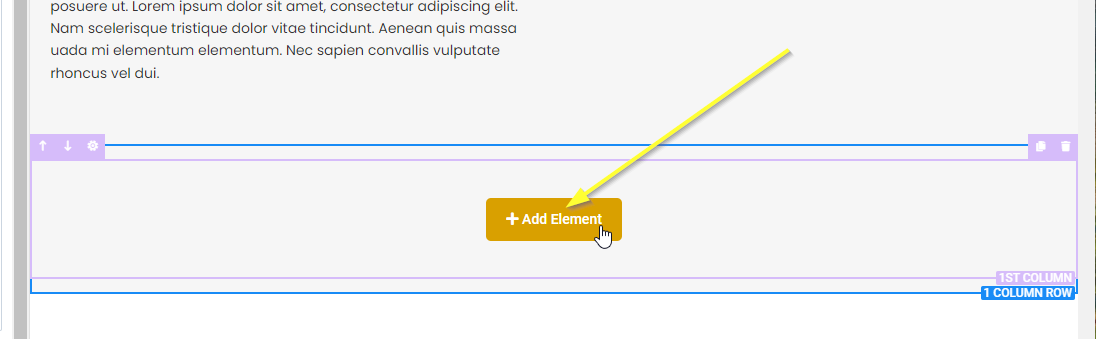
הוסף אלמנט
הוסף אלמנט

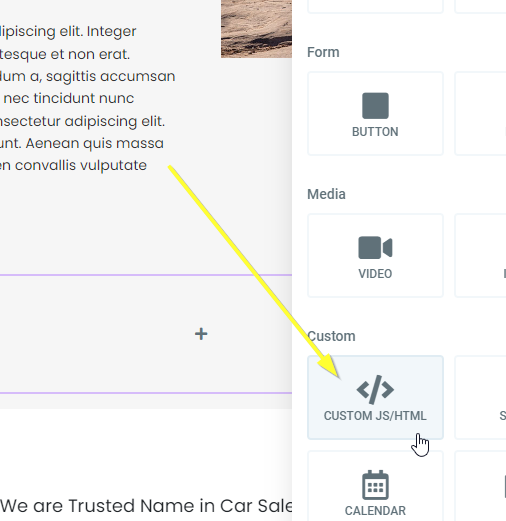
גללו למטה ובחרו ב-CUSTOM JS/HTML:

בחר CUSTOM JS/HTML
בחר CUSTOM JS/HTML

כעת בחרו את האלמנט החדש ולחצו על Open Code Editor מצד שמאל:
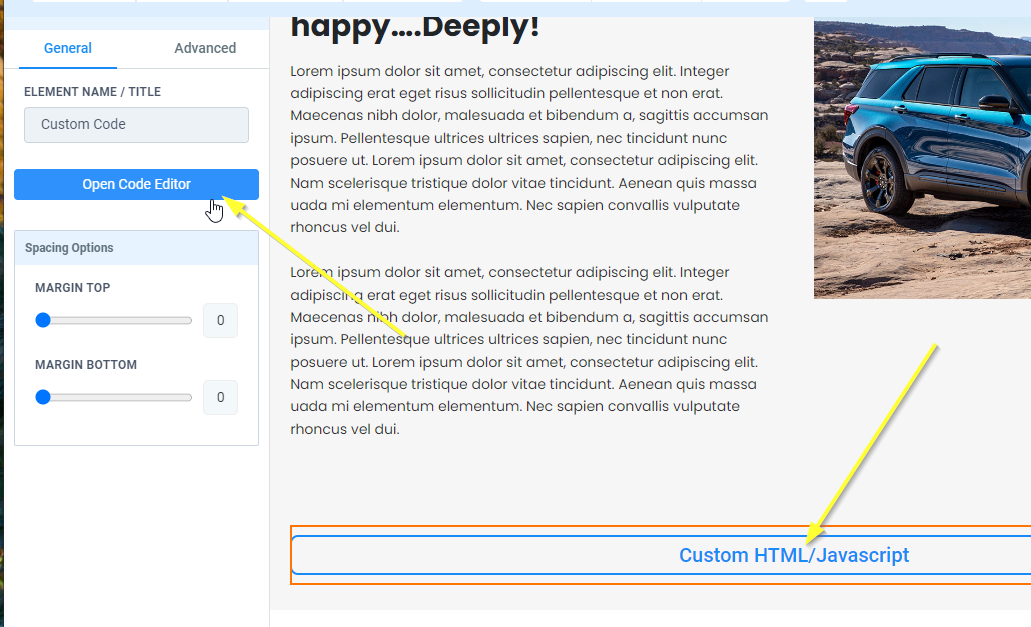
פתח את עורך הקוד
פתח את עורך הקוד

שלב 2: העתק והדבק קוד Internal Link

הגיע הזמן להעתיק את הקוד שלנו. העתק את הקוד הבא:

קוד תגובות לאתר GoHighLevel
Copy Copy
1
2<script src="https://cdn.fastcomments.com/js/embed-v2.min.js"></script>
3<div id="fastcomments-widget"></div>
4<script>
5 (function () {
6 const tenantId = 'demo';
7 const SCRIPT_ID = 'fastcomments-embed';
8 const WIDGET_ID = 'fastcomments-widget';
9
10 let lastInstance;
11 let currentUrlId;
12 let rendered = false;
13
14 // שינויים ב-History API לתמיכה ב-SPA
15 const oldPushState = history.pushState;
16 history.pushState = function pushState() {
17 const ret = oldPushState.apply(this, arguments);
18 window.dispatchEvent(new Event('pushstate'));
19 window.dispatchEvent(new Event('locationchange'));
20 return ret;
21 };
22
23 const oldReplaceState = history.replaceState;
24 history.replaceState = function replaceState() {
25 const ret = oldReplaceState.apply(this, arguments);
26 window.dispatchEvent(new Event('replacestate'));
27 window.dispatchEvent(new Event('locationchange'));
28 return ret;
29 };
30
31 window.addEventListener('popstate', () => {
32 window.dispatchEvent(new Event('locationchange'));
33 });
34
35 function getContainer() {
36 return document.getElementById(WIDGET_ID);
37 }
38
39 // פונקציה להבטחת טעינת הסקריפט
40 function ensureScriptLoaded() {
41 return new Promise((resolve) => {
42 // בדוק אם תג הסקריפט כבר קיים
43 let scriptTag = document.getElementById(SCRIPT_ID);
44
45 if (!scriptTag) {
46 console.log('FastComments: Script tag not found, adding dynamically...');
47 scriptTag = document.createElement('script');
48 scriptTag.id = SCRIPT_ID;
49 scriptTag.src = 'https://cdn.fastcomments.com/js/embed-v2.min.js';
50 scriptTag.async = true;
51
52 scriptTag.onload = () => {
53 console.log('FastComments: Script loaded successfully');
54 resolve();
55 };
56
57 scriptTag.onerror = () => {
58 console.error('FastComments: Failed to load script');
59 resolve(); // Resolve anyway to prevent hanging
60 };
61
62 document.head.appendChild(scriptTag);
63 } else if (window.FastCommentsUI) {
64 // תג הסקריפט קיים וכבר נטען
65 console.log('FastComments: Script already loaded');
66 resolve();
67 } else {
68 // תג הסקריפט קיים אך עדיין לא מוכן
69 console.log('FastComments: Waiting for script to initialize...');
70 scriptTag.addEventListener('load', () => {
71 resolve();
72 });
73
74 // פתרון חלופי במקרה שהסקריפט כבר בטעינה
75 const checkInterval = setInterval(() => {
76 if (window.FastCommentsUI) {
77 clearInterval(checkInterval);
78 resolve();
79 }
80 }, 100);
81
82 // פסק זמן לאחר 10 שניות
83 setTimeout(() => {
84 clearInterval(checkInterval);
85 console.warn('FastComments: Script load timeout');
86 resolve();
87 }, 10000);
88 }
89 });
90 }
91
92 // פונקציית רינדור ראשית
93 async function render() {
94 rendered = false;
95
96 // ודא שהסקריפט נטען לפני שממשיכים
97 await ensureScriptLoaded();
98
99 function tryNext() {
100 if (rendered) {
101 return;
102 }
103
104 const container = getContainer();
105
106 if (container) {
107 // בדיקה כפולה אם FastCommentsUI זמין
108 if (!window.FastCommentsUI) {
109 console.log('FastComments: not ready, waiting...');
110 setTimeout(tryNext, 300);
111 return;
112 }
113
114 console.log('FastComments: Target element found, initializing...');
115
116 // קבל את ה-URL הנוכחי כ-urlId
117 const newUrlId = window.location.pathname;
118
119 // בדוק אם יש צורך ברינדור מחדש (urlId השתנה או רינדור ראשון)
120 if (currentUrlId !== newUrlId || !lastInstance) {
121 currentUrlId = newUrlId;
122
123 // השמד מופע קודם אם קיים
124 if (lastInstance) {
125 lastInstance.destroy();
126 // נקו את תוכן המיכל
127 container.innerHTML = '';
128 }
129
130 // הכן את הקונפיגורציה
131 const config = {
132 tenantId: tenantId,
133 urlId: newUrlId
134 };
135
136 console.log('FastComments: Using urlId:', newUrlId);
137
138 // אתחל את FastComments
139 lastInstance = window.FastCommentsUI(container, config);
140 rendered = true;
141 } else {
142 console.log('FastComments: Already rendered with same urlId');
143 rendered = true;
144 }
145
146 // מעקב האם המיכל הוסר או שה-URL משתנה
147 const interval = setInterval(function () {
148 const currentContainer = getContainer();
149 if (!currentContainer) {
150 console.log('FastComments: Container removed, will retry...');
151 rendered = false;
152 currentUrlId = null;
153 tryNext();
154 clearInterval(interval);
155 } else {
156 const newUrlId = window.location.pathname;
157 if (newUrlId !== currentUrlId) {
158 console.log('FastComments: URL changed, re-rendering...');
159 rendered = false;
160 tryNext();
161 clearInterval(interval);
162 }
163 }
164 }, 1000);
165 } else {
166 console.log('FastComments: Target element not found, waiting...');
167 setTimeout(tryNext, 300);
168 }
169 }
170
171 tryNext();
172 }
173
174 // Initial render when DOM is ready
175 if (document.readyState === 'loading') {
176 document.addEventListener('DOMContentLoaded', render);
177 } else {
178 render();
179 }
180
181 // Re-render on location change (for SPAs)
182 window.addEventListener('locationchange', function () {
183 console.log('FastComments: Location changed, updating...');
184 render();
185 });
186 })();
187</script>
188

הדבק את זה בחלון העורך שפתחנו:

הדבק קוד
הדבק קוד

כעת נוכל ללחוץ על Yes, Save בפינה הימנית התחתונה של אותו חלון.

בחלק העליון של הדף, לחצו עכשיו על Save ואז על Preview.

הצלחה באתר Internal Link

זהו! כעת נוספו תגובות חיות לאתר GoHighLevel שלך.
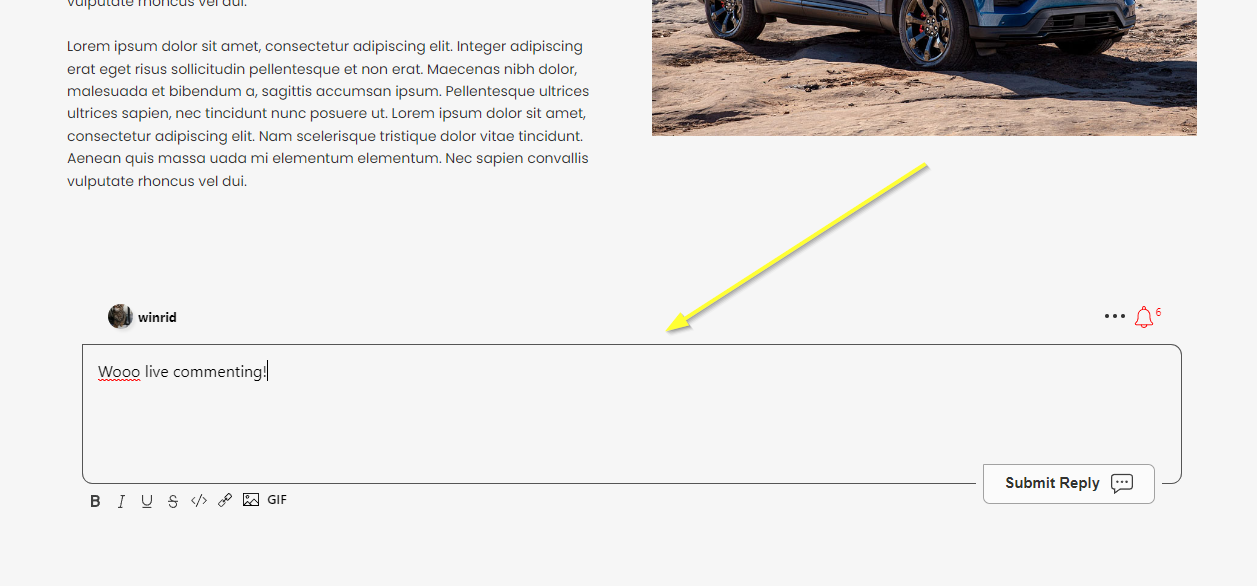
הצלחה
הצלחה

אם נתקלת בשגיאת 'permission denied', או ברצונך להתאים אישית את FastComments, המשך לקרוא.

התאמה אישית של האתר Internal Link

FastComments תוכנן כך שניתן להתאימו כדי שיתאים לאתר שלך.

אם ברצונך להוסיף עיצוב מותאם אישית או לשנות תצורה, עיין בתיעוד ההתאמה והקונפיגורציה שלנו כדי ללמוד כיצד.

לסיכום

אם מסיבה כלשהי הצעדים או הקוד שסופקו אינם פועלים, אנא הודיעו לנו.