
Додати живі коментарі до блогів Typeflo.io
Що охоплює цей посібник
У цьому посібнику описано налаштування живих коментарів за допомогою FastComments у блогах Typeflo.io.
1. Знайти поле введення коду 
Щоб додати FastComments до вашого блогу на Typeflo.io, спочатку перейдіть на панель керування свого блогу та натисніть Налаштування у лівій бічній панелі.

Далі натисніть вкладку Користувацький код у верхній частині сторінки налаштувань.
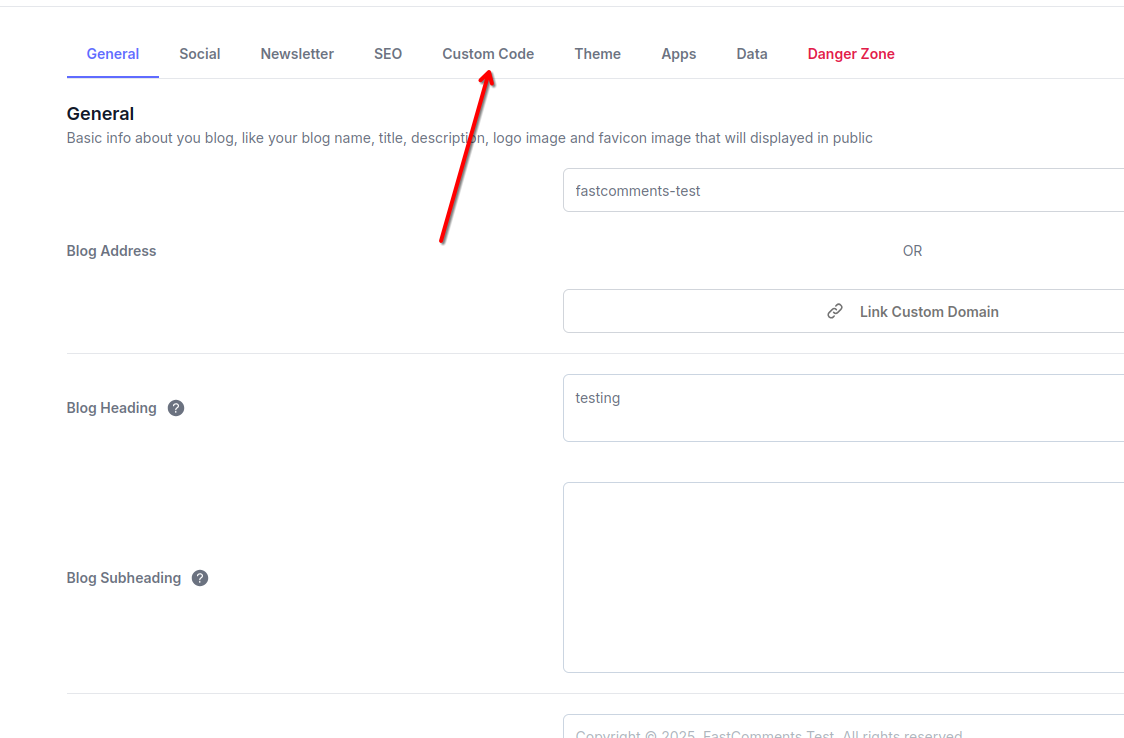
Ви побачите три розділи для додавання користувацького коду: Header, Body та Footer. Для FastComments ми будемо використовувати розділ Footer.
2. Вставити код
In the Footer section of the Custom Code tab, paste the following code:

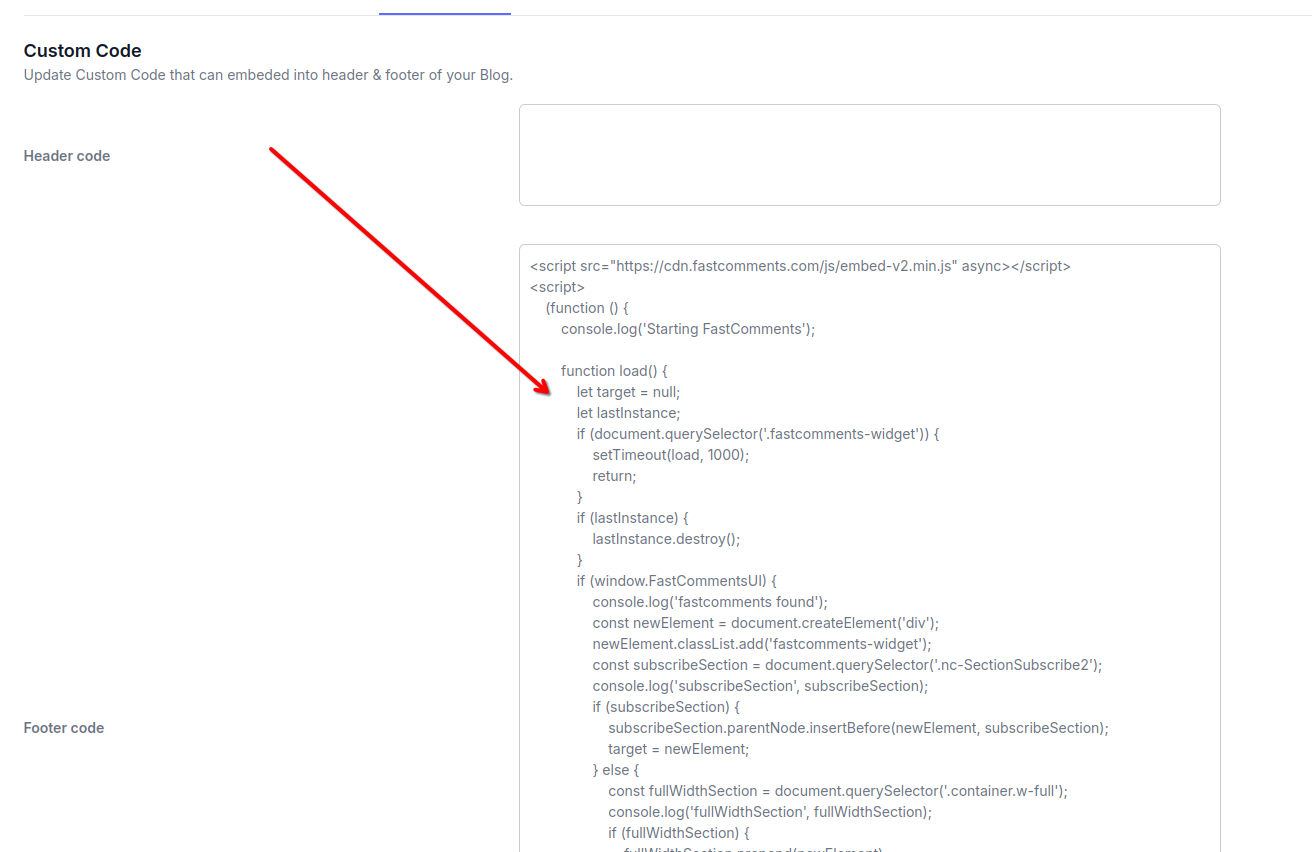
After pasting the code, click the Save button to apply your changes.
Note: This code includes logic to dynamically place the FastComments widget in the optimal location on your Typeflo.io blog posts. Other code snippets will not work properly with Typeflo.io's layout.
Remember to replace 'demo' with your actual FastComments tenant ID after signing up. If you're logged in to FastComments.com, it should already be replaced.
Успіх
Чудова робота! Ви додали можливість живих коментарів до вашого блогу Typeflo.io.
FastComments тепер з’являтиметься у всіх ваших дописах блогу, дозволяючи вашим читачам брати участь у дискусіях.
Якщо ви зіткнулися з помилкою 'permission denied', або хочете налаштувати FastComments, читайте далі.
Налаштування
FastComments спроєктовано так, щоб його можна було налаштувати відповідно до дизайну вашого блогу.
Якщо ви хочете додати власні стилі або відкоригувати конфігурацію, Ознайомтеся з нашою документацією з налаштування та кастомізації, щоб дізнатися, як.
Для блогів Typeflo.io ви можете додати власні CSS-стилі в тій самій секції Custom Code, куди ви додали скрипт FastComments.
Помилки доменів
Ви можете отримати помилку авторизації, наприклад таку:

Це відбувається тому, що FastComments не знає, що ваш обліковий запис має бути дозволений на цьому домені.
У цьому випадку рішення просте. Вам потрібно додати домен вашого блогу на Typeflo.io до вашого облікового запису FastComments.com.
Перейдіть сюди, щоб додати свій сайт до облікового запису.