
為 Typeflo.io 部落格新增即時留言功能
本指南涵蓋的內容
本指南說明如何在 Typeflo.io 部落格上設定 FastComments 的即時留言功能。
1. 找到程式碼輸入位置 
要將 FastComments 新增到您的 Typeflo.io 部落格,請先前往部落格的儀表板,然後在左側邊欄點選 設定。
點選 設定

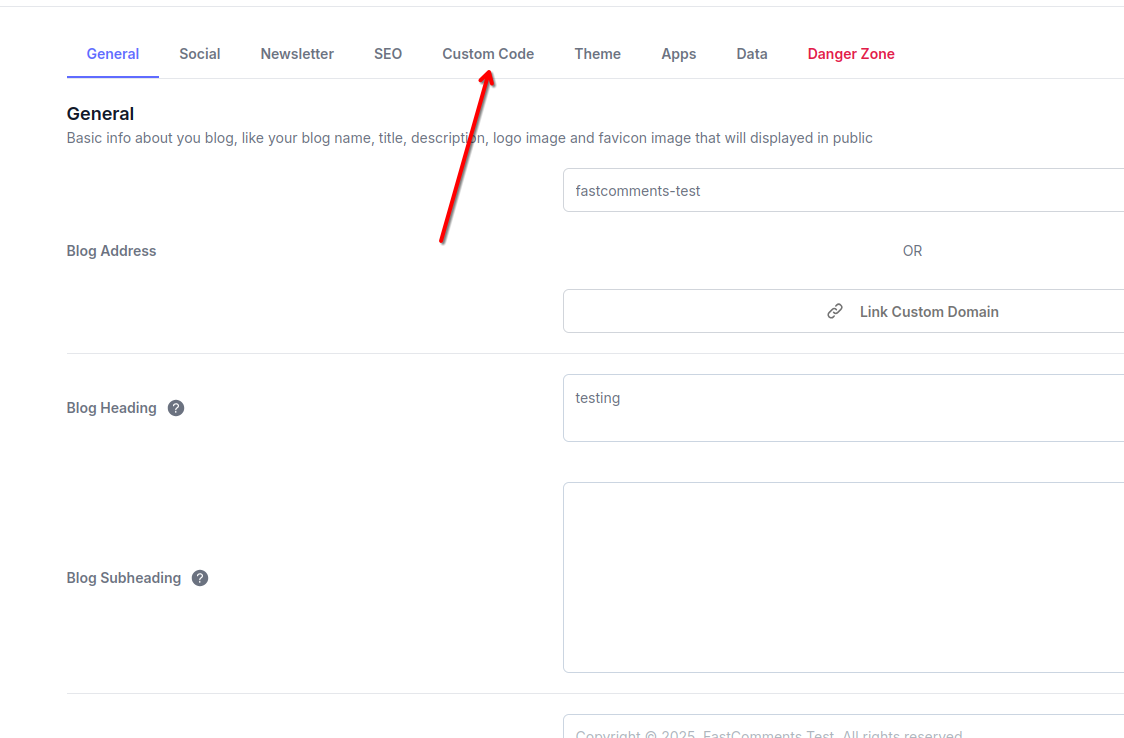
接著,在設定頁面頂端點選 自訂程式碼 頁籤。
點選 自訂程式碼 頁籤
您會看到三個可新增自訂程式碼的區塊:Header、Body 與 Footer。我們將使用 Footer 區塊來加入 FastComments。
2. 插入程式碼
在「自訂程式碼」分頁的 頁尾 區段,貼上以下程式碼:
Typeflo.io 即時留言程式碼片段
Copy 
1
2<script src="https://cdn.fastcomments.com/js/embed-v2.min.js" async></script>
3<script>
4 (function () {
5 function load() {
6 let target = null;
7 let lastInstance;
8 if (document.querySelector('.fastcomments-widget')) {
9 setTimeout(load, 1000);
10 return;
11 }
12 if (lastInstance) {
13 lastInstance.destroy();
14 }
15 if (window.FastCommentsUI) {
16 const newElement = document.createElement('div');
17 newElement.classList.add('fastcomments-widget');
18 const subscribeSection = document.querySelector('.nc-SectionSubscribe2');
19 if (subscribeSection) {
20 subscribeSection.parentNode.insertBefore(newElement, subscribeSection);
21 target = newElement;
22 } else {
23 const fullWidthSection = document.querySelector('.container.w-full');
24 if (fullWidthSection) {
25 fullWidthSection.prepend(newElement);
26 target = newElement;
27 }
28 }
29 }
30 if (target) {
31 lastInstance = FastCommentsUI(target, {
32 "tenantId": "demo"
33 });
34 }
35 setTimeout(load, 1000);
36 }
37
38 load();
39 })();
40</script>
41
將程式碼貼入頁尾區段
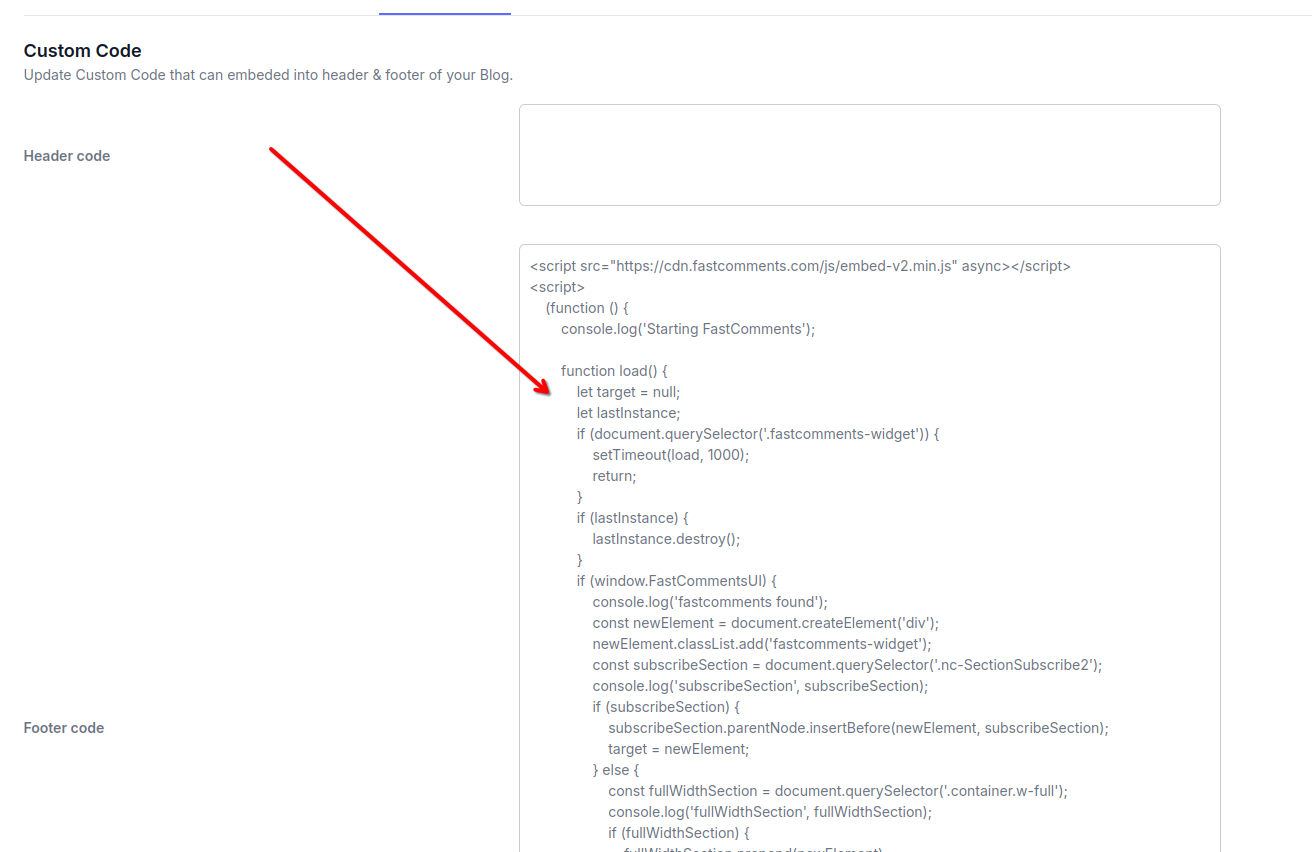
貼上程式碼後,按 儲存 按鈕以套用變更。
注意:此程式碼包含邏輯,可動態將 FastComments 小工具放置在 Typeflo.io 部落格文章的最佳位置。其他程式碼片段在 Typeflo.io 的版面配置下可能無法正常運作。
請記得在註冊後將 'demo' 替換為您實際的 FastComments tenant ID。如果您已登入 FastComments.com,它應該已經被替換。
完成
做得好!你已為你的 Typeflo.io 部落格新增即時評論功能。
FastComments 現在會出現在你所有的部落格文章中,讓讀者可以參與討論。
如果你遇到權限被拒的錯誤,或想要自訂 FastComments,請繼續閱讀。
自訂
FastComments 的設計可自訂,以符合您部落格的風格。
如果您想加入自訂樣式或調整設定,請查看我們的自訂與設定文件以了解如何。
對於 Typeflo.io 的部落格,您可以在加入 FastComments 腳本的同一個自訂程式碼區段中新增自訂 CSS 樣式。
網域錯誤
您可能會收到類似以下的授權錯誤:
缺少網域設定

這是因為 FastComments 不知道應該允許您的帳戶在此網域上使用。
在這種情況下,解決辦法很簡單。您只需要將您的 Typeflo.io 部落格網域新增到您的 FastComments.com 帳戶。
注意:請確保同時新增您的自訂網域(如果有)以及您的 Typeflo.io 子網域,以確保 FastComments 在所有情況下都能運作。