
在 Typeflo.io 博客中添加实时评论
本指南涵盖内容
本指南涵盖在 Typeflo.io 博客上使用 FastComments 设置实时评论。
1. 找到代码输入 
要将 FastComments 添加到您的 Typeflo.io 博客,首先导航到您的博客的仪表板,然后在左侧边栏点击 设置。
点击“设置”

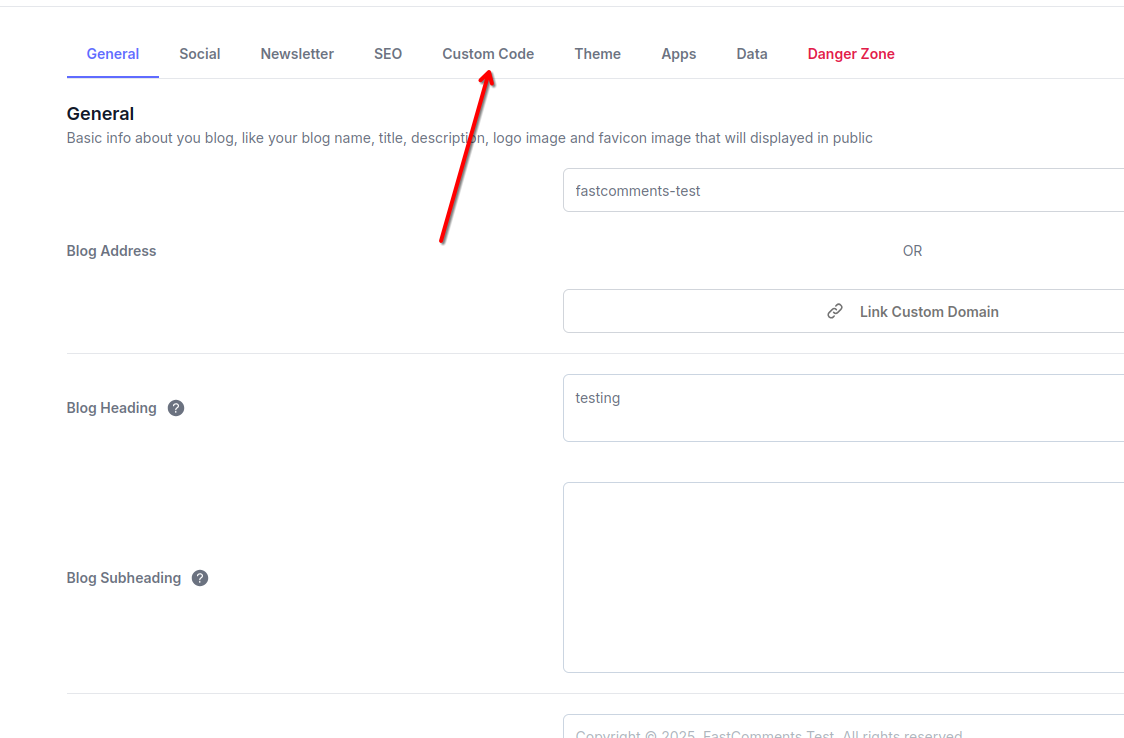
接下来,在设置页面顶部点击 自定义代码 选项卡。
点击“自定义代码”选项卡
您会看到三个用于添加自定义代码的部分:Header、Body 和 Footer。我们将使用 Footer 部分来添加 FastComments。
2. 插入代码
在自定义代码选项卡的页脚部分,粘贴以下代码:
Typeflo.io 实时评论代码片段
Copy 
1
2<script src="https://cdn.fastcomments.com/js/embed-v2.min.js" async></script>
3<script>
4 (function () {
5 function load() {
6 let target = null;
7 let lastInstance;
8 if (document.querySelector('.fastcomments-widget')) {
9 setTimeout(load, 1000);
10 return;
11 }
12 if (lastInstance) {
13 lastInstance.destroy();
14 }
15 if (window.FastCommentsUI) {
16 const newElement = document.createElement('div');
17 newElement.classList.add('fastcomments-widget');
18 const subscribeSection = document.querySelector('.nc-SectionSubscribe2');
19 if (subscribeSection) {
20 subscribeSection.parentNode.insertBefore(newElement, subscribeSection);
21 target = newElement;
22 } else {
23 const fullWidthSection = document.querySelector('.container.w-full');
24 if (fullWidthSection) {
25 fullWidthSection.prepend(newElement);
26 target = newElement;
27 }
28 }
29 }
30 if (target) {
31 lastInstance = FastCommentsUI(target, {
32 "tenantId": "demo"
33 });
34 }
35 setTimeout(load, 1000);
36 }
37
38 load();
39 })();
40</script>
41
将代码粘贴到页脚部分
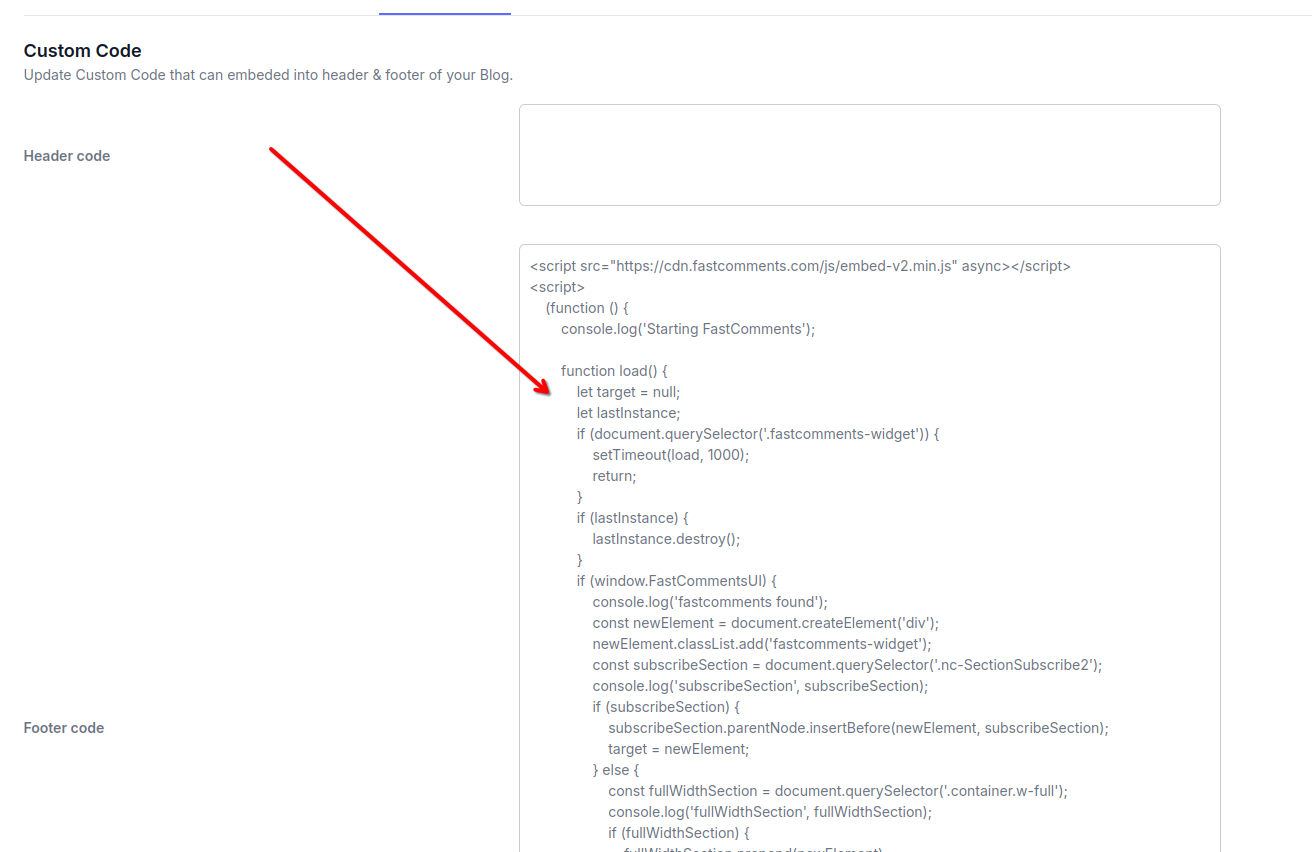
粘贴代码后,点击 保存 按钮以应用更改。
注意:此代码包含用于在您的 Typeflo.io 博客文章中动态将 FastComments 小部件放置到最佳位置的逻辑。其他代码片段无法与 Typeflo.io 的布局正常配合。
请记得在注册后将 'demo' 替换为您实际的 FastComments tenant ID。如果您已登录 FastComments.com,应该已经被替换。
成功
干得好!您已在 Typeflo.io 博客上添加了实时评论。
FastComments 现在会出现在您所有的博客文章上,允许读者参与讨论。
如果您遇到“权限被拒绝”错误,或想自定义 FastComments,请继续阅读。
自定义
FastComments 旨在可定制,以匹配您博客的设计。
如果您想添加自定义样式或调整配置,请查看我们的自定义文档以了解方法。
对于 Typeflo.io 博客,您可以在添加 FastComments 脚本的同一 Custom Code 部分中添加自定义 CSS 样式。
域名错误
您可能会遇到如下授权错误:
域名配置缺失

这是因为 FastComments 不知道应该允许您的帐户在此域上使用。
在这种情况下,修复很简单。您只需将您的 Typeflo.io 博客域添加到您的 FastComments.com 帐户中。
注意:请确保同时添加您的自定义域(如果有)和您的 Typeflo.io 子域,以确保 FastComments 在所有情况下都能正常工作。