
Zyroサイトにライブコメントを追加
ステップ1:コードウィジェットを追加 
まず、Website Builderでサイトを開きます。
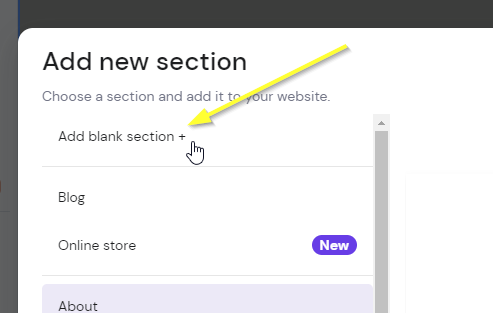
Now if you don't already have a section where you want the comments to go, add a blank section:

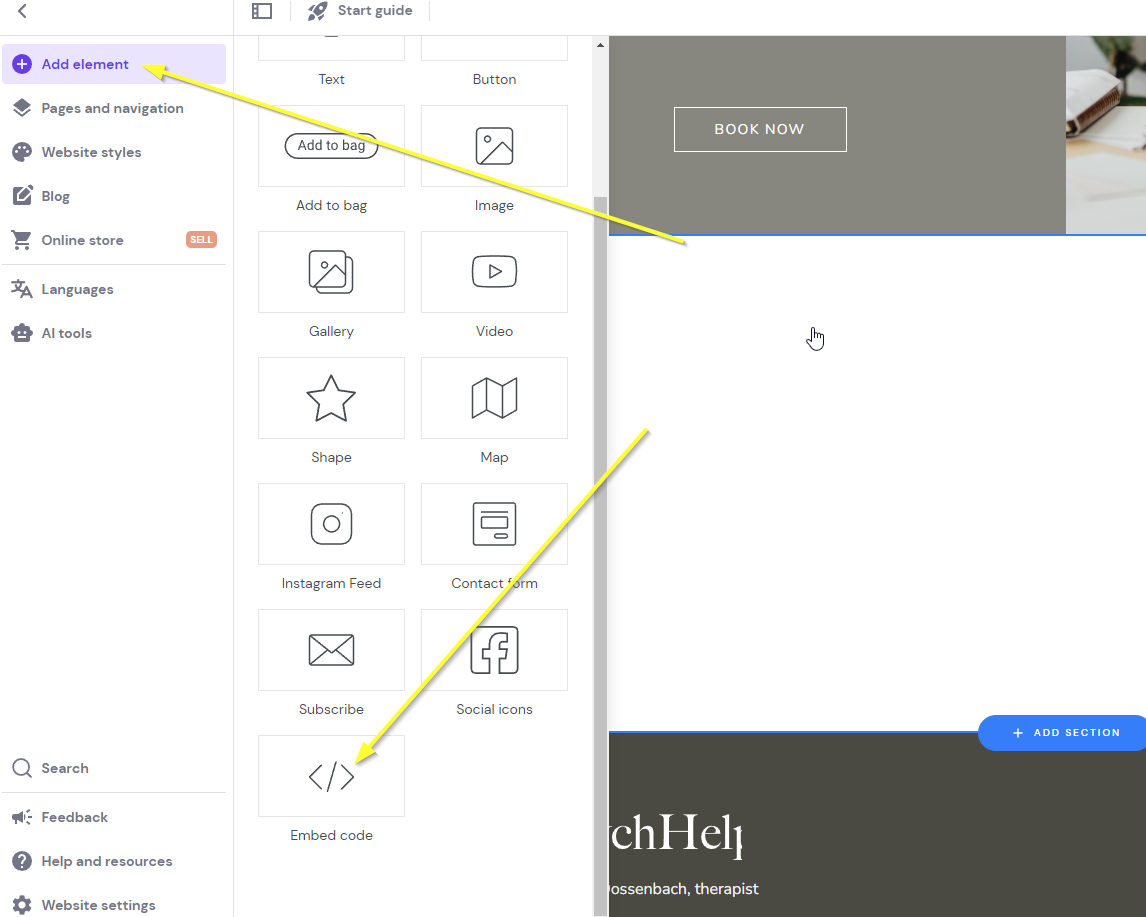
Now add the Zyro Embed widget by clicking our new section and clicking Add element in the top and then Embed code:
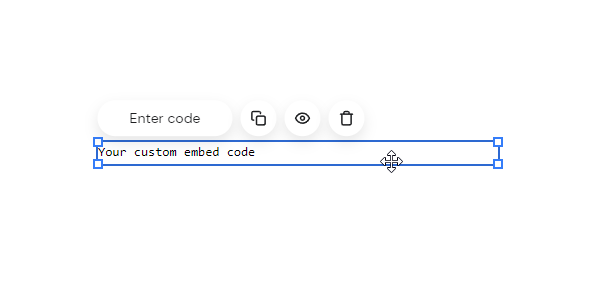
You'll get something like this:
Now we're ready for Step 2.
ステップ2:コードを追加
これでウィジェットのコードを追加しましょう。
下のコードをコピーしてください。アカウント情報でコードが事前入力されるように、fastcomments.com にサインインしていることを確認し、サインインしていない場合はこのページをリロードしてください。そうしないとデモ用のコードが表示されます。
それではコードをコピーしましょう:

それではサイトビルダーに戻り、Enter code をクリックしてください:
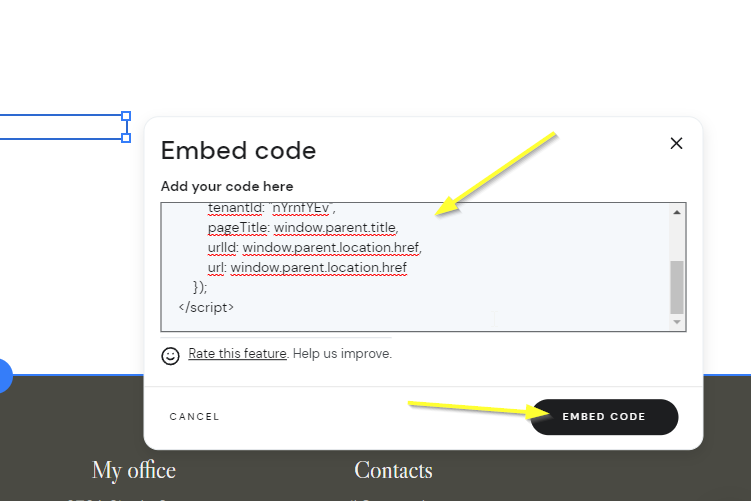
注意!
上記のコードを使用し、他のドキュメントのコードスニペットは使用しないでください。このスニペットは Zyro 向けに特別に作成されています。
次のように空白に見える状態になっているはずです。これは正常です。ウィジェットが表示されるエリアにマウスを移動させてください:
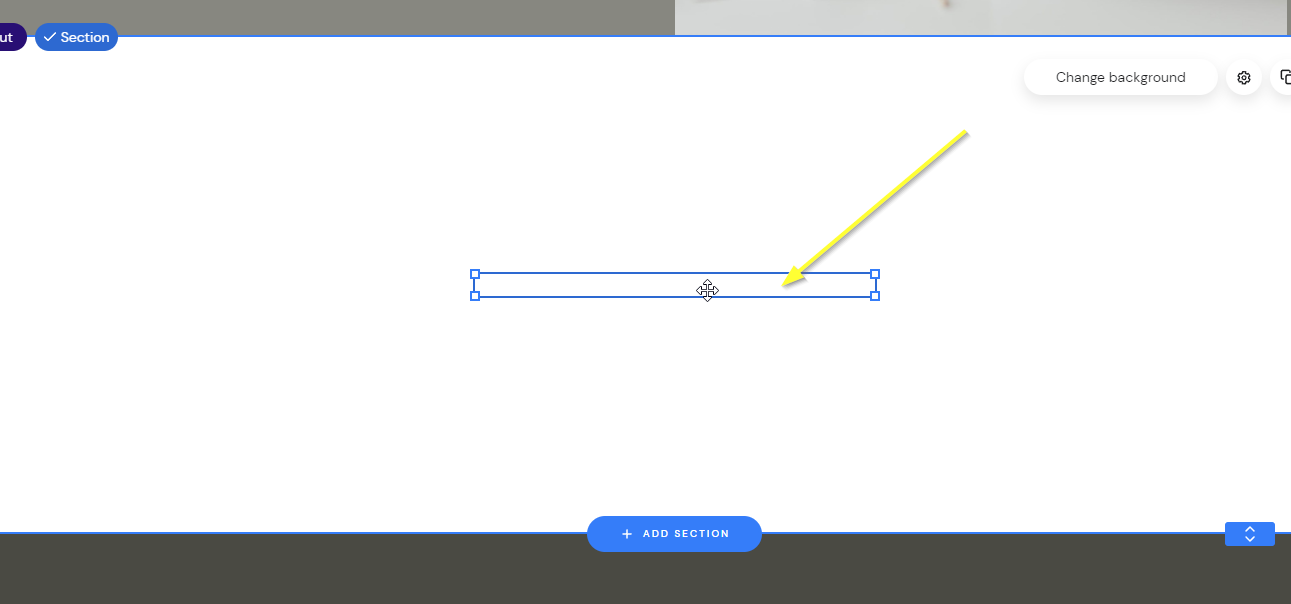
ウィジェットを目的のサイズになるようドラッグすると、表示されるのが確認できます:
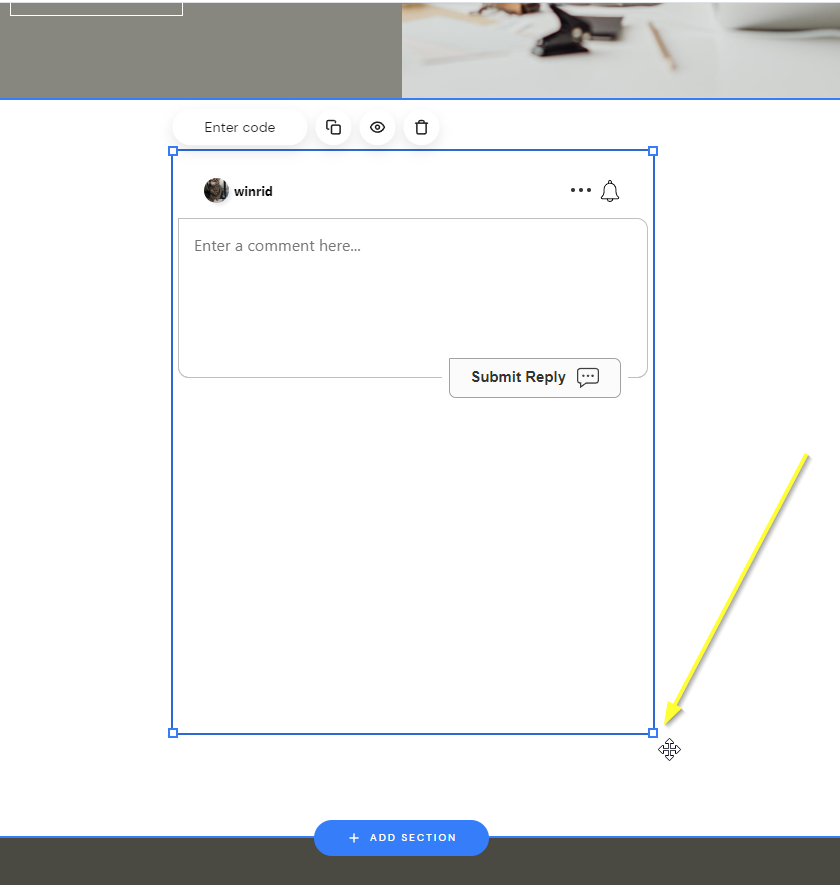
...そしてプレビューして保存してください!
成功
これで完了です!Zyro サイトにライブコメントが追加されました。
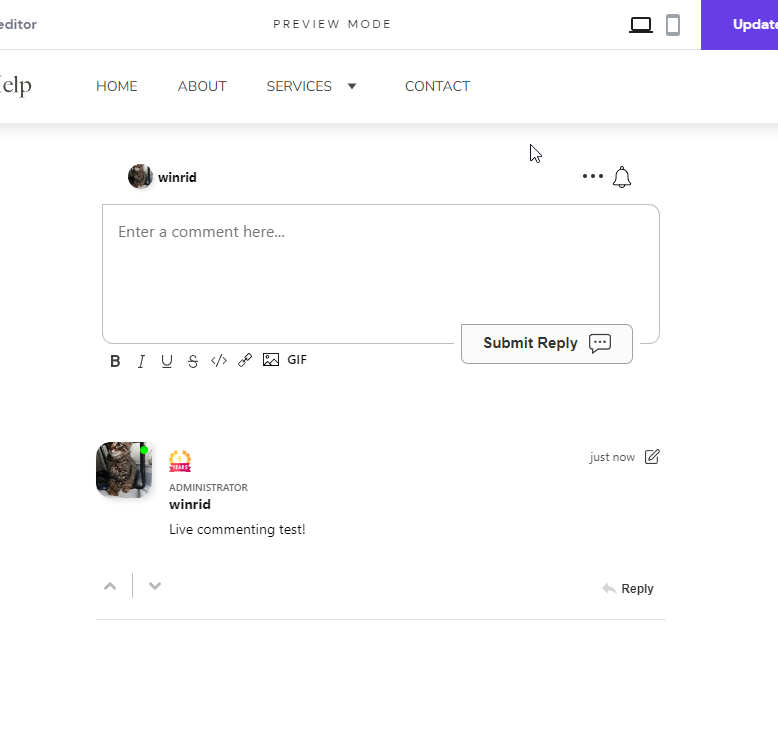
権限拒否エラーが発生した場合、または FastComments をカスタマイズしたい場合は、以下をお読みください。
サイトドメインのエラー
あなたは次のような認証エラーが発生することがあります:

これは FastComments があなたのアカウントをこのドメインで使用できるように許可すべきであることを認識していないためです。
この場合、対処は簡単です。あなたのサイトを FastComments.com のアカウントに追加するだけです。
アカウントにサイトを追加するにはここにアクセスしてください。
これであなたのサイトに高速なライブコメント機能が追加されているはずです!
サイトのカスタマイズ
FastComments はお使いのサイトに合わせてカスタマイズできるように設計されています。
カスタムスタイリングを追加したり、設定を調整したい場合は、方法を学ぶためにカスタマイズと設定に関するドキュメントをご確認ください。
フローティングいいねボタン
FastComments は Zyro 向けに Page Reacts(いわゆる Floating Like ボタン)ウィジェットもサポートしています。
このページの右下で実際に動作しているのが確認できます!
- まず、コードを取得します:
- 次に、Zyro でサイトビルダーを開きます。
- 左下の Website Settings に移動します。
- Integrations を選択します。
- 新しいコードを
Custom codeフィールドの 末尾 に追加し、サイトを公開します。 - プレビューモードではウィジェットは表示されませんが、公開されたサイトで表示されます。