
向 Zyro 网站添加实时评论
第1步:添加代码小部件 
首先,在网站构建器中打开你的网站。
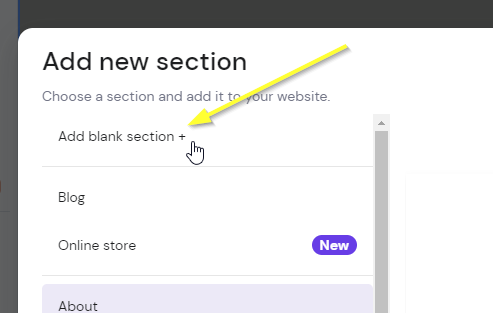
现在,如果你还没有想放置评论的部分,请添加一个空白部分:
添加部分

添加部分
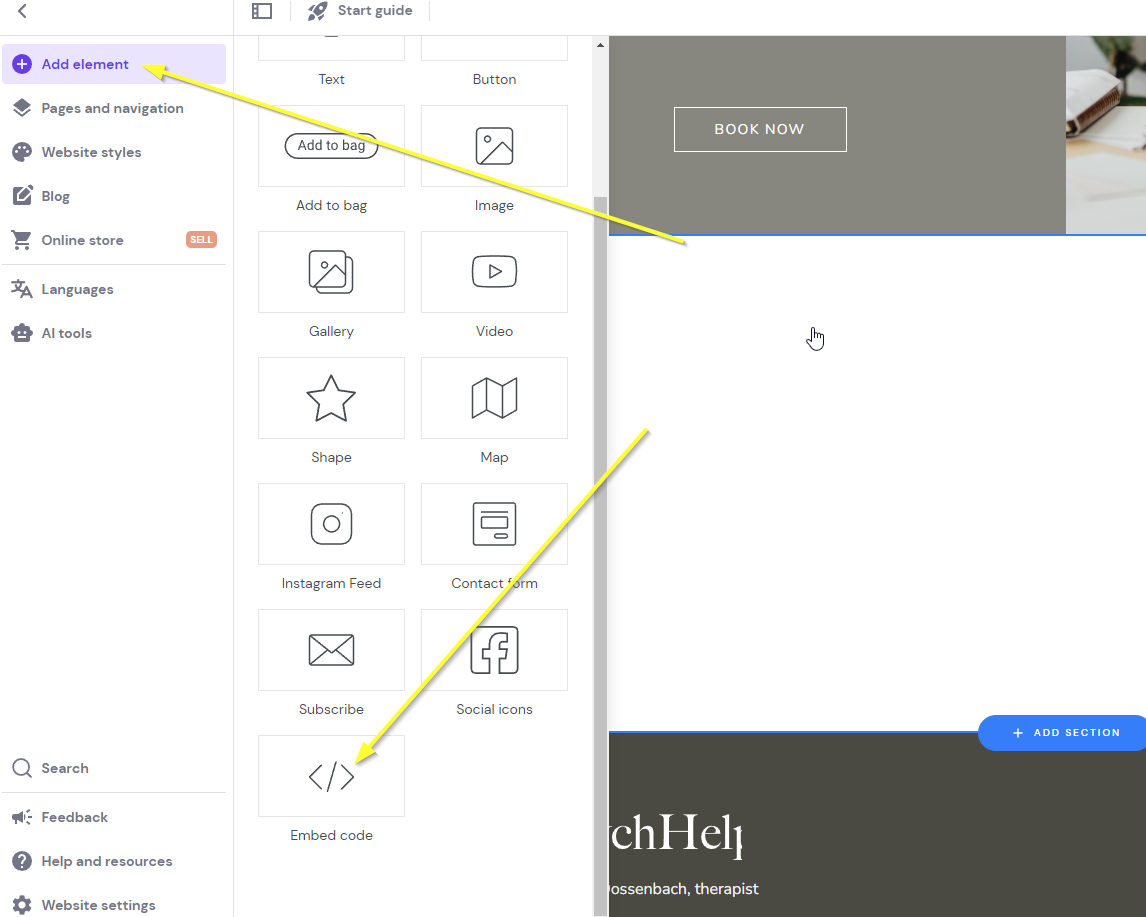
现在通过点击我们新建的部分,然后在顶部点击 Add element,再点击 Embed code 来添加 Zyro 嵌入小部件:
嵌入代码
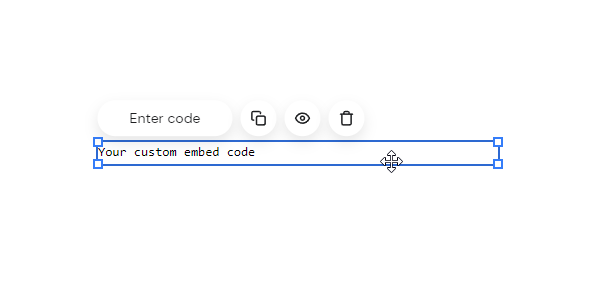
你会看到类似下面的内容:
已添加代码部分
现在我们准备好进入 Step 2。
第2步:添加代码
现在让我们添加小部件代码。
复制下面的代码。请确保您已登录到 fastcomments.com 并在未登录时重新加载此页面,以便代码会预填充您的帐户信息,否则它将显示演示代码。
现在复制代码:
Zyro 评论代码
Copy 
1
2<script async src="https://cdn.fastcomments.com/js/embed-v2-async.min.js"></script>
3<div id="fastcomments-widget"></div>
4<script>
5 window.fcConfigs = [{
6 target: '#fastcomments-widget',
7 tenantId: "demo",
8 pageTitle: window.parent.document.title,
9 urlId: window.parent.location.href,
10 url: window.parent.location.href
11 }];
12</script>
13
现在返回我们的网站构建器并点击 Enter code:
输入代码
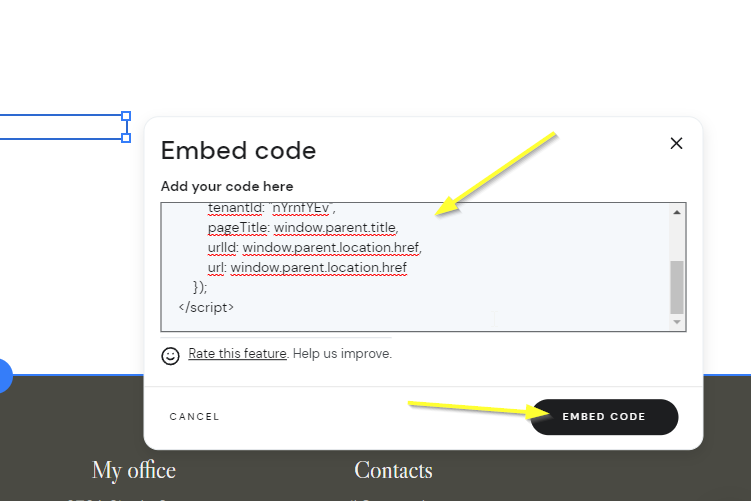
注意!
请务必使用上面的代码,而不是其他文档中的代码片段,因为此代码片段是专为 Zyro 定制的。
现在您应该看到类似下面的内容,页面看起来是空白的。这是预期行为。将鼠标移动到小部件应该出现的区域:
已添加代码小部件
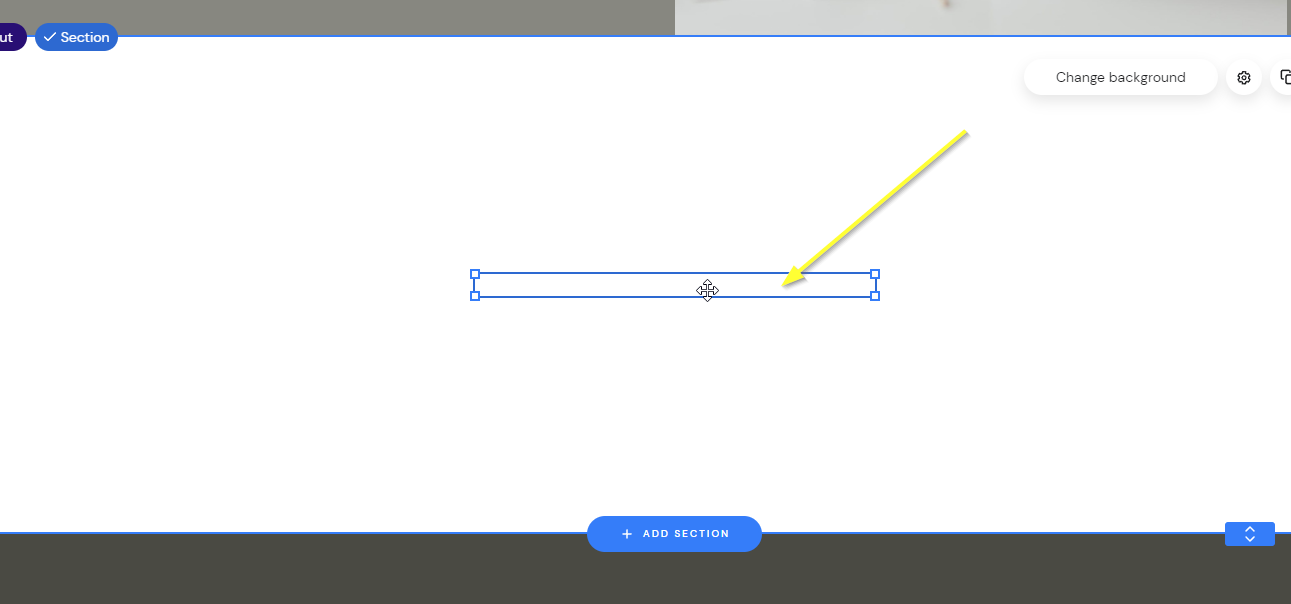
现在拖动小部件到所需大小,您会看到它出现:
调整大小
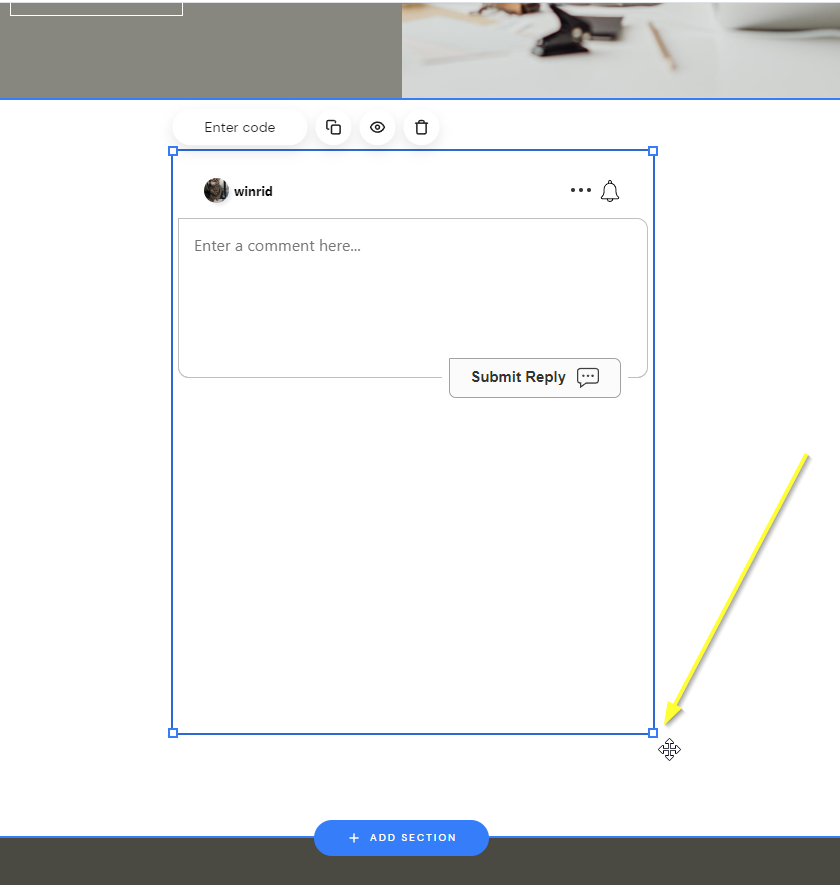
...现在预览并保存!
成功
就这样!现在您应该已经在您的 Zyro 网站上添加了实时评论。
成功
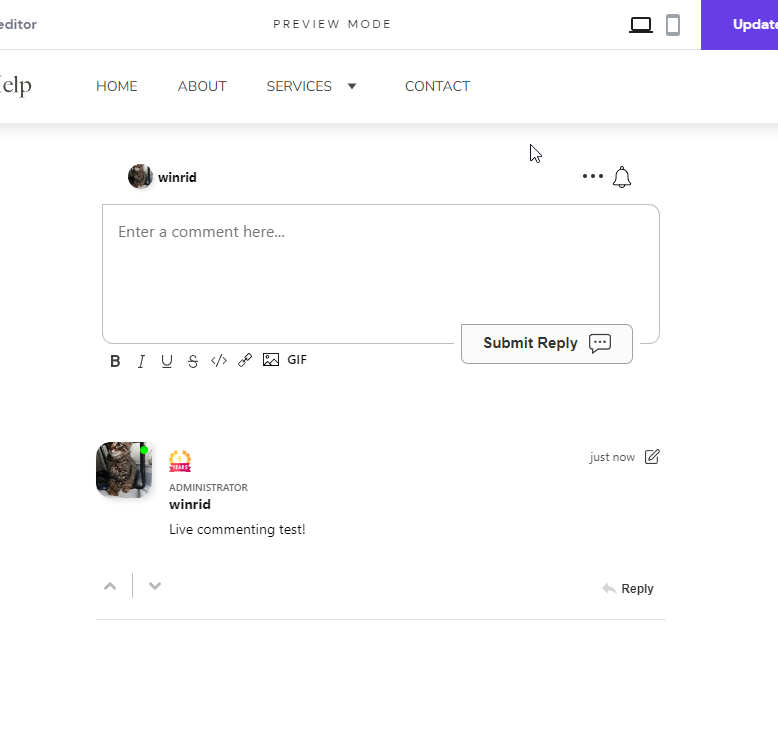
如果您遇到权限被拒绝的错误,或想自定义 FastComments,请继续阅读。
站点域名错误
您可能会遇到如下授权错误:
域配置缺失

这是因为 FastComments 不知道应该允许您的帐户在此域名上使用。
在这种情况下,解决方法很简单。您只需将站点添加到您的 FastComments.com 帐户。
现在,您的站点应该已经添加了快速、实时的评论功能!
站点自定义
浮动点赞按钮
FastComments 还支持 Zyro 的 Page Reacts(也称为浮动喜欢按钮)小部件。
你可以在本页的右下角看到它的效果!
- 首先,获取代码:
Zyro 浮动喜欢按钮 代码
Copy
1
2<script src="https://cdn.fastcomments.com/js/embed-page-likes-floating.min.js?v=2" async></script>
3<div id="fastcomments-page-likes-floating"></div>
4<script>
5 (function () {
6 function tryLoad() {
7 if (typeof window.FastCommentsEmbedPageLikesFloating === 'function') {
8 window.FastCommentsEmbedPageLikesFloating(document.getElementById('fastcomments-page-likes-floating'), {
9 tenantId: "demo"
10 });
11 } else {
12 setTimeout(tryLoad, 50);
13 }
14 }
15
16 tryLoad();
17 })();
18</script>
19
- 然后,在 Zyro 中打开站点构建器。
- 转到左下角的“网站设置”。
- 选择“集成”。
- 将新代码添加到
Custom code字段的 末尾,并发布您的站点。 - 在预览模式下你看不到该小部件,但在发布后的站点版本中它会出现。