FastComments.com

הוסף דיונים חיים לאתרי Super.so

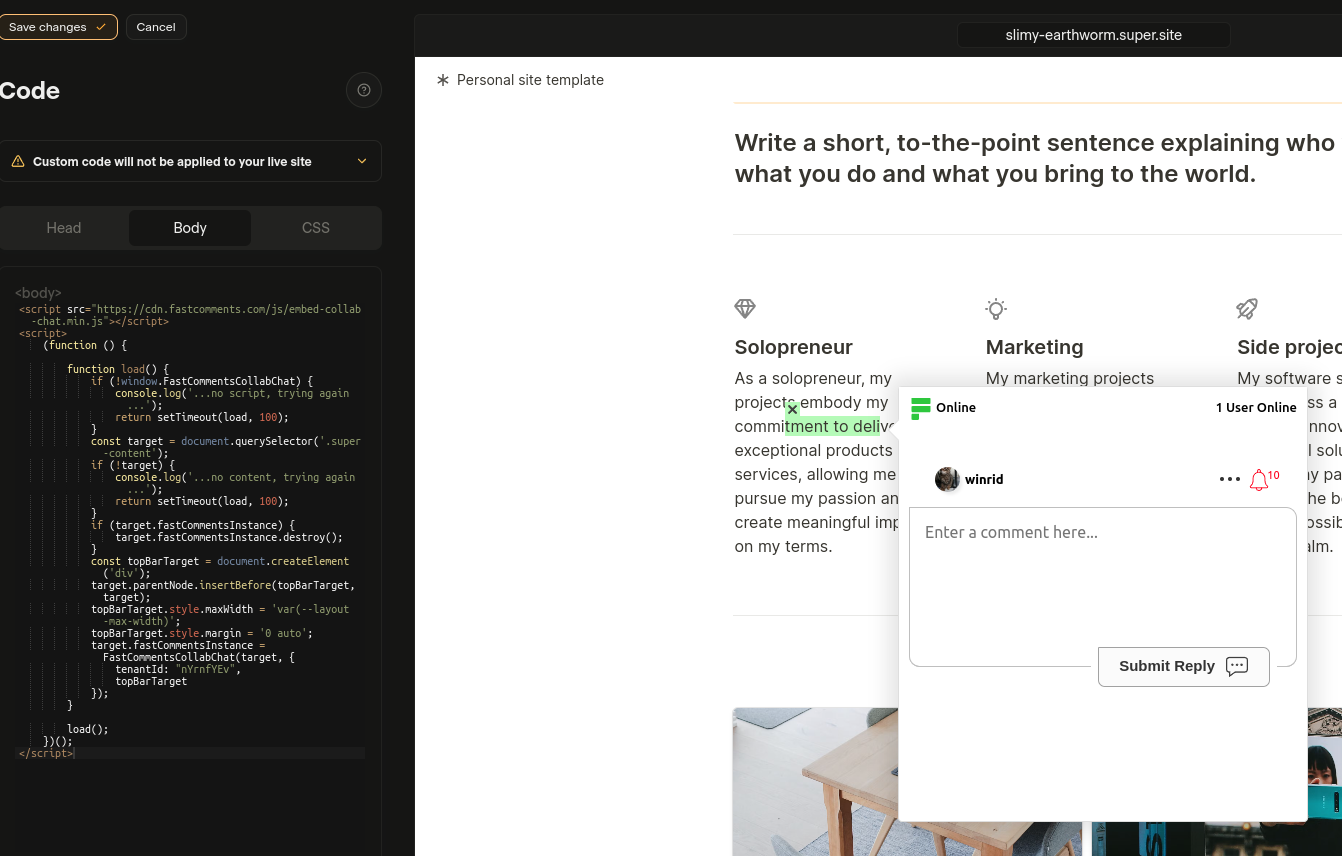
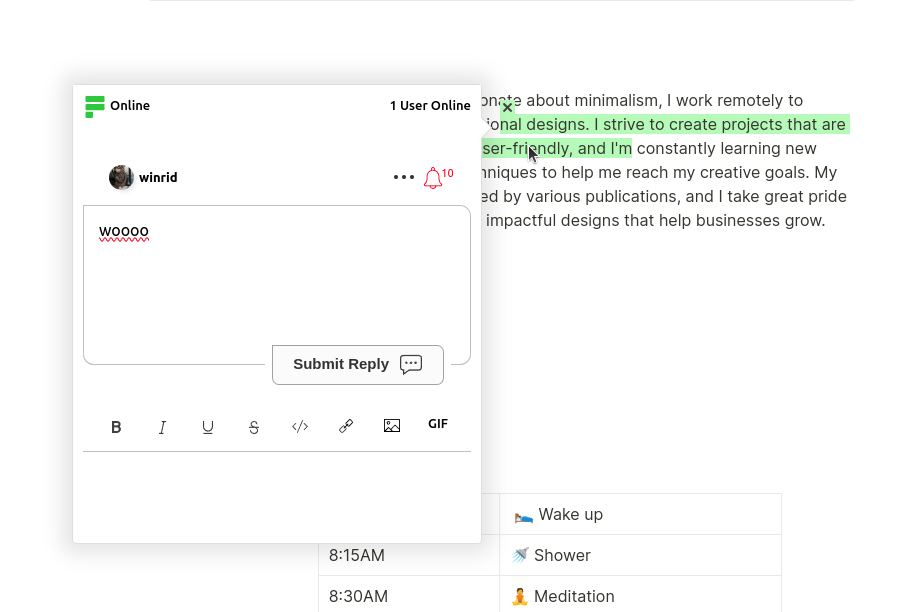
FastComments Collab Chat משדרג אתרי Super.so לרמה הבאה על ידי הוספת דיונים חיים בתוך הטקסט. משתמשים יכולים להדגיש ולהגיב על קטעי טקסט באופן שיתופי, ביחד - בזמן אמת!

כאן נסביר את שלבי ההתקנה, שלוקחים רק כמה דקות.

שלב 1: פתח את ההגדרות Internal Link

ראשית עלינו לפתוח את עורך הקוד. אם ברצונך להוסיף את FastComments לכל הדפים, פשוט בחר ב־Code בפינה השמאלית התחתונה:
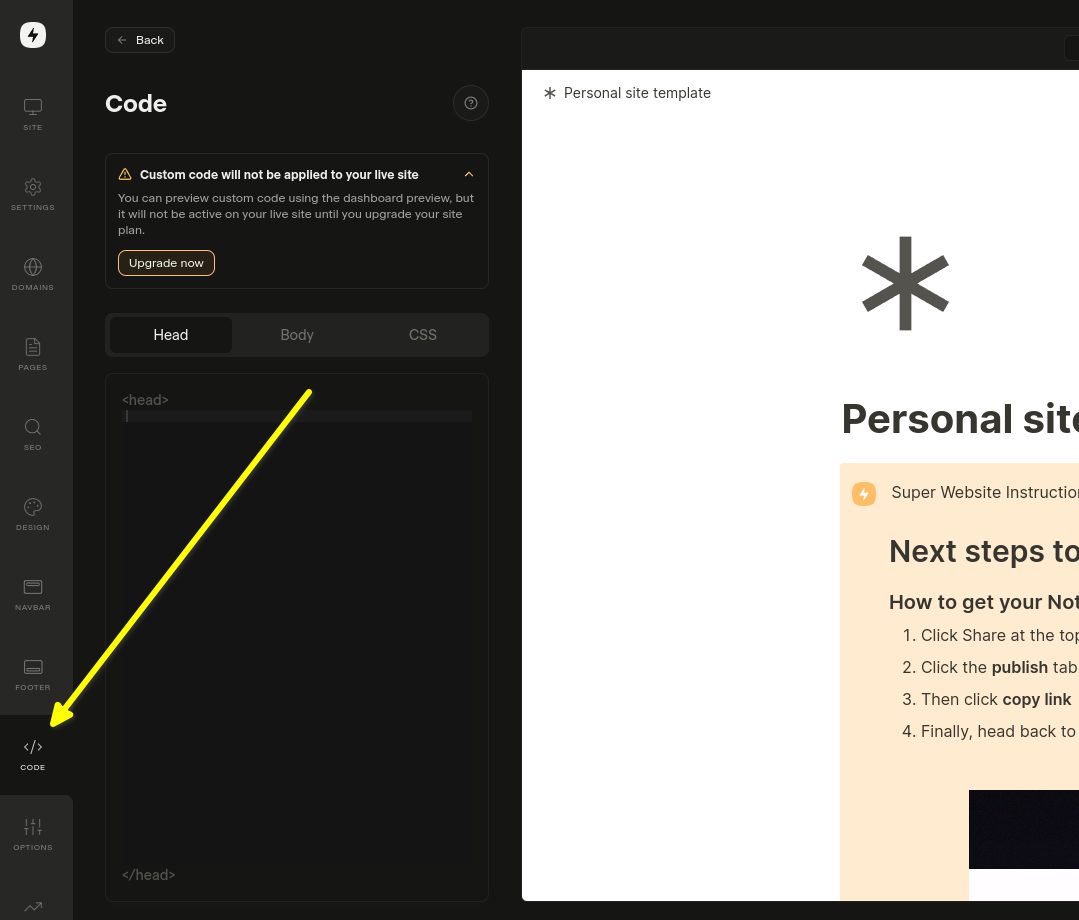
פתח הגדרות הקוד
פתח הגדרות הקוד

אם ברצונך להוסיף אותו לעמוד מסוים, בחר ב־Edit Custom Code בהגדרות של אותו עמוד.

עכשיו בואו נבחר בכרטיסיית Body. זה חשוב!. התקנת קטע הקוד ב־Head לא עובדת.
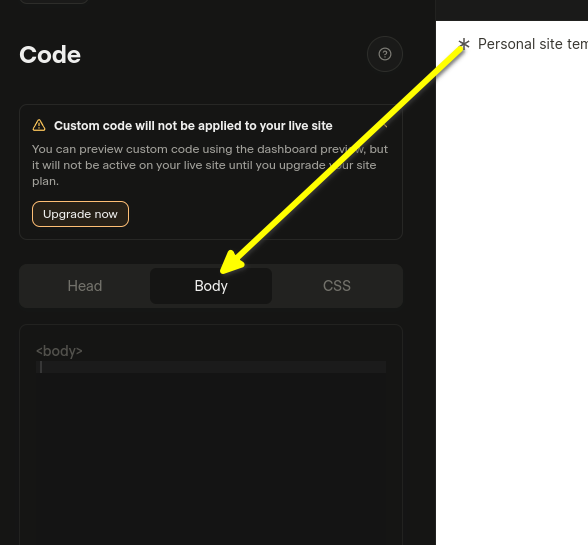
בחר בכרטיסיית Body
בחר בכרטיסיית Body

כעת ניתן להמשיך לשלב 2.


שלב 2: הוסף קוד מוכן מראש Internal Link

בשלב הבא עליך להעתיק את קוד הווידג'ט המוכן מטה.

כל עוד אתה מחובר ל-FastComments.com הקטע הקוד למטה כבר יכלול את מידע החשבון שלך. בוא נעתיק אותו:

קוד Super.so של FastComments Collab Chat
Copy Copy
1
2<script src="https://cdn.fastcomments.com/js/embed-collab-chat.min.js"></script>
3<script>
4 (function () {
5 let currentPathname = window.location.pathname;
6 let currentWidget = null;
7 let currentTopBar = null;
8
9 function load() {
10 if (!window.FastCommentsCollabChat) {
11 console.log('...no script, trying again...');
12 return setTimeout(load, 100);
13 }
14
15 const target = document.querySelector('.super-content');
16 if (!target || !target.innerHTML || target.innerHTML.length < 100) {
17 console.log('...no content, trying again...');
18 return setTimeout(load, 100);
19 }
20
21 // ניקוי מופע קיים
22 if (target.fastCommentsInstance) {
23 target.fastCommentsInstance.destroy();
24 }
25
26 // הסר את סרגל העליון הקיים אם קיים
27 if (currentTopBar && currentTopBar.parentNode) {
28 currentTopBar.parentNode.removeChild(currentTopBar);
29 }
30
31 // צור סרגל עליון חדש
32 const topBarTarget = document.createElement('div');
33 target.parentNode.insertBefore(topBarTarget, target);
34 topBarTarget.style.maxWidth = 'var(--layout-max-width)';
35 topBarTarget.style.margin = '0 auto';
36 currentTopBar = topBarTarget;
37 currentWidget = target;
38
39 // אתחול FastComments Collab Chat
40 target.fastCommentsInstance = FastCommentsCollabChat(target, {
41 tenantId: "demo",
42 topBarTarget: topBarTarget
43 });
44
45 // עדכן את currentPathname
46 currentPathname = window.location.pathname;
47 }
48
49 // טעינה ראשונית
50 load();
51
52 // בדוק כל 500ms אם יש שינויים
53 setInterval(() => {
54 // טען מחדש אם ה-pathname השתנה
55 if (window.location.pathname !== currentPathname) {
56 console.log('Pathname changed, reloading...');
57 load();
58 return;
59 }
60
61 // טען מחדש אם הווידג'ט הוסר
62 if (currentWidget && !currentWidget.parentNode) {
63 console.log('Widget removed, reloading...');
64 load();
65 return;
66 }
67
68 // טען מחדש אם המכולה התרוקנה
69 const target = document.querySelector('.super-content');
70 if (target && target.innerHTML.length < 100) {
71 console.log('Container emptied, reloading...');
72 load();
73 }
74 }, 500);
75 })();
76</script>
77

Now paste in the Body area:

הקוד שהוצמד
הקוד שהוצמד

If you see a "this is a demo message" after pasting the code:

  • Ensure you're logged into your fastcomments.com account.
  • Ensure you have 3rd party cookies enabled.
  • Then refresh this page and copy the code snippet again. It should have tenantId populated with your tenant's identifier.

ראו גם: ווידג'ט תגובות רגיל Internal Link

הוספת ווידגט תגובות חיות למאמרי Notion שלך ב‑Super.so

בנוסף ל‑Collab Chat, באפשרותך להוסיף ווידגט תגובות מסורתי לתחתית המאמרים שלך ב‑Notion. זה מאפשר לקוראים להשאיר תגובות ולנהל דיונים על כל המאמר.

שלבי התקנה

העתק את הקוד הבא והדבק אותו בקטע ה‑Body בהגדרות האתר שלך ב‑Super.so:

ווידגט תגובות חיות של FastComments ל‑Super.so
Copy Copy
1
2<script src="https://cdn.fastcomments.com/js/embed-v2.min.js"></script>
3<script>
4 (function () {
5 let currentPathname = window.location.pathname;
6 let currentWidget = null;
7
8 function load() {
9 if (!window.FastCommentsUI) {
10 console.log('...no script, trying again...');
11 return setTimeout(load, 100);
12 }
13
14 const contentArea = document.querySelector('.notion-root');
15 if (!contentArea || !contentArea.innerHTML || contentArea.innerHTML.length < 100) {
16 console.log('...no content, trying again...');
17 return setTimeout(load, 100);
18 }
19
20 // נקה מופע קיים
21 if (contentArea.fastCommentsInstance) {
22 contentArea.fastCommentsInstance.destroy();
23 }
24
25 // צור יעד חדש
26 const target = document.createElement('div');
27 contentArea.append(target);
28 currentWidget = target;
29
30 // אתחל את FastComments
31 contentArea.fastCommentsInstance = FastCommentsUI(target, {
32 tenantId: "demo",
33 urlId: window.location.pathname
34 });
35
36 // עדכן את currentPathname
37 currentPathname = window.location.pathname;
38 }
39
40 // טעינה ראשונית
41 load();
42
43 // בדוק כל 500ms עבור שינויים
44 setInterval(() => {
45 // טען מחדש אם ה‑pathname השתנה
46 if (window.location.pathname !== currentPathname) {
47 console.log('Pathname changed, reloading...');
48 load();
49 return;
50 }
51
52 // טען מחדש אם הווידגט הוסר
53 if (currentWidget && !currentWidget.parentNode) {
54 console.log('Widget removed, reloading...');
55 load();
56 return;
57 }
58
59 // טען מחדש אם המכולה רוקנה
60 const contentArea = document.querySelector('.notion-root');
61 if (contentArea && contentArea.innerHTML.length < 100) {
62 console.log('Container emptied, reloading...');
63 load();
64 }
65 }, 500);
66 })();
67</script>
68

הערות חשובות

  • הווידגט התגובות יופיע בתחתית המאמרים שלך ב‑Notion
  • לכל עמוד יש שרשור תגובות ייחודי מבוסס על נתיב ה‑URL
  • הקפד להחליף את "demo" ב‑tenant ID האמיתי שלך מחשבון FastComments שלך
  • הווידגט מטפל אוטומטית בטעינת הדפים הדינמית של Super.so

התאמה אישית Internal Link


FastComments נועד להיות מותאם לצורכי האתר שלך.

אם ברצונך להוסיף עיצוב מותאם אישית, או לכוונן את התצורה, עיין בתיעוד ההתאמות וההגדרות שלנו כדי ללמוד כיצד.