FastComments.com

Add Live Discussions to Super.So Sites


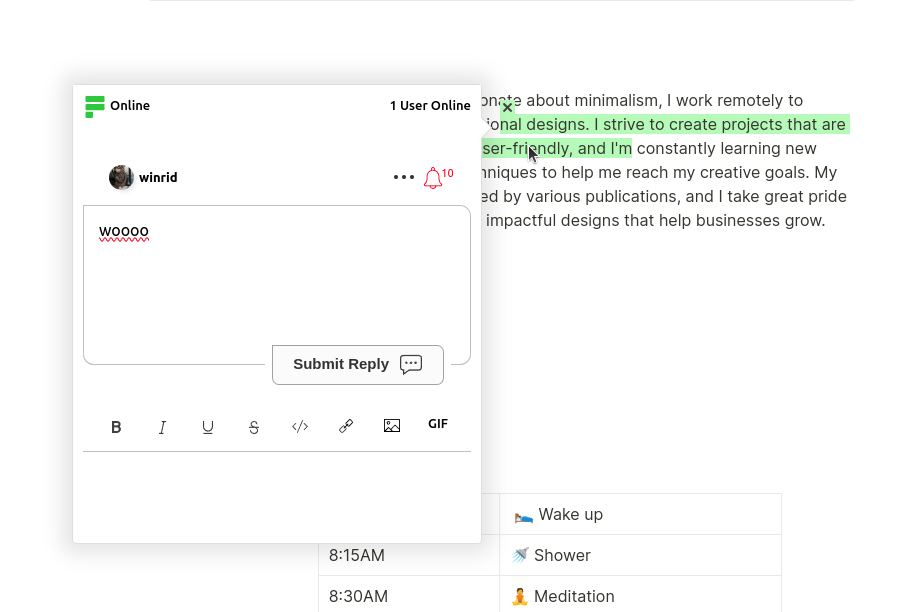
FastComments Collab Chat wynosi strony Super.so na wyższy poziom, dodając dyskusje osadzone na żywo. Użytkownicy mogą zaznaczać i komentować fragmenty tekstu wspólnie, razem - na żywo!

Tutaj omówimy kroki instalacji, które powinny zająć tylko kilka minut.


Krok 1: Otwórz ustawienia Internal Link

Najpierw musimy otworzyć edytor kodu. Jeśli chcesz dodać FastComments do wszystkich stron, po prostu wybierz Kod w lewym dolnym rogu:
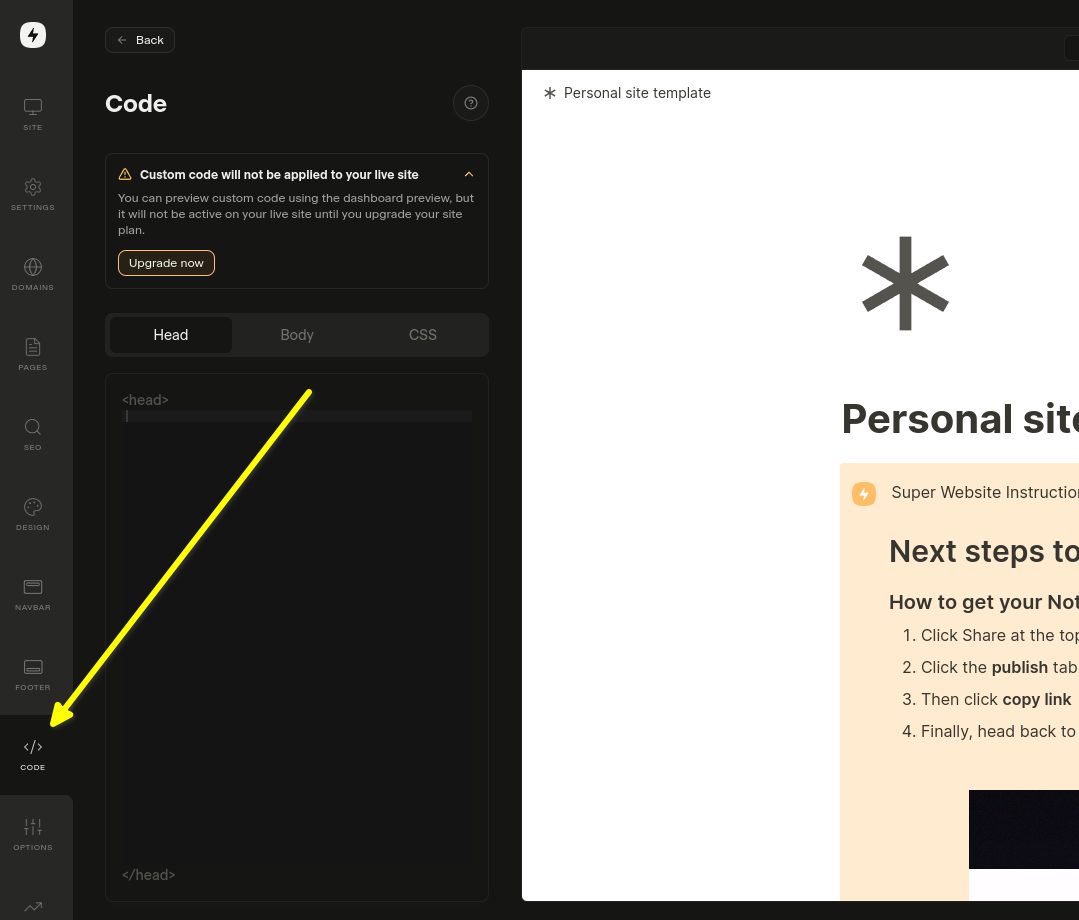
Otwórz ustawienia kodu

Jeśli chcesz dodać go do konkretnej strony, wybierz Edit Custom Code w ustawieniach tej strony.

Teraz wybierz kartę Body. To jest ważne! Instalowanie fragmentu kodu w Head nie działa.
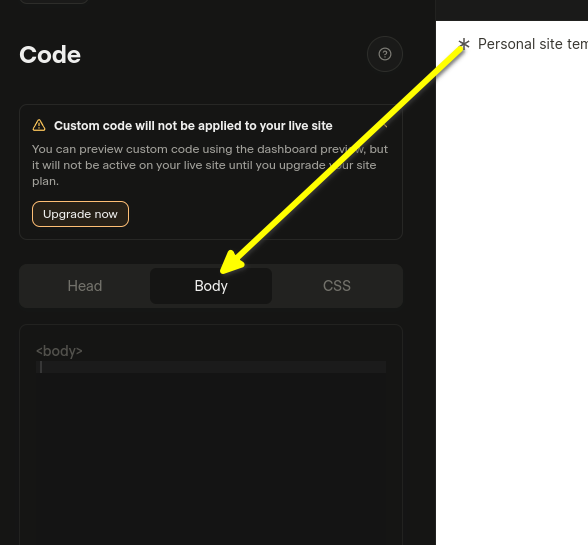
Wybierz Body
Wybierz Body

Teraz możesz przejść do kroku 2.

Krok 2: Dodaj gotowy kod Internal Link

W następnym kroku skopiuj poniższy gotowy kod widżetu.

Jeśli jesteś zalogowany na FastComments.com, poniższy fragment kodu będzie już zawierał informacje o Twoim koncie. Skopiujmy go:

Kod Collab Chat FastComments dla Super.so
Copy Copy
1
2<script src="https://cdn.fastcomments.com/js/embed-collab-chat.min.js"></script>
3<script>
4 (function () {
5 let currentPathname = window.location.pathname;
6 let currentWidget = null;
7 let currentTopBar = null;
8
9 function load() {
10 if (!window.FastCommentsCollabChat) {
11 console.log('...no script, trying again...');
12 return setTimeout(load, 100);
13 }
14
15 const target = document.querySelector('.super-content');
16 if (!target || !target.innerHTML || target.innerHTML.length < 100) {
17 console.log('...no content, trying again...');
18 return setTimeout(load, 100);
19 }
20
21 // Usuń istniejącą instancję
22 if (target.fastCommentsInstance) {
23 target.fastCommentsInstance.destroy();
24 }
25
26 // Usuń istniejący pasek u góry, jeśli istnieje
27 if (currentTopBar && currentTopBar.parentNode) {
28 currentTopBar.parentNode.removeChild(currentTopBar);
29 }
30
31 // Utwórz nowy pasek u góry
32 const topBarTarget = document.createElement('div');
33 target.parentNode.insertBefore(topBarTarget, target);
34 topBarTarget.style.maxWidth = 'var(--layout-max-width)';
35 topBarTarget.style.margin = '0 auto';
36 currentTopBar = topBarTarget;
37 currentWidget = target;
38
39 // Zainicjalizuj FastComments Collab Chat
40 target.fastCommentsInstance = FastCommentsCollabChat(target, {
41 tenantId: "demo",
42 topBarTarget: topBarTarget
43 });
44
45 // Zaktualizuj bieżącą wartość pathname
46 currentPathname = window.location.pathname;
47 }
48
49 // Początkowe ładowanie
50 load();
51
52 // Sprawdzaj co 500 ms, czy zaszły zmiany
53 setInterval(() => {
54 // Ponownie załaduj, jeśli pathname uległ zmianie
55 if (window.location.pathname !== currentPathname) {
56 console.log('Pathname changed, reloading...');
57 load();
58 return;
59 }
60
61 // Ponownie załaduj, jeśli widżet został usunięty
62 if (currentWidget && !currentWidget.parentNode) {
63 console.log('Widget removed, reloading...');
64 load();
65 return;
66 }
67
68 // Ponownie załaduj, jeśli kontener został opróżniony
69 const target = document.querySelector('.super-content');
70 if (target && target.innerHTML.length < 100) {
71 console.log('Container emptied, reloading...');
72 load();
73 }
74 }, 500);
75 })();
76</script>
77

Teraz wklej w obszar Body:

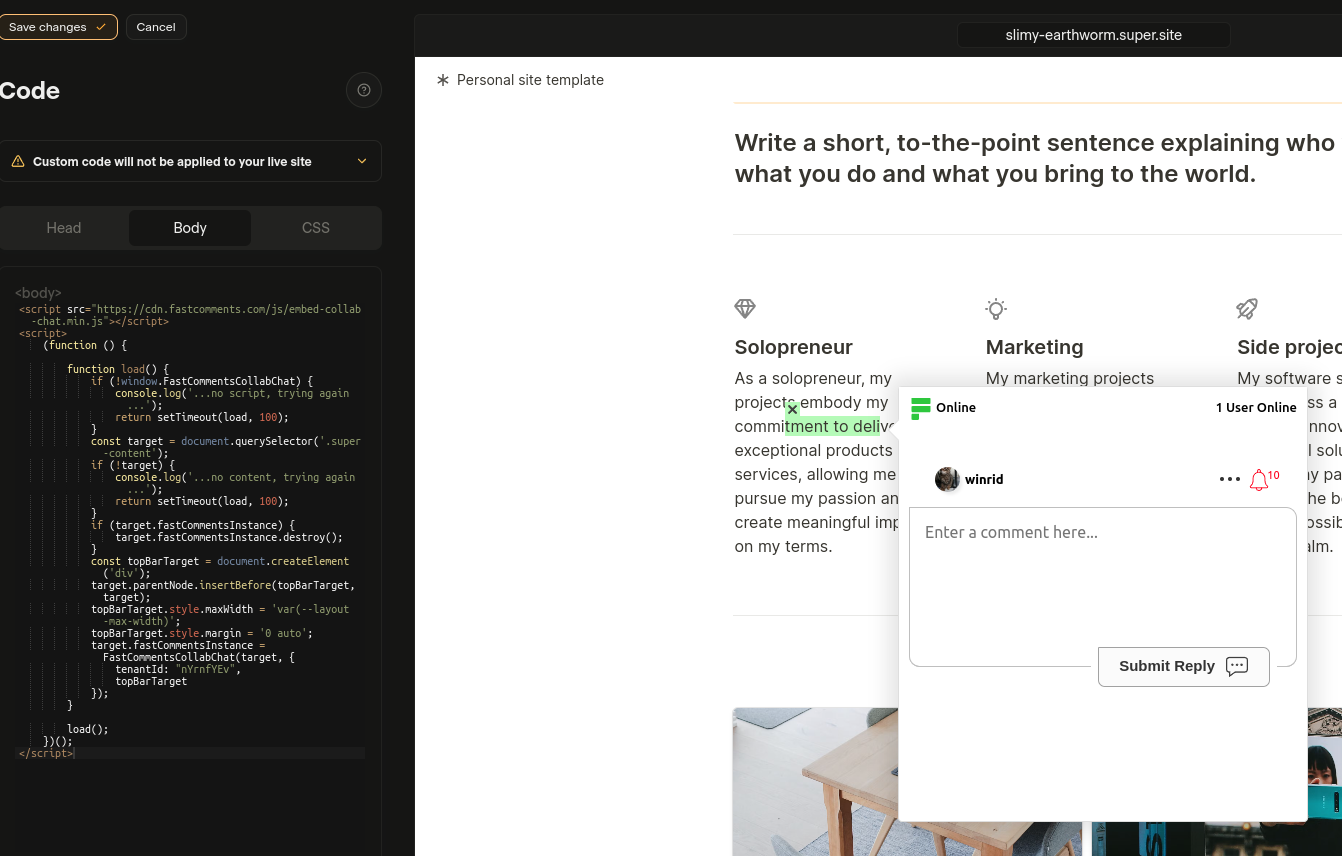
Wklejony kod
Wklejony kod

If you see a "this is a demo message" after pasting the code:

  • Upewnij się, że jesteś zalogowany na swoje konto na fastcomments.com.
  • Upewnij się, że masz włączone ciasteczka stron trzecich.
  • Odśwież tę stronę i skopiuj fragment kodu ponownie. Powinien mieć wypełnione pole tenantId identyfikatorem Twojego tenanta.

Zobacz także: standardowy widżet komentarzy Internal Link

Dodanie widżetu komentarzy na żywo do artykułów Notion w Super.so

Oprócz Collab Chat, możesz dodać tradycyjny widżet komentarzy na dole swoich artykułów Notion. Pozwala to czytelnikom zostawiać komentarze i prowadzić dyskusje dotyczące całego artykułu.

Kroki instalacji

Skopiuj poniższy kod i wklej go w sekcji Body ustawień witryny Super.so:

Widżet komentarzy na żywo FastComments dla Super.so
Copy Copy
1
2<script src="https://cdn.fastcomments.com/js/embed-v2.min.js"></script>
3<script>
4 (function () {
5 let currentPathname = window.location.pathname;
6 let currentWidget = null;
7
8 function load() {
9 if (!window.FastCommentsUI) {
10 console.log('...no script, trying again...');
11 return setTimeout(load, 100);
12 }
13
14 const contentArea = document.querySelector('.notion-root');
15 if (!contentArea || !contentArea.innerHTML || contentArea.innerHTML.length < 100) {
16 console.log('...no content, trying again...');
17 return setTimeout(load, 100);
18 }
19
20 // Usuń istniejącą instancję
21 if (contentArea.fastCommentsInstance) {
22 contentArea.fastCommentsInstance.destroy();
23 }
24
25 // Utwórz nowy element docelowy
26 const target = document.createElement('div');
27 contentArea.append(target);
28 currentWidget = target;
29
30 // Zainicjuj FastComments
31 contentArea.fastCommentsInstance = FastCommentsUI(target, {
32 tenantId: "demo",
33 urlId: window.location.pathname
34 });
35
36 // Zaktualizuj bieżącą ścieżkę
37 currentPathname = window.location.pathname;
38 }
39
40 // Początkowe ładowanie
41 load();
42
43 // Sprawdzaj zmiany co 500 ms
44 setInterval(() => {
45 // Przeładuj, jeśli ścieżka się zmieniła
46 if (window.location.pathname !== currentPathname) {
47 console.log('Pathname changed, reloading...');
48 load();
49 return;
50 }
51
52 // Przeładuj, jeśli widżet został usunięty
53 if (currentWidget && !currentWidget.parentNode) {
54 console.log('Widget removed, reloading...');
55 load();
56 return;
57 }
58
59 // Przeładuj, jeśli kontener został opróżniony
60 const contentArea = document.querySelector('.notion-root');
61 if (contentArea && contentArea.innerHTML.length < 100) {
62 console.log('Container emptied, reloading...');
63 load();
64 }
65 }, 500);
66 })();
67</script>
68

Ważne uwagi

  • Widżet komentarzy pojawi się na dole Twoich artykułów Notion
  • Każda strona otrzymuje własny, unikalny wątek komentarzy oparty na ścieżce URL
  • Upewnij się, że zamienisz "demo" na rzeczywiste ID najemcy z Twojego konta FastComments
  • Widżet automatycznie obsługuje dynamiczne ładowanie stron Super.so

Dostosowywanie Internal Link


FastComments został zaprojektowany tak, aby można go było dostosować do wyglądu Twojej strony.

Jeśli chcesz dodać własne style lub zmodyfikować konfigurację, Zapoznaj się z naszą dokumentacją dotyczącą dostosowywania i konfiguracji, aby dowiedzieć się, jak.