FastComments.com

Add Live Discussions to Super.So Sites


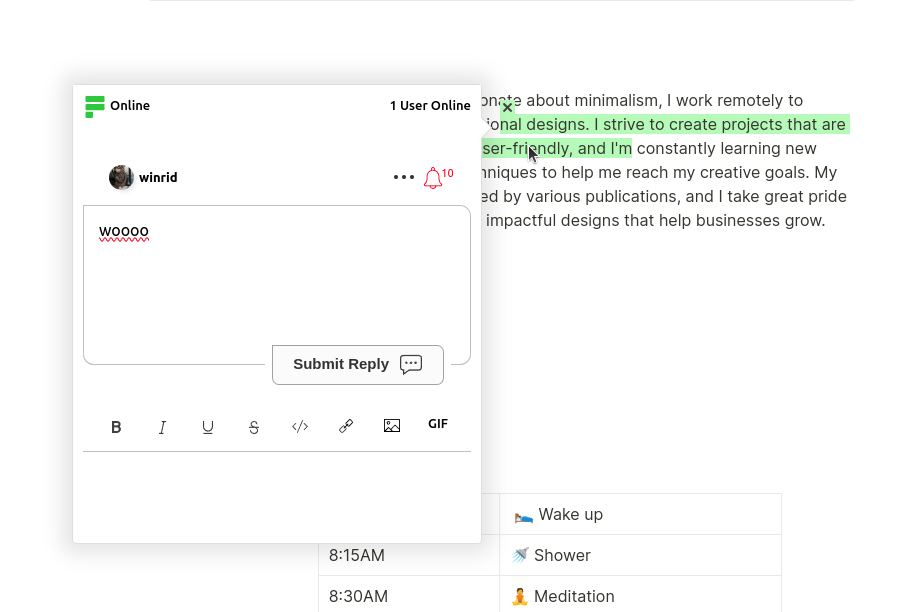
FastComments Collab Chat 透過新增即時內嵌討論功能,將 Super.so 網站提升到更高層次。使用者可以標註並對 文字片段進行協作式留言,一起 — 即時!

在這裡我們會說明安裝步驟,通常只需幾分鐘。


步驟 1:開啟設定 Internal Link


首先我們需要開啟程式碼編輯器。如果您想要將 FastComments 加到所有頁面,只要在左下角選取 Code:
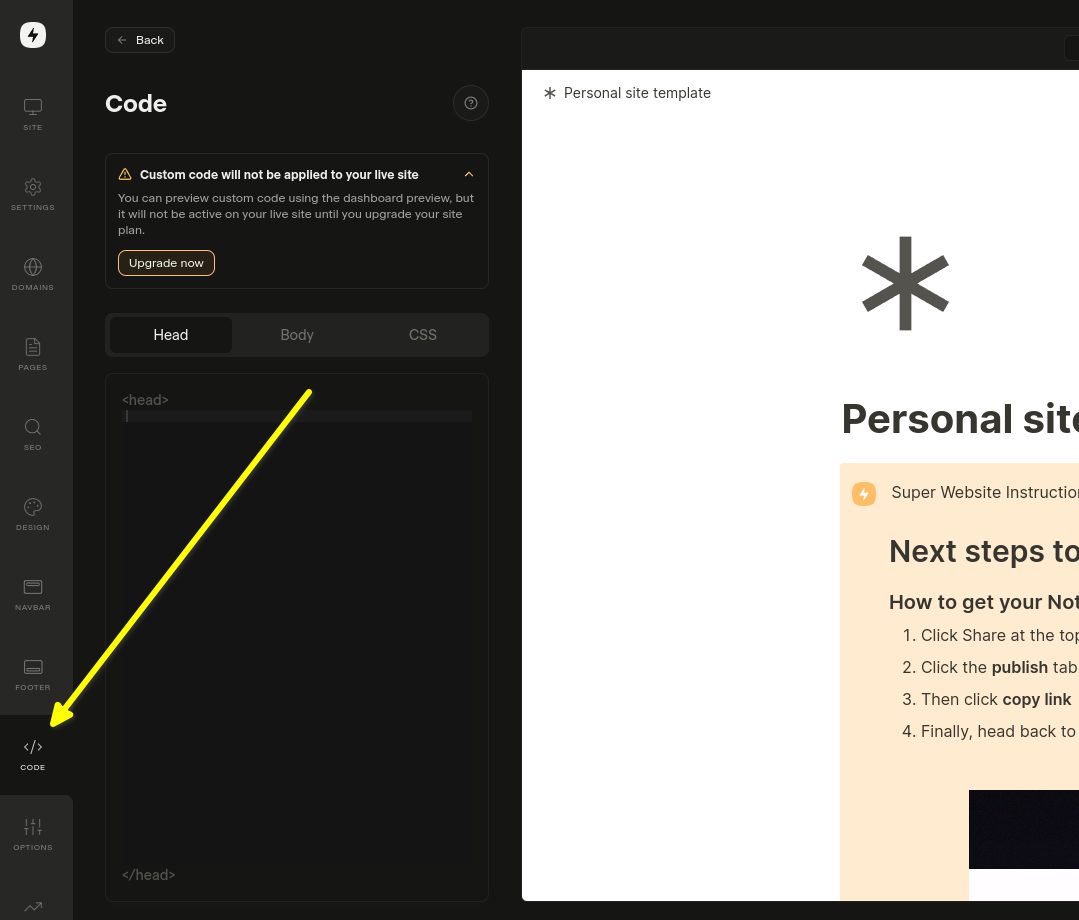
開啟程式碼設定
開啟程式碼設定

如果您想要將它加入特定頁面,請在該頁面的設定中選取 Edit Custom Code

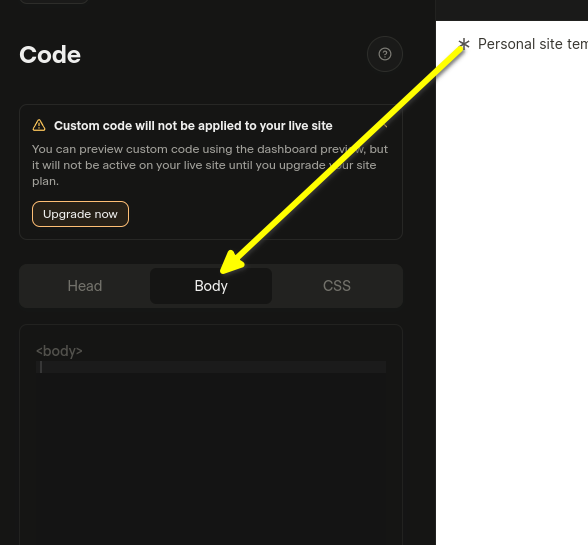
現在我們來選取 Body 標籤。 這一點很重要!. 將程式碼片段安裝在 Head 不會生效

選取 Body
選取 Body

現在您已經準備好進行步驟 2。


步驟 2:加入預製程式碼 Internal Link

在下一步,您需要複製下方預先製作的小工具程式碼。

只要您已在 FastComments.com 登入,以下程式碼片段就會自動包含您的帳戶資訊。現在來複製它:

Super.so FastComments 協作聊天程式碼
Copy Copy
1
2<script src="https://cdn.fastcomments.com/js/embed-collab-chat.min.js"></script>
3<script>
4 (function () {
5 let currentPathname = window.location.pathname;
6 let currentWidget = null;
7 let currentTopBar = null;
8
9 function load() {
10 if (!window.FastCommentsCollabChat) {
11 console.log('...no script, trying again...');
12 return setTimeout(load, 100);
13 }
14
15 const target = document.querySelector('.super-content');
16 if (!target || !target.innerHTML || target.innerHTML.length < 100) {
17 console.log('...no content, trying again...');
18 return setTimeout(load, 100);
19 }
20
21 // 清除現有的實例
22 if (target.fastCommentsInstance) {
23 target.fastCommentsInstance.destroy();
24 }
25
26 // 若存在則清除現有的頂部列
27 if (currentTopBar && currentTopBar.parentNode) {
28 currentTopBar.parentNode.removeChild(currentTopBar);
29 }
30
31 // 建立新的頂部列
32 const topBarTarget = document.createElement('div');
33 target.parentNode.insertBefore(topBarTarget, target);
34 topBarTarget.style.maxWidth = 'var(--layout-max-width)';
35 topBarTarget.style.margin = '0 auto';
36 currentTopBar = topBarTarget;
37 currentWidget = target;
38
39 // 初始化 FastComments Collab Chat
40 target.fastCommentsInstance = FastCommentsCollabChat(target, {
41 tenantId: "demo",
42 topBarTarget: topBarTarget
43 });
44
45 // 更新目前的 pathname
46 currentPathname = window.location.pathname;
47 }
48
49 // 初始載入
50 load();
51
52 // 每 500ms 檢查變更
53 setInterval(() => {
54 // 若 pathname 改變則重新載入
55 if (window.location.pathname !== currentPathname) {
56 console.log('Pathname changed, reloading...');
57 load();
58 return;
59 }
60
61 // 若小工具被移除則重新載入
62 if (currentWidget && !currentWidget.parentNode) {
63 console.log('Widget removed, reloading...');
64 load();
65 return;
66 }
67
68 // 若容器被清空則重新載入
69 const target = document.querySelector('.super-content');
70 if (target && target.innerHTML.length < 100) {
71 console.log('Container emptied, reloading...');
72 load();
73 }
74 }, 500);
75 })();
76</script>
77

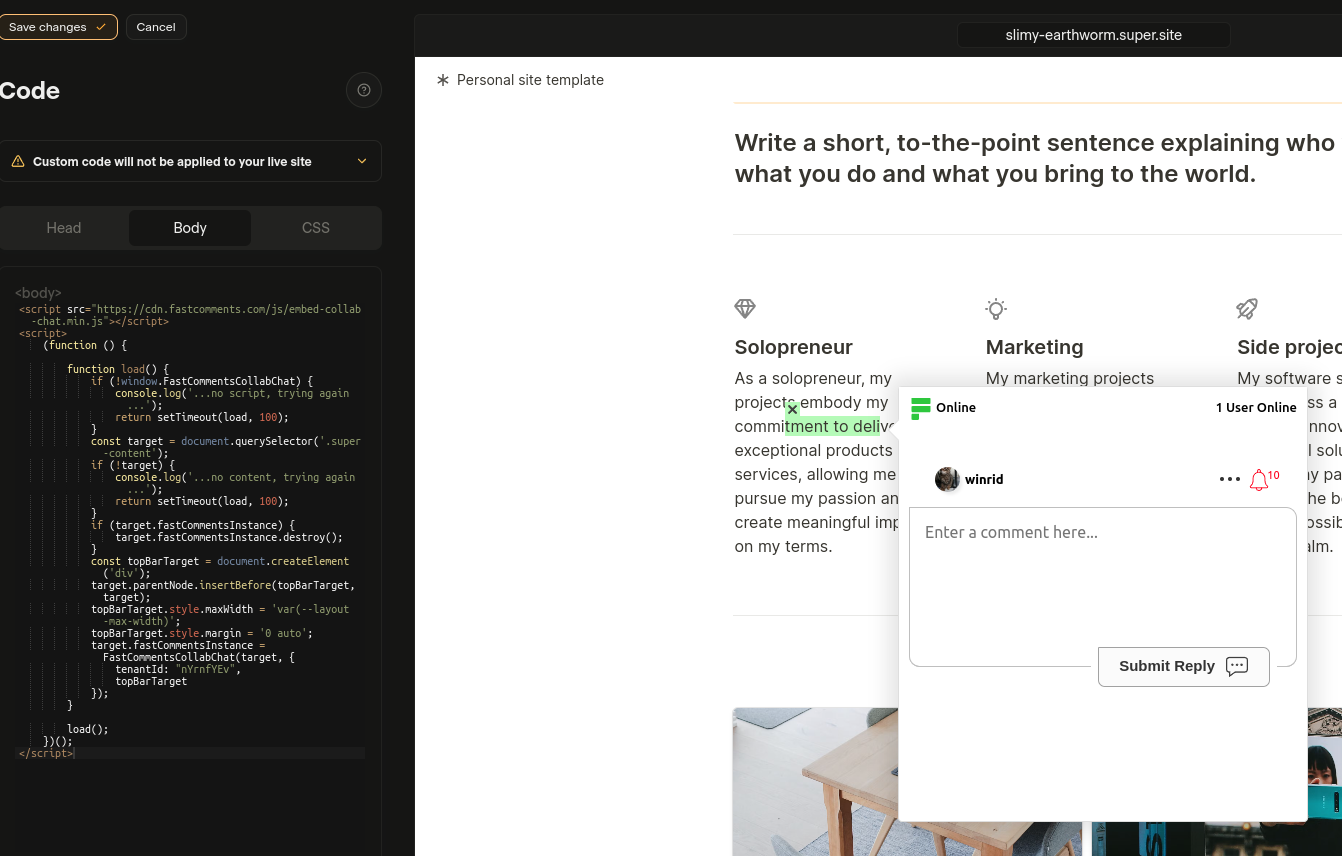
Now paste in the Body area:

已貼上程式碼
已貼上程式碼

If you see a "this is a demo message" after pasting the code:

  • 確保您已登入您的 fastcomments.com 帳戶。
  • 確保已啟用第三方 Cookie。
  • 然後重新整理此頁面並再次複製程式碼片段。它應該會在 tenantId 中填入您租戶的識別碼。

另見:一般留言小工具 Internal Link

在您的 Super.so Notion 文章中新增即時留言小工具

除了 Collab Chat 之外,您可以在 Notion 文章底部新增傳統留言小工具。讀者可以針對整篇文章留下留言並進行討論。

安裝步驟

複製下列程式碼並貼到您 Super.so 網站設定的 Body 區段:

Super.so FastComments 即時留言小工具
Copy Copy
1
2<script src="https://cdn.fastcomments.com/js/embed-v2.min.js"></script>
3<script>
4 (function () {
5 let currentPathname = window.location.pathname;
6 let currentWidget = null;
7
8 function load() {
9 if (!window.FastCommentsUI) {
10 console.log('...no script, trying again...');
11 return setTimeout(load, 100);
12 }
13
14 const contentArea = document.querySelector('.notion-root');
15 if (!contentArea || !contentArea.innerHTML || contentArea.innerHTML.length < 100) {
16 console.log('...no content, trying again...');
17 return setTimeout(load, 100);
18 }
19
20 // 清除現有實例
21 if (contentArea.fastCommentsInstance) {
22 contentArea.fastCommentsInstance.destroy();
23 }
24
25 // 建立新的目標元素
26 const target = document.createElement('div');
27 contentArea.append(target);
28 currentWidget = target;
29
30 // 初始化 FastComments
31 contentArea.fastCommentsInstance = FastCommentsUI(target, {
32 tenantId: "demo",
33 urlId: window.location.pathname
34 });
35
36 // 更新目前的 pathname
37 currentPathname = window.location.pathname;
38 }
39
40 // 初始載入
41 load();
42
43 // 每 500ms 檢查變更
44 setInterval(() => {
45 // 若 pathname 改變則重新載入
46 if (window.location.pathname !== currentPathname) {
47 console.log('Pathname changed, reloading...');
48 load();
49 return;
50 }
51
52 // 若小工具被移除則重新載入
53 if (currentWidget && !currentWidget.parentNode) {
54 console.log('Widget removed, reloading...');
55 load();
56 return;
57 }
58
59 // 若容器被清空則重新載入
60 const contentArea = document.querySelector('.notion-root');
61 if (contentArea && contentArea.innerHTML.length < 100) {
62 console.log('Container emptied, reloading...');
63 load();
64 }
65 }, 500);
66 })();
67</script>
68

重要說明

  • 留言小工具會顯示在您的 Notion 文章底部
  • 每個頁面會根據 URL 路徑擁有自己的唯一留言串
  • 請務必將 "demo" 替換為您 FastComments 帳戶中的實際 tenant ID
  • 小工具會自動處理 Super.so 的動態頁面載入

自訂 Internal Link


FastComments 設計為可客製化以符合您的網站。

如果您想新增自訂樣式或調整設定,請查看自訂化說明 以了解如何操作。