FastComments.com

Super.so 사이트에 실시간 토론 추가


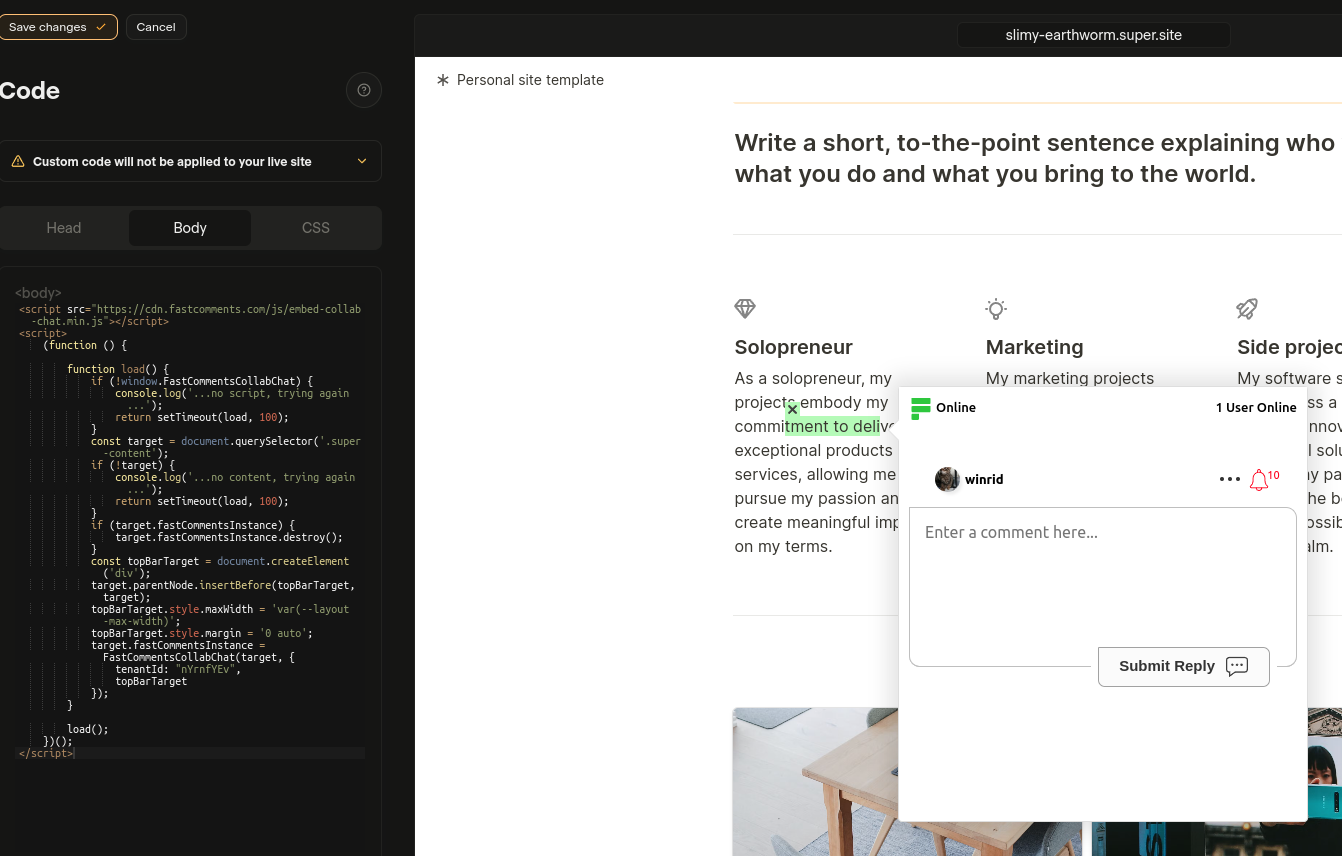
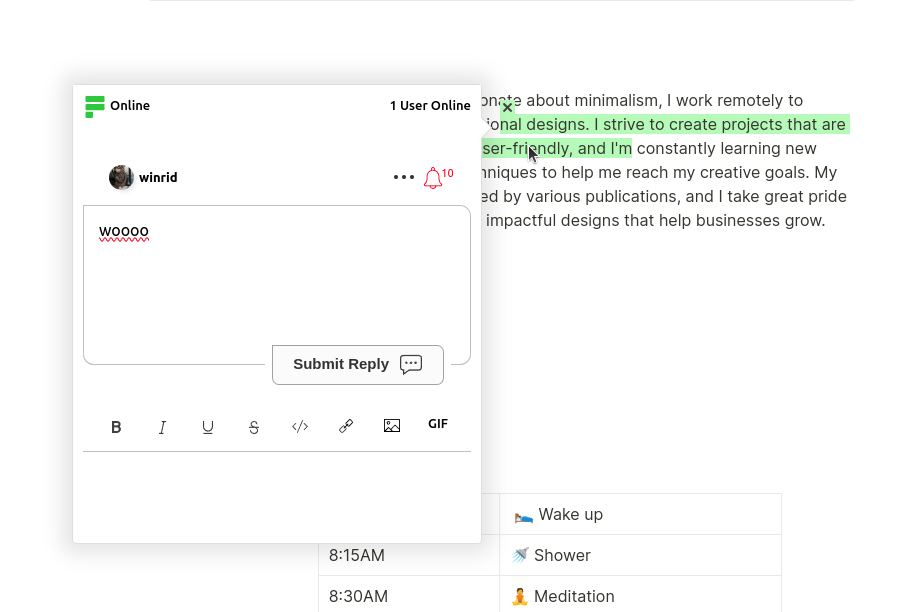
FastComments Collab Chat는 Super.so 사이트에 라이브 인라인 토론을 추가하여 한 단계 끌어올립니다. 사용자는 강조 표시하고 댓글을 달 수 있습니다 텍스트 일부를 협업적으로, 함께 - 실시간!

여기서는 설치 단계를 설명하며, 이 과정은 몇 분밖에 걸리지 않습니다.


1단계: 설정 열기 Internal Link

먼저 코드 편집기를 열어야 합니다. FastComments를 모든 페이지에 추가하려면, 왼쪽 하단에서 Code를 선택하세요:
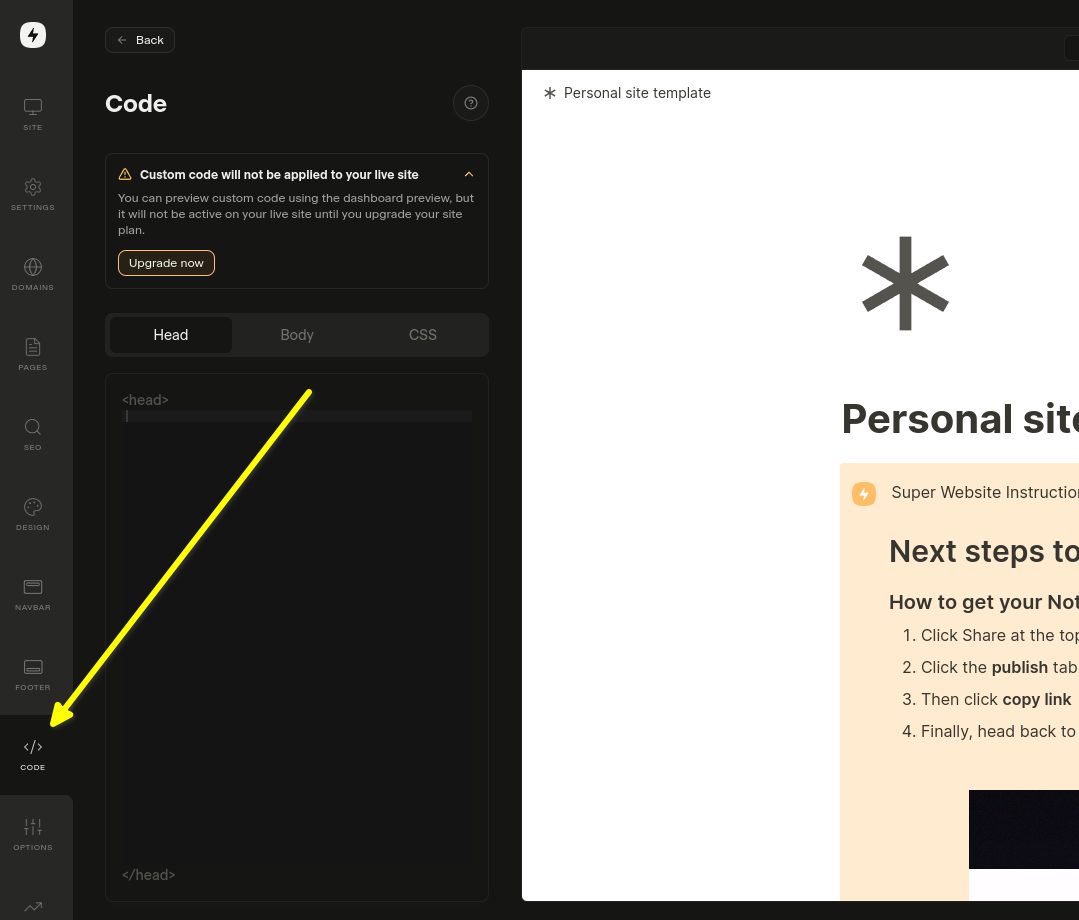
코드 설정 열기
코드 설정 열기

특정 페이지에만 추가하려면 해당 페이지의 설정에서 Edit Custom Code를 선택하세요.

이제 Body 탭을 선택하겠습니다. 이것이 중요합니다!. Head에 코드 스니펫을 설치하면 작동하지 않습니다.
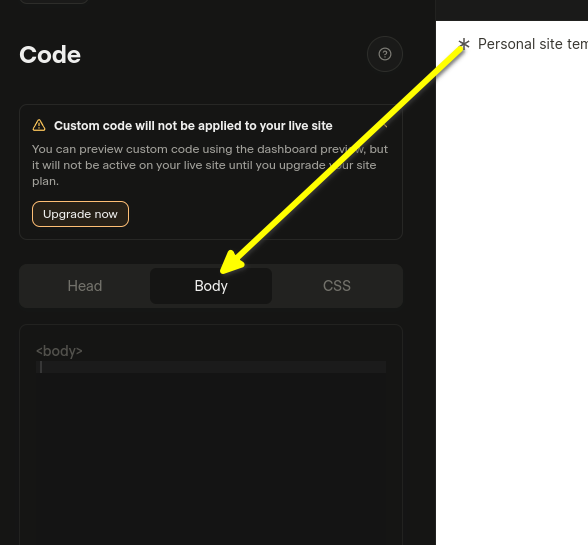
Body 탭 선택
Body 탭 선택

이제 2단계로 갈 준비가 되었습니다.


2단계: 미리 만들어진 코드 추가 Internal Link


다음 단계에서는 아래에 미리 만들어진 위젯 코드를 복사해야 합니다.

FastComments.com에 로그인한 상태라면 아래 코드 스니펫에 이미 계정 정보가 포함되어 있습니다. 복사합시다:

Super.so FastComments 협업 채팅 코드
Copy Copy
1
2<script src="https://cdn.fastcomments.com/js/embed-collab-chat.min.js"></script>
3<script>
4 (function () {
5 let currentPathname = window.location.pathname;
6 let currentWidget = null;
7 let currentTopBar = null;
8
9 function load() {
10 if (!window.FastCommentsCollabChat) {
11 console.log('...no script, trying again...');
12 return setTimeout(load, 100);
13 }
14
15 const target = document.querySelector('.super-content');
16 if (!target || !target.innerHTML || target.innerHTML.length < 100) {
17 console.log('...no content, trying again...');
18 return setTimeout(load, 100);
19 }
20
21 // 기존 인스턴스 정리
22 if (target.fastCommentsInstance) {
23 target.fastCommentsInstance.destroy();
24 }
25
26 // 기존 상단 바가 존재하면 정리
27 if (currentTopBar && currentTopBar.parentNode) {
28 currentTopBar.parentNode.removeChild(currentTopBar);
29 }
30
31 // 새 상단 바 생성
32 const topBarTarget = document.createElement('div');
33 target.parentNode.insertBefore(topBarTarget, target);
34 topBarTarget.style.maxWidth = 'var(--layout-max-width)';
35 topBarTarget.style.margin = '0 auto';
36 currentTopBar = topBarTarget;
37 currentWidget = target;
38
39 // FastComments Collab Chat 초기화
40 target.fastCommentsInstance = FastCommentsCollabChat(target, {
41 tenantId: "demo",
42 topBarTarget: topBarTarget
43 });
44
45 // 현재 pathname 업데이트
46 currentPathname = window.location.pathname;
47 }
48
49 // 초기 로드
50 load();
51
52 // 변경 사항을 500ms마다 확인
53 setInterval(() => {
54 // pathname이 변경되면 다시 로드
55 if (window.location.pathname !== currentPathname) {
56 console.log('Pathname changed, reloading...');
57 load();
58 return;
59 }
60
61 // 위젯이 제거되면 다시 로드
62 if (currentWidget && !currentWidget.parentNode) {
63 console.log('Widget removed, reloading...');
64 load();
65 return;
66 }
67
68 // 컨테이너가 비워지면 다시 로드
69 const target = document.querySelector('.super-content');
70 if (target && target.innerHTML.length < 100) {
71 console.log('Container emptied, reloading...');
72 load();
73 }
74 }, 500);
75 })();
76</script>
77

이제 Body 영역에 붙여넣으세요:

붙여넣은 코드
붙여넣은 코드

If you see a "this is a demo message" after pasting the code:

  • fastcomments.com 계정에 로그인했는지 확인하세요.
  • 타사(3rd party) 쿠키가 활성화되어 있는지 확인하세요.
  • 그런 다음 이 페이지를 새로고침하고 코드 스니펫을 다시 복사하세요. tenantId가 귀하의 테넌트 식별자로 채워져 있어야 합니다.

참고: 일반 댓글 위젯 Internal Link

Super.so Notion 문서에 라이브 댓글 위젯 추가하기

Collab Chat 외에도 Notion 문서 하단에 전통적인 댓글 위젯을 추가할 수 있습니다. 이를 통해 독자들이 댓글을 남기고 문서 전체에 대해 토론할 수 있습니다.

설치 단계

다음 코드를 복사하여 Super.so 사이트 설정의 Body 섹션에 붙여넣으세요:

Super.so FastComments 라이브 댓글 위젯
Copy Copy
1
2<script src="https://cdn.fastcomments.com/js/embed-v2.min.js"></script>
3<script>
4 (function () {
5 let currentPathname = window.location.pathname;
6 let currentWidget = null;
7
8 function load() {
9 if (!window.FastCommentsUI) {
10 console.log('...no script, trying again...');
11 return setTimeout(load, 100);
12 }
13
14 const contentArea = document.querySelector('.notion-root');
15 if (!contentArea || !contentArea.innerHTML || contentArea.innerHTML.length < 100) {
16 console.log('...no content, trying again...');
17 return setTimeout(load, 100);
18 }
19
20 // 기존 인스턴스 정리
21 if (contentArea.fastCommentsInstance) {
22 contentArea.fastCommentsInstance.destroy();
23 }
24
25 // 새 대상 생성
26 const target = document.createElement('div');
27 contentArea.append(target);
28 currentWidget = target;
29
30 // FastComments 초기화
31 contentArea.fastCommentsInstance = FastCommentsUI(target, {
32 tenantId: "demo",
33 urlId: window.location.pathname
34 });
35
36 // 현재 pathname 업데이트
37 currentPathname = window.location.pathname;
38 }
39
40 // 초기 로드
41 load();
42
43 // 변경 사항 확인(500ms마다)
44 setInterval(() => {
45 // pathname이 변경되면 다시 로드
46 if (window.location.pathname !== currentPathname) {
47 console.log('Pathname changed, reloading...');
48 load();
49 return;
50 }
51
52 // 위젯이 제거되면 다시 로드
53 if (currentWidget && !currentWidget.parentNode) {
54 console.log('Widget removed, reloading...');
55 load();
56 return;
57 }
58
59 // 컨테이너가 비어있으면 다시 로드
60 const contentArea = document.querySelector('.notion-root');
61 if (contentArea && contentArea.innerHTML.length < 100) {
62 console.log('Container emptied, reloading...');
63 load();
64 }
65 }, 500);
66 })();
67</script>
68

중요 참고 사항

  • 댓글 위젯이 Notion 문서 하단에 표시됩니다
  • 각 페이지는 URL 경로를 기반으로 고유한 댓글 스레드를 가집니다
  • FastComments 계정에서 실제 tenant ID로 "demo"를 반드시 교체하세요
  • 이 위젯은 Super.so의 동적 페이지 로딩을 자동으로 처리합니다

맞춤 설정 Internal Link

FastComments는 사이트에 맞게 맞춤화되도록 설계되었습니다.

사용자 정의 스타일을 추가하거나 구성을 조정하려면, 맞춤 설정 문서에서 방법을 알아보세요.