
Добавете коментари към вашето React Native приложение
Това е официалният React Native SDK за FastComments.
Достъп до FastComments API директно от вашето React Native приложение.
Хранилище
AI кодиращи агенти 
Дайте на вашия кодиращ агент контекста на FastComments, който му е необходим – уиджети, конфигурация, Secure SSO, REST API и SDK‑те:
npx skills add fastcomments/skillsРаботи с Claude Code, Codex, Cursor, Copilot, Gemini и всеки друг агент, който поддържа skills CLI.
Демонстрация на живо
Изпробвайте всяко уиджет на живо на https://fastcomments.com/commenting-system-for-react-native/.
Инсталация

npm install fastcomments-react-native-sdk --saveОтносно
Тази библиотека е пълна react-native имплементация на FastComments.
Поддържа живи коментари, чат, нишки, емотикони, известия, SSO, скинове и пълна персонализация чрез подаване на обект stylesheet. Всички ресурси също могат да бъдат персонализирани и се поддържа превключване на различни ресурси в зависимост от тъмен режим.
Предимството на тази библиотека е, че е по-гъвкава от fastcomments-react-native wrapper. Коментарите се рендерират с нативни компоненти, вместо в webview.
Всичко работи на бекенда на FastComments, така че трябва само да внедрите потребителския интерфейс (UI):
<FastCommentsLiveCommenting config={config} styles={styles} callbacks={callbacks} assets={assets}/>Вижте example/src за повече примери.
Добавете жив чат към съществуващото си приложение на React Native, или дори изградете социална мрежа!
Снимки на екрана
Коментиране на живо с нишки, аватари, вложени отговори, гласуване и вградения rich-text редактор, плюс тъмна тема и preset за live chat (показано тук, рендерирано чрез react-native-web):
Коментиране на живо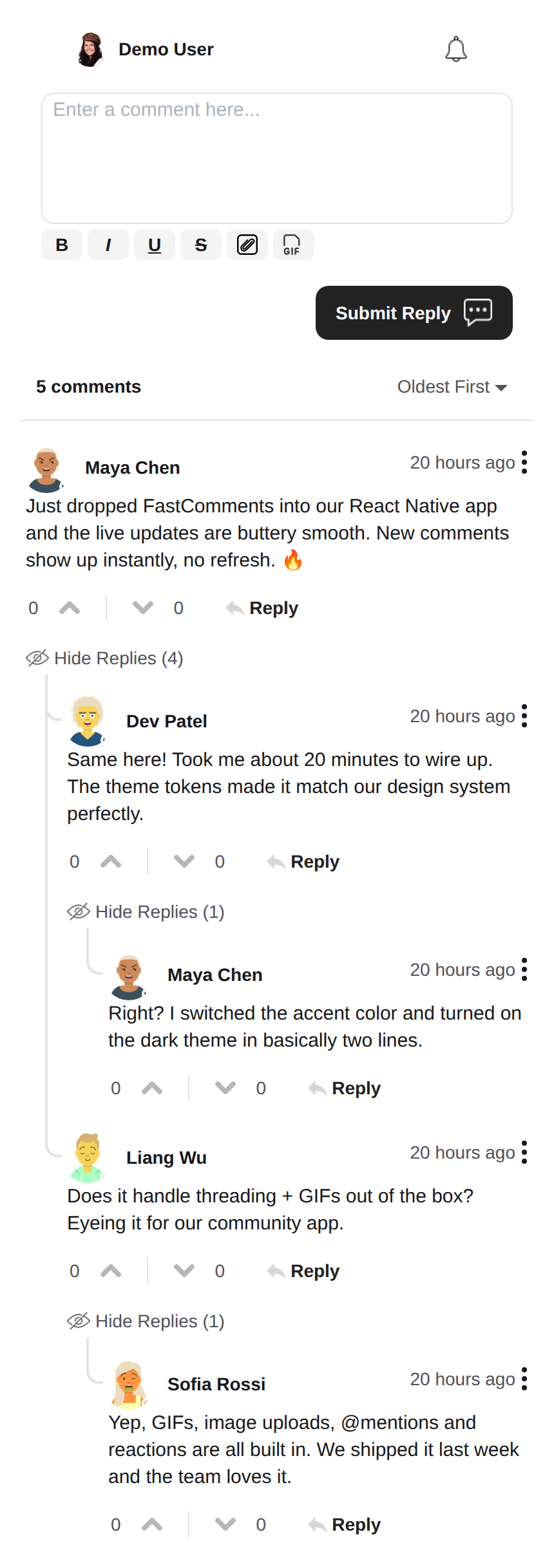 |
Тъмна тема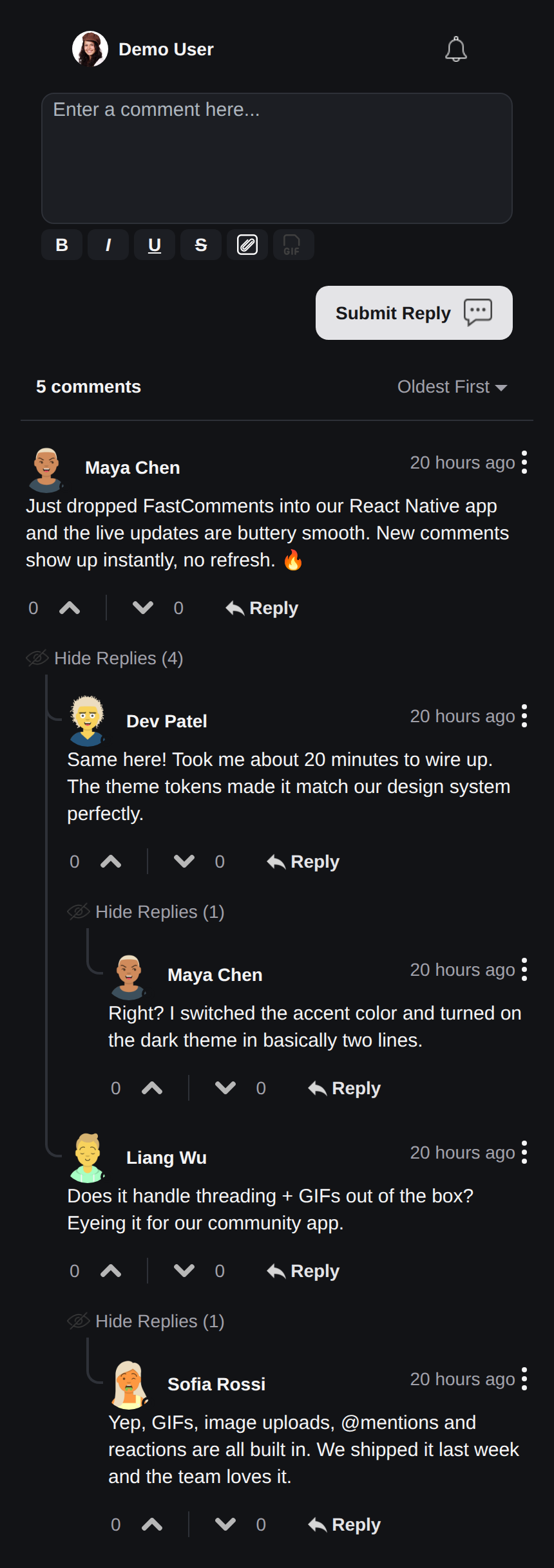 |
Live Chat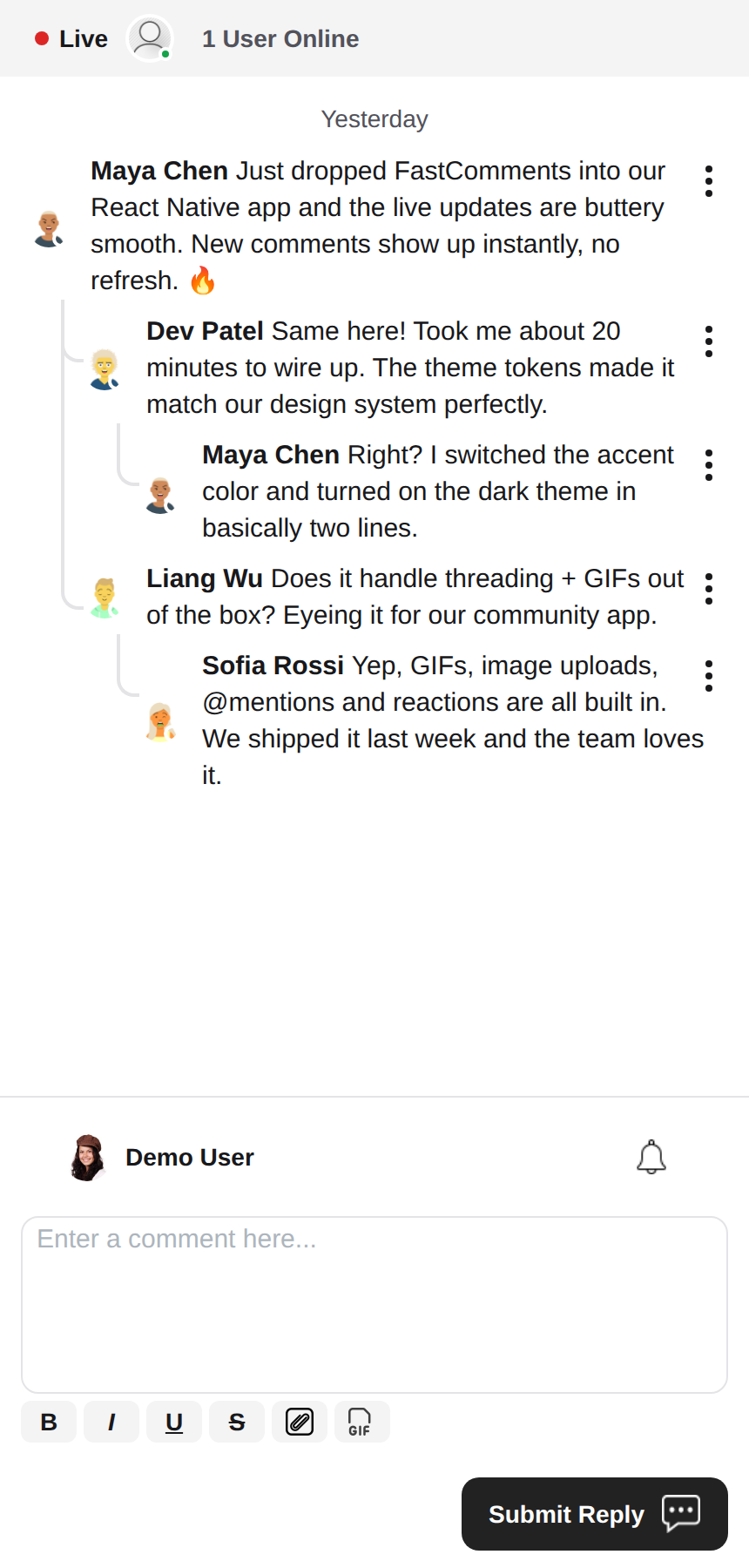 |
Rich Text редактор
Тази библиотека използва react-native-enriched за rich text редактиране, което осигурява мощно WYSIWYG редактиране. Същият редактор работи на iOS, Android и уеб (чрез react-native-web), така че композерът се държи последователно на всяка платформа с една-единствена имплементация.
react-native-enriched изисква React Native New Architecture (Fabric) на нативните платформи (по подразбиране от RN 0.76, opt-in на RN 0.72-0.75), както и bundler, който разрешава exports условията на пакета. Този SDK е разработен и тестван срещу RN 0.81 / React 19. Същият редактор работи и на уеб чрез react-native-web; уеб билдът на enriched редактора все още е маркиран като експериментален нагоре по веригата.
Уиджети
SDK-то доставя три уиджета, огледални на FastComments Android SDK:
FastCommentsLiveCommenting- коментиране с нишки, гласуване, отговори, пагинация, споменавания, известия и живи обновявания.FastCommentsLiveChat- preset за чат върху същия двигател: хронологични съобщения с новите най-долу, композерът под списъка, жива лента в горната част (точка за връзка + брой потребители), безкрайна история, зареждана при скролване нагоре, автоматичен скрол към новите съобщения, без гласуване и отговори с нишки. Всеки preset може да бъде презаписан чрезconfig.FastCommentsFeed- социален поток с композер за публикации, медии, реакции, последвания и живи банери за нови публикации.
<FastCommentsLiveChat config=\{{ tenantId: 'demo', urlId: 'my-room' }}/>Тематизация
Външният вид по подразбиране се генерира от набор от семантични дизайн токени (FastCommentsTheme): цветове, отстояния, радиуси, размери на шрифтове, тегла на шрифтове и размери на аватари. Подайте частични презаписвания на токени (типизирани като FastCommentsThemeOverrides) чрез prop-а theme на всеки уиджет и целият стилов дърво се престилизира последователно:
<FastCommentsLiveCommenting config={config} theme=\{{ colors: { primary: '#FF5500' } }}/>Тъмният режим е на разстояние един набор от токени:
import { getDarkTheme } from 'fastcomments-react-native-sdk';

    <FastCommentsLiveCommenting config={config} theme={getDarkTheme()}/>
Prop-ът styles все още приема сурово дърво IFastCommentsStyles за прецизен контрол. Когато са подадени и theme, и styles, изричните стилове имат предимство пред тематизираното дърво; когато е подаден само styles, той заменя изцяло стойностите по подразбиране (оригиналното поведение, така че съществуващите интеграции и skins не се засягат). setupDarkModeSkin е отхвърлен в полза на prop-а theme.
Опции за конфигурация
Тази библиотека има за цел да поддържа всички опции за конфигурация, дефинирани в fastcomments-typescript, точно като уеб имплементацията.
Освен тях, React Native добавя няколко опции, специфични за SDK-то, чрез FastCommentsRNConfig:
hideTopBar- скрива лентата с влезлия потребител / звънеца за известия, показвана над композера.usePressToEdit- задръжте натиснат коментар, за да отворите неговото меню.disableDownVoting- скрива бутоните за гласуване надолу.renderCommentInline- рендерира информацията за коментатора в същия HTML блок като съдържанието на коментара.renderLikesToRight- премества зоната за гласуване/харесване вдясно от коментара вместо под него.renderDateBelowComment- рендерира датата под коментара.showLiveStatus- показва чат-стил лентата "Live" + брой потребители над коментарите.useInlineSubmitButton- рендерира бутона за изпращане като икона вътре в композера.countAboveToggle- сuseShowCommentsToggle, колко коментара се рендерират над превключвателя "Show Comments".preserveFeedScrollPosition-FastCommentsFeedзапомня своя scroll офсет при unmount/remount (по подразбиране true).
Концепции на FastComments
Основните концепции, за които трябва да имате предвид, за да започнете, са tenantId и urlId. tenantId е идентификаторът на вашия акаунт в FastComments.com. urlId е мястото, към което ще бъдат обвързани нишките с коментари. Това може да бъде URL на страница, или идентификатор на продукт, на статия и т.н.
Локализация
Всички текстове, видими за потребителя, в тези уиджети (етикети на бутони, placeholders, празни състояния, относителни дати като "преди 5 минути", съобщения за грешка и т.н.) се управляват от сървъра. Компонентите не вграждат английски низове в кода си; те рендерират преводите, които FastComments доставя за заявената локала.
За да заявите локала, задайте locale във вашата конфигурация:
const config = {
    tenantId: 'your-tenant-id',
    urlId: 'some-page',
    locale: 'de_de', // de_de, fr_fr, ja_jp, es_es и т.н.
};
Когато не е зададен locale, FastComments доставя езика по подразбиране на tenant-а.
Редактиране на текста: преводите се управляват във вашия FastComments dashboard, а не в този SDK. За да промените формулировки, да презапишете текста по подразбиране или да добавите език, редактирайте преводите за вашия акаунт в dashboard-а - промяната се прихваща от уиджетите автоматично, без нужда от пускане на нова версия на приложението. SDK-то не доставя английски fallback-и, така че всеки ключ, който изпразните в dashboard-а, се рендерира празен; поддържайте ключовете попълнени за всеки локал, който поддържате.
Потребителски известия
FastComments поддържа известия за много сценарии. Известията са конфигурируеми, може да бъдат изключени глобално или на ниво известие/коментар, и поддържа абонаменти на ниво страница, така че потребителите да могат да се абонират за нишките на конкретна страница или статия.
Например, е възможно да използвате Secure SSO за автентикация на потребителя и след това периодично да проверявате за непрочетени известия и да ги изпращате към потребителя.
Вижте примера AppNotificationSecureSSO за това как да получите и преведете непрочетените потребителски известия.
Gif браузър
По подразбиране не е активиран избор на изображения или gif-ове. Вижте example/src/AppCommentingImageSelection.tsx за това как да поддържате качване на изображения и gif-ове. В тази библиотека има Gif браузър, който анонимизира търсенията и изображенията, и просто трябва да го използвате.
Производителност
Моля, отворете тикет с пример за възпроизвеждане, включително използваното устройство, ако установите проблеми с производителността. Производителността е от първостепенно значение за всички библиотеки на FastComments.
Нужна помощ?
Ако срещнете проблеми или имате въпроси относно React Native SDK, моля:
Принос
Приносите са добре дошли! Моля посетете хранилището в GitHub за указания за принос.