
在您的 React Native 應用程式中加入評論
這是 FastComments 的官方 React Native SDK。
可直接在您的 React Native 應用程式中存取 FastComments API。
儲存庫
AI 程式編寫代理人 
為您的程式編寫代理提供 FastComments 所需的上下文 - 小工具、設定、Secure SSO、REST API 與 SDK:
npx skills add fastcomments/skills可與 Claude Code、Codex、Cursor、Copilot、Gemini 以及所有其他由 skills CLI 支援的代理一起使用。
即時示範
安裝

npm install fastcomments-react-native-sdk --save關於
這個函式庫是 FastComments 的完整 react-native 實作。
它支援即時留言、聊天、討論串、表情符號、通知、SSO、主題樣式(skins),並可透過傳入樣式表物件來進行完整客製化。所有資產 也可以自訂,並支援根據深色模式切換不同資產。
這個函式庫的好處是比 fastcomments-react-native 包裝器更具彈性。留言是以原生元件渲染,而不是在 webview 中。
它全部在 FastComments 後端運行,所以你只需要整合 UI:
<FastCommentsLiveCommenting config={config} styles={styles} callbacks={callbacks} assets={assets}/>更多範例請參見 example/src。
將即時聊天加入您現有的 React Native 應用程式,或甚至構建一個社群網路!
螢幕截圖
即時討論串留言功能,具備頭像、巢狀回覆、投票與內建富文本編輯器,並支援深色主題與即時聊天預設(此處展示為透過 react-native-web 渲染的畫面):
即時留言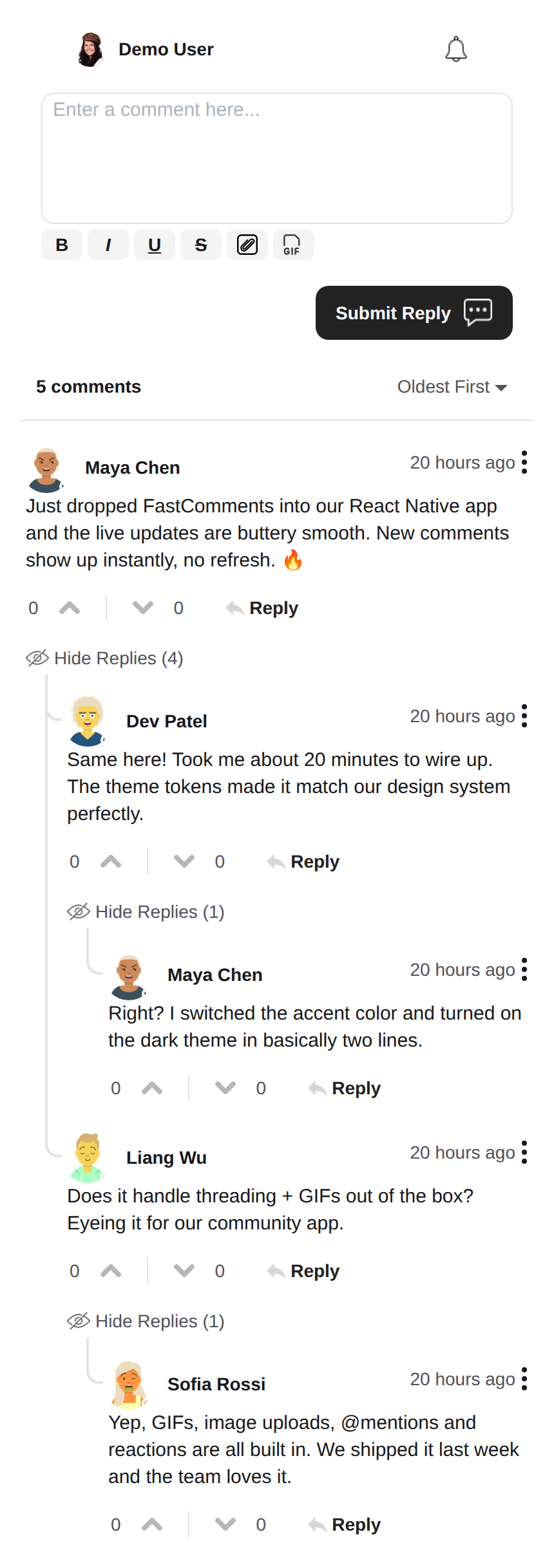 |
深色主題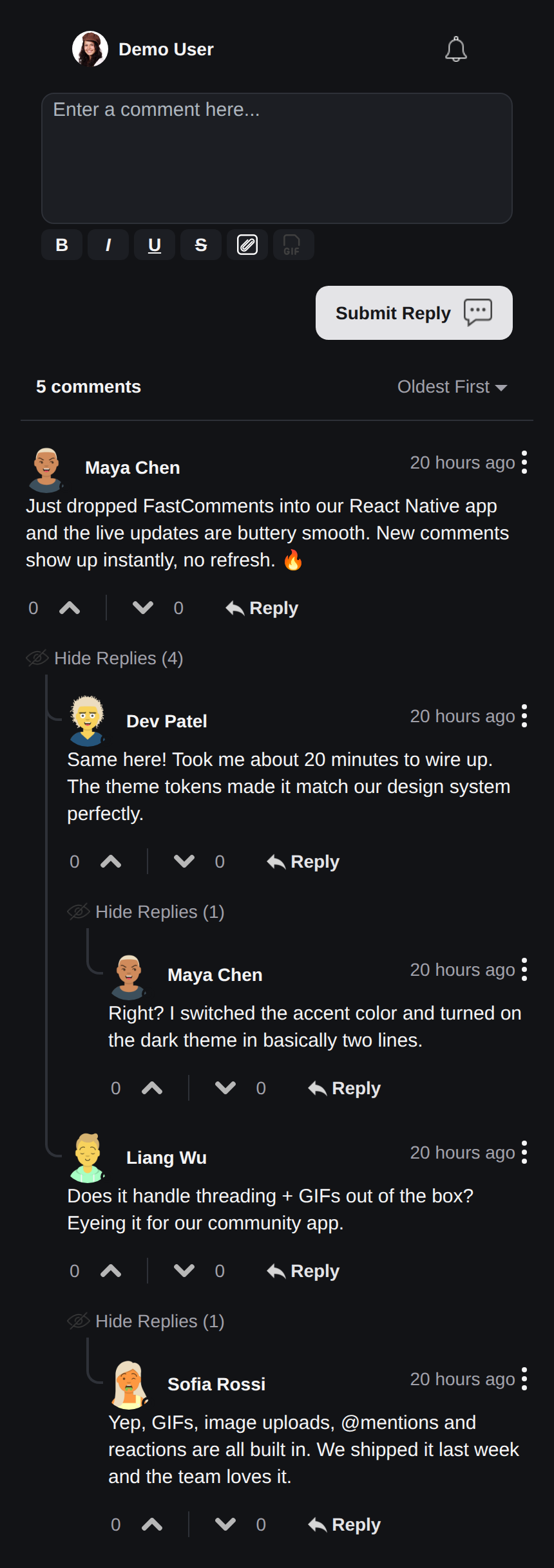 |
即時聊天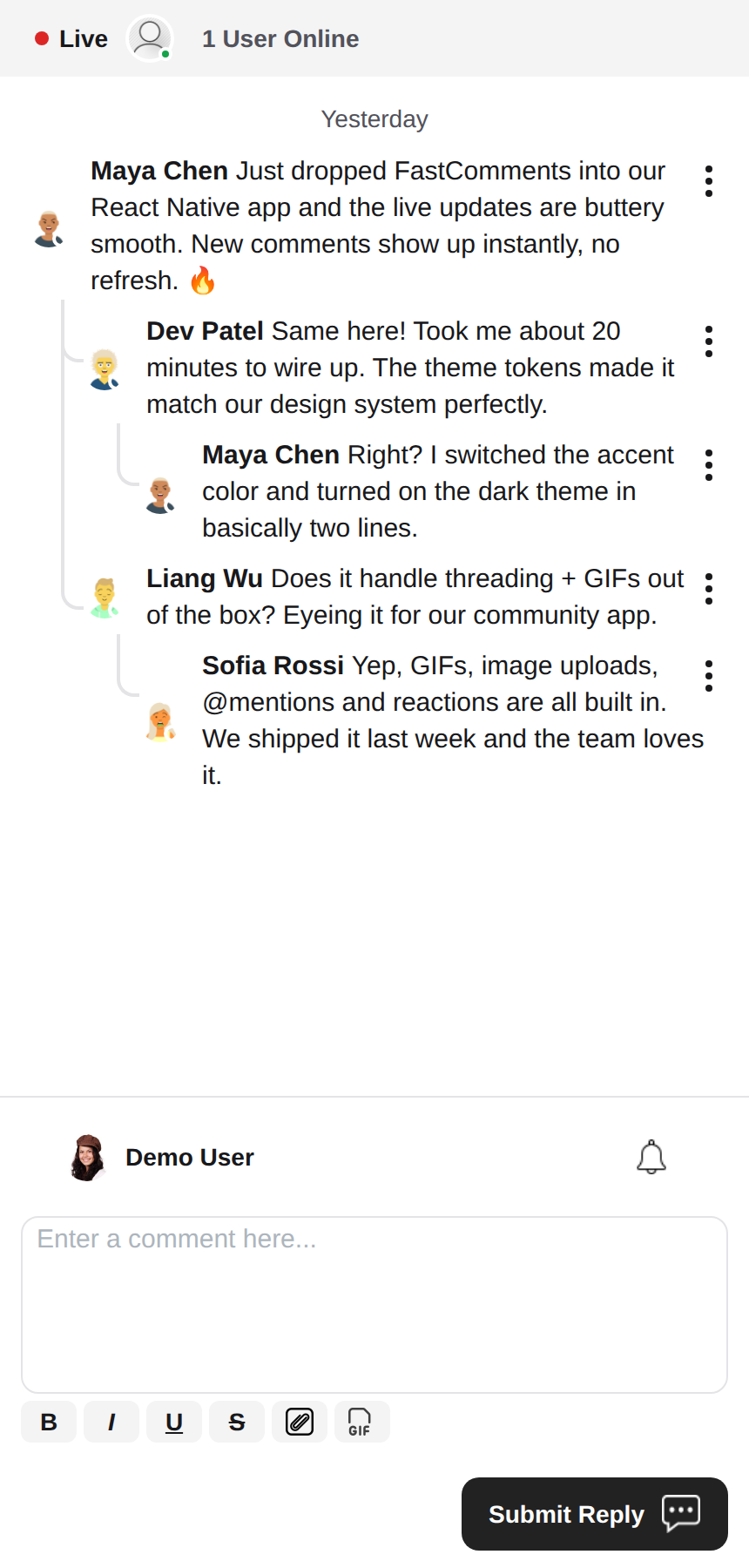 |
富文本編輯器
本函式庫使用 react-native-enriched 進行富文本編輯,提供強大的所見即所得(WYSIWYG)編輯體驗。同一個編輯器同時支援 iOS、Android 與網頁(透過 react-native-web),因此只需單一實作,編輯器在所有平台上的行為皆保持一致。
react-native-enriched 在原生環境需要 React Native New Architecture(Fabric)(自 RN 0.76 起為預設,RN 0.72-0.75 需手動啟用),以及能解析套件 exports 條件的打包工具。本 SDK 針對 RN 0.81 / React 19 開發與測試。同一個編輯器也可透過 react-native-web 在網頁上執行;不過上游的 enriched 編輯器網頁版本目前仍標記為實驗性。
元件(Widgets)
SDK 提供三個元件,與 FastComments Android SDK 相呼應:
FastCommentsLiveCommenting- 具備投票、回覆、分頁、提及、通知與即時更新的討論串留言功能。FastCommentsLiveChat- 基於同一引擎的聊天預設:訊息按時間順序排列、新訊息顯示在底部、編輯器位於列表下方、即時頂部列(連線狀態圓點 + 使用者人數)、向上捲動載入無限歷史訊息、自動捲動至新訊息、無投票與回覆討論串。每個預設皆可透過config覆寫。FastCommentsFeed- 具備貼文編輯器、媒體、表情反應、追蹤與即時新貼文橫幅的社群動態牆。
<FastCommentsLiveChat config=\{{ tenantId: 'demo', urlId: 'my-room' }}/>主題設定
預設外觀由一組語義化設計 token(FastCommentsTheme)產生:顏色、間距、圓角、字體大小、字體粗細與頭像尺寸。透過任何元件的 theme 屬性傳入部分 token 覆寫(型別為 FastCommentsThemeOverrides),整個樣式樹就會一致地重新套用樣式:
<FastCommentsLiveCommenting config={config} theme=\{{ colors: { primary: '#FF5500' } }}/>深色模式只需更換一組 token:
import { getDarkTheme } from 'fastcomments-react-native-sdk';

    <FastCommentsLiveCommenting config={config} theme={getDarkTheme()}/>
styles 屬性仍接受原始的 IFastCommentsStyles 樣式樹,以進行精細控制。當 theme 與 styles 同時提供時,明確指定的樣式會優先於主題樣式樹;當僅提供 styles 時,它會完全取代預設值(即原始行為,因此現有的整合與皮膚不受影響)。setupDarkModeSkin 已被棄用,建議改用 theme 屬性。
設定選項
本函式庫旨在支援 fastcomments-typescript 中定義的所有設定選項,與網頁版實作相同。
除此之外,React Native 透過 FastCommentsRNConfig 新增了幾個 SDK 專屬選項:
hideTopBar- 隱藏顯示於編輯器上方的已登入使用者 / 通知鈴鐺列。usePressToEdit- 長按留言以開啟其選單。disableDownVoting- 隱藏倒讚按鈕。renderCommentInline- 將留言者資訊與留言內容渲染在同一個 HTML 區塊內。renderLikesToRight- 將投票/按讚區域移至留言右側而非下方。renderDateBelowComment- 將日期顯示在留言下方。showLiveStatus- 在留言上方顯示聊天風格的「Live」+ 使用者人數頂部列。useInlineSubmitButton- 將送出按鈕以圖示形式呈現在編輯器內。countAboveToggle- 搭配useShowCommentsToggle使用時,在「顯示留言」切換開關上方渲染多少則留言。preserveFeedScrollPosition-FastCommentsFeed會在卸載/重新掛載之間記住其捲動位置(預設為 true)。
FastComments 核心概念
開始使用前需了解的主要概念是 tenantId 與 urlId。tenantId 是您的 FastComments.com 帳號識別碼。urlId 則是留言討論串所綁定的對象,可以是頁面 URL、產品 ID、文章 ID 等。
在地化
這些元件中所有面向使用者的文字(按鈕標籤、佔位符、空狀態、如「5 分鐘前」的相對時間、錯誤訊息等)皆為伺服器端驅動。元件本身不會 寫死英文字串;它們會渲染 FastComments 針對所請求語系提供的翻譯。
若要請求特定語系,請在您的 config 中設定 locale:
const config = {
    tenantId: 'your-tenant-id',
    urlId: 'some-page',
    locale: 'de_de', // de_de, fr_fr, ja_jp, es_es 等。
};
當未設定 locale 時,FastComments 會提供租戶的預設語言。
編輯文字: 翻譯是在您的 FastComments 儀表板中管理,而非本 SDK。 若要修改措辭、覆寫預設文案或新增語言,請在儀表板中編輯您帳號的翻譯 - 元件會自動套用變更,無需發佈應用程式。SDK 不內建英文備用文案,因此您在儀表板中清空的任何鍵值都會渲染為空白;請為您支援的每個語系保留完整的鍵值內容。
使用者通知
FastComments 支援多種情境的通知。通知可進行設定, 可在全域或單一通知/留言層級選擇退出,並支援頁面層級的訂閱,讓使用者可以訂閱特定 頁面或文章的討論串。
例如,可以使用 Secure SSO 驗證使用者身分,然後定期輪詢未讀通知並推送給使用者。
請參閱 AppNotificationSecureSSO 範例,了解如何取得並轉發未讀的使用者通知。
GIF 瀏覽器
預設情況下,未啟用任何圖片或 GIF 選擇功能。請參閱 example/src/AppCommentingImageSelection.tsx 了解如何 支援圖片與 GIF 上傳。本函式庫內建一個會將搜尋與圖片匿名化的 GIF 瀏覽器,您只需直接使用即可。
效能
如果您發現任何效能問題,請開立 ticket 並附上可重現問題的範例,包括所使用的裝置。效能是所有 FastComments 函式庫的首要考量。
需要幫助?
如果您在使用 React Native SDK 時遇到任何問題或有任何疑問,請:
貢獻
歡迎任何貢獻!請造訪 GitHub 儲存庫 以查看貢獻指南。