
Dodajte komentare u svoju React Native aplikaciju
Ovo je zvanični React Native SDK za FastComments.
Pristupite FastComments API-ju direktno iz vaše React Native aplikacije.
Repository
AI agenti za kodiranje 
Dajte svom kodirajućem agentu FastComments kontekst koji mu je potreban – vidžeti, konfiguracija, Secure SSO, REST API i SDK‑ove:
npx skills add fastcomments/skillsRadi sa Claude Code, Codex, Cursor, Copilot, Gemini i svakim drugim agentom koji podržava skills CLI.
Demo uživo
Isprobajte svaki widget uživo na https://fastcomments.com/commenting-system-for-react-native/.
Instalacija

npm install fastcomments-react-native-sdk --saveO
Ova biblioteka je potpuna react-native implementacija FastComments.
Podržava komentarisanje uživo, chat, thread-ove, emotikone, obaveštenja, SSO, skinove i potpunu prilagodbu prosleđivanjem stylesheet objekta. Svi asseti se takođe mogu prilagoditi, i podržano je prebacivanje različitih asseta na osnovu tamnog režima.
Prednost ove biblioteke je u tome što je fleksibilnija od fastcomments-react-native wrappera. Komentari se renderuju pomoću nativnih komponenti umesto unutar webview-a.
Sve to radi na FastComments backendu, tako da vi morate samo da integrišete UI:
<FastCommentsLiveCommenting config={config} styles={styles} callbacks={callbacks} assets={assets}/>Pogledajte example/src za više primera.
Dodajte chat uživo vašoj postojećoj React Native aplikaciji, ili čak napravite društvenu mrežu!
Snimci ekrana
Komentari uživo sa nitima, avatarima, ugnježdenim odgovorima, glasanjem i ugrađenim rich-text editorom, uz tamnu temu i live-chat preset (prikazano ovde renderovano preko react-native-web):
Komentari uživo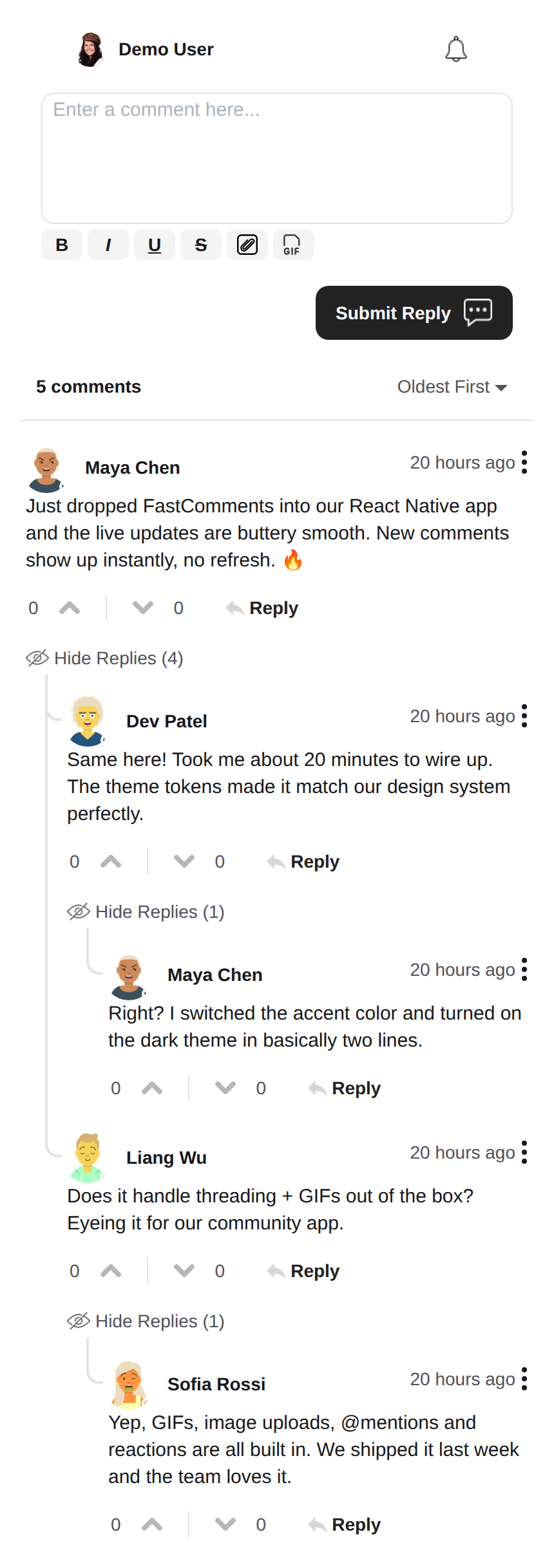 |
Tamna tema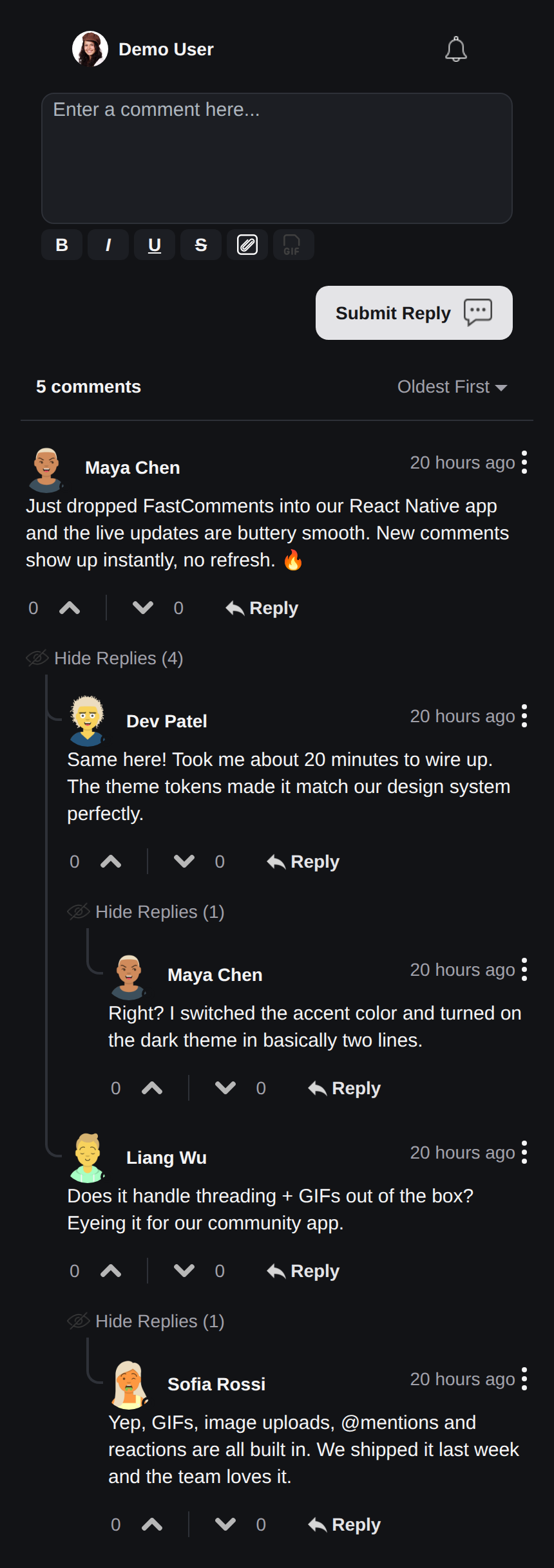 |
Live Chat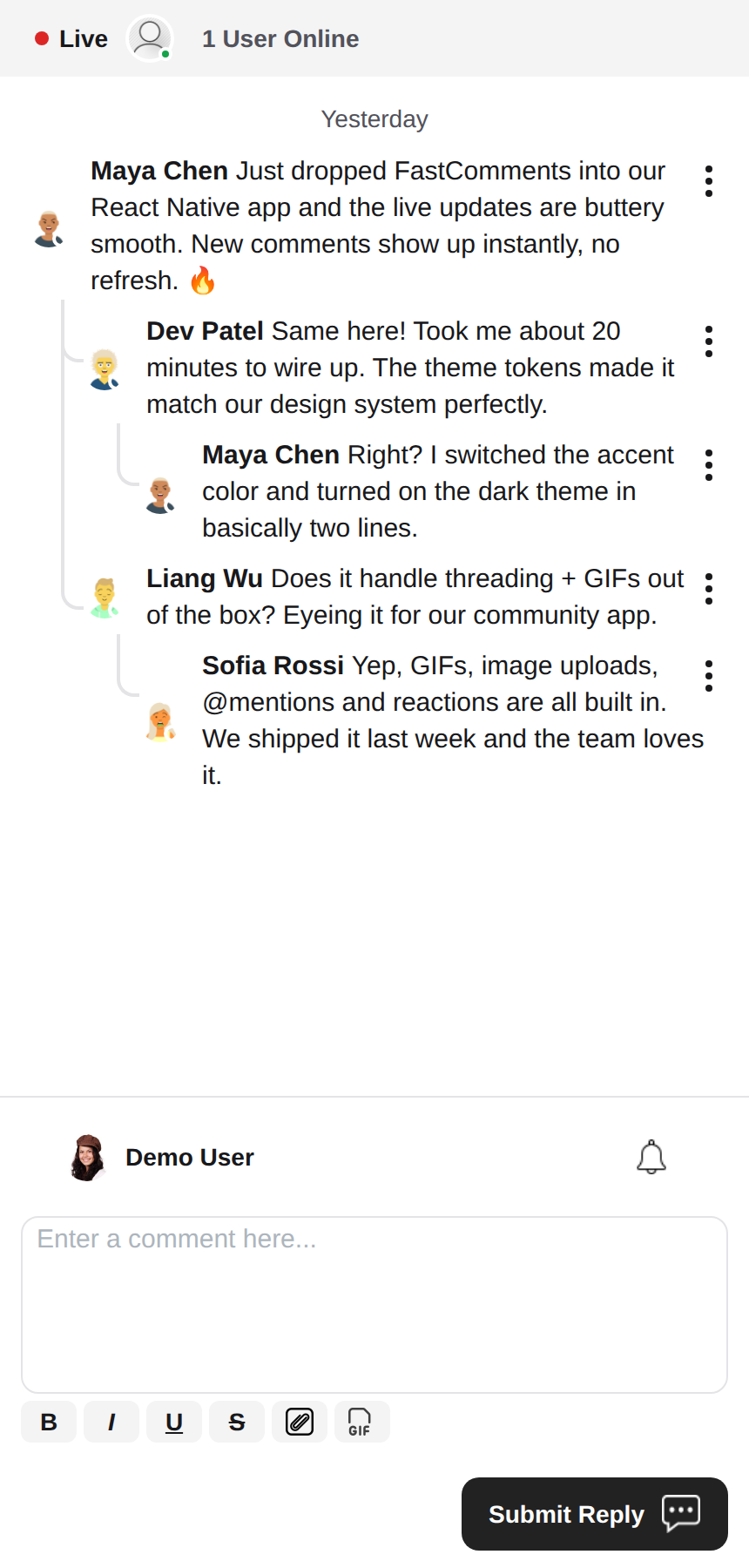 |
Rich Text Editor
Ova biblioteka koristi react-native-enriched za rich text uređivanje, koje pruža moćno WYSIWYG iskustvo uređivanja. Isti editor pokreće iOS, Android i web (preko react-native-web), tako da se composer ponaša konzistentno na svakoj platformi uz jednu implementaciju.
react-native-enriched zahteva React Native New Architecture (Fabric) na nativnim platformama (podrazumevano od RN 0.76, opciono na RN 0.72-0.75) i bundler koji razrešava exports uslove paketa. Ovaj SDK je razvijan i testiran uz RN 0.81 / React 19. Isti editor radi i na webu preko react-native-web; web build enriched editora je i dalje označen kao eksperimentalan uzvodno.
Vidžeti
SDK isporučuje tri vidžeta, u skladu sa FastComments Android SDK-om:
FastCommentsLiveCommenting- komentari sa nitima, glasanjem, odgovorima, paginacijom, pominjanjima, notifikacijama i ažuriranjima uživo.FastCommentsLiveChat- chat preset nad istim engine-om: hronološke poruke sa novim na dnu, composer ispod liste, live header traka (tačka konekcije + broj korisnika), beskonačna istorija koja se učitava skrolovanjem nagore, auto-skrol do novih poruka, bez glasanja i odgovora u nitima. Svaki preset može biti zamenjen prekoconfig.FastCommentsFeed- društveni feed sa composer-om za objave, medijima, reakcijama, praćenjima i live banerima za nove objave.
<FastCommentsLiveChat config=\{{ tenantId: 'demo', urlId: 'my-room' }}/>Tematizacija
Podrazumevani izgled se generiše iz skupa semantičkih dizajn tokena (FastCommentsTheme): boje, razmaci, radius, veličine fontova, debljine fontova i veličine avatara. Prosledite parcijalne zamene tokena (tipizirane kao FastCommentsThemeOverrides) kroz theme prop na bilo kom vidžetu i celo drvo stilova će se konzistentno restilizovati:
<FastCommentsLiveCommenting config={config} theme=\{{ colors: { primary: '#FF5500' } }}/>Tamni režim je udaljen samo jedan skup tokena:
import { getDarkTheme } from 'fastcomments-react-native-sdk';

    <FastCommentsLiveCommenting config={config} theme={getDarkTheme()}/>
styles prop i dalje prihvata sirovo IFastCommentsStyles drvo za hiruršku kontrolu. Kada su theme i styles oba prosleđena, eksplicitni stilovi imaju prednost nad tematizovanim drvom; kada je prosleđen samo styles, on potpuno zamenjuje podrazumevane (originalno ponašanje, tako da postojeće integracije i skinovi nisu pogođeni). setupDarkModeSkin je zastareo u korist theme propa.
Opcije konfiguracije
Ova biblioteka ima za cilj da podrži sve opcije konfiguracije definisane u fastcomments-typescript, baš kao i web implementacija.
Pored toga, React Native dodaje nekoliko opcija specifičnih za SDK preko FastCommentsRNConfig:
hideTopBar- sakriva traku sa prijavljenim korisnikom / zvonom za notifikacije iznad composer-a.usePressToEdit- pritisni i drži komentar da otvoriš njegov meni.disableDownVoting- sakriva dugmad za negativno glasanje.renderCommentInline- prikazuje informacije o komentatoru unutar istog HTML bloka kao sadržaj komentara.renderLikesToRight- pomera oblast glasanja/lajkova desno od komentara umesto ispod njega.renderDateBelowComment- prikazuje datum ispod komentara.showLiveStatus- prikazuje chat-style "Live" traku sa brojem korisnika iznad komentara.useInlineSubmitButton- prikazuje dugme za slanje kao ikonu unutar composer-a.countAboveToggle- uzuseShowCommentsToggle, koliko komentara se prikazuje iznad "Show Comments" prekidača.preserveFeedScrollPosition-FastCommentsFeedpamti svoj scroll offset između unmount/remount (podrazumevano true).
FastComments koncepti
Glavni koncepti koje treba da znate da biste počeli su tenantId i urlId. tenantId je identifikator vašeg FastComments.com naloga. urlId je mesto na koje će se vezivati niti komentara. To može biti URL stranice, ili id proizvoda, id članka, itd.
Lokalizacija
Sav tekst okrenut korisniku u ovim vidžetima (labele dugmadi, placeholder-i, prazna stanja, relativni datumi poput "pre 5 minuta", poruke o grešci, itd.) je vođen sa servera. Komponente ne hard-kodiraju engleske stringove; one renderuju prevode koje FastComments isporučuje za traženi locale.
Da biste zahtevali locale, postavite locale u vašoj konfiguraciji:
const config = {
    tenantId: 'your-tenant-id',
    urlId: 'some-page',
    locale: 'de_de', // de_de, fr_fr, ja_jp, es_es, itd.
};
Kada locale nije postavljen, FastComments isporučuje podrazumevani jezik tenanta.
Izmena teksta: prevodi se upravljaju u vašem FastComments dashboard-u, ne u ovom SDK-u. Da biste promenili formulacije, zamenili podrazumevani tekst ili dodali jezik, izmenite prevode za vaš nalog u dashboard-u - promena se automatski preuzima u vidžetima bez potrebe za izdavanjem nove verzije aplikacije. SDK ne isporučuje engleske fallback-ove, tako da će svaki ključ koji obrišete u dashboard-u renderovati prazno; održavajte ključeve popunjene za svaki locale koji podržavate.
Korisničke notifikacije
FastComments podržava notifikacije za mnoge scenarije. Notifikacije su konfigurabilne, mogu se globalno ili na nivou notifikacije/komentara isključiti, i podržavaju pretplate na nivou stranice tako da korisnici mogu da se pretplate na niti konkretne stranice ili članka.
Na primer, moguće je koristiti Secure SSO za autentifikaciju korisnika i zatim periodično proveravati nepročitane notifikacije i slati ih korisniku.
Pogledajte primer AppNotificationSecureSSO za to kako da preuzmete i prikažete nepročitane korisničke notifikacije.
Gif pregledač
Podrazumevano, izbor slika ili gifova nije omogućen. Pogledajte example/src/AppCommentingImageSelection.tsx za to kako da podržite otpremanje slika i gifova. Postoji Gif pregledač koji anonimizuje pretrage i slike pružene u ovoj biblioteci, samo ga treba koristiti.
Performanse
Ako primetite bilo kakve probleme sa performansama, otvorite tiket sa primerom za reprodukciju, uključujući korišćeni uređaj. Performanse su prvorazredni građanin svih FastComments biblioteka.
Trebate pomoć?
Ako naiđete na bilo kakve probleme ili imate pitanja u vezi sa React Native SDK-om, molimo:
Doprinosi
Doprinosi su dobrodošli! Posetite GitHub repozitorijum za smernice o doprinosu.