
在您的 React Native 应用中添加评论
这是 FastComments 官方的 React Native SDK。
可以直接从您的 React Native 应用访问 FastComments API。
仓库
AI 编码代理 
为您的编码代理提供 FastComments 所需的上下文——小部件、配置、Secure SSO、REST API 和 SDK:
npx skills add fastcomments/skills兼容 Claude Code、Codex、Cursor、Copilot、Gemini,以及所有其他由 skills CLI 支持的代理。
实时演示
安装

npm install fastcomments-react-native-sdk --save关于
该库是 FastComments 的一个完整的 react-native 实现。
它支持实时评论、聊天、线程、表情、通知、SSO、皮肤,并且可以通过传入样式表对象实现全面定制。所有资源也可以自定义,并且支持根据暗色模式切换不同的资源。
该库的优势是比 fastcomments-react-native 包装器更灵活。评论使用原生组件渲染,而不是在 webview 中。
这一切都运行在 FastComments 后端,因此你只需集成 UI:
<FastCommentsLiveCommenting config={config} styles={styles} callbacks={callbacks} assets={assets}/>更多示例请参见 example/src。
将实时聊天添加到您现有的 React Native 应用,甚至构建一个社交网络!
截图
Live threaded commenting with avatars, nested replies, votes, and the built-in rich-text composer, plus a dark theme and a live-chat preset (shown here rendered via react-native-web):
实时评论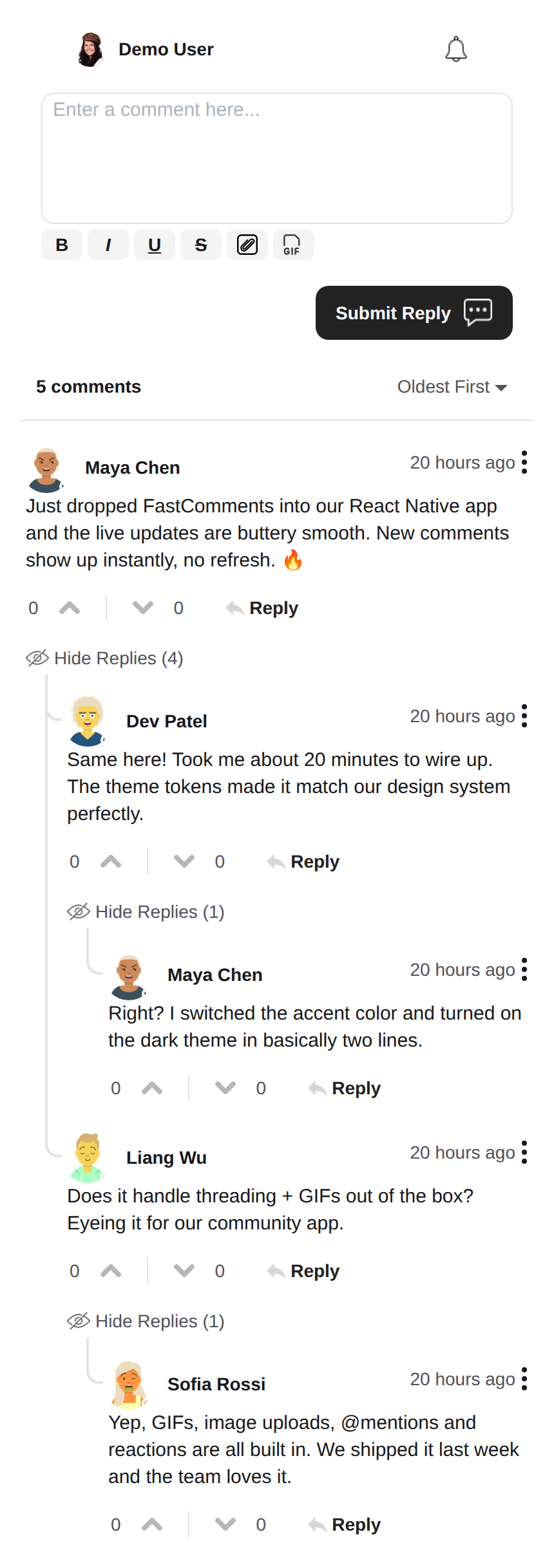 |
暗色主题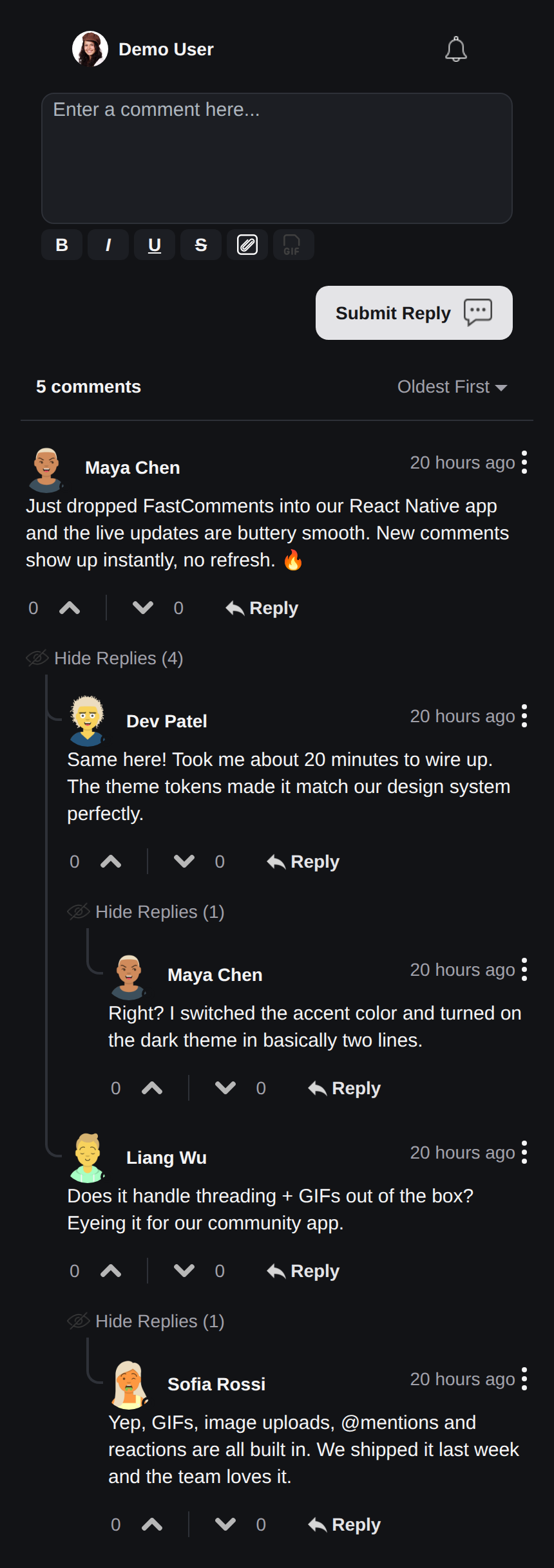 |
实时聊天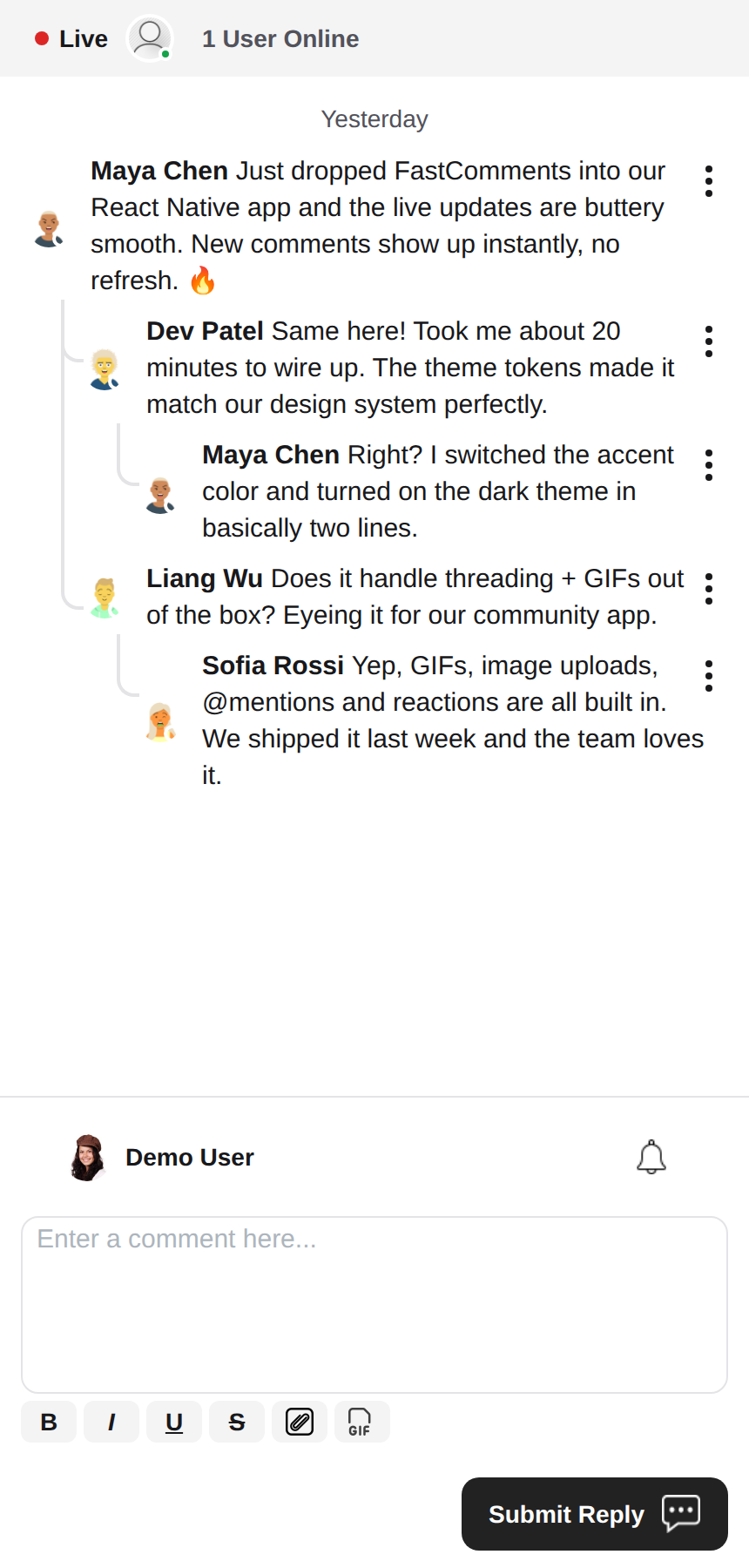 |
富文本编辑器
此库使用 react-native-enriched 进行富文本编辑,提供强大的所见即所得编辑体验。同一编辑器支持 iOS、Android 和网页(通过 react-native-web),因此编辑器在所有平台上表现一致,且只需一次实现。
react-native-enriched 需要在原生端使用 React Native 新架构(Fabric)(自 RN 0.76 起默认启用,RN 0.72-0.75 需要手动开启),并且需要能够解析 package exports 条件的打包工具。此 SDK 开发并测试于 RN 0.81 / React 19。相同的编辑器也可通过 react-native-web 在网页上运行;enriched 编辑器的网页构建仍被标记为上游实验性。
小部件
SDK 提供三个小部件,映射 FastComments Android SDK:
FastCommentsLiveCommenting- 支持投票、回复、分页、提及、通知以及实时更新的线程评论。FastCommentsLiveChat- 基于相同引擎的聊天预设:按时间顺序的消息,最新的在底部,编辑器位于列表下方,带有实时标题条(连接点 + 用户计数),通过向上滚动加载无限历史,自动滚动到新消息,不支持投票或回复线程。每个预设都可以通过config覆盖。FastCommentsFeed- 带有发布编辑器、媒体、互动、关注以及实时新帖横幅的社交信息流。
<FastCommentsLiveChat config=\{{ tenantId: 'demo', urlId: 'my-room' }}/>主题化
默认外观由一组语义化设计令牌(FastCommentsTheme)生成:颜色、间距、圆角、字体大小、字体粗细和头像尺寸。通过任意小部件的 theme 属性传入部分令牌覆盖(类型为 FastCommentsThemeOverrides),即可一致地重新样式化整个样式树:
<FastCommentsLiveCommenting config={config} theme=\{{ colors: { primary: '#FF5500' } }}/>暗色模式只需切换一套令牌:
import { getDarkTheme } from 'fastcomments-react-native-sdk';

    <FastCommentsLiveCommenting config={config} theme={getDarkTheme()}/>
styles 属性仍然接受原始的 IFastCommentsStyles 树,以实现精细控制。当同时提供 theme 和 styles 时,显式的 styles 会覆盖主题树;当仅提供 styles 时,它会完全替代默认样式(保持原有行为,现有集成和皮肤不受影响)。setupDarkModeSkin 已被弃用,建议使用 theme 属性。
配置选项
此库旨在支持在 fastcomments-typescript 中定义的所有配置选项,类似于网页实现。
在此基础上,React Native 通过 FastCommentsRNConfig 添加了一些 SDK 特定的选项:
hideTopBar- 隐藏显示在编辑器上方的已登录用户/通知铃铛条。usePressToEdit- 长按评论以打开其菜单。disableDownVoting- 隐藏点踩按钮。renderCommentInline- 在与评论内容相同的 HTML 块内渲染评论者信息。renderLikesToRight- 将投票/点赞区域移动到评论右侧,而不是下方。renderDateBelowComment- 在评论下方渲染日期。showLiveStatus- 在评论上方显示聊天式的 “Live” + 用户计数 标题条。useInlineSubmitButton- 将提交按钮渲染为编辑器内部的图标。countAboveToggle- 与useShowCommentsToggle配合使用,指定在 “显示评论” 切换按钮上方渲染的评论数量。preserveFeedScrollPosition-FastCommentsFeed在卸载/重新挂载之间记住其滚动偏移(默认 true)。
FastComments 概念
入门时需要了解的主要概念是 tenantId 和 urlId。tenantId 是您在 FastComments.com 的账户标识。urlId 用于绑定评论线程的位置。它可以是页面 URL、产品 ID、文章 ID 等。
本地化
这些小部件中的所有面向用户的文本(按钮标签、占位符、空状态、类似 “5 分钟前” 的相对日期、错误信息等)均为 服务器驱动。组件不会硬编码英文字符串;它们会渲染 FastComments 为请求的语言环境提供的翻译。
要请求特定语言环境,请在配置中设置 locale:
const config = {
    tenantId: 'your-tenant-id',
    urlId: 'some-page',
    locale: 'de_de', // de_de, fr_fr, ja_jp, es_es, etc.
};
如果未设置 locale,FastComments 将使用租户的默认语言。
编辑文本: 翻译在您的 FastComments 仪表板中管理,而非此 SDK。要更改措辞,可覆盖默认文案或添加语言,在仪表板中编辑您账户的翻译——小部件会自动获取更改,无需发布应用。SDK 不提供英文回退,因此在仪表板中留空的任何键将渲染为空;请为您支持的每种语言环境填充键值。
用户通知
FastComments 支持针对 多种场景 的通知。通知可配置,可全局或在通知/评论层面选择退出,并支持页面级订阅,使用户能够订阅特定页面或文章的线程。
例如,可以使用安全单点登录(Secure SSO)对用户进行身份验证,然后定期轮询未读通知并推送给用户。
请参阅 示例 AppNotificationSecureSSO 了解如何获取并翻译未读用户通知。
Gif 浏览器
默认情况下,未启用图片或 gif 选择。请参阅 example/src/AppCommentingImageSelection.tsx 了解如何支持图片和 gif 上传。库中提供了一个 Gif 浏览器,可匿名搜索并提供图片,您只需使用它即可。
性能
如果您发现任何性能问题,请提交包含复现示例和所使用设备的工单。性能是所有 FastComments 库的首要关注点。
需要帮助?
如果您在使用 React Native SDK 时遇到任何问题或有疑问,请:
贡献
欢迎贡献!请访问 GitHub 仓库 查看贡献指南。