
Добавьте комментарии в ваше приложение React Native
Это официальный SDK для React Native от FastComments.
Получайте доступ к API FastComments непосредственно из вашего приложения на React Native.
Репозиторий
AI‑агенты кодирования 
Дайте вашему код‑агенту контекст FastComments, который ему нужен - виджеты, конфигурацию, Secure SSO, REST API и SDK:
npx skills add fastcomments/skillsРаботает с Claude Code, Codex, Cursor, Copilot, Gemini и любым другим агентом, поддерживаемым skills CLI.
Онлайн‑демо
Попробуйте каждый виджет вживую по адресу https://fastcomments.com/commenting-system-for-react-native/.
Установка

npm install fastcomments-react-native-sdk --saveО проекте
Эта библиотека представляет собой полную реализацию react-native для FastComments.
Она поддерживает живые комментарии, чат, ветки, эмодзи, уведомления, SSO, скины и полную настройку путем передачи объекта таблицы стилей. Все ресурсы также могут быть настроены, и поддерживается переключение разных ресурсов в зависимости от темного режима.
Преимущество этой библиотеки в том, что она более гибкая, чем обёртка fastcomments-react-native. Комментарии рендерятся с помощью нативных компонентов, а не внутри webview.
Все работает на бекенде FastComments, поэтому вам нужно только интегрировать UI:
<FastCommentsLiveCommenting config={config} styles={styles} callbacks={callbacks} assets={assets}/>Смотрите example/src для дополнительных примеров.
Добавьте живой чат в ваше существующее приложение React Native или даже создайте социальную сеть!
Скриншоты
Живое комментирование с ветками, аватарами, вложенными ответами, голосами и встроенным rich-text редактором, плюс тёмная тема и пресет live-чата (здесь показано через react-native-web):
Живое комментирование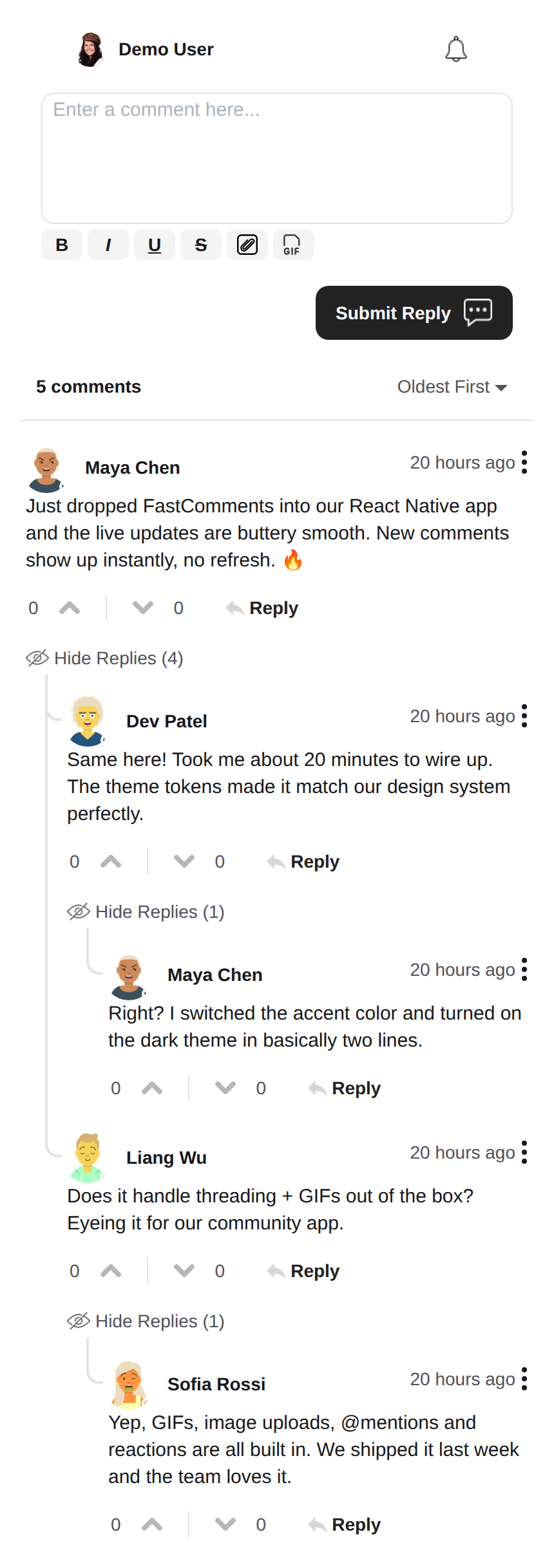 |
Тёмная тема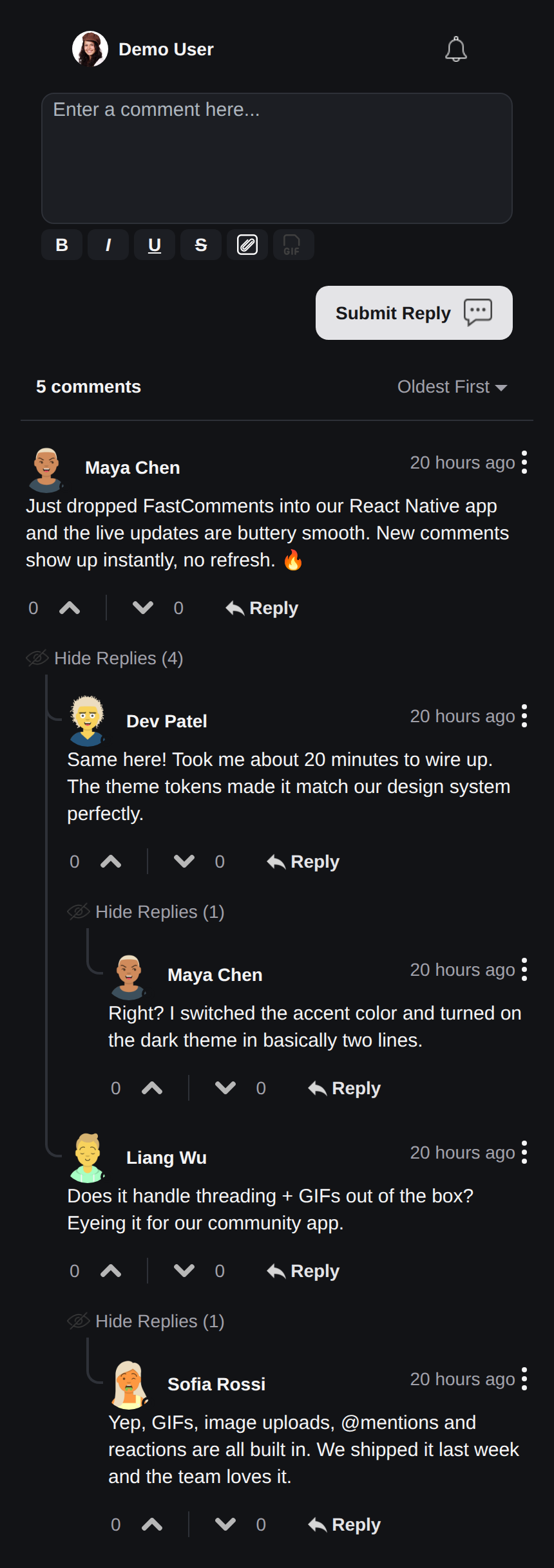 |
Live-чат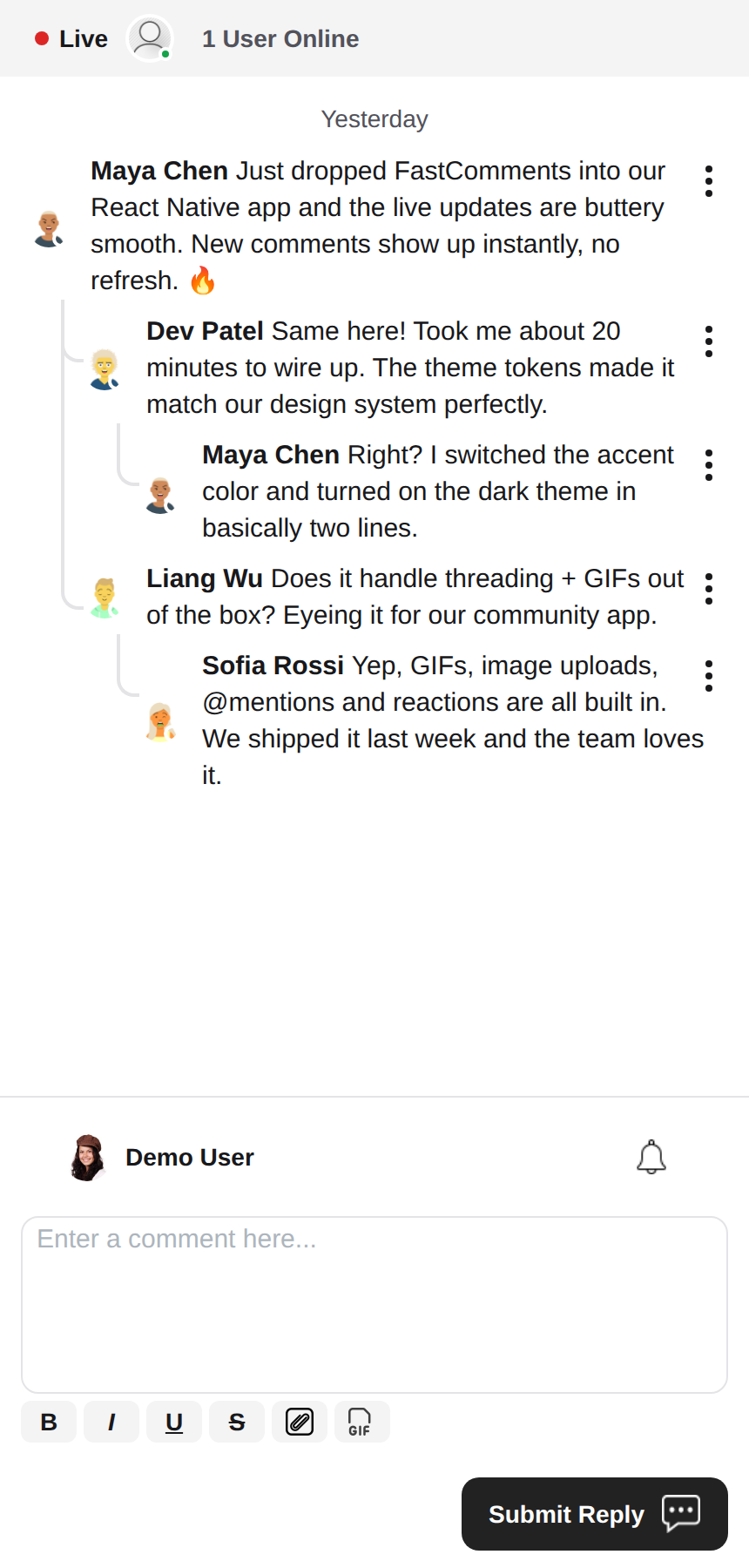 |
Rich Text редактор
Эта библиотека использует react-native-enriched для редактирования форматированного текста, что обеспечивает мощный WYSIWYG-редактор. Один и тот же редактор работает на iOS, Android и в вебе (через react-native-web), поэтому композер ведёт себя одинаково на всех платформах с единой реализацией.
react-native-enriched требует React Native New Architecture (Fabric) на нативных платформах (по умолчанию с RN 0.76, опционально на RN 0.72-0.75), а также бандлер, поддерживающий условия exports пакетов. Этот SDK разрабатывается и тестируется на RN 0.81 / React 19. Тот же редактор работает и в вебе через react-native-web; веб-сборка enriched-редактора пока помечена как экспериментальная в upstream.
Виджеты
SDK включает три виджета, повторяющие FastComments Android SDK:
FastCommentsLiveCommenting- комментирование с ветками, голосами, ответами, пагинацией, упоминаниями, уведомлениями и обновлениями в реальном времени.FastCommentsLiveChat- пресет чата на том же движке: хронологические сообщения с новыми внизу, композер под списком, живая шапка (индикатор соединения + количество пользователей), бесконечная история при прокрутке вверх, автопрокрутка к новым сообщениям, без голосов и веток ответов. Любой пресет можно переопределить черезconfig.FastCommentsFeed- социальная лента с композером постов, медиа, реакциями, подписками и живыми баннерами новых постов.
<FastCommentsLiveChat config=\{{ tenantId: 'demo', urlId: 'my-room' }}/>Темизация
Внешний вид по умолчанию генерируется из набора семантических дизайн-токенов (FastCommentsTheme): цвета, отступы, радиусы, размеры шрифтов, насыщенность шрифтов и размеры аватаров. Передайте частичные переопределения токенов (типизированные FastCommentsThemeOverrides) через проп theme любого виджета, и всё дерево стилей будет последовательно перестилизовано:
<FastCommentsLiveCommenting config={config} theme=\{{ colors: { primary: '#FF5500' } }}/>Тёмный режим — в одном наборе токенов:
import { getDarkTheme } from 'fastcomments-react-native-sdk';

    <FastCommentsLiveCommenting config={config} theme={getDarkTheme()}/>
Проп styles по-прежнему принимает сырое дерево IFastCommentsStyles для точечного контроля. Когда переданы и theme, и styles, явные стили имеют приоритет над тематизированным деревом; если передан только styles, он полностью заменяет значения по умолчанию (исходное поведение, поэтому существующие интеграции и скины не затрагиваются). setupDarkModeSkin устарел в пользу пропа theme.
Опции конфигурации
Эта библиотека стремится поддерживать все опции конфигурации, определённые в fastcomments-typescript, как и веб-реализация.
Помимо них, React Native добавляет несколько специфичных для SDK опций через FastCommentsRNConfig:
hideTopBar- скрыть полосу вошедшего пользователя / колокольчика уведомлений над композером.usePressToEdit- нажатие и удержание комментария открывает его меню.disableDownVoting- скрыть кнопки голосования вниз.renderCommentInline- отображать информацию об авторе в том же HTML-блоке, что и содержимое комментария.renderLikesToRight- переместить область голосования/лайков вправо от комментария, а не под него.renderDateBelowComment- отображать дату под комментарием.showLiveStatus- показывать над комментариями полосу в стиле чата «Live» + количество пользователей.useInlineSubmitButton- отображать кнопку отправки как иконку внутри композера.countAboveToggle- сuseShowCommentsToggle, сколько комментариев отображается над переключателем «Show Comments».preserveFeedScrollPosition-FastCommentsFeedзапоминает позицию прокрутки между размонтированием/монтированием (по умолчанию true).
Концепции FastComments
Основные концепции, которые нужно знать для начала работы — это tenantId и urlId. tenantId — это идентификатор вашего аккаунта FastComments.com. urlId — это то, к чему будут привязаны ветки комментариев. Это может быть URL страницы, или id товара, id статьи и т.д.
Локализация
Весь пользовательский текст в этих виджетах (подписи кнопок, плейсхолдеры, пустые состояния, относительные даты вроде «5 минут назад», сообщения об ошибках и т.д.) управляется сервером. Компоненты не содержат жёстко заданных английских строк; они отображают переводы, которые FastComments отдаёт для запрошенной локали.
Чтобы запросить локаль, задайте locale в вашей конфигурации:
const config = {
    tenantId: 'your-tenant-id',
    urlId: 'some-page',
    locale: 'de_de', // de_de, fr_fr, ja_jp, es_es и т.д.
};
Если locale не задан, FastComments отдаёт язык по умолчанию для тенанта.
Редактирование текста: переводы управляются в вашей панели FastComments, а не в этом SDK. Чтобы изменить формулировки, переопределить текст по умолчанию или добавить язык, отредактируйте переводы для вашего аккаунта в панели — изменения автоматически подхватываются виджетами без выпуска обновления приложения. SDK не содержит английских резервных значений, поэтому любой ключ, который вы очистите в панели, будет отображаться пустым; держите ключи заполненными для каждой поддерживаемой вами локали.
Уведомления пользователей
FastComments поддерживает уведомления для множества сценариев. Уведомления настраиваемы, их можно отключить глобально или на уровне уведомления/комментария, а также поддерживаются подписки на уровне страниц, чтобы пользователи могли подписываться на ветки конкретной страницы или статьи.
Например, можно использовать Secure SSO для аутентификации пользователя, а затем периодически опрашивать непрочитанные уведомления и доставлять их пользователю.
См. пример AppNotificationSecureSSO, чтобы узнать, как получать и обрабатывать непрочитанные уведомления пользователя.
Браузер GIF
По умолчанию выбор изображений и GIF не включён. См. example/src/AppCommentingImageSelection.tsx, чтобы узнать, как поддержать загрузку изображений и GIF. В этой библиотеке есть браузер GIF, который анонимизирует поисковые запросы и изображения — достаточно просто использовать его.
Производительность
Если вы обнаружите какие-либо проблемы с производительностью, пожалуйста, создайте тикет с примером для воспроизведения, включая использованное устройство. Производительность — первоклассный приоритет всех библиотек FastComments.
Нужна помощь?
Если вы столкнулись с проблемами или у вас есть вопросы по React Native SDK, пожалуйста:
Вклад
Вклады приветствуются! Пожалуйста, посетите репозиторий на GitHub для получения руководства по внесению вклада.