
Aggiungi commenti alla tua app React Native
Questa è l'SDK ufficiale per React Native di FastComments.
Accedi all'API di FastComments direttamente dalla tua applicazione React Native.
Repository
Agenti di codifica AI 
Fornisci al tuo agente di codifica il contesto FastComments di cui ha bisogno - widget, configurazione, Secure SSO, l'API REST e gli SDK:
npx skills add fastcomments/skillsFunziona con Claude Code, Codex, Cursor, Copilot, Gemini e tutti gli altri agenti supportati dal skills CLI.
Demo dal vivo
Prova ogni widget in diretta su https://fastcomments.com/commenting-system-for-react-native/.
Installazione

npm install fastcomments-react-native-sdk --saveInformazioni
Questa libreria è un'implementazione completa per react-native di FastComments.
Supporta commenti in tempo reale, chat, thread, emoticon, notifiche, SSO, skin e la piena personalizzazione passando un oggetto stylesheet. Tutte le risorse possono anche essere personalizzate, e supporta l'attivazione di asset diversi in base alla modalità scura.
Il vantaggio di questa libreria è che è più flessibile rispetto al wrapper fastcomments-react-native. I commenti vengono renderizzati con componenti nativi anziché all'interno di una webview.
Tutto funziona sul backend di FastComments, quindi devi solo integrare l'interfaccia utente:
<FastCommentsLiveCommenting config={config} styles={styles} callbacks={callbacks} assets={assets}/>Vedi example/src per altri esempi.
Aggiungi una chat in tempo reale alla tua applicazione React Native esistente, o crea persino un social network!
Screenshot
Live threaded commenting with avatars, nested replies, votes, and the built-in rich-text composer, plus a dark theme and a live-chat preset (shown here rendered via react-native-web):
Commenti Live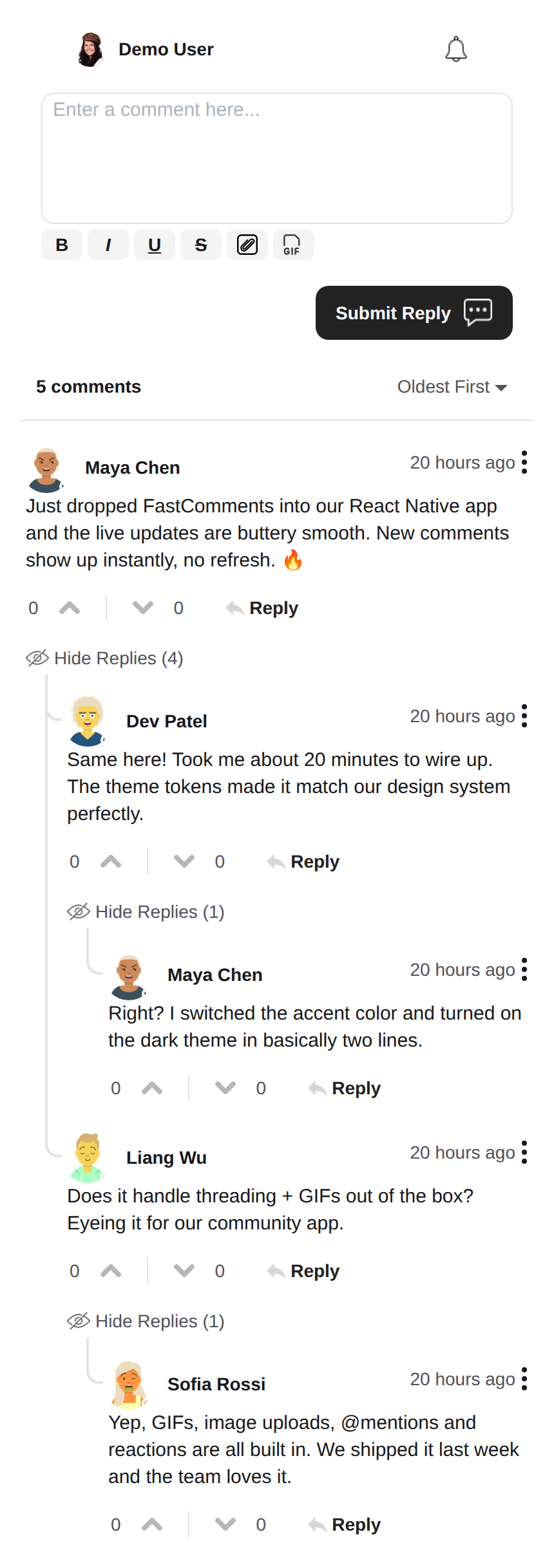 |
Tema Scuro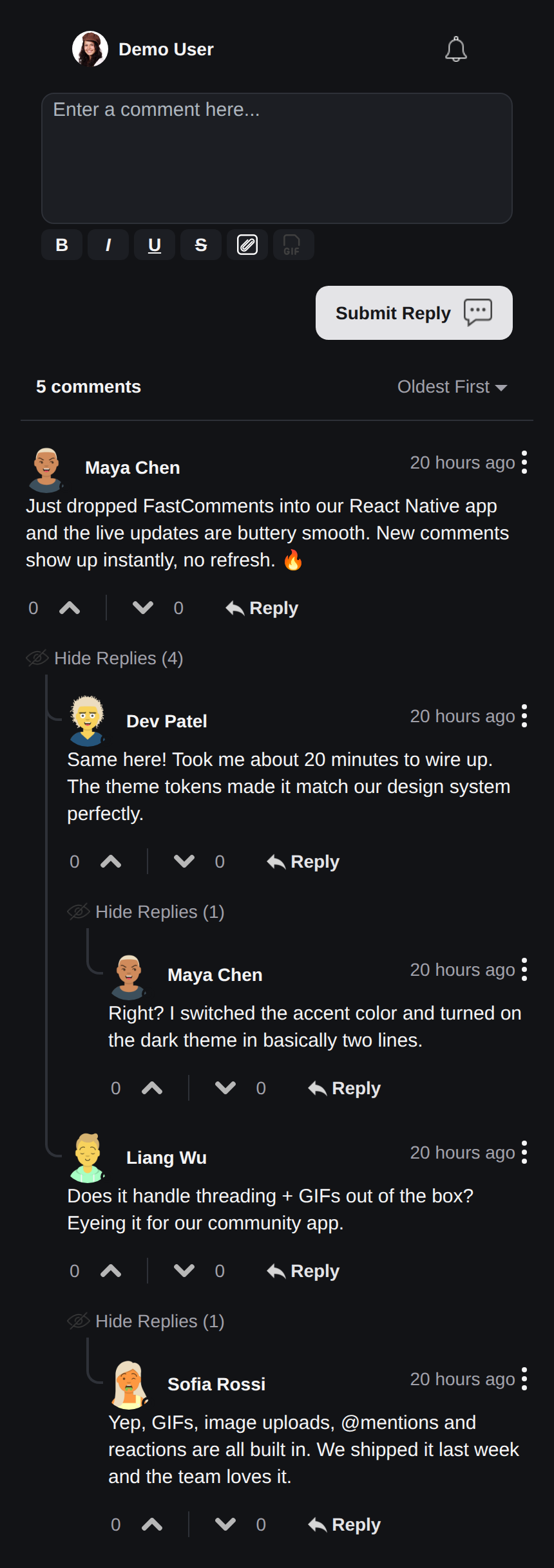 |
Chat Live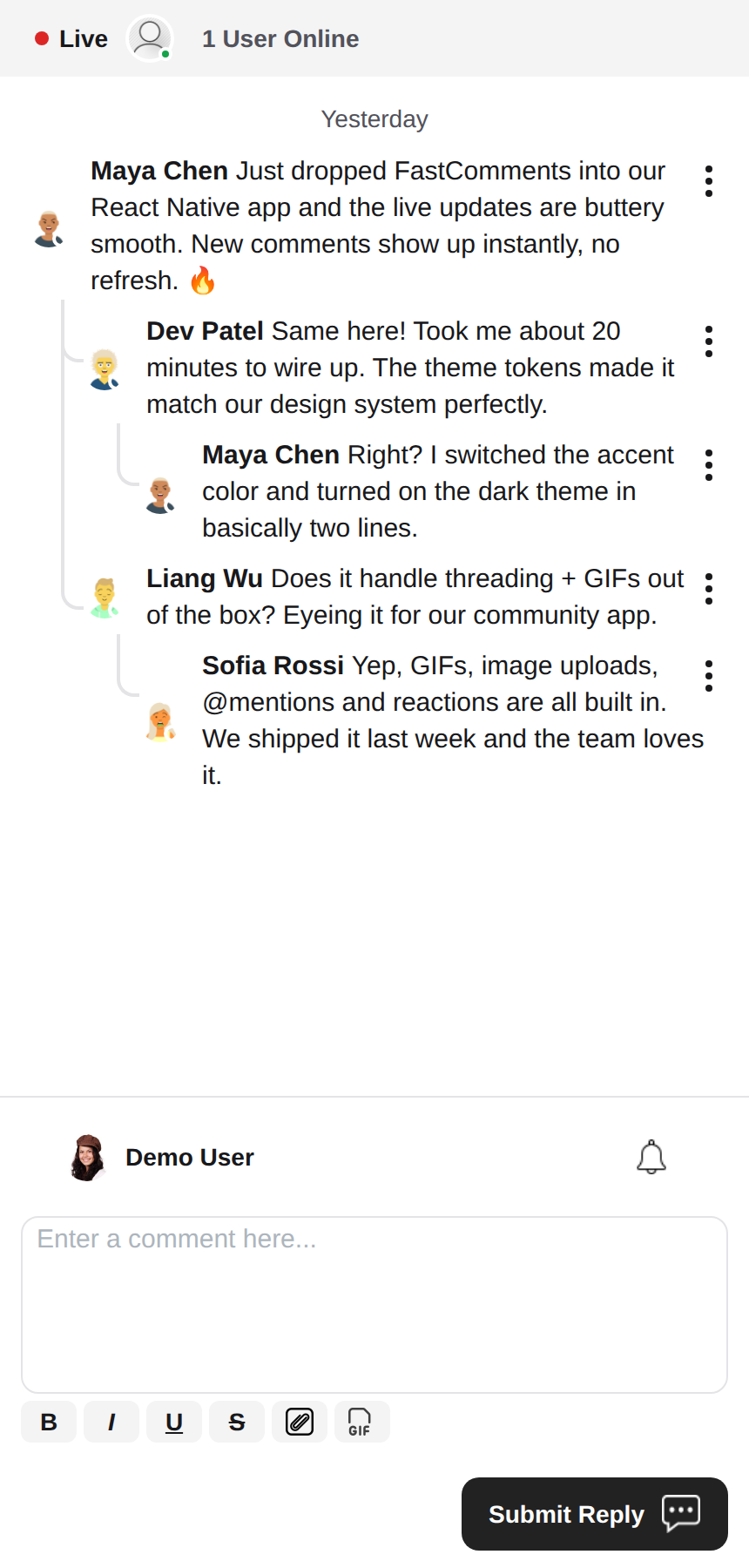 |
Editor di Testo Arricchito
Questa libreria utilizza react-native-enriched per l'editing di testo arricchito, che offre un'esperienza di editing WYSIWYG potente. Lo stesso editor alimenta iOS, Android e il web (tramite react-native-web), quindi il compositore si comporta in modo coerente su tutte le piattaforme con un'unica implementazione.
react-native-enriched richiede la New Architecture di React Native (Fabric) su native (impostazione predefinita da RN 0.76, opzionale su RN 0.72-0.75) e un bundler che risolve le condizioni exports del pacchetto. Questo SDK è sviluppato e testato con RN 0.81 / React 19. Lo stesso editor funziona anche sul web tramite react-native-web; la build web dell'editor enriched è ancora contrassegnata come sperimentale a monte.
Widget
L'SDK fornisce tre widget, rispecchiando l'SDK Android di FastComments:
FastCommentsLiveCommenting- commenti in thread con voti, risposte, paginazione, menzioni, notifiche e aggiornamenti live.FastCommentsLiveChat- un preset di chat basato sullo stesso motore: messaggi cronologici con i nuovi in fondo, il compositore sotto l'elenco, una barra intestazione live (punto di connessione + conteggio utenti), cronologia infinita caricata scorrendo verso l'alto, auto-scroll ai nuovi messaggi, senza voti o thread di risposta. Ogni preset può essere sovrascritto tramiteconfig.FastCommentsFeed- un feed sociale con compositore di post, media, reazioni, follow e banner live per nuovi post.
<FastCommentsLiveChat config=\{{ tenantId: 'demo', urlId: 'my-room' }}/>Tematizzazione
L'aspetto predefinito è generato da un insieme di token di design semantici (FastCommentsTheme): colori, spaziatura, raggio, dimensioni dei font, pesi dei font e dimensioni degli avatar. Passa sovrascritture parziali dei token (tipizzati FastCommentsThemeOverrides) tramite la prop theme su qualsiasi widget e l'intero albero di stile verrà ri-stilizzato in modo coerente:
<FastCommentsLiveCommenting config={config} theme=\{{ colors: { primary: '#FF5500' } }}/>La modalità scura è a un set di token di distanza:
import { getDarkTheme } from 'fastcomments-react-native-sdk';

    <FastCommentsLiveCommenting config={config} theme={getDarkTheme()}/>
La prop styles accetta ancora un albero grezzo IFastCommentsStyles per un controllo chirurgico. Quando theme e styles sono entrambi forniti, gli stili espliciti prevalgono sull'albero tematico; quando è fornito solo styles, sostituisce completamente i valori predefiniti (il comportamento originale, quindi le integrazioni e i temi esistenti non sono influenzati). setupDarkModeSkin è deprecato a favore della prop theme.
Opzioni di Configurazione
Questa libreria mira a supportare tutte le opzioni di configurazione definite in fastcomments-typescript, proprio come l'implementazione web.
Oltre a queste, React Native aggiunge alcune opzioni specifiche dell'SDK tramite FastCommentsRNConfig:
hideTopBar- nasconde la barra superiore con l'utente loggato / campanella di notifica mostrata sopra il compositore.usePressToEdit- premi e tieni premuto un commento per aprire il suo menu.disableDownVoting- nasconde i pulsanti di voto negativo.renderCommentInline- rende le informazioni del commentatore all'interno dello stesso blocco HTML del contenuto del commento.renderLikesToRight- sposta l'area voto/like a destra del commento invece che sotto.renderDateBelowComment- rende la data sotto il commento.showLiveStatus- mostra la barra intestazione in stile chat "Live" + conteggio utenti sopra i commenti.useInlineSubmitButton- rende il pulsante di invio come icona all'interno del compositore.countAboveToggle- conuseShowCommentsToggle, quanti commenti vengono renderizzati sopra il toggle "Mostra Commenti".preserveFeedScrollPosition-FastCommentsFeedricorda il suo offset di scorrimento tra smontaggio/rimontaggio (predefinito true).
Concetti di FastComments
I concetti principali da conoscere per iniziare sono tenantId e urlId. tenantId è l'identificatore del tuo account FastComments.com. urlId è a cosa saranno associati i thread di commenti. Può essere l'URL di una pagina, un ID prodotto, un ID articolo, ecc.
Localizzazione
Tutto il testo rivolto all'utente in questi widget (etichette dei pulsanti, segnaposti, stati vuoti, date relative come "5 minuti fa", messaggi di errore, ecc.) è guidato dal server. I componenti non codificano in modo fisso le stringhe inglesi; renderizzano le traduzioni che FastComments fornisce per la lingua richiesta.
Per richiedere una lingua, imposta locale nella tua configurazione:
const config = {
    tenantId: 'your-tenant-id',
    urlId: 'some-page',
    locale: 'de_de', // de_de, fr_fr, ja_jp, es_es, etc.
};
Quando locale non è impostato, FastComments fornisce la lingua predefinita del tenant.
Modifica del testo: le traduzioni sono gestite nella tua dashboard FastComments, non in questo SDK. Per cambiare la formulazione, sovrascrivi il testo predefinito o aggiungi una lingua, modifica le traduzioni per il tuo account nella dashboard – la modifica viene rilevata automaticamente dai widget senza necessità di rilasciare l'app. L'SDK non fornisce fallback in inglese, quindi qualsiasi chiave che svuoti nella dashboard verrà renderizzata vuota; mantieni le chiavi popolate per ogni lingua supportata.
Notifiche Utente
FastComments supporta le notifiche per molti scenari. Le notifiche sono configurabili, possono essere disattivate globalmente o a livello di notifica/commento, e supportano le sottoscrizioni a livello di pagina così gli utenti possono iscriversi ai thread di una pagina o articolo specifico.
Ad esempio, è possibile utilizzare Secure SSO per autenticare l'utente e poi effettuare polling periodico per le notifiche non lette e inviarle all'utente.
Vedi l'esempio AppNotificationSecureSSO per capire come ottenere e tradurre le notifiche non lette dell'utente.
Browser Gif
Per impostazione predefinita, nessuna selezione di immagini o gif è abilitata. Vedi example/src/AppCommentingImageSelection.tsx per sapere come supportare il caricamento di immagini e gif. C'è un Browser Gif che anonimizza le ricerche e le immagini fornite in questa libreria, devi semplicemente usarlo.
Prestazioni
Apri un ticket con un esempio da riprodurre, includendo il dispositivo usato, se identifichi problemi di prestazioni. Le prestazioni sono una priorità assoluta in tutte le librerie FastComments.
Hai bisogno di aiuto?
Se riscontri problemi o hai domande sul React Native SDK, per favore:
Contribuire
I contributi sono benvenuti! Visita il repository GitHub per le linee guida sui contributi.