
Voeg opmerkingen toe aan uw React Native-app
Dit is de officiële React Native SDK voor FastComments.
Toegang tot de FastComments API rechtstreeks vanuit je React Native-toepassing.
Repository
AI-coderingsagenten 
Geef je code‑agent de FastComments‑context die hij nodig heeft - widgets, configuratie, Secure SSO, de REST‑API en de SDK’s:
npx skills add fastcomments/skillsWerkt met Claude Code, Codex, Cursor, Copilot, Gemini en elke andere agent die de skills CLI ondersteunt.
Live-demo
Probeer elke widget live op https://fastcomments.com/commenting-system-for-react-native/.
Installatie

npm install fastcomments-react-native-sdk --saveOver
Deze bibliotheek is een complete react-native implementatie van FastComments.
Het ondersteunt live commenting, chat, threads, emoticons, notifications, SSO, skins en volledige aanpassing door een stylesheet-object mee te geven. Alle assets kunnen ook worden aangepast, en het ondersteunt het schakelen tussen verschillende assets op basis van de donkere modus.
Het voordeel van deze bibliotheek is dat het flexibeler is dan de fastcomments-react-native wrapper. Comments worden gerenderd met native components in plaats van binnen een webview.
Het draait allemaal op de FastComments backend, dus je hoeft alleen de UI te integreren:
<FastCommentsLiveCommenting config={config} styles={styles} callbacks={callbacks} assets={assets}/>Zie example/src voor meer voorbeelden.
Voeg live chat toe aan je bestaande React Native-applicatie, of bouw zelfs een sociaal netwerk!
Schermafbeeldingen
Live threaded commentaar met avatars, geneste antwoorden, stemmen, en de ingebouwde rich‑text composer, plus een donker thema en een live‑chat voorinstelling (hier weergegeven via react-native-web):
Live commentaar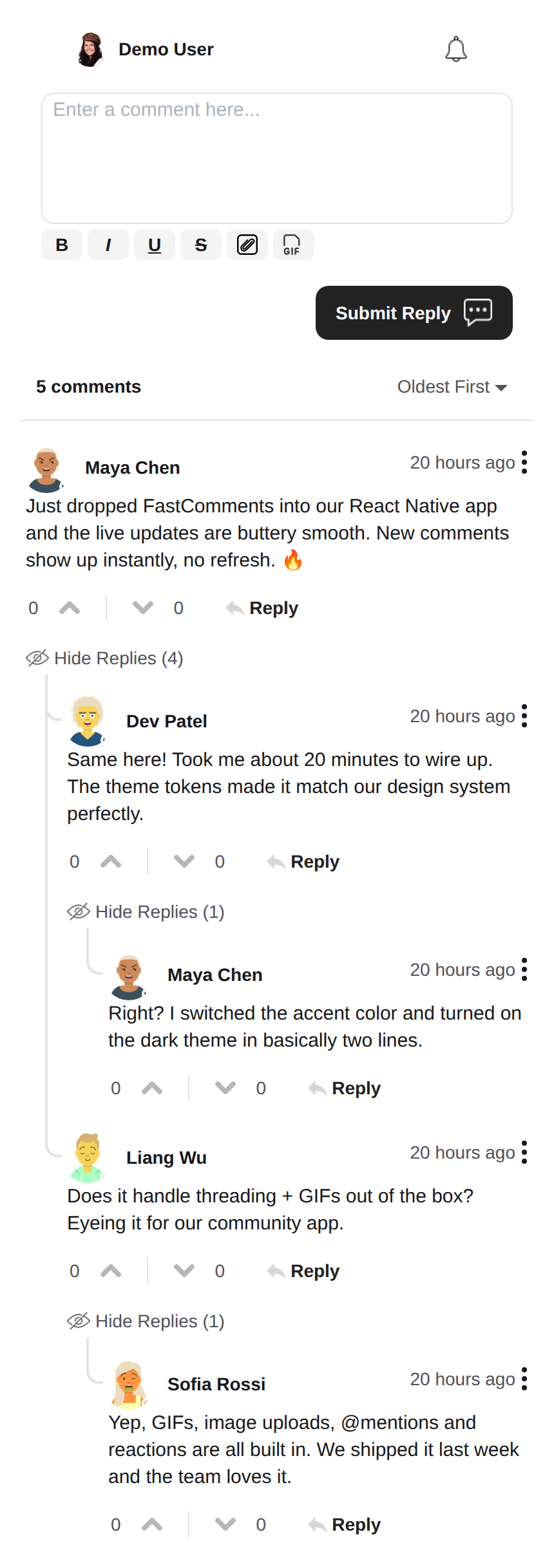 |
Donker thema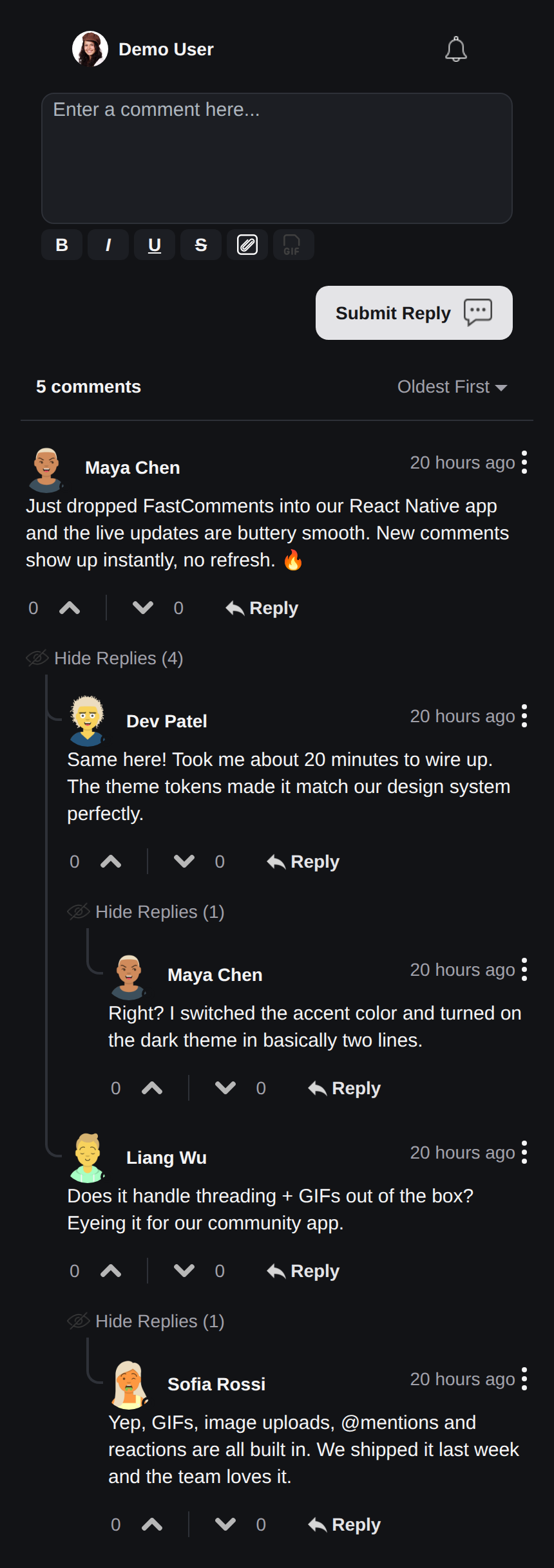 |
Live chat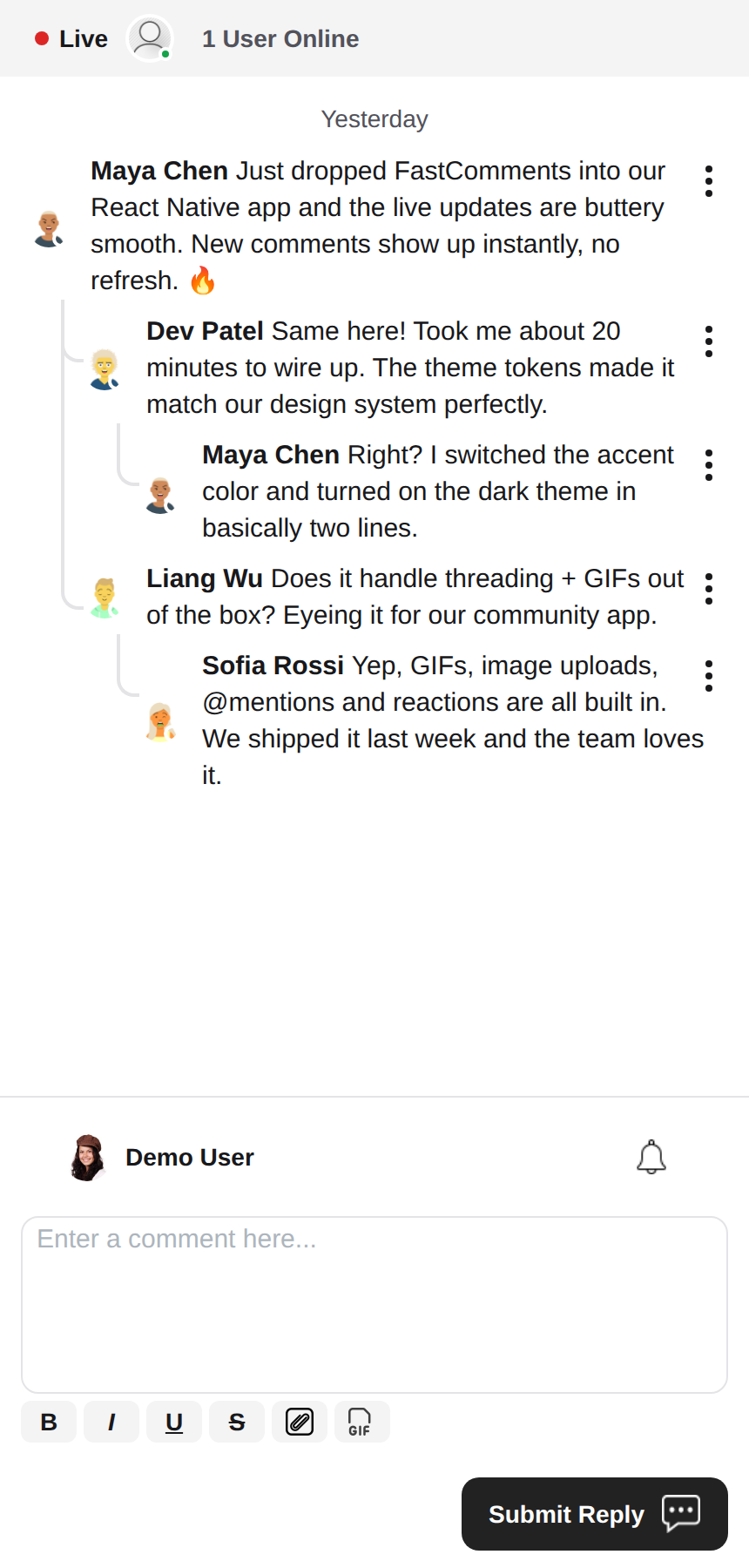 |
Rich Text Editor
Deze bibliotheek gebruikt react-native-enriched voor rich‑text bewerking, wat een krachtige WYSIWYG‑bewerkingservaring biedt. dezelfde editor voedt iOS, Android en het web (via react-native-web), zodat de composer consistent werkt op elk platform met één enkele implementatie.
react-native-enriched vereist de React Native New Architecture (Fabric) op native (standaard sinds RN 0.76, opt‑in op RN 0.72‑0.75), en een bundler die package exports‑condities oplost. Deze SDK is ontwikkeld en getest tegen RN 0.81 / React 19. Dezelfde editor draait ook op het web via react-native-web; de web‑build van de enriched‑editor wordt nog steeds upstream als experimenteel gemarkeerd.
Widgets
De SDK levert drie widgets, die de FastComments Android SDK spiegelen:
FastCommentsLiveCommenting– threaded commentaar met stemmen, antwoorden, paginering, vermeldingen, meldingen en live‑updates.FastCommentsLiveChat– een chat‑preset bovenop dezelfde engine: chronologische berichten met nieuwe onderaan, de composer onder de lijst, een live‑headerstrip (verbinding‑dot + gebruikers‑aantal), oneindige geschiedenis geladen door omhoog te scrollen, automatisch scrollen naar nieuwe berichten, geen stemmen of reply‑threading. Elke preset kan worden overschreven viaconfig.FastCommentsFeed– een sociale feed met post‑composer, media, reacties, volgers, en live‑nieuw‑post‑banners.
<FastCommentsLiveChat config=\{{ tenantId: 'demo', urlId: 'my-room' }}/>Thema's
De standaardlook wordt gegenereerd uit een set semantische design‑tokens (FastCommentsTheme): kleuren, spacing, radius, lettergroottes, lettergewichten en avatar‑groottes. Geef gedeeltelijke token‑overschrijvingen (getypeerd FastCommentsThemeOverrides) door de theme‑prop op elke widget en de volledige stijlboom wordt consequent opnieuw gestyled:
<FastCommentsLiveCommenting config={config} theme=\{{ colors: { primary: '#FF5500' } }}/>Donkere modus is één token‑set verwijderd:
import { getDarkTheme } from 'fastcomments-react-native-sdk';

    <FastCommentsLiveCommenting config={config} theme={getDarkTheme()}/>
De styles‑prop accepteert nog steeds een ruwe IFastCommentsStyles‑boom voor chirurgische controle. Wanneer zowel theme als styles worden opgegeven, winnen de expliciete styles boven de gethematiseerde boom; wanneer alleen styles wordt opgegeven, vervangt deze de defaults volledig (het oorspronkelijke gedrag, zodat bestaande integraties en skins onaangetast blijven). setupDarkModeSkin is verouderd ten gunste van de theme‑prop.
Configuratie‑opties
Deze bibliotheek streeft ernaar alle configuratie‑opties gedefinieerd in fastcomments-typescript te ondersteunen, net als de web‑implementatie.
Bovenop die opties voegt React Native een paar SDK‑specifieke opties toe via FastCommentsRNConfig:
hideTopBar– verberg de ingelogde‑gebruiker / meldings‑bel strip boven de composer.usePressToEdit– druk‑en‑houd een commentaar om het menu te openen.disableDownVoting– verberg down‑vote knoppen.renderCommentInline– render commentaars‑info binnen hetzelfde HTML‑blok als de commentaar‑inhoud.renderLikesToRight– verplaats het stem/like‑gebied naar rechts van het commentaar in plaats van eronder.renderDateBelowComment– render de datum onder het commentaar.showLiveStatus– toon de chat‑stijl “Live” + gebruikers‑aantal headerstrip boven commentaren.useInlineSubmitButton– render de verzendknop als een icoon binnen de composer.countAboveToggle– metuseShowCommentsToggle, hoeveel commentaren worden gerenderd boven de “Show Comments” toggle.preserveFeedScrollPosition–FastCommentsFeedonthoudt zijn scroll‑offset over unmount/remount (standaard true).
FastComments-concepten
De belangrijkste concepten om te begrijpen bij het starten zijn tenantId en urlId. tenantId is je FastComments.com account‑identificatie. urlId is waar commentaar‑threads aan worden gekoppeld. Dit kan een paginanaam‑URL zijn, of een product‑id, een artikel‑id, enz.
Lokalisatie
Alle gebruikers‑gerichte tekst in deze widgets (knop‑labels, placeholders, lege staten, relatieve data zoals “5 minuten geleden”, foutmeldingen, enz.) is server‑gedreven. De componenten bevatten geen hard‑gecodeerde Engelse strings; ze renderen de vertalingen die FastComments levert voor de gevraagde locale.
Om een locale aan te vragen, stel locale in je config:
const config = {
    tenantId: 'your-tenant-id',
    urlId: 'some-page',
    locale: 'de_de', // de_de, fr_fr, ja_jp, es_es, etc.
};
Wanneer geen locale is ingesteld, levert FastComments de standaardtaal van de tenant.
De tekst bewerken: vertalingen worden beheerd in je FastComments‑dashboard, niet in deze SDK. Om de bewoording te wijzigen, overschrijf de standaardtekst, of voeg een taal toe, bewerk de vertalingen voor je account in het dashboard – de wijziging wordt automatisch opgepikt door de widgets zonder een app‑release. De SDK levert geen Engelse fallback; elke sleutel die je leeg laat in het dashboard renderen leeg; houd de sleutels gevuld voor elke locale die je ondersteunt.
Gebruikersmeldingen
FastComments ondersteunt meldingen voor veel scenario’s. Meldingen zijn configureerbaar, kunnen globaal of per melding/commentaar worden uitgeschakeld, en ondersteunen pagina‑niveau abonnementen zodat gebruikers zich kunnen abonneren op threads van een specifieke pagina of artikel.
Bijvoorbeeld, het is mogelijk Secure SSO te gebruiken om de gebruiker te authenticeren en vervolgens periodiek te pollen voor ongelezen meldingen en deze naar de gebruiker te pushen.
Zie het voorbeeld AppNotificationSecureSSO voor hoe ongelezen gebruikersmeldingen te verkrijgen en te vertalen.
Gif-browser
Standaard is geen afbeelding‑ of gif‑selectie ingeschakeld. Zie example/src/AppCommentingImageSelection.tsx voor hoe afbeelding‑ en gif‑uploads te ondersteunen. Er is een Gif‑browser die zoekopdrachten en afbeeldingen anonimiseert en wordt geleverd in deze bibliotheek; je hoeft deze alleen te gebruiken.
Prestaties
Open een ticket met een voorbeeld om te reproduceren, inclusief het gebruikte apparaat, als je prestatieproblemen identificeert. Prestaties zijn een first‑class burger van alle FastComments‑bibliotheken.
Hulp nodig?
Als u problemen ondervindt of vragen heeft over de React Native SDK, kunt u het volgende doen:
Bijdragen
Bijdragen zijn welkom! Bezoek de GitHub-repository voor richtlijnen voor bijdragen.