
Dodajte komentarje v svojo aplikacijo React Native
To je uradni React Native SDK za FastComments.
Dostopajte do FastComments API neposredno iz vaše aplikacije React Native.
Repozitorij
AI kodirni agenti 
Dajte vašemu programskemu agentu kontekst FastComments, ki ga potrebuje – gradnike, konfiguracijo, varno SSO, REST API in SDK-je:
npx skills add fastcomments/skillsDeluje s Claude Code, Codex, Cursor, Copilot, Gemini in vsakim drugim agentom, ki ga podpira skills CLI.
Živa demonstracija
Preizkusite vsak pripomoček v živo na https://fastcomments.com/commenting-system-for-react-native/.
Namestitev

npm install fastcomments-react-native-sdk --saveO
Ta knjižnica je popolna implementacija za react-native FastComments.
Podpira komentiranje v živo, klepet, niti (threads), emotikone, obvestila, SSO, teme (skins) in popolno prilagoditev z posredovanjem objekta s slogi. Vse vire (assets) je mogoče tudi prilagoditi, podpira pa preklapljanje med različnimi viri glede na temni način (dark mode).
Prednost te knjižnice je, da je bolj prilagodljiva kot ovojnica fastcomments-react-native. Komentarji so upodobljeni z nativnimi komponentami namesto znotraj webviewa.
Vse deluje na FastComments backendu, zato morate vključiti le uporabniški vmesnik (UI):
<FastCommentsLiveCommenting config={config} styles={styles} callbacks={callbacks} assets={assets}/>Oglejte si example/src za več primerov.
Dodajte klepet v živo v vašo obstoječo aplikacijo React Native, ali pa celo zgradite družbeno omrežje!
Zaslonski posnetki
Komentiranje v živo z niti, avatarji, ugnezdenimi odgovori, glasovi in vgrajenim urejevalnikom obogatenega besedila, poleg tega temna tema in prednastavitev klepeta v živo (tukaj prikazano prek react-native-web):
Komentiranje v živo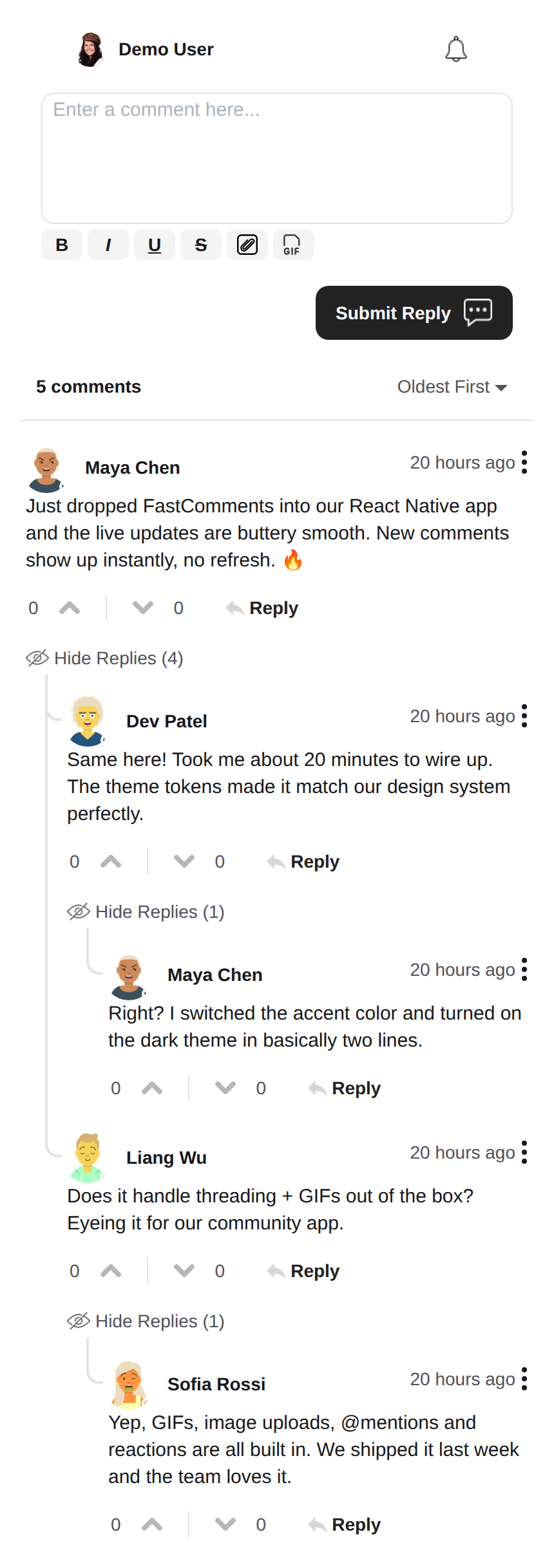 |
Temna tema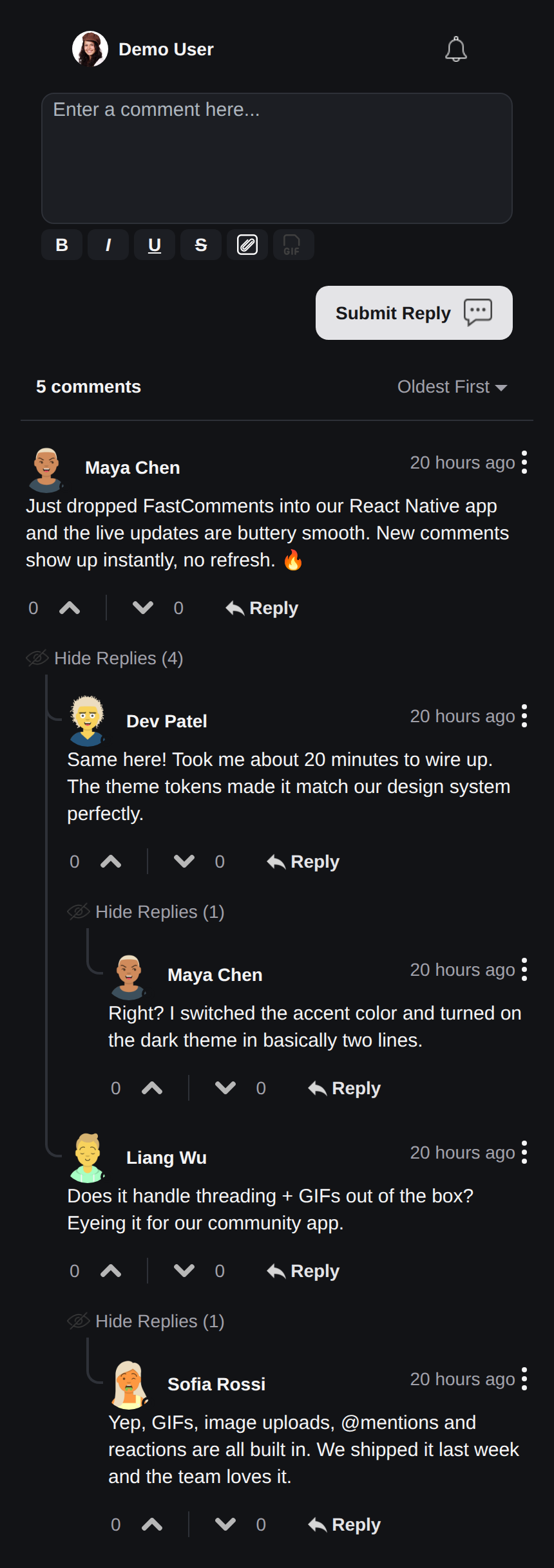 |
Klep v živo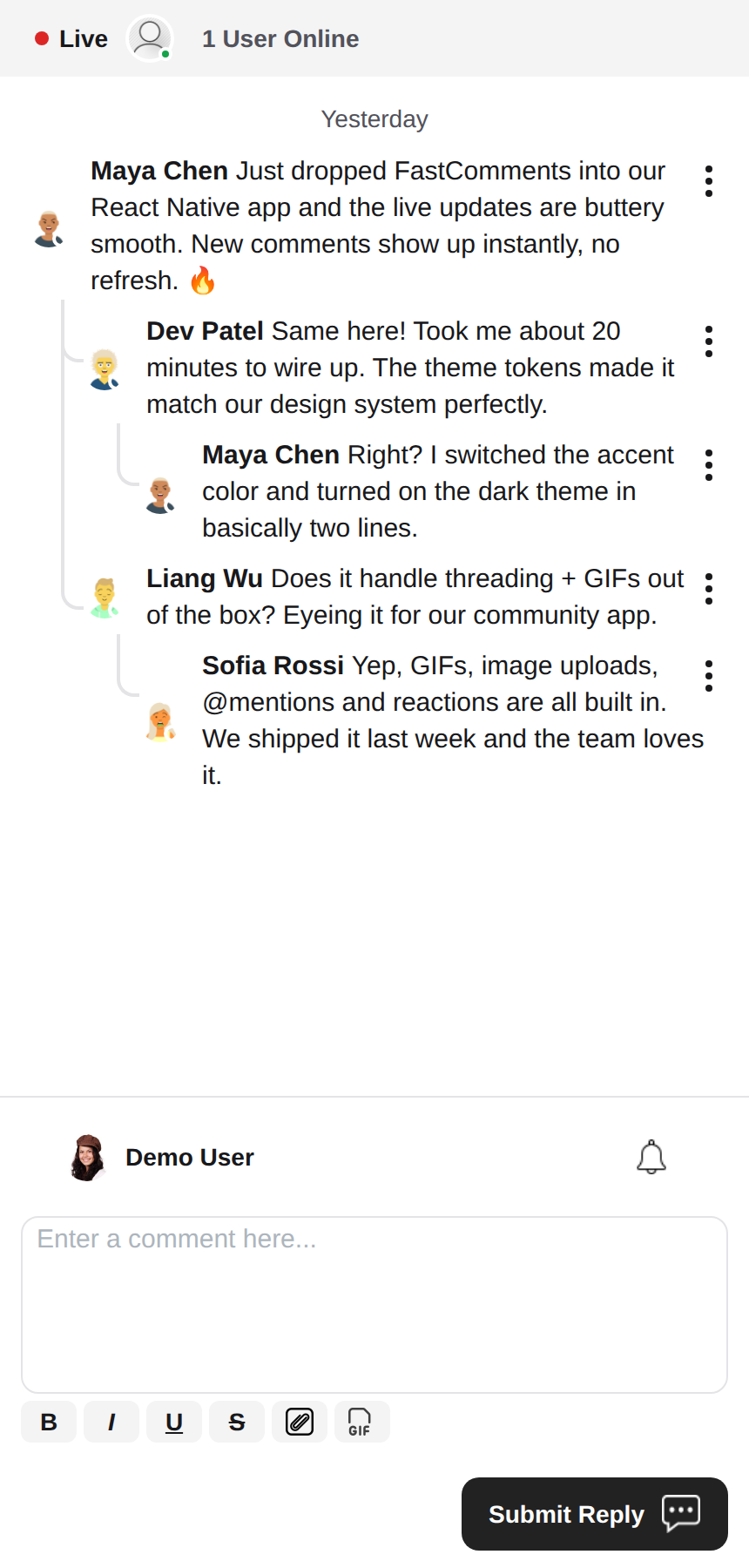 |
Urejevalnik obogatenega besedila
Ta knjižnica za urejanje obogatenega besedila uporablja react-native-enriched, ki zagotavlja zmogljivo izkušnjo urejanja WYSIWYG. Isti urejevalnik poganja iOS, Android in splet (prek react-native-web), zato se sestavljalnik obnaša dosledno na vseh platformah z eno samo implementacijo.
react-native-enriched zahteva React Native New Architecture (Fabric) na izvornih platformah (privzeto od RN 0.76, vključljivo pri RN 0.72-0.75) in povezovalnik (bundler), ki razrešuje pogoje exports paketov. Ta SDK je razvit in testiran proti RN 0.81 / React 19. Isti urejevalnik deluje tudi na spletu prek react-native-web; spletna različica enriched urejevalnika je pri viru še vedno označena kot eksperimentalna.
Pripomočki (Widgets)
SDK vsebuje tri pripomočke, ki zrcalijo FastComments Android SDK:
FastCommentsLiveCommenting- komentiranje z nitmi z glasovi, odgovori, paginacijo, omembami, obvestili in posodobitvami v živo.FastCommentsLiveChat- prednastavitev klepeta na istem pogonu: kronološka sporočila z novimi na dnu, sestavljalnik pod seznamom, živi naslovni trak (pika povezave + število uporabnikov), neskončna zgodovina, naložena z drsenjem navzgor, samodejni pomik na nova sporočila, brez glasov ali nitenja odgovorov. Vsako prednastavitev je mogoče preglasiti prekconfig.FastCommentsFeed- družbeni vir s sestavljalnikom objav, mediji, reakcijami, sledenjem in živimi pasovi novih objav.
<FastCommentsLiveChat config=\{{ tenantId: 'demo', urlId: 'my-room' }}/>Tematizacija
Privzeti videz je generiran iz niza semantičnih oblikovalskih žetonov (FastCommentsTheme): barve, razmiki, polmeri, velikosti pisav, teže pisav in velikosti avatarjev. Delne preglasitve žetonov (tipizirane kot FastCommentsThemeOverrides) podajte prek lastnosti theme na katerem koli pripomočku in celotno drevo slogov se dosledno preoblikuje:
<FastCommentsLiveCommenting config={config} theme=\{{ colors: { primary: '#FF5500' } }}/>Temni način je oddaljen le en nabor žetonov:
import { getDarkTheme } from 'fastcomments-react-native-sdk';

    <FastCommentsLiveCommenting config={config} theme={getDarkTheme()}/>
Lastnost styles še vedno sprejema surovo drevo IFastCommentsStyles za kiruršni nadzor. Ko sta podani tako theme kot styles, izrecni slogi zmagajo nad tematskim drevesom; ko je podan samo styles, popolnoma zamenja privzete (izvirno vedenje, tako da obstoječe integracije in preobleke niso prizadete). setupDarkModeSkin je odsvetovan v korist lastnosti theme.
Možnosti konfiguracije
Ta knjižnica si prizadeva podpirati vse možnosti konfiguracije, definirane v fastcomments-typescript, tako kot spletna implementacija.
Poleg tega React Native doda nekaj možnosti, specifičnih za SDK, prek FastCommentsRNConfig:
hideTopBar- skrije trak prijavljenega uporabnika / zvončka obvestil, prikazan nad sestavljalnikom.usePressToEdit- pritisni in drži komentar za odpiranje njegovega menija.disableDownVoting- skrije gumbe za glasovanje proti.renderCommentInline- upodobi podatke komentatorja znotraj istega HTML bloka kot vsebino komentarja.renderLikesToRight- premakne območje glasov/všečkov na desno stran komentarja namesto pod njega.renderDateBelowComment- upodobi datum pod komentarjem.showLiveStatus- prikaže klepetni trak "Live" + število uporabnikov nad komentarji.useInlineSubmitButton- upodobi gumb za pošiljanje kot ikono znotraj sestavljalnika.countAboveToggle- zuseShowCommentsToggle, koliko komentarjev se upodobi nad preklopnikom "Show Comments".preserveFeedScrollPosition-FastCommentsFeedsi zapomni svoj pomik drsenja med odmontiranjem/ponovno montažo (privzeto true).
Koncepti FastComments
Glavna koncepta, ki ju je treba poznati za začetek, sta tenantId in urlId. tenantId je identifikator vašega računa FastComments.com. urlId je mesto, na katerega bodo vezane niti komentarjev. To je lahko URL strani, ID izdelka, ID članka itd.
Lokalizacija
Vsa besedila, namenjena uporabnikom, v teh pripomočkih (oznake gumbov, nadomestna besedila, prazna stanja, relativni datumi, kot je "pred 5 minutami", sporočila o napakah itd.) so vodena s strežnika. Komponente ne vsebujejo trdo kodiranih angleških nizov; upodobijo prevode, ki jih FastComments streže za zahtevano jezikovno oznako.
Za zahtevo jezikovne oznake nastavite locale v svoji konfiguraciji:
const config = {
    tenantId: 'your-tenant-id',
    urlId: 'some-page',
    locale: 'de_de', // de_de, fr_fr, ja_jp, es_es, etc.
};
Ko locale ni nastavljen, FastComments streže privzeti jezik najemnika.
Urejanje besedil: prevodi se upravljajo v vaši nadzorni plošči FastComments, ne v tem SDK. Za spremembo besedila, preglasitev privzetega besedila ali dodajanje jezika uredite prevode za svoj račun v nadzorni plošči - spremembo pripomočki samodejno prevzamejo brez izdaje aplikacije. SDK ne vsebuje angleških rezervnih besedil, zato se vsak ključ, ki ga v nadzorni plošči izpraznite, upodobi prazen; ključe ohranite izpolnjene za vsako podprto jezikovno oznako.
Uporabniška obvestila
FastComments podpira obvestila za številne scenarije. Obvestila so nastavljiva, lahko jih globalno ali na ravni obvestila/komentarja izključite, in podpirajo naročnine na ravni strani, tako da se uporabniki lahko naročijo na nite komentarjev določene strani ali članka.
Na primer, mogoče je uporabiti Secure SSO za avtentikacijo uporabnika in nato periodično preverjati neprebrana obvestila ter jih posredovati uporabniku.
Glejte primer AppNotificationSecureSSO za prikaz, kako pridobiti in prevesti neprebrana uporabniška obvestila.
Brskalnik GIF
Privzeto izbira slik ali GIF-ov ni omogočena. Glejte example/src/AppCommentingImageSelection.tsx za prikaz, kako podpreti nalaganje slik in GIF-ov. V tej knjižnici je na voljo brskalnik GIF, ki anonimizira iskanja in slike; uporabiti ga je le treba.
Zmogljivost
Če opazite težave z zmogljivostjo, odprite zahtevek (ticket) s primerom za reprodukcijo, vključno z uporabljeno napravo. Zmogljivost je prvorazredna skrb vseh knjižnic FastComments.
Potrebujete pomoč?
Če naletite na težave ali imate vprašanja glede React Native SDK, prosimo:
Prispevanje
Prispevki so dobrodošli! Prosimo, obiščite GitHub repozitorij za smernice glede prispevkov.