
React Native 앱에 댓글 추가
이것은 FastComments의 공식 React Native SDK입니다.
React Native 애플리케이션에서 FastComments API에 직접 접근하세요.
Repository
AI 코딩 에이전트 
코딩 에이전트에 FastComments 컨텍스트를 제공하세요 - 위젯, 구성, Secure SSO, REST API 및 SDK:
npx skills add fastcomments/skillsClaude Code, Codex, Cursor, Copilot, Gemini 및 모든 다른 에이전트와 함께 작동합니다. skills CLI에서 지원합니다.
실시간 데모
실시간으로 모든 위젯을 사용해 보세요 https://fastcomments.com/commenting-system-for-react-native/.
설치

npm install fastcomments-react-native-sdk --save소개
이 라이브러리는 FastComments의 완전한 react-native 구현입니다.
It supports live commenting, chat, threads, emoticons, notifications, SSO, skins, and full customization by passing in a stylesheet object. 모든 에셋 도 사용자화할 수 있으며, 다크 모드에 따라 서로 다른 에셋을 전환하는 것도 지원합니다.
이 라이브러리의 장점은 fastcomments-react-native 래퍼보다 더 유연하다는 것입니다. 댓글은 웹뷰 안에 렌더링되는 대신 네이티브 컴포넌트로 렌더링됩니다.
모든 것은 FastComments 백엔드에서 실행되므로 UI만 통합하면 됩니다:
<FastCommentsLiveCommenting config={config} styles={styles} callbacks={callbacks} assets={assets}/>더 많은 예제는 example/src 를 참조하세요.
기존 React Native 애플리케이션에 라이브 채팅을 추가하거나, 심지어 소셜 네트워크를 구축하세요!
스크린샷
Live threaded commenting with avatars, nested replies, votes, and the built-in rich-text composer, plus a dark theme and a live-chat preset (shown here rendered via react-native-web):
실시간 댓글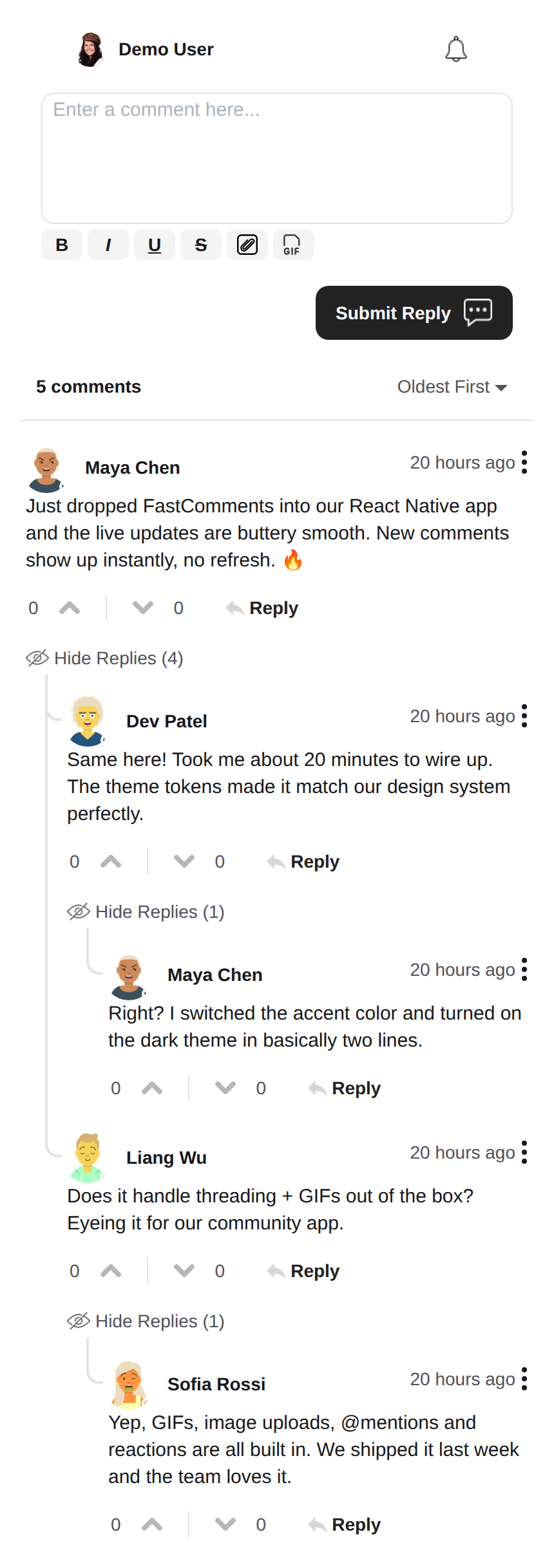 |
다크 테마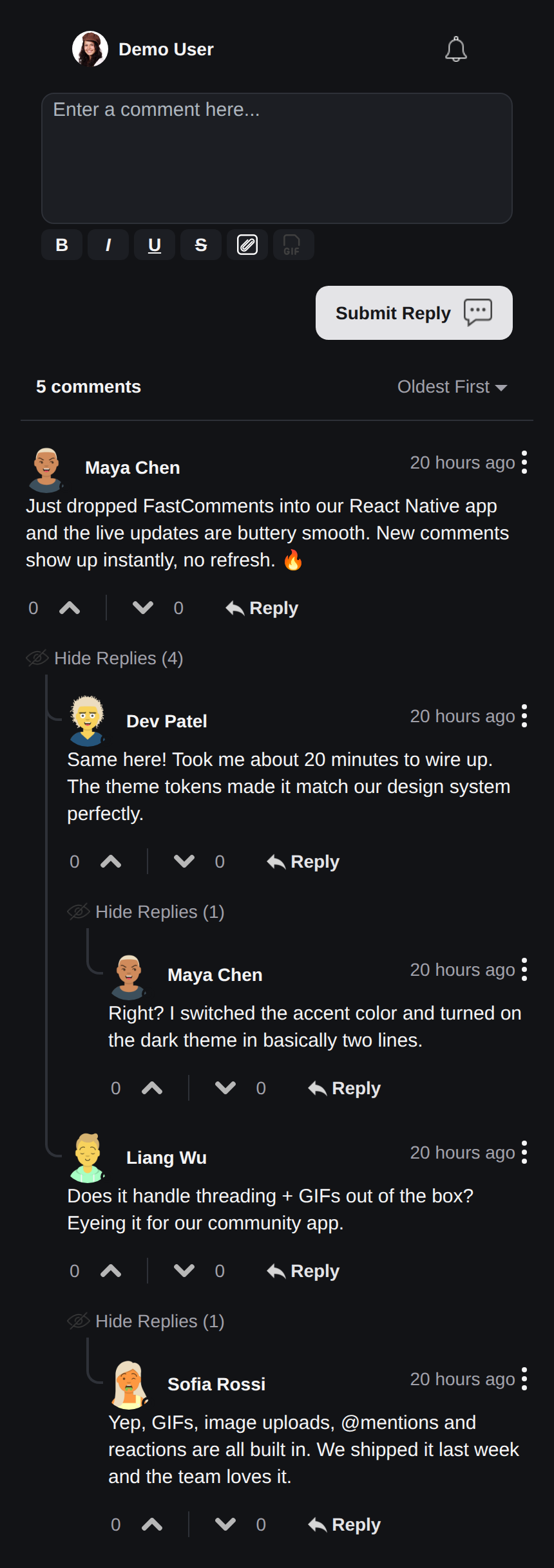 |
실시간 채팅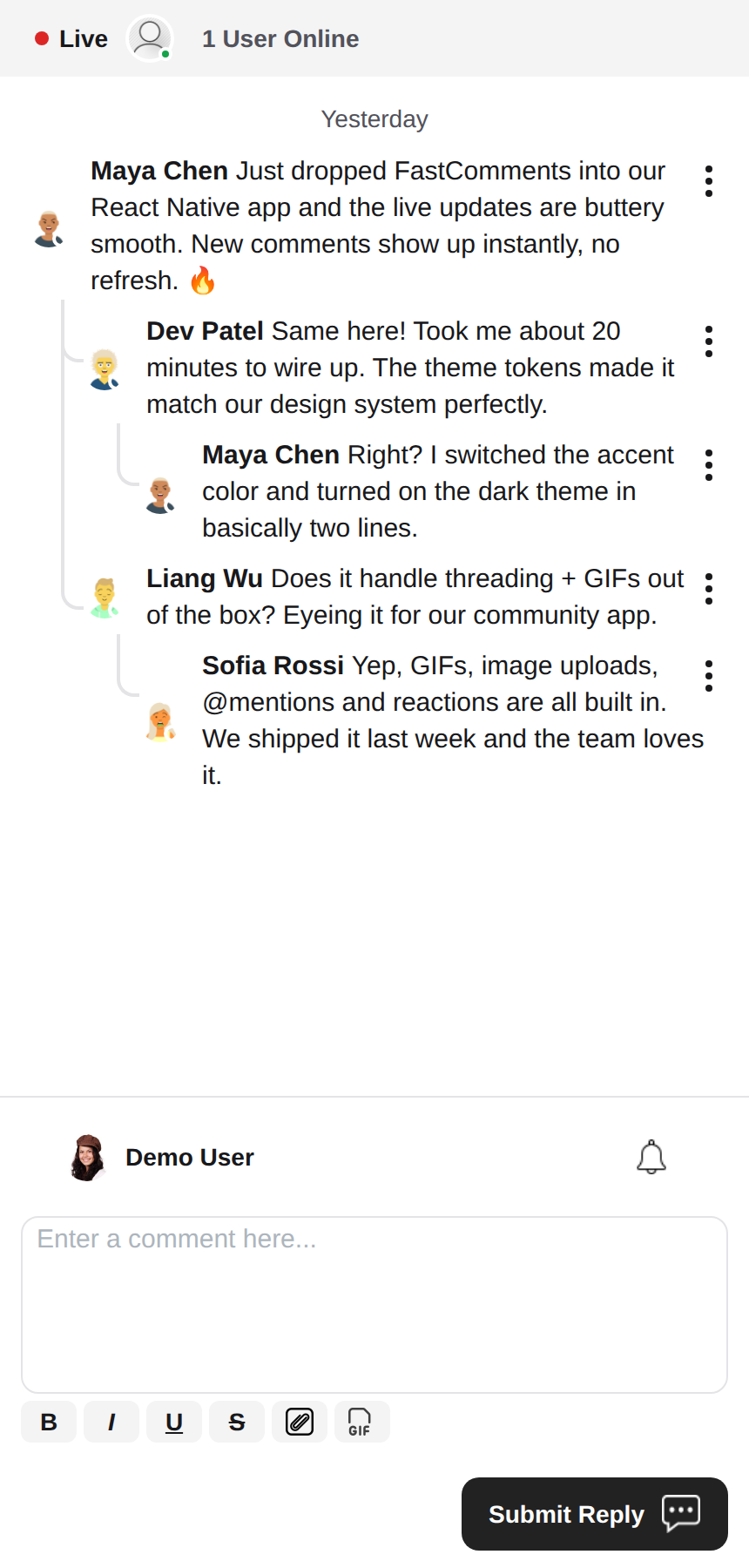 |
리치 텍스트 에디터
This library uses react-native-enriched for rich text editing, which provides a powerful WYSIWYG editing experience. The same editor powers iOS, Android, and the web (via react-native-web), so the composer behaves consistently across every platform with a single implementation.
react-native-enriched requires the React Native New Architecture (Fabric) on native (the default since RN 0.76, opt-in on RN 0.72-0.75), and a bundler that resolves package exports conditions. This SDK is developed and tested against RN 0.81 / React 19. The same editor also runs on web through react-native-web; the enriched editor's web build is still marked experimental upstream.
위젯
The SDK ships three widgets, mirroring the FastComments Android SDK:
FastCommentsLiveCommenting- 스레드 댓글, 투표, 답글, 페이지네이션, 멘션, 알림 및 실시간 업데이트를 지원합니다.FastCommentsLiveChat- 동일 엔진을 기반으로 한 채팅 프리셋: 최신 메시지가 아래에 위치하는 연대순 메시지, 리스트 아래에 컴포저, 실시간 헤더 스트립(연결 점 + 사용자 수), 스크롤 업으로 무한히 로드되는 히스토리, 새 메시지 자동 스크롤, 투표 및 답글 스레딩 없음. 모든 프리셋은config를 통해 재정의할 수 있습니다.FastCommentsFeed- 포스트 컴포저, 미디어, 반응, 팔로우 및 실시간 새 포스트 배너가 포함된 소셜 피드.
<FastCommentsLiveChat config=\{{ tenantId: 'demo', urlId: 'my-room' }}/>테마
The default look is generated from a set of semantic design tokens (FastCommentsTheme): colors, spacing, radius, font sizes, font weights, and avatar sizes. Pass partial token overrides (typed FastCommentsThemeOverrides) through the theme prop on any widget and the entire style tree restyles consistently:
<FastCommentsLiveCommenting config={config} theme=\{{ colors: { primary: '#FF5500' } }}/>Dark mode is one token set away:
import { getDarkTheme } from 'fastcomments-react-native-sdk';

    <FastCommentsLiveCommenting config={config} theme={getDarkTheme()}/>
The styles prop still accepts a raw IFastCommentsStyles tree for surgical control. When theme and styles are both provided, the explicit styles win over the themed tree; when only styles is provided, it replaces the defaults entirely (the original behavior, so existing integrations and skins are unaffected). setupDarkModeSkin is deprecated in favor of the theme prop.
구성 옵션
This library aims to support all configuration options defined in fastcomments-typescript, just like the web implementation.
On top of those, React Native adds a few SDK-specific options via FastCommentsRNConfig:
hideTopBar- 컴포저 위에 표시되는 로그인된 사용자/알림 벨 스트립을 숨깁니다.usePressToEdit- 댓글을 길게 눌러 메뉴를 엽니다.disableDownVoting- 다운투표 버튼을 숨깁니다.renderCommentInline- 댓글 내용과 같은 HTML 블록 안에 댓글 작성자 정보를 렌더링합니다.renderLikesToRight- 투표/좋아요 영역을 댓글 아래가 아니라 오른쪽으로 이동합니다.renderDateBelowComment- 댓글 아래에 날짜를 렌더링합니다.showLiveStatus- 댓글 위에 채팅 스타일의 "Live" + 사용자 수 헤더 스트립을 표시합니다.useInlineSubmitButton- 컴포저 안에 아이콘 형태의 제출 버튼을 렌더링합니다.countAboveToggle-useShowCommentsToggle와 함께, "Show Comments" 토글 위에 몇 개의 댓글을 렌더링할지 지정합니다.preserveFeedScrollPosition-FastCommentsFeed는 마운트 해제/재마운트 시 스크롤 오프셋을 기억합니다(기본값 true).
FastComments 개념
The main concepts to be aware of to get started are tenantId and urlId. tenantId is your FastComments.com account identifier. urlId is where comment threads
will be tied to. This could be a page URL, or a product id, an article id, etc.
현지화
All user-facing text in these widgets (button labels, placeholders, empty states, relative dates like "5 minutes ago", error messages, etc.) is server-driven. The components do not hard-code English strings; they render the translations FastComments serves for the requested locale.
To request a locale, set locale in your config:
const config = {
    tenantId: 'your-tenant-id',
    urlId: 'some-page',
    locale: 'de_de', // de_de, fr_fr, ja_jp, es_es, etc.
};
When no locale is set, FastComments serves the tenant's default language.
Editing the text: translations are managed in your FastComments dashboard, not in this SDK. To change wording, override the default copy, or add a language, edit the translations for your account in the dashboard - the change is picked up by the widgets automatically with no app release required. The SDK ships no English fallbacks, so any key you blank out in the dashboard renders empty; keep the keys populated for every locale you support.
사용자 알림
FastComments supports notifications for many scenarios. Notifications are configurable, can be opted-out globally or at a notification/comment level, and supports page-level subscriptions so that users can subscribe to threads of a specific page or article.
For example, it is possible to use Secure SSO to authenticate the user and then periodically poll for unread notifications and push them to the user.
See the example AppNotificationSecureSSO for how to get and translate unread user notifications.
Gif 브라우저
By default, no image or gif selection is enabled. See example/src/AppCommentingImageSelection.tsx for how to support image and gif uploads. There is a Gif Browser that anonymizes searches and images provided in this library, you simply have to use it.
성능
Please open a ticket with an example to reproduce, including device used, if you identify any performance problems. Performance is a first-class citizen of all FastComments libraries.
도움이 필요하신가요?
React Native SDK에 문제가 발생하거나 질문이 있는 경우, 다음을 이용하세요:
기여
기여는 환영합니다! 기여 지침은 GitHub 저장소를 방문하세요.