FastComments.com

הוספת תגובות לקורסי ThriveCart Learn+

באמצעות FastComments נוכל להוסיף בקלות תגובות בזמן אמת לכל קורס ThriveCart Learn+.

אם יש לך בעיות בהגדרה, תמיכת FastComments יכולה גם לספק סיוע.

שים לב שמדריך זה דורש חשבון FastComments. מומלץ להירשם ראשית ואז לחזור לכאן. באפשרותך ליצור חשבון כאן.

שלב 1: הכנת הקורס Internal Link

בשל העיצוב של ThriveCart Learn+, עלינו להוסיף את קוד FastComments לכל דף קורס שבו אנו רוצים להציג תגובות.

ניתן להשתמש באותו קטע קוד בכל דף, ושרשורי תגובות נפרדים יקושרו אוטומטית לכל דף בנפרד.

נתחיל בפתיחת הקורס בעריכה והוספת בלוק HTML.

ממש בצד שמאל אמור להופיע אפשרות בלוק HTML. גרור אותו אל מקום בדף שבו ברצונך להציג תגובות.
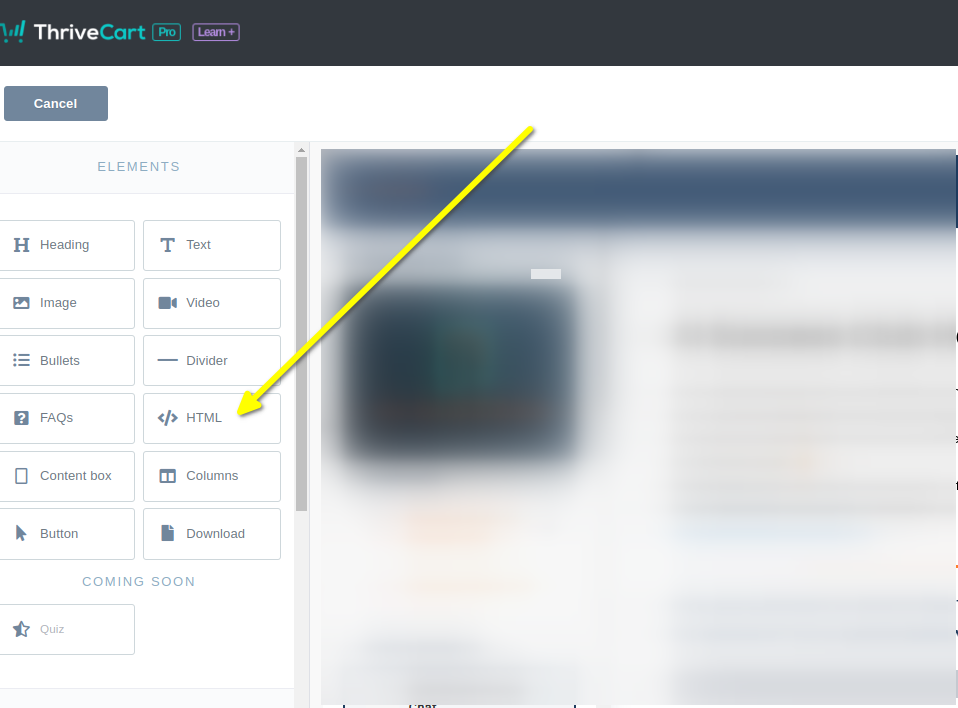
פתח את הקורס והוסף בלוק HTML

כעת בחר את האלמנט החדש של ה‑HTML. בלוק יופיע בצד השמאלי שבו נוכל להדביק את הקוד שלנו.

כעת ניתן להמשיך לשלב 2.

שלב 2: הוספת קוד מותאם אישית Internal Link

For Step 2 we have to copy our code snippet. Check that line 50 does not say "demo" - you'll want to ensure this has your tenant id. It should be populated for you.

עכשיו נעתיק את קטע הקוד של FastComments הספציפי ל-ThriveCart-Learn.

הוא די גדול, כי האינטגרציה עם ThriveCart כוללת הרבה תכונות, אז פשוט לחצו על כפתור ה-Copy בפינה הימנית העליונה של קטע הקוד:

קוד תגובות ThriveCart Learn+
Copy Copy
1
2<script src="https://cdn.fastcomments.com/js/embed-v2.min.js"></script>
3<div id="fastcomments-widget"></div>
4<script>
5 (function () {
6 let attemptsRemaining = 10;
7
8 function tryLoad() {
9 const simpleSSO = {optedInNotifications: true, optedInSubscriptionNotifications: true};
10 let isAuthenticated = false;
11 let profileLink = document.querySelector('.thrivecart-courses-header-profile-link');
12 if (!profileLink) {
13 profileLink = document.querySelector('.thrivecart-courses-header-profile'); // המחלקה שונה במצב תצוגה מקדימה.
14 }
15 // broad email input field selector incase ThriveCart changes id.
16 // בוחר שדה אימייל רחב במקרה ש-ThriveCart ישנה את ה-id.
17 const emailInputField = document.querySelector('input[type=email]');
18 if (emailInputField && emailInputField.value) {
19 isAuthenticated = true;
20 simpleSSO.email = emailInputField.value;
21 } else if (profileLink && !profileLink.innerText.includes('John Smith')) { // allow preview to work - no email available.
22 attemptsRemaining--;
23 if (!attemptsRemaining) {
24 return console.error('Could not load FastComments - could not determine user information (email). Please reach out to FastComments support.');
25 }
26 console.warn('FastComments: No user email found - waiting and trying again.');
27 return setTimeout(tryLoad, attemptsRemaining < 5 ? 3000 : 100); // increase wait time after 5 attempts incase slow internet.
28 }
29 if (profileLink) {
30 // use raw "img" query incase ThriveCart changes image class selector.
31 // השתמש בשאילתת 'img' ישירה במקרה ש-ThriveCart תשנה את הסלקטור של מחלקת התמונה.
32 const avatarImg = profileLink.querySelector('img');
33 if (avatarImg && avatarImg.src) {
34 isAuthenticated = true;
35 simpleSSO.avatar = avatarImg.src;
36 }
37 // use innerText incase ThriveCart changes how profile name is displayed.
38 // השתמש ב-innerText במקרה ש-ThriveCart תשנה את אופן הצגת שם הפרופיל.
39 if (profileLink.innerText) {
40 isAuthenticated = true;
41 simpleSSO.username = profileLink.innerText;
42 } else {
43 const bold = profileLink.querySelector('b');
44 if (bold && bold.innerText) {
45 isAuthenticated = true;
46 simpleSSO.username = bold.innerText;
47 }
48 }
49 } else {
50 if (!attemptsRemaining) {
51 return console.error('Could not load FastComments - could not determine user information (user name/avatar). Please reach out to FastComments support.');
52 }
53 console.warn('FastComments: No user profile info found - waiting and trying again.');
54 attemptsRemaining--;
55 return setTimeout(tryLoad, attemptsRemaining < 5 ? 3000 : 100); // increase wait time after 5 attempts incase slow internet.
56 }
57
58 let url;
59 const selectedNavLink = document.querySelector('.tcc-browse-lesson.active a');
60
61 if (selectedNavLink) {
62 // sometimes TC uses multiple links the same page, so let's de-dupe them.
63 // לפעמים TC משתמשת בכמה קישורים לאותה עמוד, אז נוסיף הסרה של כפילויות.
64 url = getPathnameFromUrl(selectedNavLink.href);
65 } else {
66 // trim marketing parameters and domain name
67 // חתוך פרמטרים שיווקיים ושם דומיין
68 url = window.location.pathname;
69 }
70
71 if (url) {
72 url = url.replace('/starte-hier', '');
73 url = url.replace('/start-here', '');
74 }
75
76 FastCommentsUI(document.getElementById('fastcomments-widget'), {
77 tenantId: 'demo',
78 urlId: url,
79 simpleSSO: isAuthenticated ? simpleSSO : null
80 });
81 }
82
83 tryLoad();
84
85 function getPathnameFromUrl(url) {
86 try {
87 const parsedUrl = new URL(url);
88 // trim marketing parameters and domain name
89 // חתוך פרמטרים שיווקיים ושם דומיין
90 return parsedUrl.pathname;
91 } catch (error) {
92 console.error("Invalid URL", url, error);
93 return window.location.pathname; // default to current, so at least it works sometimes
94 }
95 }
96
97 })();
98</script>
99

Now paste it into the code block on the left in the ThriveCart editor. It should look like this:
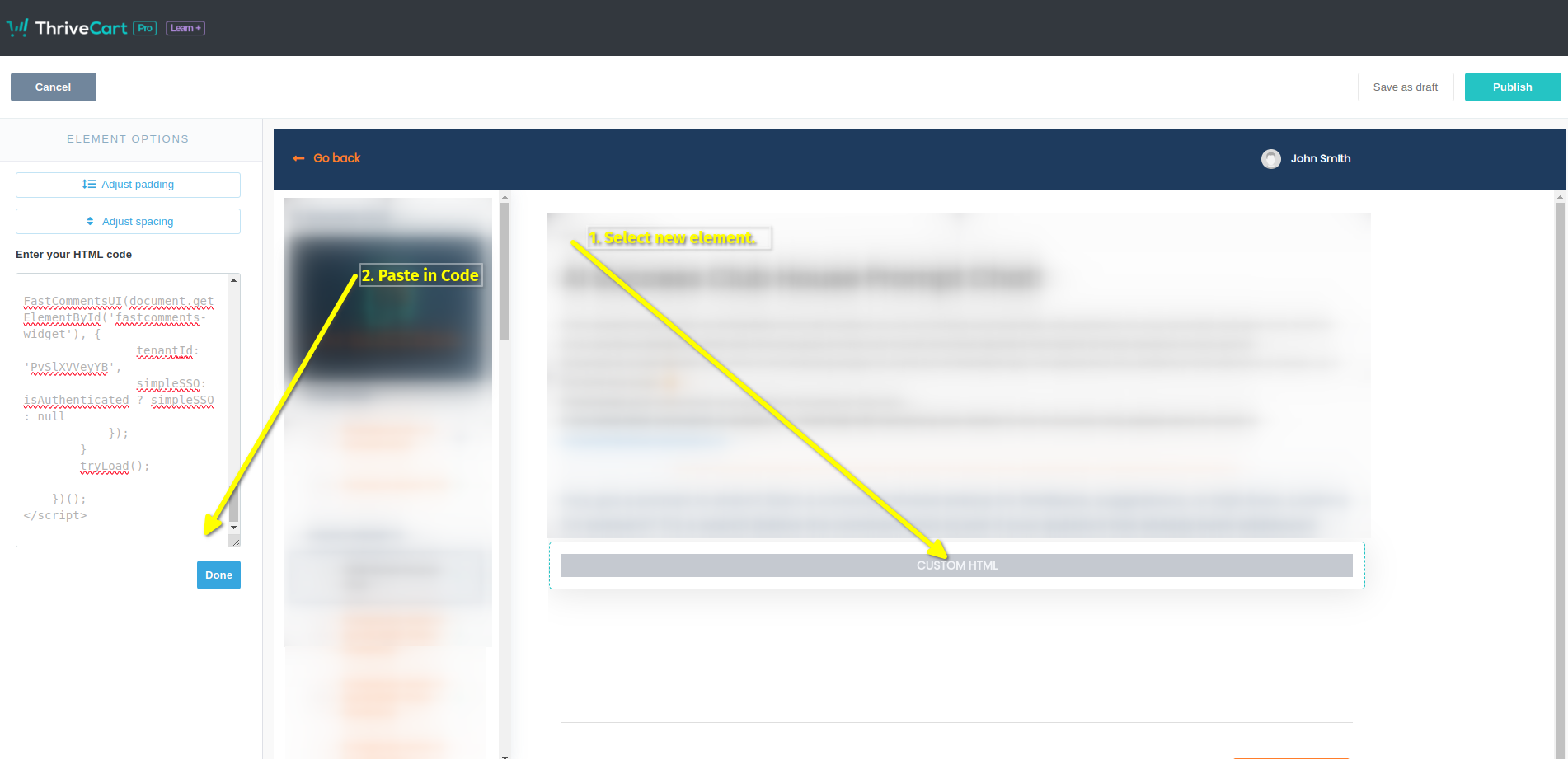
קוד נוסף
קוד נוסף

That's it! Now we just have to publish:
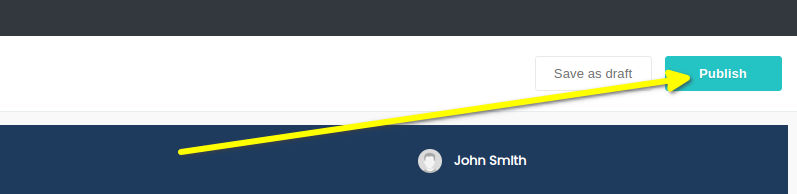
פרסום
פרסום

זהו! עכשיו אמור להופיע תיבת התגובות בקורס שלך כאשר תציג תצוגה מקדימה, ומשתמשים אמיתיים יוכלו להשאיר תגובות בלי להתחבר או להזין מחדש את שם המשתמש/האימייל שלהם.

הערת בדיקה!

If you have anonymous commenting disabled, which it is by default, you won't be able to leave comments in Preview mode as the John Smith user. You will get an authentication error as the default John Smith user has no email. If you want to test, we suggest you use a coupon code and go through your site like an actual user.

הצלחה Internal Link


הצלחה! כעת אמור להופיע ווידג'ט התגובות של FastComments.
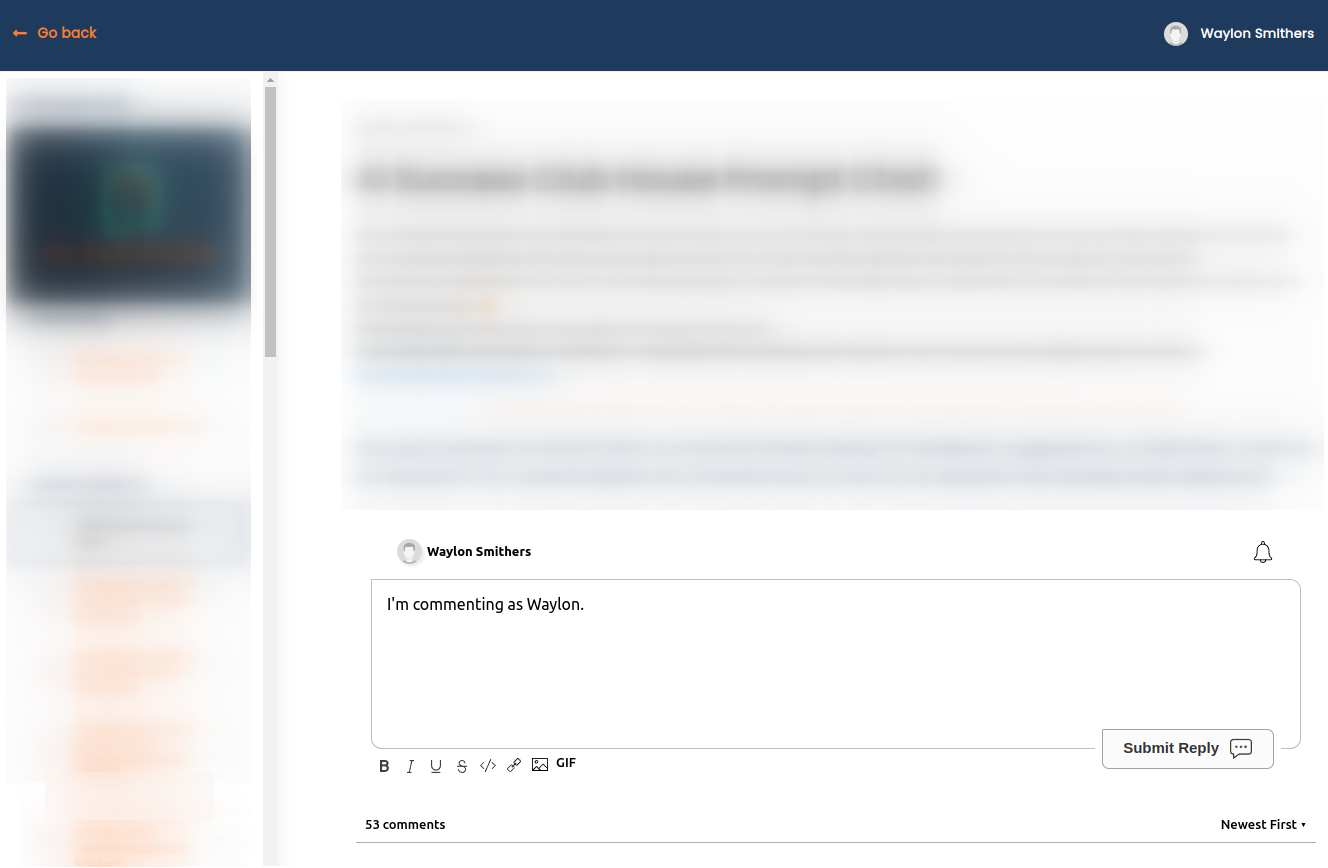
הצלחה!
Success!

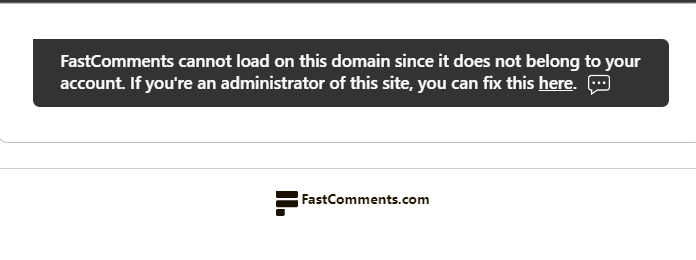
ברכות על הגדרת FastComments עם ThriveCart! אם נתקלת ב- Domain Error, או אם ברצונך ללמוד כיצד להתאים אישית את אזור התגובות, המשך לקרוא!


התאמה אישית Internal Link


FastComments מעוצבת כך שתתאים לאתר שלך.

אם ברצונך להוסיף עיצוב מותאם אישית, או לכוונן את ההגדרות, עיין בתיעוד ההתאמות וההגדרות שלנו כדי ללמוד כיצד.