
ווב-הוקים
עם FastComments ניתן לקרוא לנקודת קצה של API בכל פעם שתגובה מתווספת, מתעדכנת או נמחקת מהמערכת שלנו.
אנו מממשים זאת באמצעות webhooks אסינכרוניים על גבי HTTP/HTTPS.
מהם ווב-הוקים 
Webhook הוא מנגנון, או אינטגרציה, בין שתי מערכות שבה ה"מפיק" (FastComments) שולח אירוע שה"צרכן" (אתה) צורך באמצעות קריאת API.
אירועים ומשאבים נתמכים
FastComments תומך ב-webhooks עבור משאב ה-Comment בלבד.
אנו תומכים ב-webhooks ליצירת תגובה, הסרה, ולעדכון.
כל אחד מאלה נחשב לאירוע נפרד במערכת שלנו ולכן יש לו סמנטיקה ומבנים שונים עבור אירועי ה-webhook.
כל מספר של נקודות קצה יכול להירשם לאותו אירוע, מהלוח המחוונים או דרך ה-API (see Managing Webhooks via the API). כל webhook נמסר באופן עצמאי.
הגדרת פיתוח מקומי
לפיתוח מקומי (Local development), השתמשו בכלי כמו ngrok.
על מנת לפשט את שמירת האבטחה של המערכת, פיתוח מקומי עוקב אחר אותו תהליך כמו הגדרה ואבטחה של סביבות אחרות.
שלב 1: הוסיפו "localhost" לדומיינים בחשבונכם.
הוסיפו "localhost" כדומיין כאן.


שלב 2: בחרו מפתח API
אנחנו הולכים להוסיף הגדרת webhook עבור הדומיין שלכם, ולכן נזדקק למפתח API. תוכלו לעשות זאת כאן.

תחת "Associate with domain" - בחרו את הדומיין "localhost" שלכם.
הערה: לחלופין, תוכלו להשתמש בסוד API אחד עבור כל פעילות הבדיקות וסביבות ה-staging. פשוט הוסיפו סוד API עבור "All Domains", ותנו לו שם כמו "test".
ודאו שיש לכם סוד API מוגדר עבור הדומיין/דומיינים שלכם בפרודקשן. אירועים עבור כל שאר הדומיינים ישתמשו בסוד ה-wildcard (הבדיקות).
שלב 3: הוסיפו את ה-Webhook שלכם
בזמן הרצת ngrok או כלי דומה, הגדירו את הערך עבור "localhost" כאן.
בלחיצה על Send Test Payload, נשלח שני אירועי בדיקה כדי לוודא שאתם מאמתים את מפתח ה-API.
לאחר שהאימות עובר, לחצו על Save.
שלב 4: הוסיפו תגובה
כעת תוכלו להוסיף, לערוך או למחוק תגובות, ואמורים לראות אותנו קוראים למכונת הפיתוח המקומית שלכם עם האירועים, תוך שימוש במפתח ה-API לבדיקות שלכם. עשוי להיות עיכוב של עד 30 שניות עד שהאירועים יגיעו למכונה שלכם.
הגדרה
עקבו אחרי אותם הצעדים עבור localhost כפי שהייתם עושים בייצור. ודאו שיש לכם תחומי ייצור והגדרות סודות API.
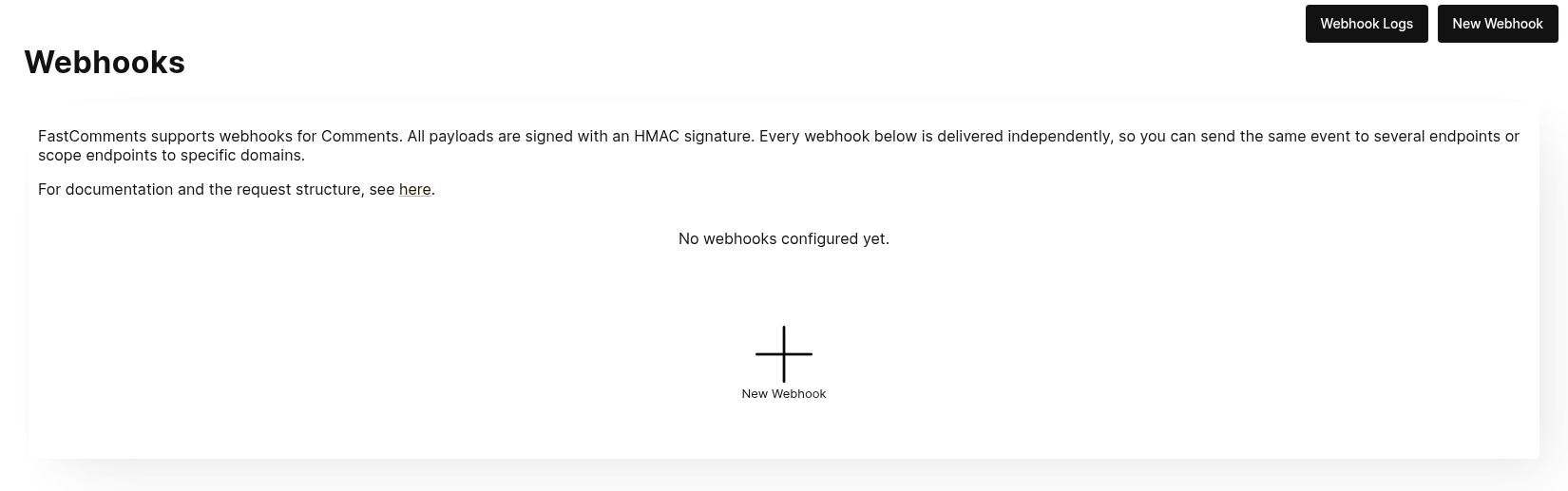
ראשית, נווטו אל Webhooks admin. ניתן לגשת לכך דרך Manage Data -> Webhooks.
הדף מציג את כל הווב-הוקים בחשבון שלכם:
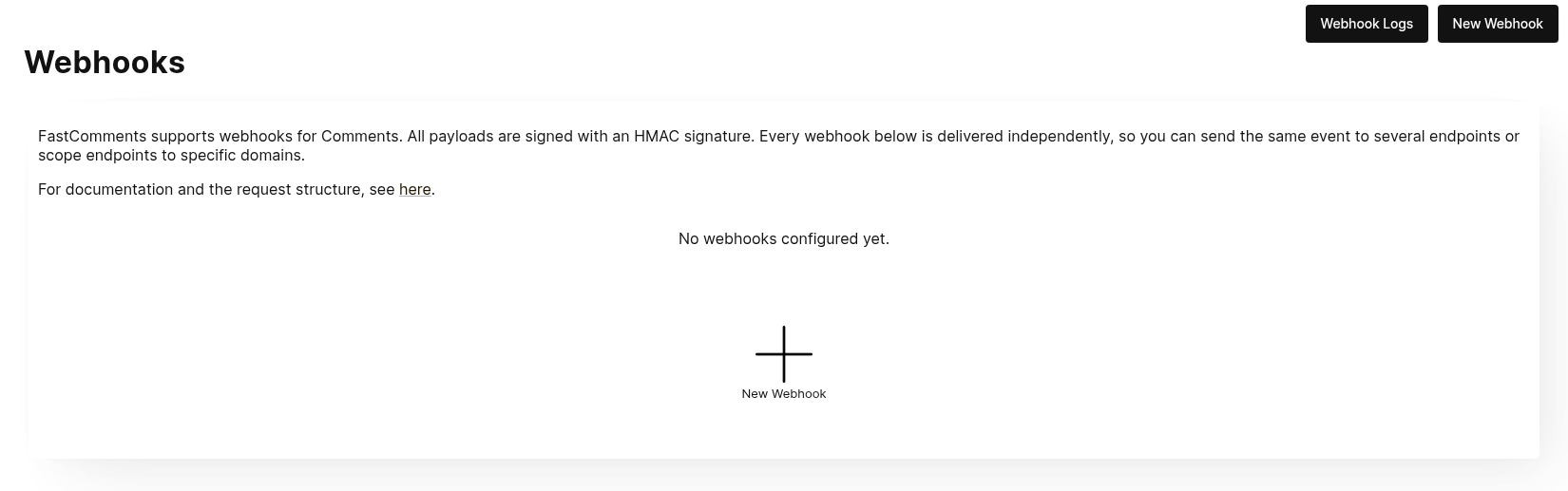
לחצו על New Webhook כדי להוסיף אחד. לכל ווב-הוק יש URL, אירוע תגובה אחד (נוצר, עודכן או נמחק), תחום, ושיטת HTTP:
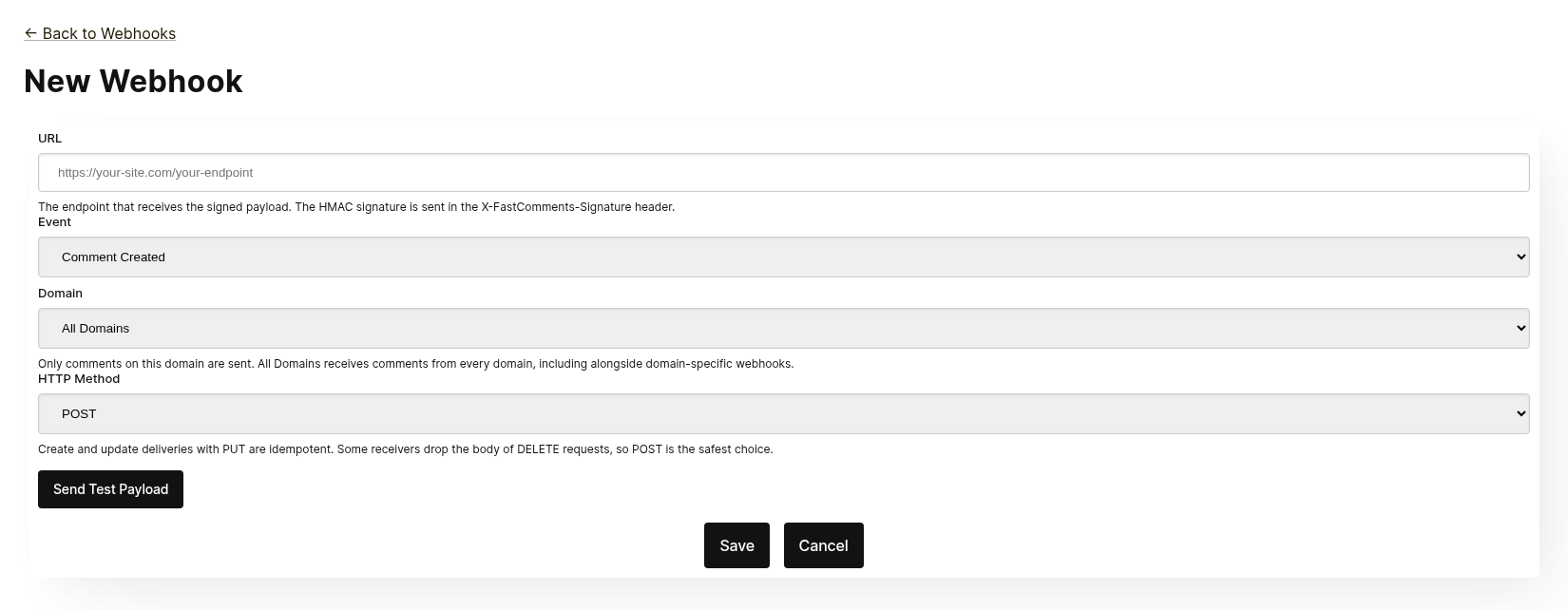
כל ווב-הוק נשלח באופן עצמאי. ניתן לשלוח את אותו אירוע למספר נקודות קצה, וווב-הוק המוגדר לAll Domains מקבל תגובות מכל תחום גם כאשר קיים ווב-הוק ספציפי לתחום עבור אותו אירוע. לא ניתן להוסיף את אותו URL, אירוע ותחום פעמיים.
לפני השמירה, לחצו על Send Test Payload כדי לבדוק שהנקודה מקבלת בקשה חתומה. ראו את הסעיף הבא, "Testing", לפרטים.
מהרשימה ניתן לערוך, להשבית, להפעיל מחדש או למחוק ווב-הוק. השבתה משאירה אירועים בתור עד שהווב-הוק מופעל מחדש; מחיקה מוחקת אותם.
ניתן גם ליצור ווב-הוקים דרך ה-API, לדוגמה באמצעות Zapier. הם מופיעים באותה רשימה עם המקור API. ראו Managing Webhooks via the API.
בדיקה
הדפים החדשים ועמודי עריכת ה-webhook כוללים כפתור Send Test Payload ששולח בקשה לכתובת ה-URL הנוכחית בטופס, בין אם נשמרה ובין אם לא. אירועי ה-Create וה-Update שולחים אובייקט WebhookComment דמה, בעוד שבדיקת Delete תשלח גוף בקשה דמה הכולל רק מזהה (ID).
אימות Payloads
בעת בדיקת אינטגרציית ה-webhook שלכם, ודאו שהבקשות הנכנסות כוללות את הכותרות הבאות:
X-FastComments-Timestamp- חותמת זמן Unix (שניות)X-FastComments-Signature- חתימת HMAC-SHA256
Webhooks שנוצרו לפני הצגת סכמת החתימה מקבלים גם כותרת token המכילה את ה-API Secret שלכם. Webhooks חדשים לא.
השתמשו באימות חתימת ה-HMAC כדי לוודא שה-payloads אמיתיים.
כלי בדיקה
ניתן להשתמש בכלים כמו webhook.site או ngrok לבחינת payloads נכנסים של webhook במהלך הפיתוח.
סוגי אירועים
- אירוע Create: מופעל כאשר נוצרת תגובה חדשה.
- אירוע Update: מופעל כאשר תגובה נערכת.
- אירוע Delete: מופעל כאשר תגובה נמחקת.
כל webhook קשור לאירוע אחד ולשיטת HTTP אחת (POST, PUT או DELETE). כל אירוע כולל את נתוני התגובה המלאים בגוף הבקשה (ראו מבני נתונים לפורמט ה-payload).
מבני נתונים
המבנה היחיד שנשלח באמצעות webhooks הוא אובייקט WebhookComment, המתואר ב-TypeScript להלן.
מבנה אובייקט ה-WebhookComment
מבנה אירוע ה-"Create"
גוף הבקשה של אירוע ה-"create" הוא אובייקט WebhookComment.
מבנה אירוע ה-"Update"
גוף הבקשה של אירוע ה-"update" הוא אובייקט WebhookComment.
מבנה אירוע ה-"Delete"
גוף הבקשה של אירוע ה-"delete" הוא אובייקט WebhookComment.
שינוי מתאריך 14 בנובמבר 2023
בעבר גוף הבקשה של אירוע ה-"delete" הכיל רק את ה-id של התגובה. כעת הוא מכיל את התגובה המלאה במועד המחיקה.
כל מפתח תמיד קיים בגוף הבקשה. כאשר לתגובה אין ערך עבור שדה מסוים, הגוף מכיל null
(או false עבור בוליאנים ו-[] עבור רשימות), כך שהצורה של כל מסירה אינה משתנה מתגובה לתגובה.
 Run
כאשר משתמשים מתויגים בתגובה, המידע נשמר ברשימה בשם mentions. לכל אובייקט ברשימה זו
יש את המבנה הבא.
Run לכל רשומה ברשימת ה-badges יש את המבנה הבא. ראו את מדריך ה-Badges לסוגי התגים.
Run שיטות HTTP
ניתן להגדיר את שיטת ה-HTTP עבור כל סוג אירוע webhook בלוח הניהול:
- אירוע Create: POST או PUT (ברירת מחדל: PUT)
- אירוע Update: POST או PUT (ברירת מחדל: PUT)
- אירוע Delete: DELETE, POST, או PUT (ברירת מחדל: DELETE)
מכיוון שכל הבקשות מכילות מזהה, פעולות ה-Create וה-Update הן אידמפוטנטיות כברירת מחדל (PUT). חזרה על אותה בקשת Create או Update לא אמורה ליצור אובייקטים כפולים בצד שלכם.
כותרות בקשה
כל בקשת webhook כוללת את הכותרות הבאות:
| Header | Description |
|---|---|
Content-Type | application/json |
token | Your API Secret |
X-FastComments-Timestamp | Unix timestamp (seconds) when the request was signed |
X-FastComments-Signature | HMAC-SHA256 signature (sha256=<hex>) |
ראו אבטחה וטוקני API למידע על אימות חתימת ה-HMAC.
אבטחה וטוקני API
בקשות webhook של FastComments כוללות מספר מנגנוני אימות לצורך אבטחה.
Headers שנשלחים
| Header | תיאור |
|---|---|
token | ה-API Secret שלך (לתאימות לאחור) |
X-FastComments-Timestamp | חותמת זמן Unix (שניות) שבה הבקשה נחתמה |
X-FastComments-Signature | חתימת HMAC-SHA256 של ה-payload |
אימות חתימת HMAC (מומלץ)
אנו ממליצים בחום לאמת את חתימת ה-HMAC כדי לוודא ש-payloads של webhook הם אותנטיים ולא הושחתו.
פורמט החתימה: sha256=<hex-encoded-signature>
כיצד החתימה מחושבת:
- שרשור:
timestamp + "." + JSON_payload_body - חישוב HMAC-SHA256 תוך שימוש ב-API Secret שלך כמפתח
- קידוד התוצאה ב-hex
דוגמת אימות (Node.js)
const crypto = require('crypto');

function verifyWebhookSignature(req, apiSecret) {
    const timestamp = req.headers['x-fastcomments-timestamp'];
    const signature = req.headers['x-fastcomments-signature'];

    if (!timestamp || !signature) {
        return false;
    }

    // Verify timestamp is recent (within 5 minutes)
    const now = Math.floor(Date.now() / 1000);
    if (Math.abs(now - parseInt(timestamp, 10)) > 300) {
        return false;  // Replay attack prevention
    }

    // Verify signature
    const payload = JSON.stringify(req.body);
    const expectedSignature = crypto
        .createHmac('sha256', apiSecret)
        .update(`${timestamp}.${payload}`)
        .digest('hex');

    return signature === `sha256=${expectedSignature}`;
}
דוגמת אימות (Python)
import hmac
import hashlib
import time
import json

def verify_webhook_signature(headers, body, api_secret):
    timestamp = headers.get('X-FastComments-Timestamp')
    signature = headers.get('X-FastComments-Signature')

    if not timestamp or not signature:
        return False

    # Verify timestamp is recent
    now = int(time.time())
    if abs(now - int(timestamp)) > 300:
        return False

    # Verify signature
    payload = json.dumps(body, separators=(',', ':'))
    message = f"{timestamp}.{payload}"
    expected = hmac.new(
        api_secret.encode(),
        message.encode(),
        hashlib.sha256
    ).hexdigest()

    return signature == f"sha256={expected}"
דוגמת אימות (PHP)
function verifyWebhookSignature($headers, $body, $apiSecret) {
    $timestamp = $headers['X-FastComments-Timestamp'] ?? null;
    $signature = $headers['X-FastComments-Signature'] ?? null;

    if (!$timestamp || !$signature) {
        return false;
    }

    // Verify timestamp is recent (within 5 minutes)
    $now = time();
    if (abs($now - intval($timestamp)) > 300) {
        return false;
    }

    // Verify signature
    $payload = json_encode($body, JSON_UNESCAPED_SLASHES);
    $message = $timestamp . '.' . $payload;
    $expectedSignature = 'sha256=' . hash_hmac('sha256', $message, $apiSecret);

    return hash_equals($expectedSignature, $signature);
}
אימות מדור קודם
ה-header של token המכיל את ה-API Secret שלך עדיין נשלח לצורך תאימות לאחור. עם זאת, אנו ממליצים לעבור לאימות HMAC לשיפור האבטחה, מכיוון שהוא מגן מפני התקפות שידור חוזר (replay attacks).
ניהול ווב-הוקים דרך ה-API
ניתן לנהל Webhooks גם דרך ה-REST API. כך מתממשקויות כמו Zapier נרשמות לאירועי תגובות מבלי לגעת בלוח הבקרה, והדבר עוקב אחר תבנית REST Hooks: הרשמה, קבלת אירועים, ביטול הרשמה.
מנויי API חיים לצד ה-webhooks המוגדרים בלוח הבקרה. אירוע תגובה נשלח לכל webhook שתואם לדומיין שלו, כל אחד כמשלוח נפרד, באשר דרך שנוצר ה-webhook.
אימות
כל בקשה דורשת את מפתח ה-API שלך בכותרת x-api-key (או בפרמטר השאילתה API_KEY) ואת מזהה ה-tenant שלך בפרמטר השאילתה tenantId. שניהם מוצגים בדף API Secret בלוח הבקרה.
הרשמה
POST https://fastcomments.com/api/v1/webhooks?tenantId=YOUR_TENANT_ID
x-api-key: YOUR_API_KEY
Content-Type: application/json

{
    "url": "https://hooks.zapier.com/hooks/catch/123/abc",
    "event": "comment-created"
}| שדה | חובה | תיאור |
|---|---|---|
url | כן | כתובת URL מוחלטת של http או https. |
event | כן | comment-created, comment-updated או comment-deleted. |
domain | לא | דומיין מהגדרות החשבון שלך. ברירת המחדל היא *, שמקבל אירועים עבור כל דומיין. |
method | לא | POST (ברירת מחדל), PUT או DELETE. |
התשובה מכילה את המנוי:
{
    "status": "success",
    "webhook": {
        "id": "66f1c4c1e7a2b3d4f5a6b7c8",
        "url": "https://hooks.zapier.com/hooks/catch/123/abc",
        "event": "comment-created",
        "domain": "*",
        "method": "POST",
        "source": "api",
        "enabled": true,
        "createdAt": "2026-09-08T12:00:00.000Z"
    }
}
הרשמה של אותה כתובת URL לאותו אירוע ודומיין שוב מחזירה את המנוי הקיים במקום ליצור כפילות, כך שלקוח יכול לנסות שוב בבטחה. לכל tenant יכולים להיות עד 50 מנויי API.
רשימה
GET https://fastcomments.com/api/v1/webhooks?tenantId=YOUR_TENANT_IDמחזיר כל webhook עבור ה-tenant, כולל אלה המנוהלים בלוח הבקרה ("source": "dashboard"). ניתן לסנן לפי event, domain או source.
ביטול הרשמה
DELETE https://fastcomments.com/api/v1/webhooks/SUBSCRIPTION_ID?tenantId=YOUR_TENANT_IDמחיקת מנוי משליכה גם את כל האירועים שעדיין ממתינים בתור עבורו. רק מנויים שנוצרו דרך ה-API ניתנים למחיקה בדרך זו; webhook של לוח בקרה, או מזהה שאינו קיים בחשבונך, מחזירים 404 עם קוד not-found. Webhooks של לוח הבקרה נערכים בדף Webhooks.
מטענים וחתימה
משלוחים משתמשים באותו מטען כמו webhooks של לוח הבקרה (ראה Data Structures) וחתומים באותה סכימת HMAC (ראה Security & API Tokens). מנויי API לעולם לא מקבלים את כותרת ה-token המיושנת, ולכן יש לאמת את הכותרת X-FastComments-Signature במקום זאת.
מטענים לדוגמה
GET https://fastcomments.com/api/v1/webhooks/sample-payloads?tenantId=YOUR_TENANT_ID&event=comment-created&limit=3מחזיר את התגובות האחרונות בחשבון בצורה המדויקת שבה מטען משלוח נושא, כך שמתממשקות יכולות להציג נתוני דוגמה אמיתיים לפני הגעת האירוע הראשון. event הוא אופציונלי ומאומת בלבד, מכיוון שכל אירוע משלח את אותו אובייקט תגובה. limit ברירת המחדל היא 3 ומקבל 1 עד 10. עולה 2 נקודות API.
{
    "status": "success",
    "payloads": [
        {
            "id": "66f1c4c1e7a2b3d4f5a6b7c8",
            "urlId": "https://example.com/blog/hello-world",
            "commenterName": "Jane Reader",
            "comment": "Great article!",
            "date": "2026-09-08T12:00:00.000Z",
            "approved": true
        }
    ]
}
תגובה עם 410 Gone
אם נקודת הקצה של מנוי API מגיבה עם HTTP 410 Gone, FastComments מתייחס לכך כביטול הרשמה: המנוי נמחק יחד עם האירועים הממתינים בתור שלו, ולא מנסים משלוחים נוספים. Webhooks המוגדרים בלוח הבקרה לעולם לא נמחקים אוטומטית; עבורם 410 הוא כישלון רגיל. כל סטטוס כישלון אחר מנוסה שוב ובסופו של דבר משבית את ה-webhook, כפי שמתואר ב-How it Works & Handling Retries.
לוח הבקרה
מנויי API מופיעים ברשימת Webhooks עם המקור API, שם מנהל יכול לערוך, להשבית, להפעיל מחדש או למחוק אותם.
איך זה עובד וטיפול בניסיונות חוזרים
כל השינויים לאובייקט Comment במערכת מפעילים אירוע שמסתיים בתור.
אירוע ה-webhook הראשוני נשלח בדרך כלל בתוך שישה שניות מהתרחשות מקור האירוע.
ניתן לנטר את התור הזה בממשק הניהול של Webhooks למקרה שה-API שלך יורד.
אם בקשה ל-API שלך נכשלת, נכניס אותה מחדש לתור על פי לוח זמנים.
לוח הזמנים הוא 1 Minute * the retry count. אם הקריאה נכשלה פעם אחת, היא תנסה שוב בעוד דקה. אם היא תיכשל פעמיים, היא תחכה אז שתי דקות, וכן הלאה. זה כדי שלא נעמיס על ה-API שלך אם הוא יורד מסיבות הקשורות לעומס.
ניתן לבטל את ה-Webhooks מתוך דף היומנים.
לסיכום
זה מסיים את תיעוד ה-Webhooks שלנו.
אנו מקווים שתמצאו את אינטגרציית ה-Webhook של FastComments קלה להבנה ומהירה להקמה.
אם אתם מרגישים שזיהיתם חוסרים בתיעוד שלנו, הודיעו לנו למטה.