
在 GoDaddy 網站新增留言
使用 FastComments,我們可以輕鬆地將即時留言功能添加到任何使用 Godaddy 建置的網站。
請注意,此教學需要一個 FastComments 帳號。建議您先註冊,然後再回來這裡。您可以在這裡建立帳號。
我們將介紹如何將 FastComments 添加到使用 Godaddy 建置的部落格,但相同的一般說明適用於任何網站。
步驟 1:新增程式碼區塊 
要將 FastComments 新增到我們的 Godaddy 網站,我們將新增一個區域來放置 FastComments.com 的小工具程式碼。
注意! 繼續之前請確保您已在網站加入部落格區段並至少新增一篇部落格文章。
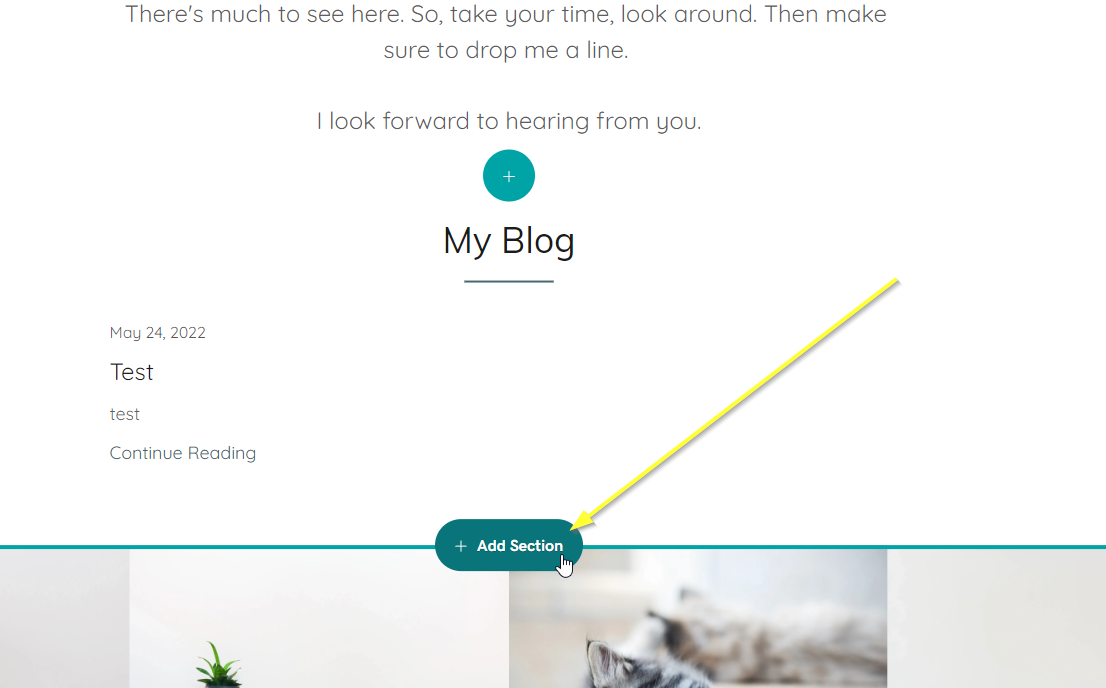
接著在網站編輯器中將滑鼠移到部落格文章下方,新增一個 HTML 程式碼區域,然後按一下 Add Section,如下所示:
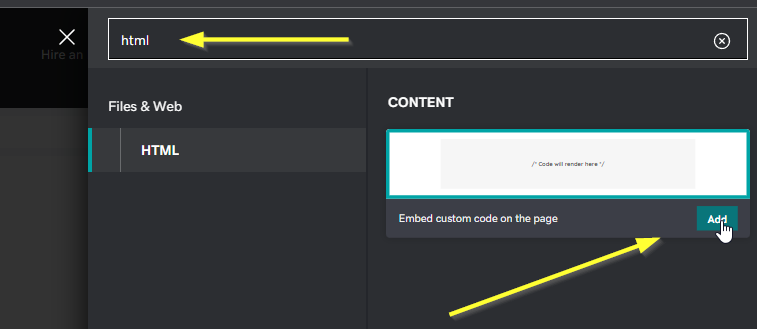
現在搜尋 HTML。當「在頁面上嵌入自訂程式碼」方塊出現時,按一下 Add。
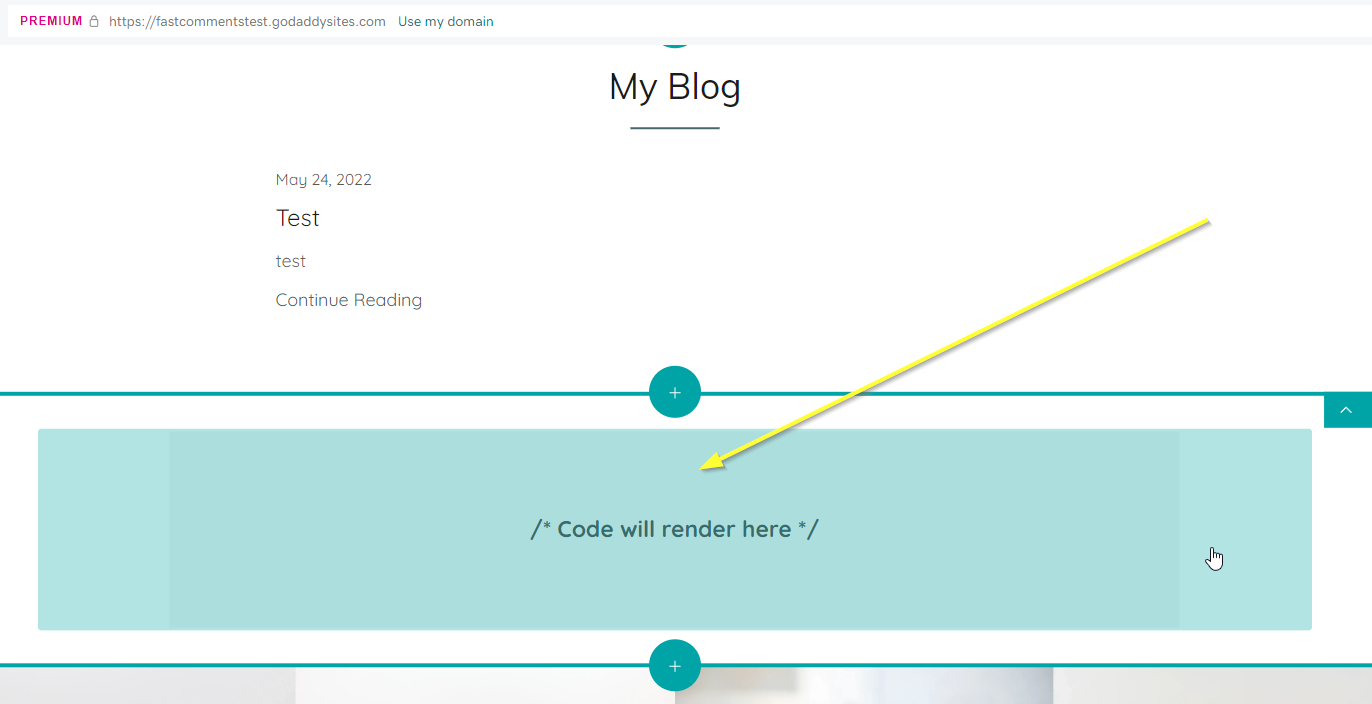
您現在應該會在編輯器中看到一個空的程式碼區域。
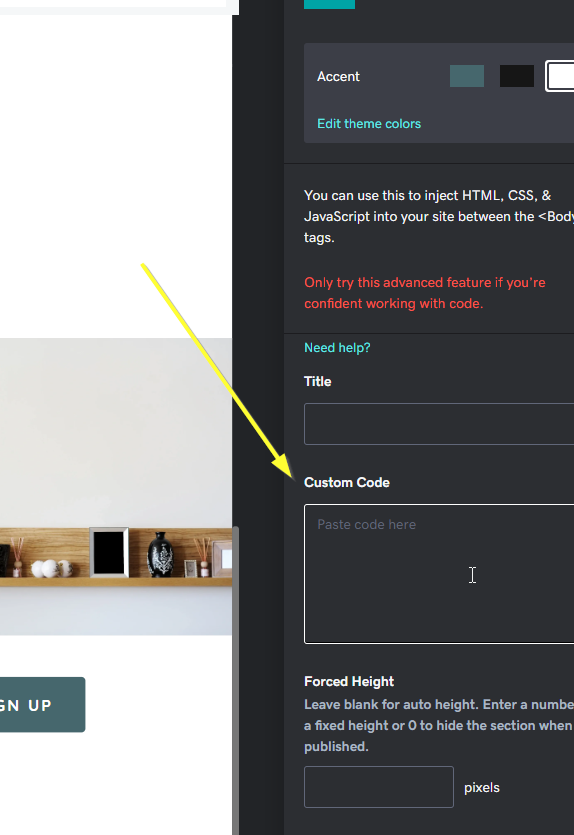
按一下剛新增的空程式碼區域。在右下方您會看到一個 Custom Code 輸入欄位。
That's it for step one! In step two we will be adding our custom Godaddy-specific code.
步驟 2:加入 FastComments.com 的程式碼
既然您已新增自訂 HTML 區塊,我們就可以加入 FastComments 小工具的程式碼。
請使用下列程式碼以適用於 Godaddy,請勿使用其他教學的程式碼。此程式碼為 Godaddy 專用。
複製下列程式碼:

此程式碼片段專為與 Godaddy 相容而設計,並且僅會顯示在您的部落格文章頁面,而不會在首頁顯示。
現在將程式碼貼到在 Step One 提到的 Custom Code 區域。
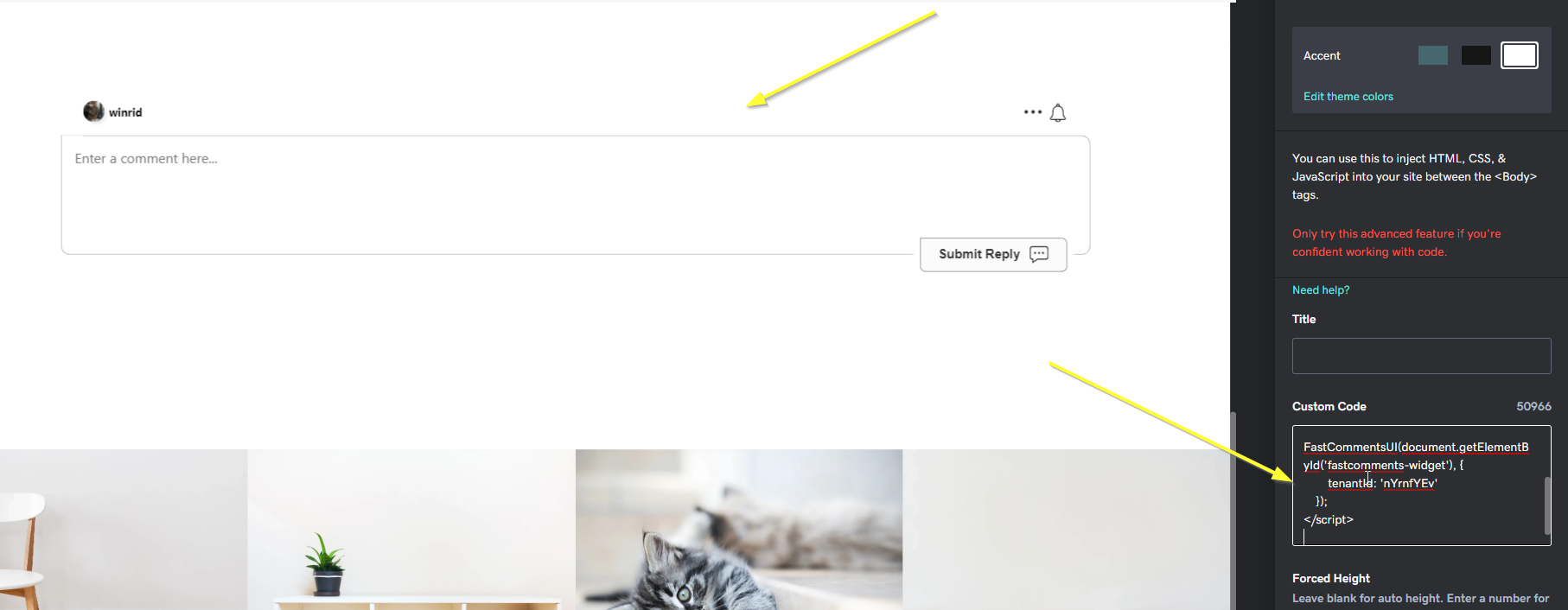
在右上角按下「完成」:
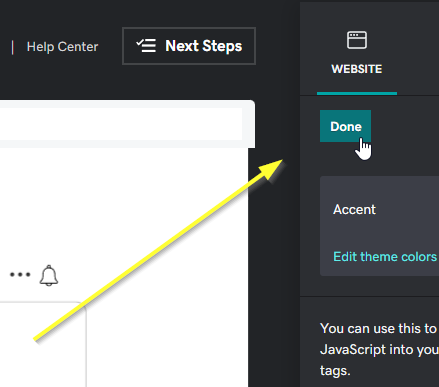
第二步就完成了!
步驟 3:發佈
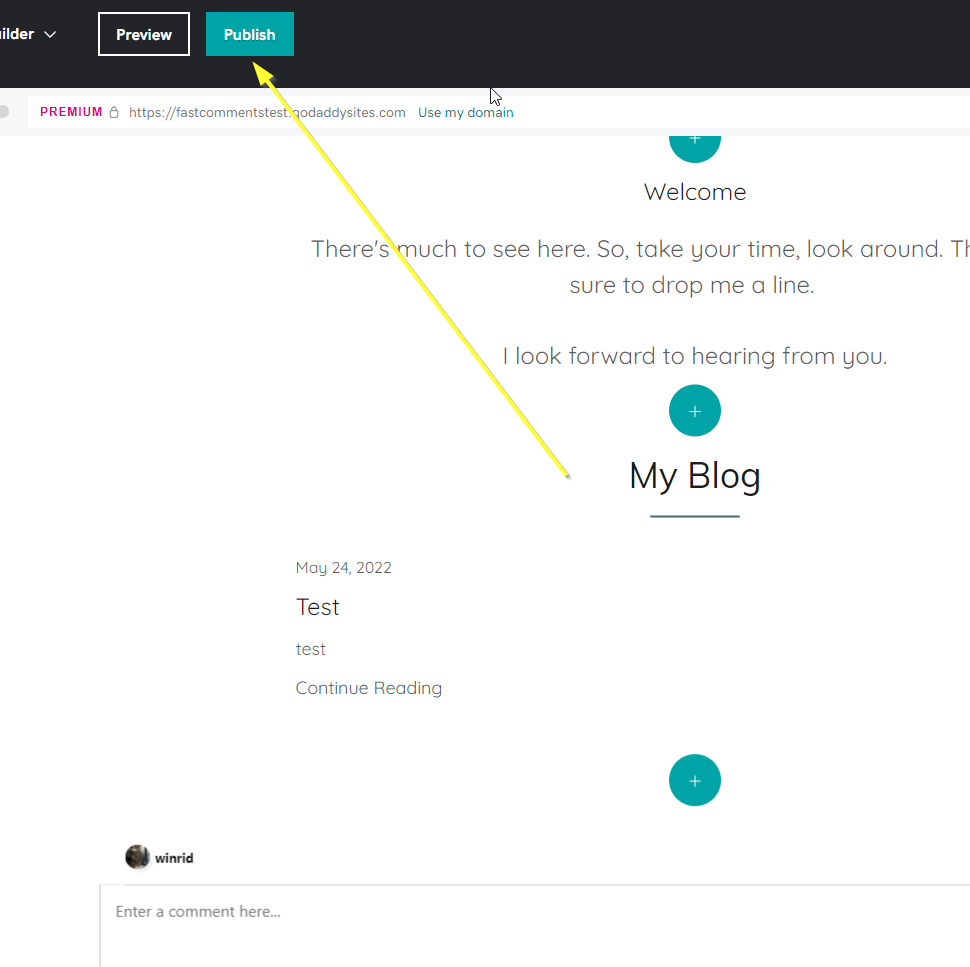
最後,我們可以發佈我們的變更。
在頁面頂端按下 Publish 按鈕:
完成
當您瀏覽您的網站時,您現在應該可以在部落格文章上看到 FastComments 留言框:
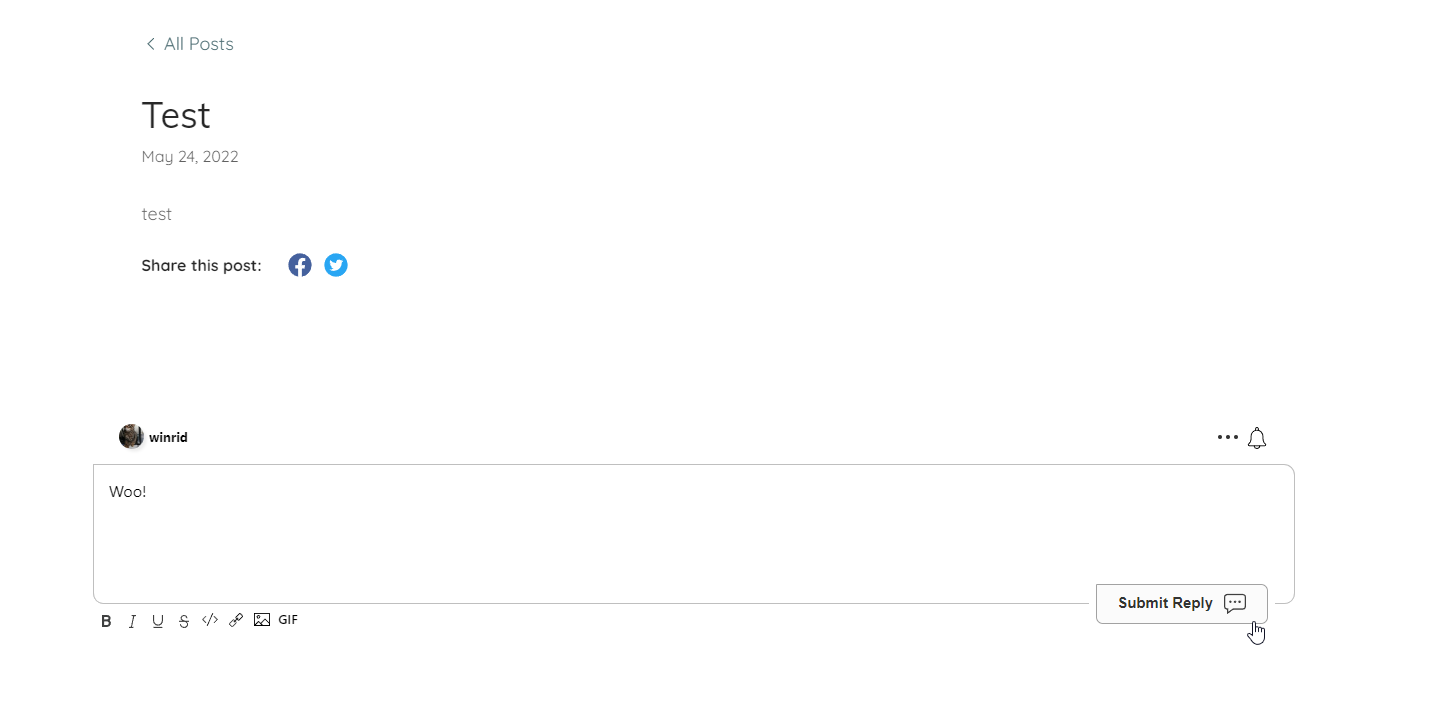
恭喜您在 Godaddy 上設定 FastComments!如果您遇到 Domain Error,或想了解如何自訂留言區,請繼續閱讀!
網域錯誤
您可能會收到類似以下的授權錯誤:

原因是 FastComments 不知道您的帳戶應被允許用於此網域。
在此情況下,解決方法很簡單。您只需將您的網站新增至您的 FastComments.com 帳戶。