FastComments.com

Add Comments to Weebly Sites


使用 FastComments,我们可以轻松为任何 Weebly 网站添加实时评论功能。

下面的说明适用于在 Weebly 上构建的博客。对于其他类型的网站,我们也很乐意提供帮助,请与我们的支持团队联系。

请注意,本教程需要一个 FastComments 帐户。建议您先注册,然后再回来此处。您可以在此创建帐户。


步骤 1:打开博客设置 Internal Link

首先,请确保您的网站已添加一些博客文章,以便查看本教程的效果。

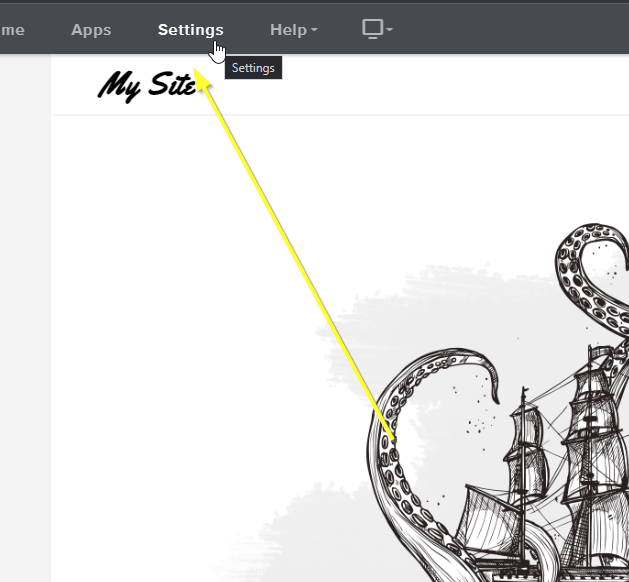
准备好后,我们可以打开 Weebly 编辑器,然后点击顶部的 Settings

打开设置
打开设置

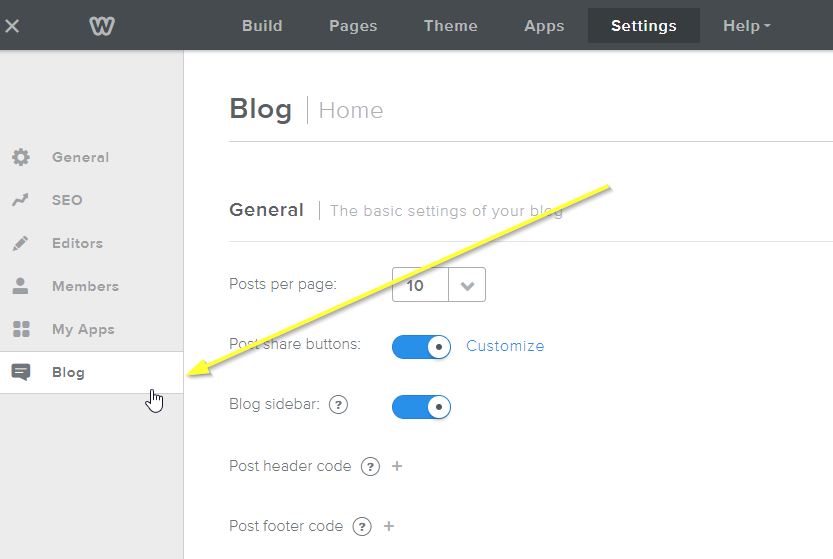
现在通过左侧的 Blog 打开博客的设置:

打开博客设置
打开博客设置

现在我们需要做的是禁用 Weebly 的默认评论系统,我们将替换它。

注意 如果您希望将现有的 Weebly 网站评论迁移到 FastComments,您的支持代表可以协助进行迁移。

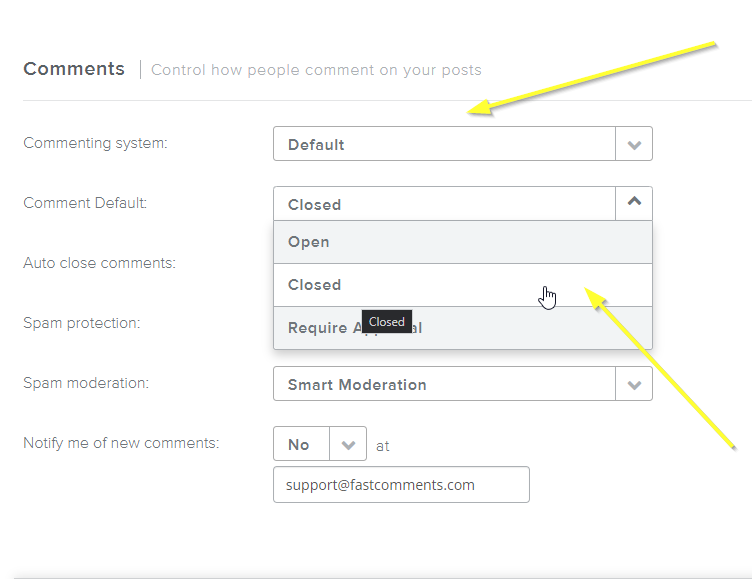
现在将 Commenting system 设置为 Default,并将 Comment Default 设置为 Closed

禁用默认系统
禁用默认系统

接下来我们只需添加 FastComments.com 小部件代码!

步骤 2:添加 FastComments.com 代码 Internal Link

为了让 Weebly 和 FastComments 的集成顺利工作,我们需要添加 两个 小的代码片段。

第一个片段用于隐藏 Weebly “Comments are Closed” 消息,第二个片段用于实际加载 FastComments。

首先,复制这段小代码片段:

FastComments 头部代码片段
Copy Copy
1
2<style>
3 #comments {
4 display: none;
5 }
6 #commentArea:not(.loaded) {
7 display: none;
8 }
9 #commentArea.loaded {
10 display: block !important;
11 }
12</style>
13

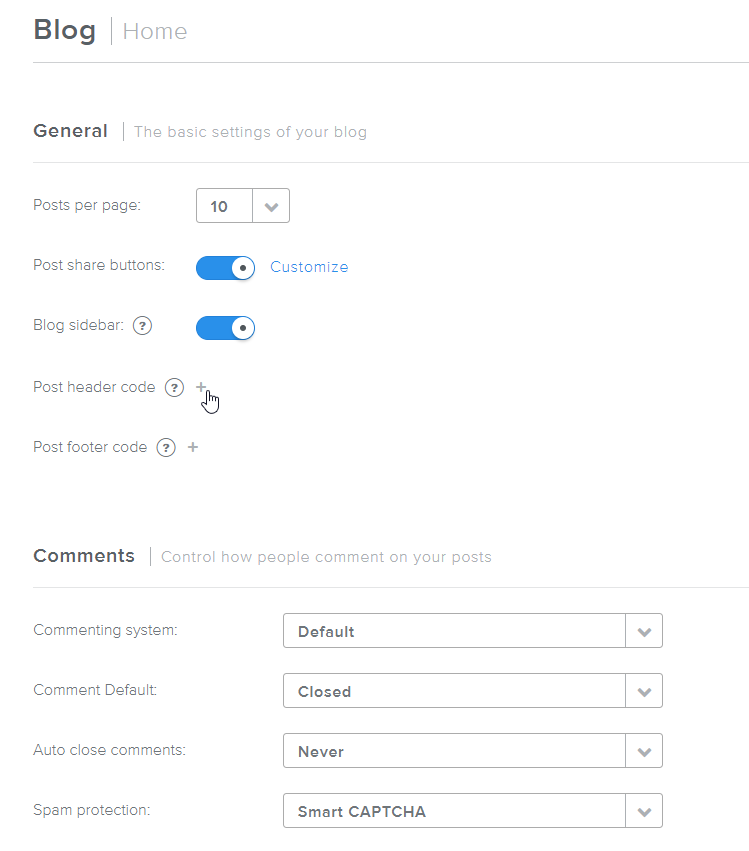
然后,在与 Step One 相同的设置页面上,点击 Post header code 旁边的 +

打开文章头部代码
打开文章头部代码

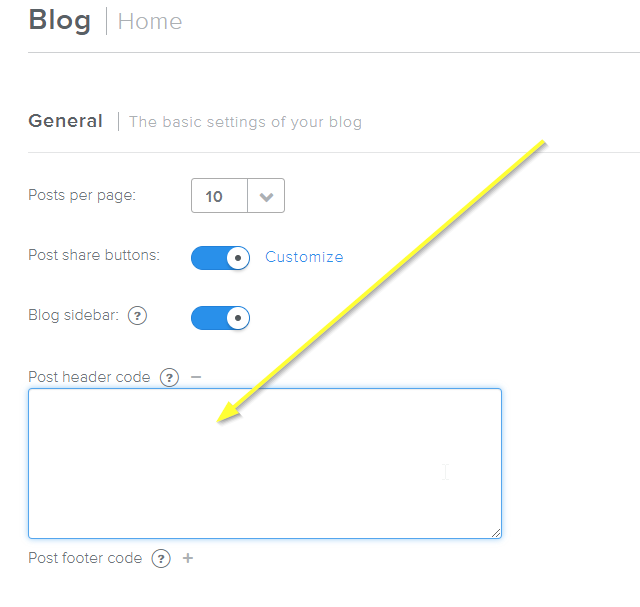
你应该会看到一个文本框像这样打开:

文章头部代码已打开
文章头部代码已打开

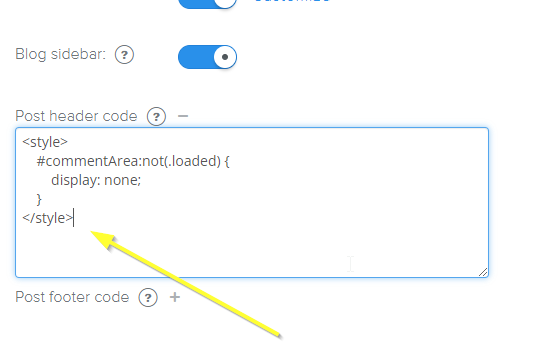
现在把我们的代码片段粘贴进来:

头部代码片段已粘贴
头部代码片段已粘贴

接下来是用于启用 FastComments 的页脚代码。点击 Post footer code 旁边的加号:
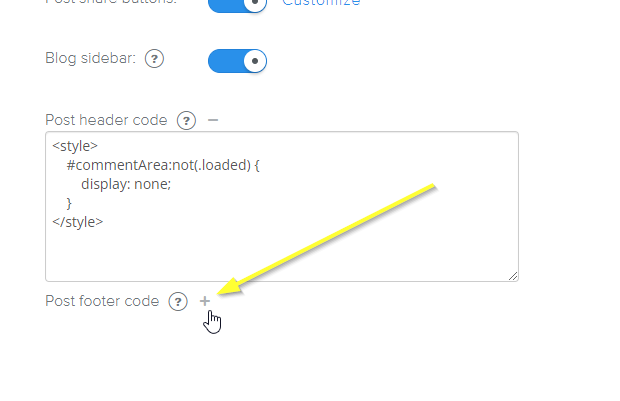
打开文章页脚代码
打开文章页脚代码

复制这段专为 Weebly 设计的代码片段:

FastComments 页脚代码片段
Copy Copy
1
2<script src="https://cdn.fastcomments.com/js/embed-v2.min.js"></script>
3<div id="fastcomments-widget"></div>
4<script>
5 (function () {
6 let loaded = false;
7 let interval = null;
8 function attemptLoad() {
9 if (loaded) {
10 clearInterval(interval);
11 return;
12 }
13 const comments = document.getElementById('comments');
14 if (comments) { // remove show comments button
15 comments.remove();
16 }
17 const commentArea = document.getElementById('commentArea');
18 if (!commentArea) {
19 return;
20 }
21 commentArea.innerHTML = '';
22 commentArea.classList.add('loaded');
23 FastCommentsUI(commentArea, {
24 tenantId: "demo",
25 urlId: window.location.pathname
26 });
27 loaded = true;
28 clearInterval(interval);
29 }
30 attemptLoad();
31 interval = setInterval(attemptLoad, 300);
32 })();
33</script>
34

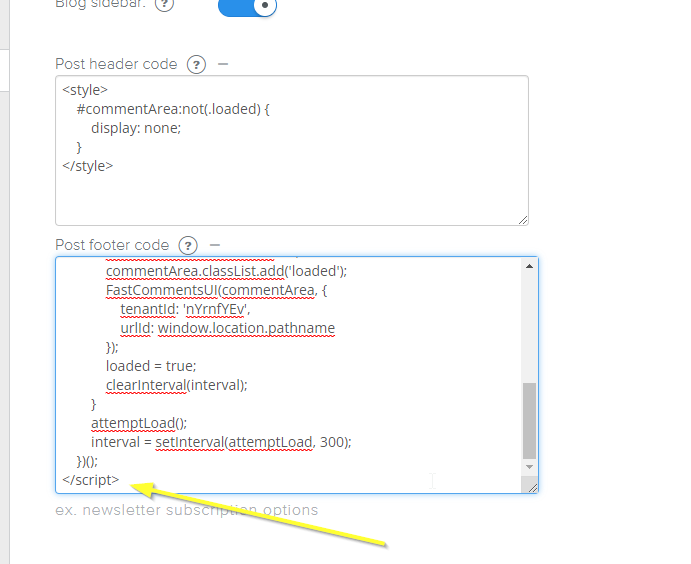
现在把页脚代码粘贴进去:

文章页脚代码已添加
文章页脚代码已添加

就完成了!

步骤 3:发布! Internal Link


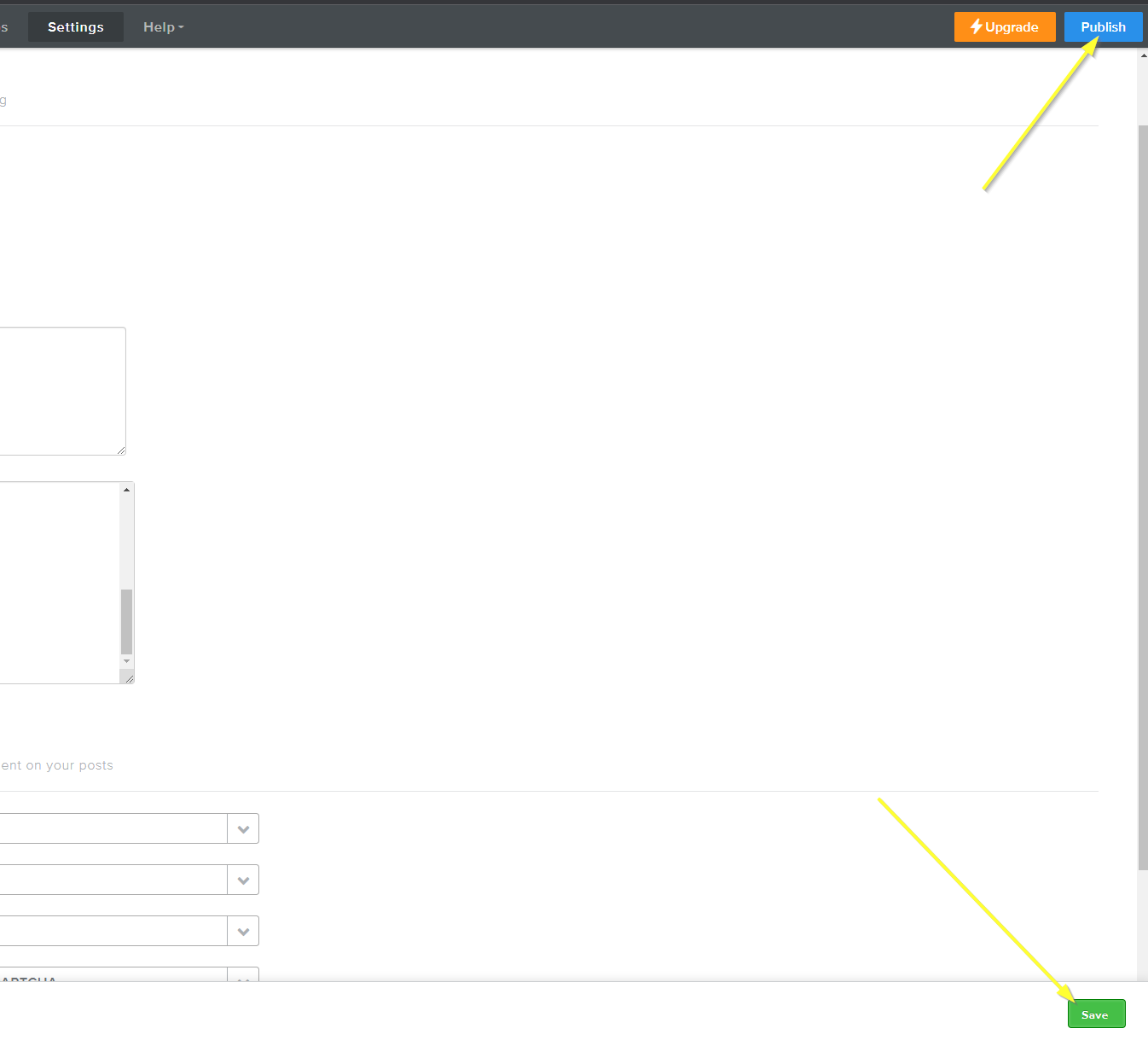
现在我们只需保存更改并发布我们的网站!

保存并发布
保存并发布

成功 Internal Link


成功!如果您查看您的网站,现在应该已启用 FastComments 实时评论:
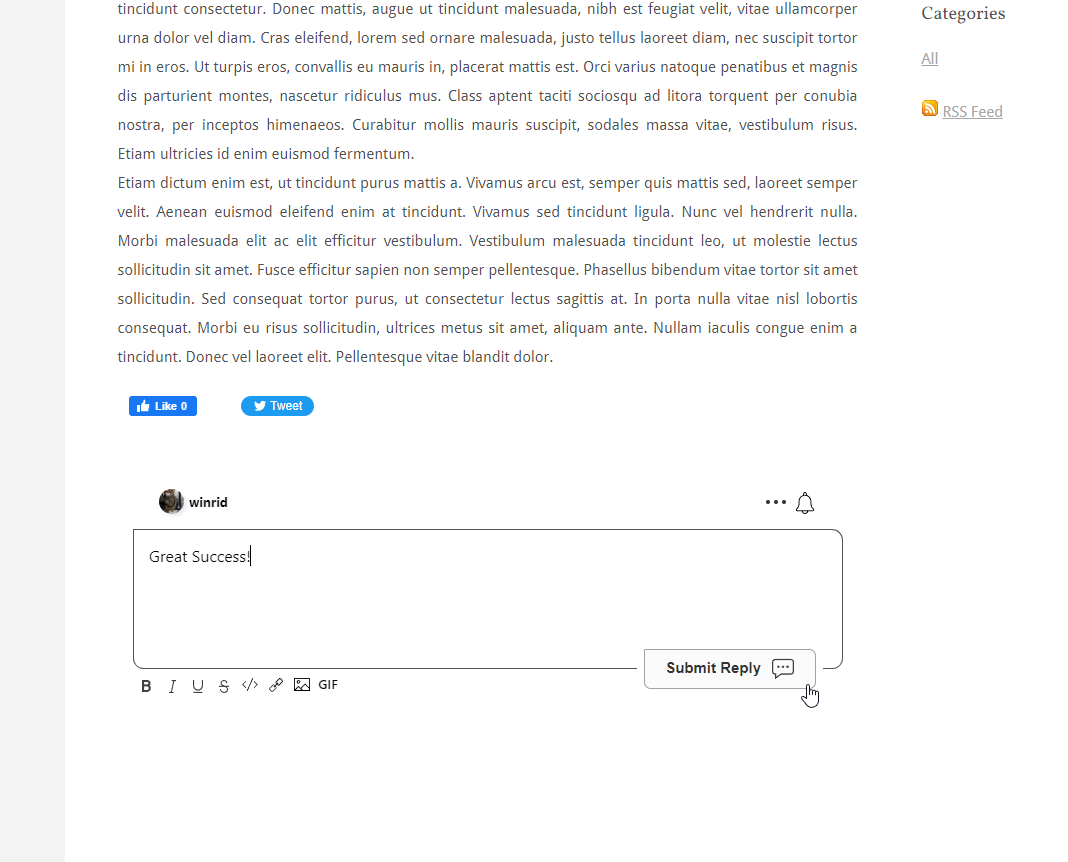
成功
成功

自定义 Internal Link


FastComments 旨在可定制以匹配您的网站。

如果您想添加自定义样式或调整配置,查看我们的自定义与配置文档 以了解如何操作。