FastComments.com

Add Comments to Weebly Sites


使用 FastComments,我們可以輕鬆地在任何 Weebly 網站新增即時留言功能。

以下說明適用於在 Weebly 上建立的部落格。若為其他網站類型,我們很樂意協助,請聯絡我們的支援團隊。

請注意,本教學需要一個 FastComments 帳戶。建議您先註冊,然後再回到此處。 您可以在此建立帳戶。


步驟 1:開啟部落格設定 Internal Link

首先,請確保您已在網站新增一些部落格文章,以便查看本教學的效果。

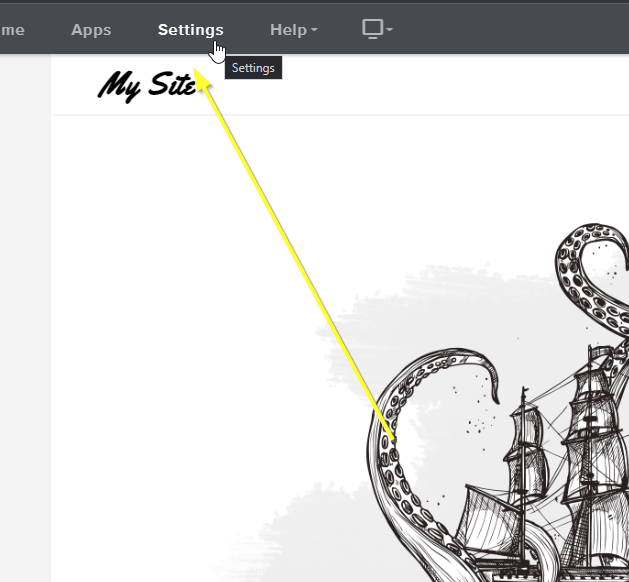
準備好後,開啟 Weebly 編輯器,然後點選最上方的 Settings

開啟設定
開啟設定

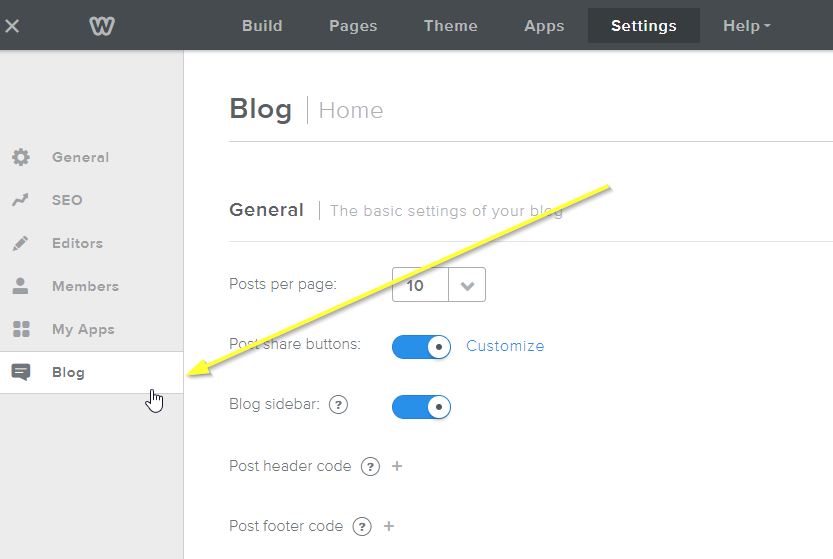
現在,從左側選單點選 Blog,打開我們部落格的設定:

開啟部落格設定
開啟部落格設定

接下來我們需要停用 Weebly 預設的留言系統,將以其他系統取代它。

注意 如果您想將現有的 Weebly 留言遷移到 FastComments,您的客服代表可以協助進行此遷移。

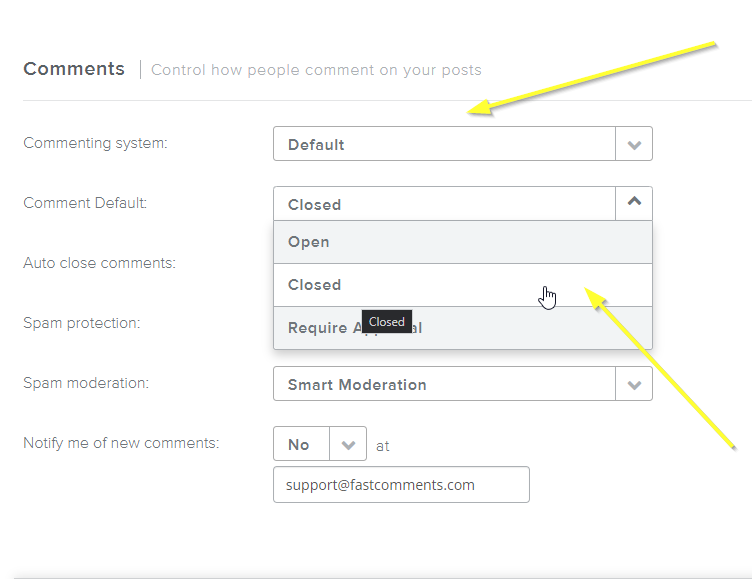
接著,將 Commenting system 設為 Default,並將 Comment Default 設為 Closed

停用預設系統
停用預設系統

接下來我們只需要加入 FastComments.com 的小工具程式碼!

步驟 2:加入 FastComments.com 代碼 Internal Link

要讓 Weebly 與 FastComments 的整合順利運作,我們需要加入兩段小程式碼。

第一段用來隱藏 Weebly 的「Comments are Closed」訊息,第二段則是實際載入 FastComments。

首先,複製這段小程式碼片段:

FastComments 標頭程式碼片段
Copy Copy
1
2<style>
3 #comments {
4 display: none;
5 }
6 #commentArea:not(.loaded) {
7 display: none;
8 }
9 #commentArea.loaded {
10 display: block !important;
11 }
12</style>
13

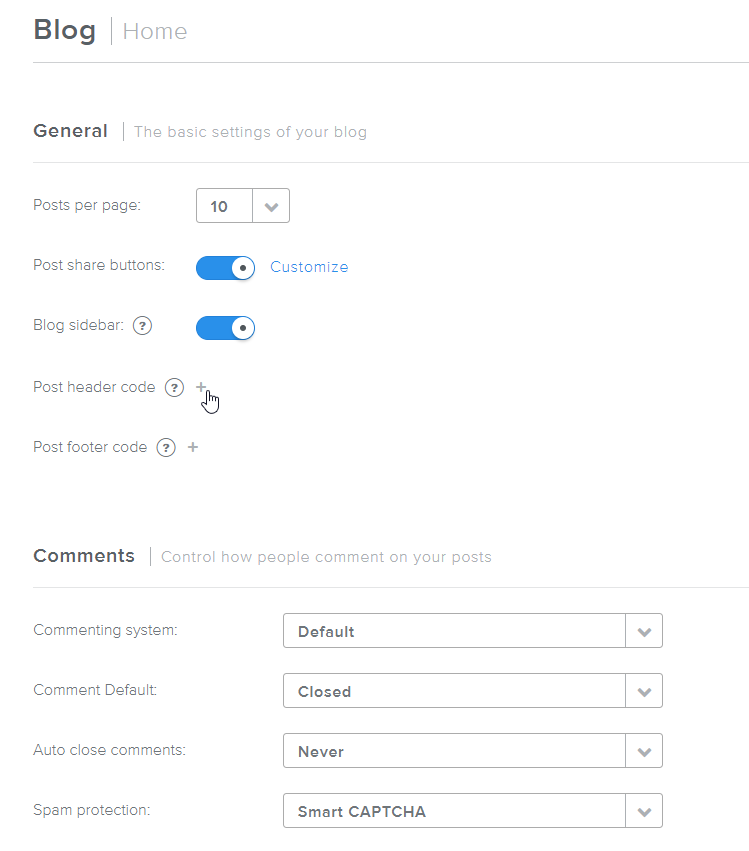
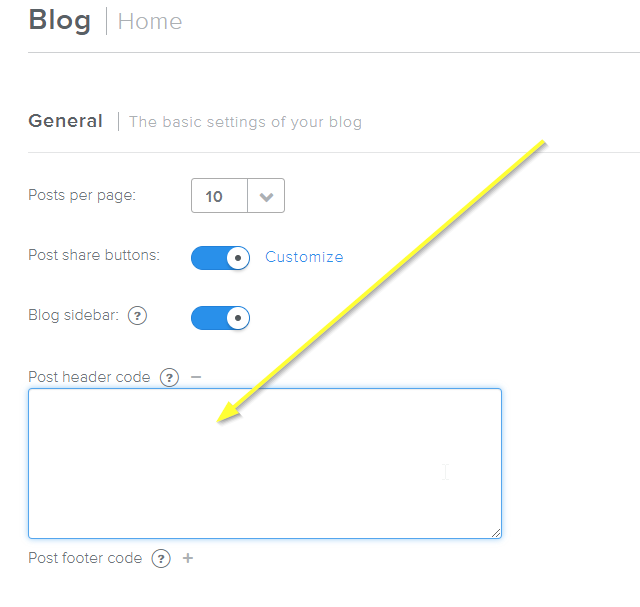
接著,在 Step One 的同一個設定頁面,點選 +Post header code 旁邊。

開啟篇文章標頭程式碼
開啟篇文章標頭程式碼

你會看到像這樣打開的文字方塊:

篇文章標頭程式碼已打開
篇文章標頭程式碼已打開

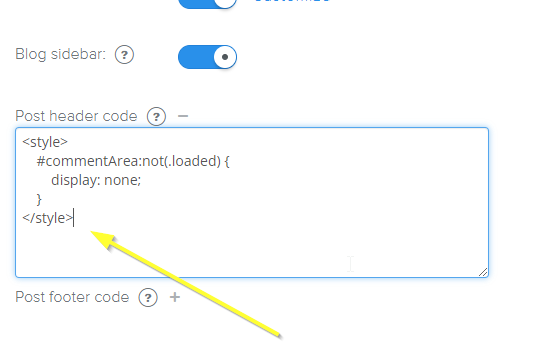
現在把我們的程式碼片段貼上:

已貼上標頭程式碼片段
已貼上標頭程式碼片段

接下來是啟用 FastComments 的頁腳程式碼。點選 Post footer code 旁的加號:
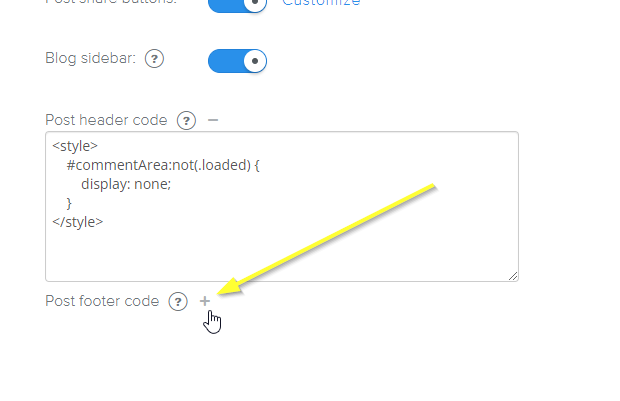
開啟篇文章頁腳程式碼
開啟篇文章頁腳程式碼

複製這段專為 Weebly 設計的程式碼片段:

FastComments 頁腳程式碼片段
Copy Copy
1
2<script src="https://cdn.fastcomments.com/js/embed-v2.min.js"></script>
3<div id="fastcomments-widget"></div>
4<script>
5 (function () {
6 let loaded = false;
7 let interval = null;
8 function attemptLoad() {
9 if (loaded) {
10 clearInterval(interval);
11 return;
12 }
13 const comments = document.getElementById('comments');
14 if (comments) { // 移除顯示評論按鈕
15 comments.remove();
16 }
17 const commentArea = document.getElementById('commentArea');
18 if (!commentArea) {
19 return;
20 }
21 commentArea.innerHTML = '';
22 commentArea.classList.add('loaded');
23 FastCommentsUI(commentArea, {
24 tenantId: "demo",
25 urlId: window.location.pathname
26 });
27 loaded = true;
28 clearInterval(interval);
29 }
30 attemptLoad();
31 interval = setInterval(attemptLoad, 300);
32 })();
33</script>
34

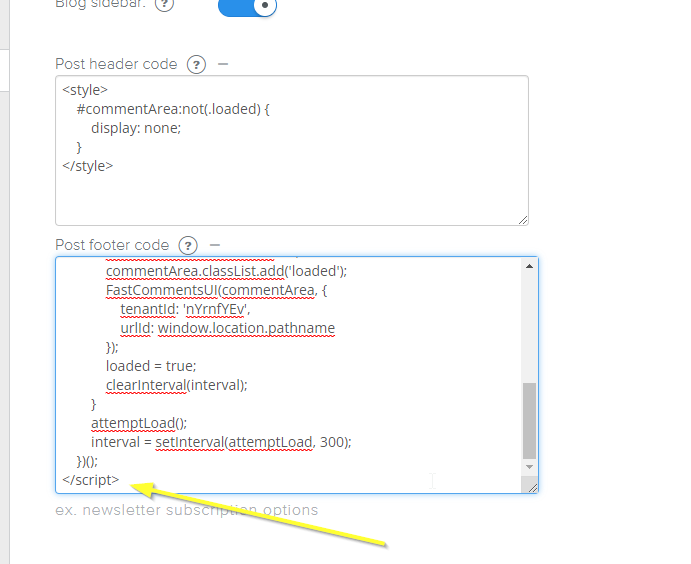
現在把我們的頁腳程式碼貼上:

已加入篇文章頁腳程式碼
已加入篇文章頁腳程式碼

就這樣!


步驟 3:發佈! Internal Link


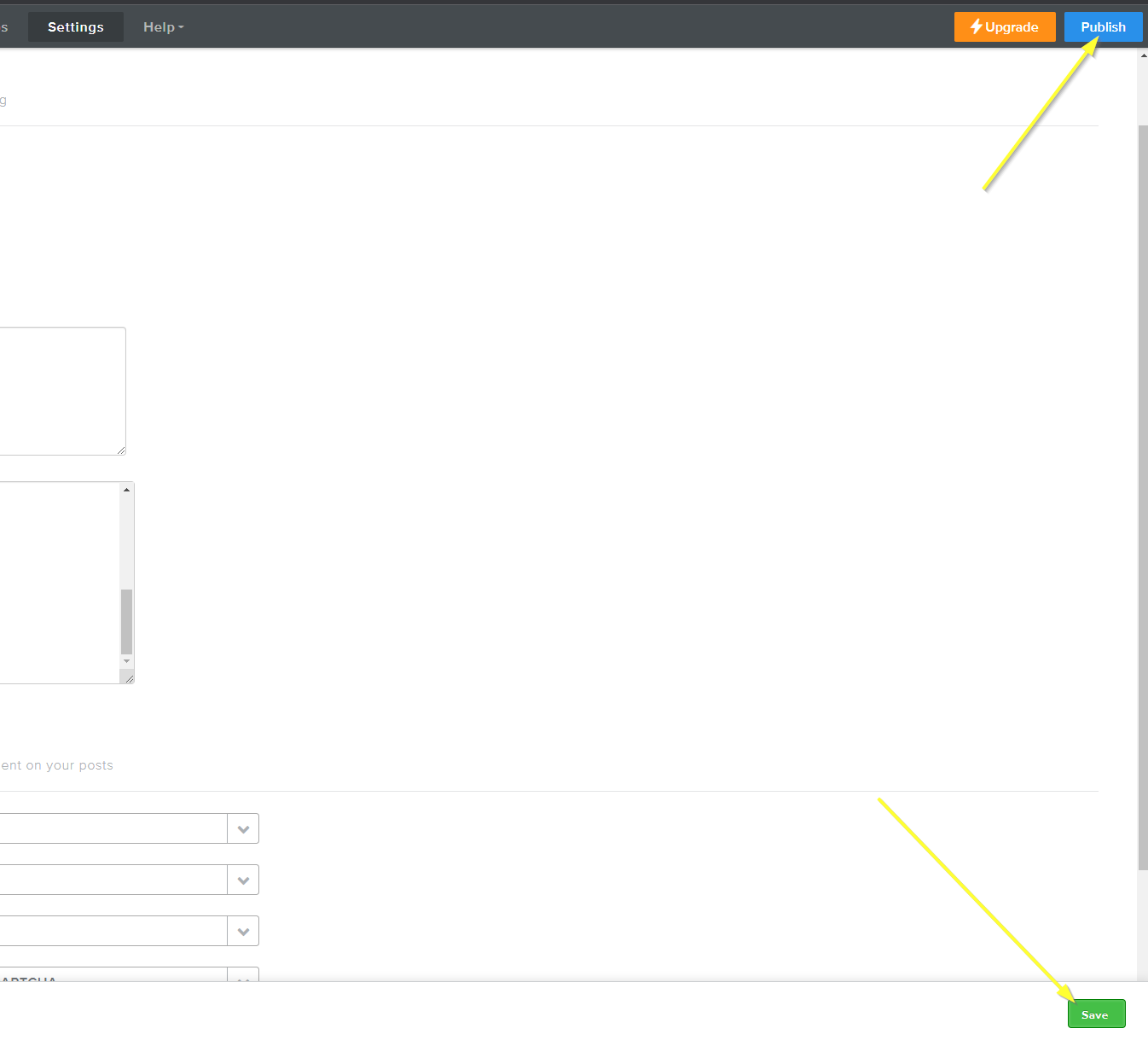
現在我們只要儲存變更並發佈我們的網站!

儲存並發佈
儲存並發佈

成功 Internal Link


成功!如果您檢視您的網站,現在應該已啟用 FastComments 即時留言功能:
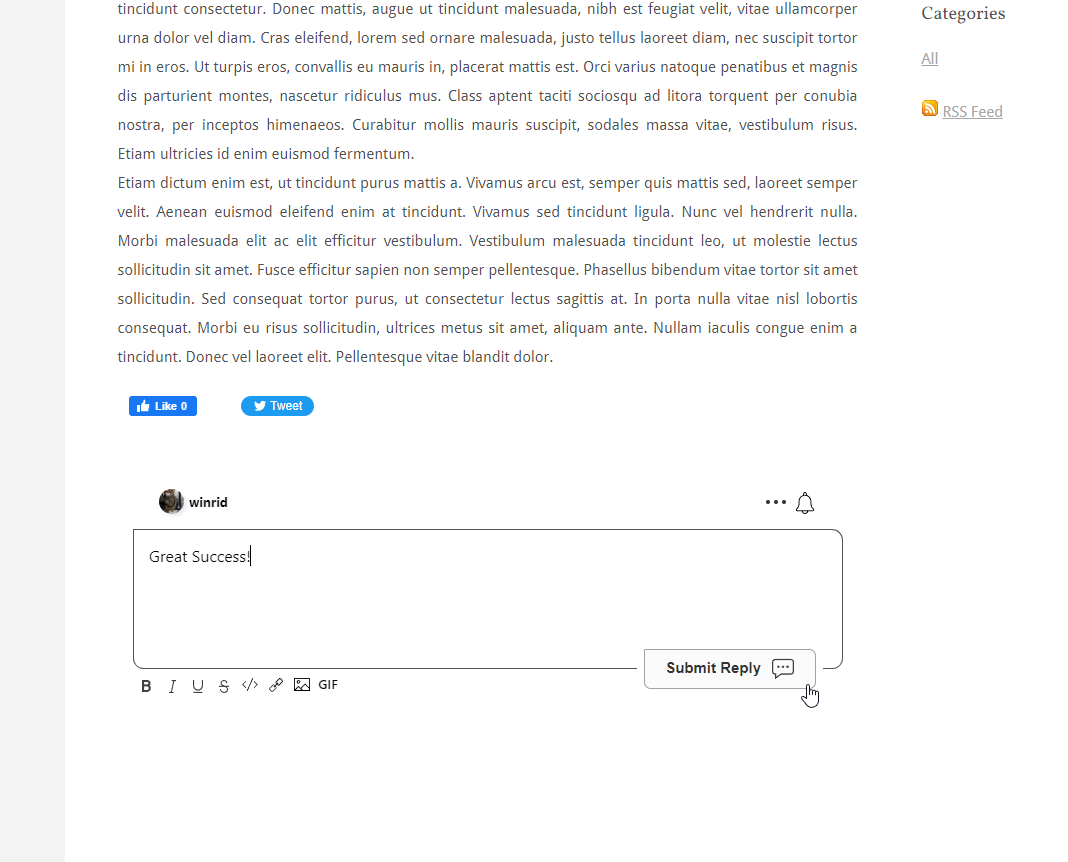
成功
成功

自訂 Internal Link


FastComments 設計為可自訂,以符合您的網站。

如果您想新增自訂樣式或調整設定,請查看我們的自訂化文件以了解如何操作。