
Migracije
Migracije
FastComments pruža samouslužne alate zajedno s izravnom podrškom za programere za migracije na našu platformu, migracije podataka unutar naše platforme i izvoz iz našeg proizvoda.
U ovom vodiču naučit ćete o sva tri.
Migracija s drugih pružatelja 
Prilikom migracije s drugog davatelja, treba uzeti u obzir nekoliko stvari:
- Postojeći podaci komentara, uključujući odgovore.
- Korisnički računi, uključujući avatare.
- Prilagođeni stilovi.
Samoposlužni uvoz podataka obrađen u sljedećim odjeljcima pokriva prva dva. Za prilagodbu, pogledajte naš vodič za prilagodbe i konfiguraciju.
Uvoz podataka
While FastComments Support can help with migrations, most can be performed and monitored easily without any intervention of support staff.
We natively support importing exports from the following providers:
- Commento
- Disqus
- Hyvor Talk
- Muut Comments
- IntenseDebate
- Just-Comments
- Cusdis
- WordPress (via the plugin, or an XML or CSV export)
- AnyComment (Via WordPress Import/Export)
By navigating here we can upload the file containing the data to migrate.


Monitoring Imports
FastComments uses a job processing system for processing imports and exports. Once the system has picked up your job, it will periodically report the status of the job in the import or export UI.
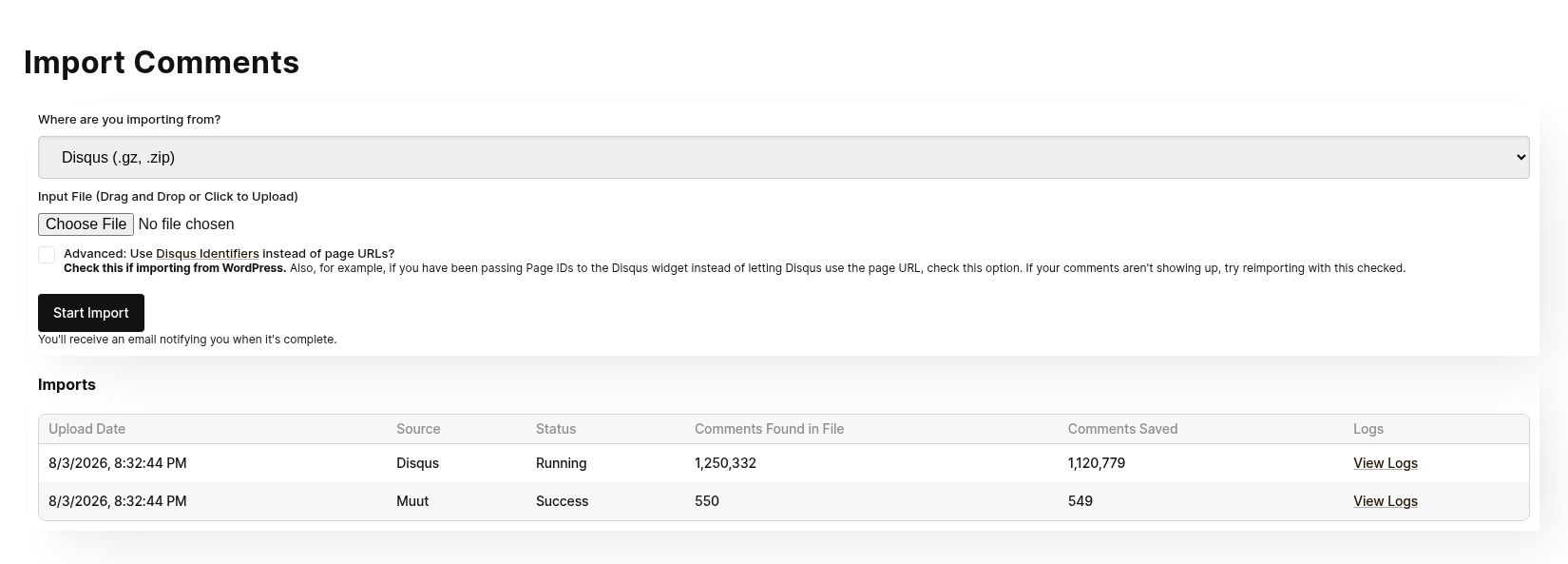
Note that the status for Imports and Export are viewable by all administrators in the account.
If your job fails, it will not automatically be restarted. The import will have to be attempted again. If any import or export fails, our system administrators are automatically notified. If we identify an issue, we'll reach out to you to see if we can help.
Re-Running The Import
During some migrations, it is necessary to run the import multiple times. For example, it is common to do a first pass migration for testing, and then run the import again with the latest data before flipping the switch.
Re-importing the same content will not create duplicates.
Data Security and Expiration
Import files are not accessible via outside requests in any way, and import files are deleted from our system as soon as the import completes.
Uvoz komentara iz WordPressa
Naš WordPress Plugin ima moćan mehanizam uvoza temeljen na korisničkom sučelju. Nakon instalacije dodatka, vodit će vas kroz povezivanje vaše WordPress instalacije s FastComments i kopiranje vaših postojećih podataka o komentarima.
Ovo se radi bez ručnog kopiranja ili preuzimanja bilo čega.
Proces migracije bit će vam prikazan putem sučelja tijekom migracije. Većina migracija traje samo nekoliko minuta.
Mehanizam je dizajniran da ne opterećuje previše vašu WordPress instalaciju tijekom migracije.
Ako premještate svoju stranicu s WordPressa, možete uvesti WordPress XML ili CSV izvoz umjesto korištenja dodatka. Pogledajte Moving Your Comments to a New Site.
CloudFlare & FireWalls
Kako bi automatizirano postavljanje WordPressa funkcioniralo, moramo izvršavati pozive prema vašoj WordPress instalaciji. Vatrozidi poput Cloudflarea mogu nas blokirati i uzrokovati neuspjeh integracije. U takvim slučajevima, [možemo vam]https://fastcomments.com/auth/my-account/help) pružiti skup IP adresa koje možete staviti na bijelu listu za integraciju.
Data Ownership
U slučaju naše WordPress migracije, svi novi ili ažurirani podaci o komentarima automatski se sinkroniziraju natrag u vašu WordPress instalaciju u pozadini. To znači da, iako komentare poslužuje sam FastComments kako bi smanjio opterećenje vaše WordPress implementacije, mi također pohranjujemo ih u vašu bazu podataka kao sigurnosnu kopiju. Ovo također znači da, ako želite preći s FastComments, vaši podaci su već migrirani i ažurirani.
Migracija korisnika i moderatora
With FastComments, many users can be added to your tenant, and their permissions can be setup based on the roles in your organization.
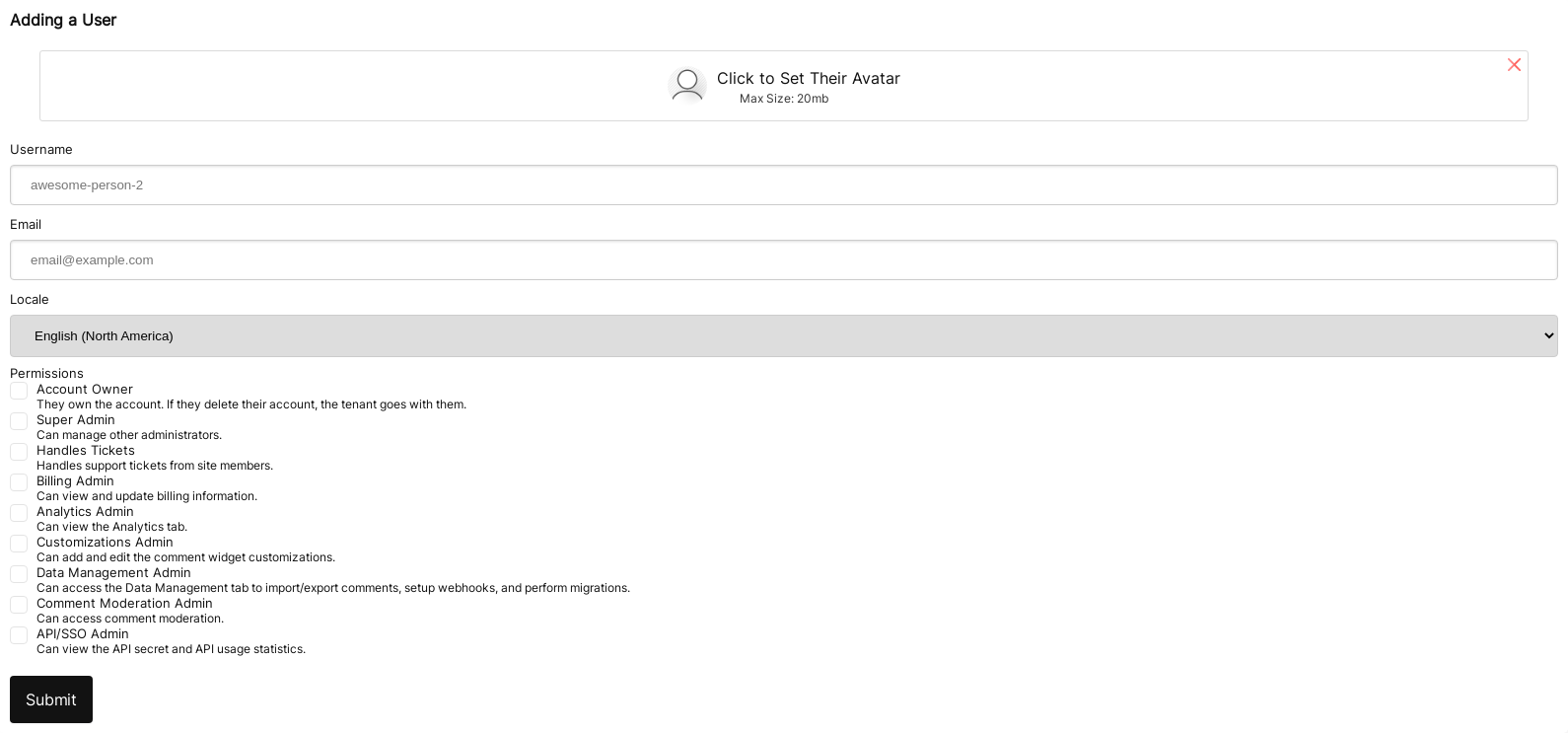
Users can be added via this UI. If you have many users, we can import them for you via customer support.
For adding moderators, see the corresponding documentation.
A Note about Authentication
Your users may be looking for a place to enter their password. FastComments uses "magic links" for logging in - so no passwords are required.
Migracija domena
FastComments pruža automatizirani način za migraciju vaših komentara između domena.
Migracija domena jednostavno zahtijeva from i to domenu.
Ovo premješta komentare, ne kopira ih. Ako želite kopirati komentare, obratite nam se.
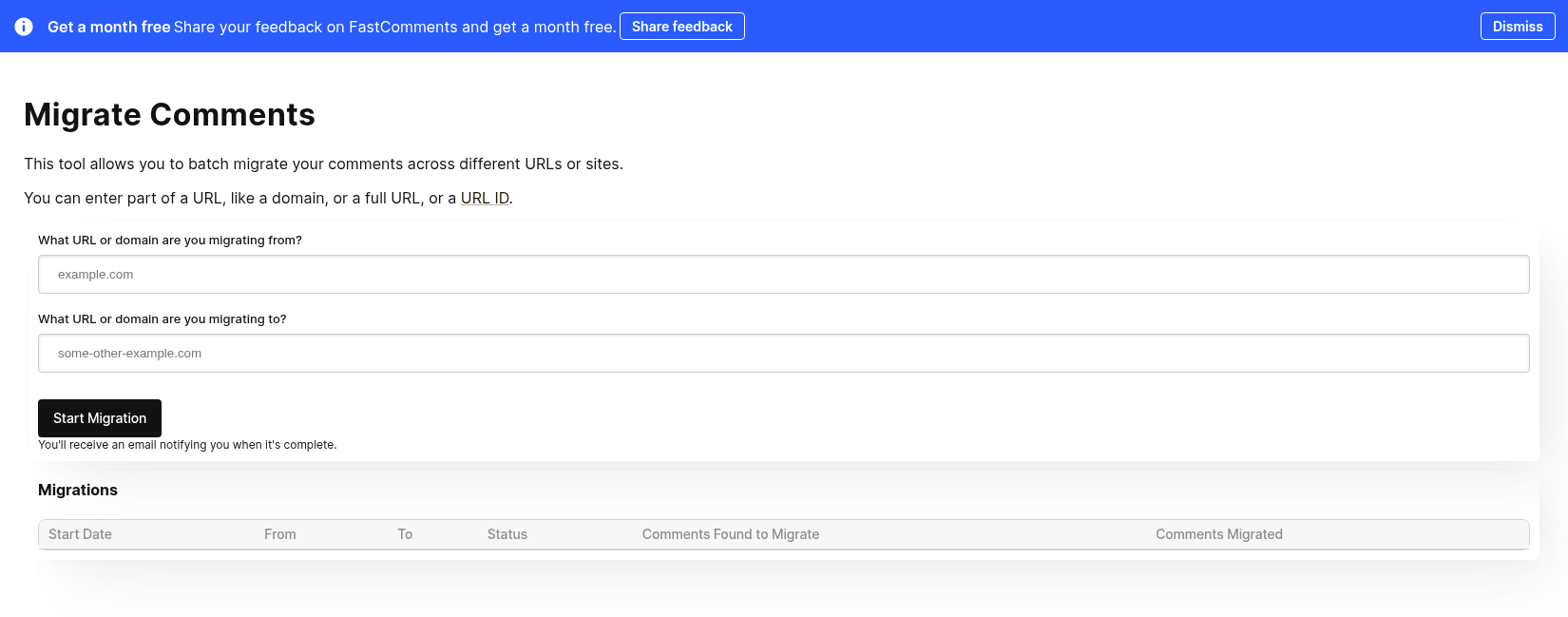
Ovo je također korisno, na primjer, ako dio vaše migracije na FastComments uključuje migraciju s drugog pružatelja, pa vaš uvezeni komentar podaci mogu sadržavati podatke koji trebaju biti migrirani. U tom slučaju možete pokrenuti uvoz, a zatim migraciju domena.
Praćenje napretka
Alat za migraciju domena koristi isti FastComments sustav obrade poslova kao i ostali alati za upravljanje podacima.
Može doći do kašnjenja prije nego što vaša migracija započne. To je normalno, jer sustav povremeno provjerava nove poslove za obradu.
Dok posao traje, prikazat će broj komentara koji su pronađeni za migraciju i broj dosad migriranih komentara.
Migriranje domena putem API-ja
Domeni se također mogu migrirati pomoću POST /api/v1/pages/migrations, postavljanjem type na domain. Napredak je dostupan putem GET /api/v1/batch-jobs/:id, a migracija se može poništiti 90 dana.
Migracija stranica
Iako se zove alat za migraciju domena, također se može koristiti za migriranje komentara kroz pojedinačne stranice.
Jednostavno unesite stare i nove urlId vrijednosti u polja from i to.
Migriranje stranica putem API-ja
Za migriranje mnogih stranica odjednom, koristite POST /api/v1/pages/migrations. Uzima do 100 parova from i to po zahtjevu i izvršava ih kao batch posao.
Kada je type postavljen na urlId, samo se stranica čiji je urlId točno from premješta, pa post-1 ne odgovara post-10. Alat na nadzornoj ploči nema ovu opciju.
Svaku API migraciju moguće je poništiti u roku od 90 dana pomoću POST /api/v1/pages/migrations/:undoId/undo.
Kopiranje komentara
In the event that data needs to be moved around, FastComments provides a self‑service tool for moving comments between pages and articles.
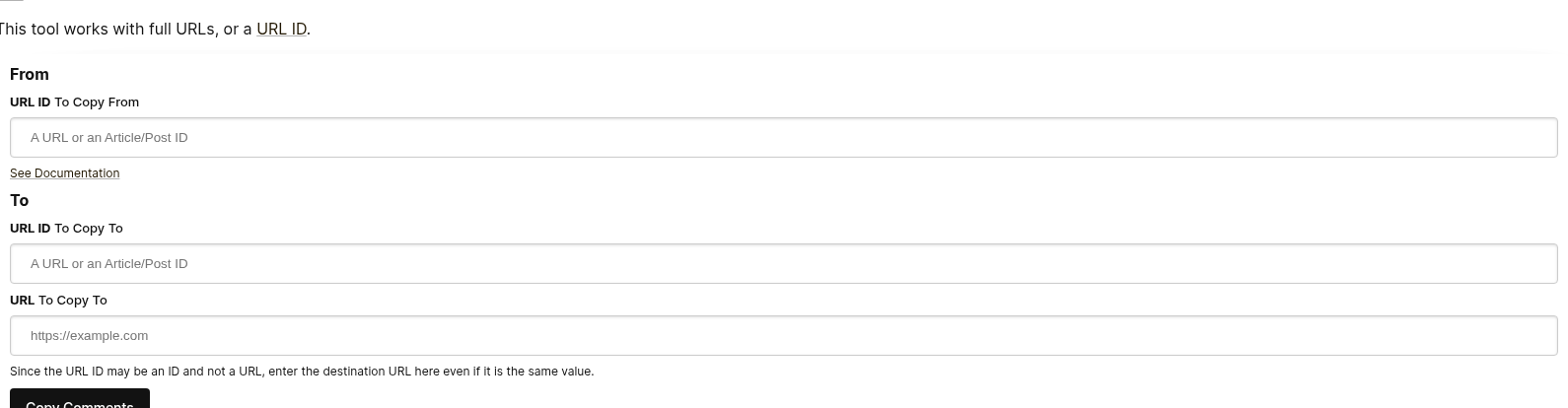
Here's what the comment copy page form looks like:
Filling out the "From" Fields
To decide where to move comments from, we simply need to know the source URL ID.
If you aren't passing a value for urlId in the comment widget configuration, then this will be a "clean" version of the page URL.
You can see what values your comments have for URL ID by exporting them.
Filling out the "To" Fields
To decide where to move comments to, we need to know the target URL ID and URL.
The URL ID will be the bucket that the comment goes in. The URL field is used so that you can navigate directly
to the comment from emails and moderation tools.
WordPress
If you are using WordPress, you would for example enter the Article IDs in the To/From URL ID fields in the migration tool,
rather than a URL.
Izvoz podataka
Svi podaci o komentarima mogu se izvesti s naše platforme u CSV formatu.
Imajte na umu da će datumi u ovoj datoteci biti u UTC vremenskoj zoni, u ISO formatu.
Ako želite periodično dohvaćati podatke iz FastComments, preporučujemo korištenje Webhooks.
WordPress
U slučaju WordPress integracija, FastComments automatski sinkronizira podatke natrag u vašu WordPress instalaciju periodički. Zbog toga, migracija s FastComments znači da ga jednostavno morate isključiti.