
遷移
遷移
FastComments 提供自助工具以及直接的開發人員支援,用於遷移到我們的平台、遷移 我們平台內部的資料,以及從我們的產品匯出資料。
在本指南中,您將了解這三者。
從其他服務提供者遷移 
匯入資料
雖然 FastComments 支援團隊可以協助遷移,但大多數遷移都能在不需要支援人員介入的情況下輕鬆執行與監控。
我們原生支援從以下服務提供者匯入匯出資料:
- Commento
- Disqus
- Hyvor Talk
- Muut Comments
- IntenseDebate
- Just-Comments
- Cusdis
- WordPress (via the plugin, or an XML or CSV export)
- AnyComment (Via WordPress Import/Export)
透過前往此處 我們即可上傳包含遷移資料的檔案。


監控匯入
FastComments 使用工作處理系統來處理匯入與匯出。系統接收到您的工作後,會定期在匯入或匯出介面中回報該工作的狀態。
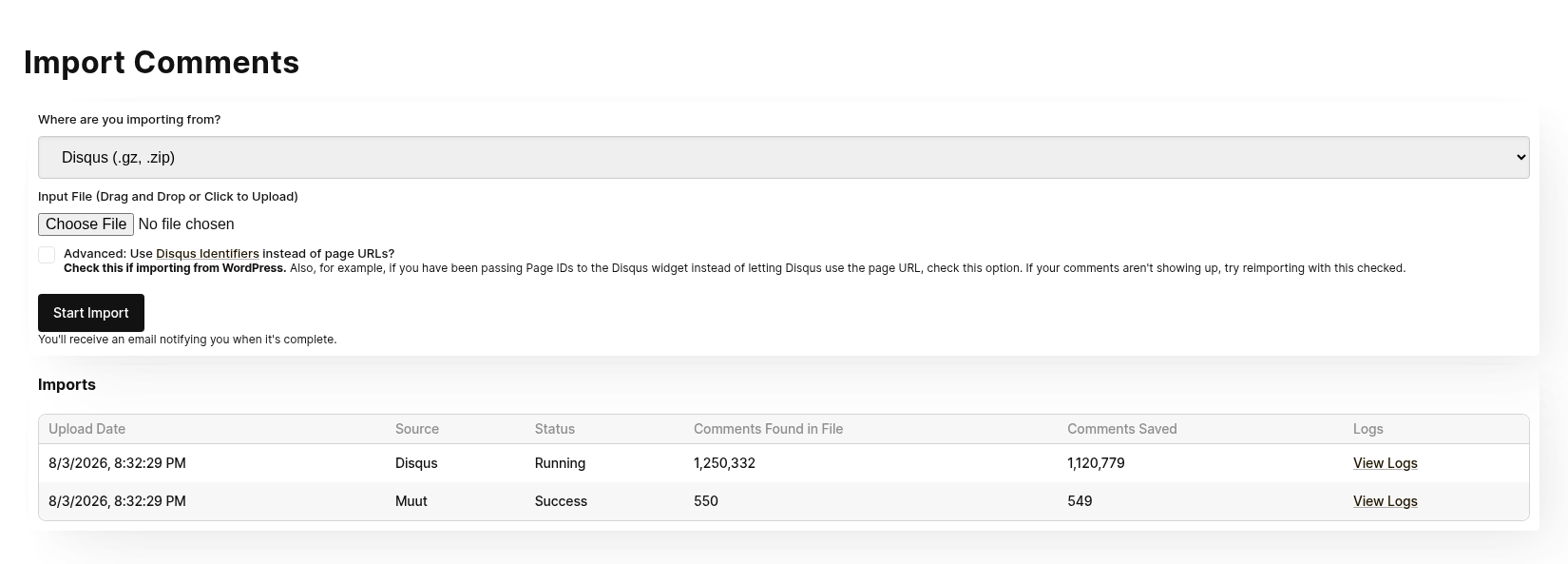
請注意,匯入與匯出的狀態皆可由帳號中的所有管理員檢視。
如果您的工作失敗,系統不會自動重新啟動。必須重新嘗試匯入。如果任何匯入或匯出失敗,我們的系統管理員會自動收到通知。若我們發現問題,會聯繫您以了解是否能提供協助。
重新執行匯入
在某些遷移過程中,需要多次執行匯入。例如,常會先進行一次測試性的遷移,然後在正式切換前,以最新資料再次執行匯入。
重新匯入相同內容 不會產生重複。
資料安全與過期
匯入檔案不會以任何方式被外部請求存取,且匯入完成後,匯入檔案會立即從我們的系統中刪除。
匯入 WordPress 評論
我們的 WordPress Plugin 具備強大的 UI 為基礎的匯入機制。安裝外掛後,
它會指引您將 WordPress 安裝與 FastComments 連結,並複製您現有的評論資料。
此過程不需要手動複製或下載任何檔案。
遷移過程會在 UI 中顯示給您。大多數遷移只需幾分鐘。
此機制設計為在遷移期間不會對您的 WordPress 安裝造成過度負載。
如果您要將網站從 WordPress 移走,您可以匯入 WordPress 的 XML 或 CSV 匯出檔案,而不是使用外掛。請參閱
Moving Your Comments to a New Site。
CloudFlare & FireWalls
為了讓自動化的 WordPress 設定能正常運作,我們必須呼叫您的 WordPress 安裝。
像 Cloudflare 這樣的防火牆可能會阻擋我們,導致整合失敗。在此情況下,我們可以提供
您 一組需要列入白名單的 IP 位址,以完成整合。
Data Ownership
在我們的 WordPress 遷移情況下,任何新建或更新的評論資料都會自動同步回您的 WordPress 安裝,
在幕後完成。這表示,雖然評論是由 FastComments 本身提供,以減輕您的 WordPress 部署負載,
我們 也 會將它們儲存於您的資料庫作為備份。這同時意味著,如果您想要轉離 FastComments,您的資料已經
完成遷移且保持最新。
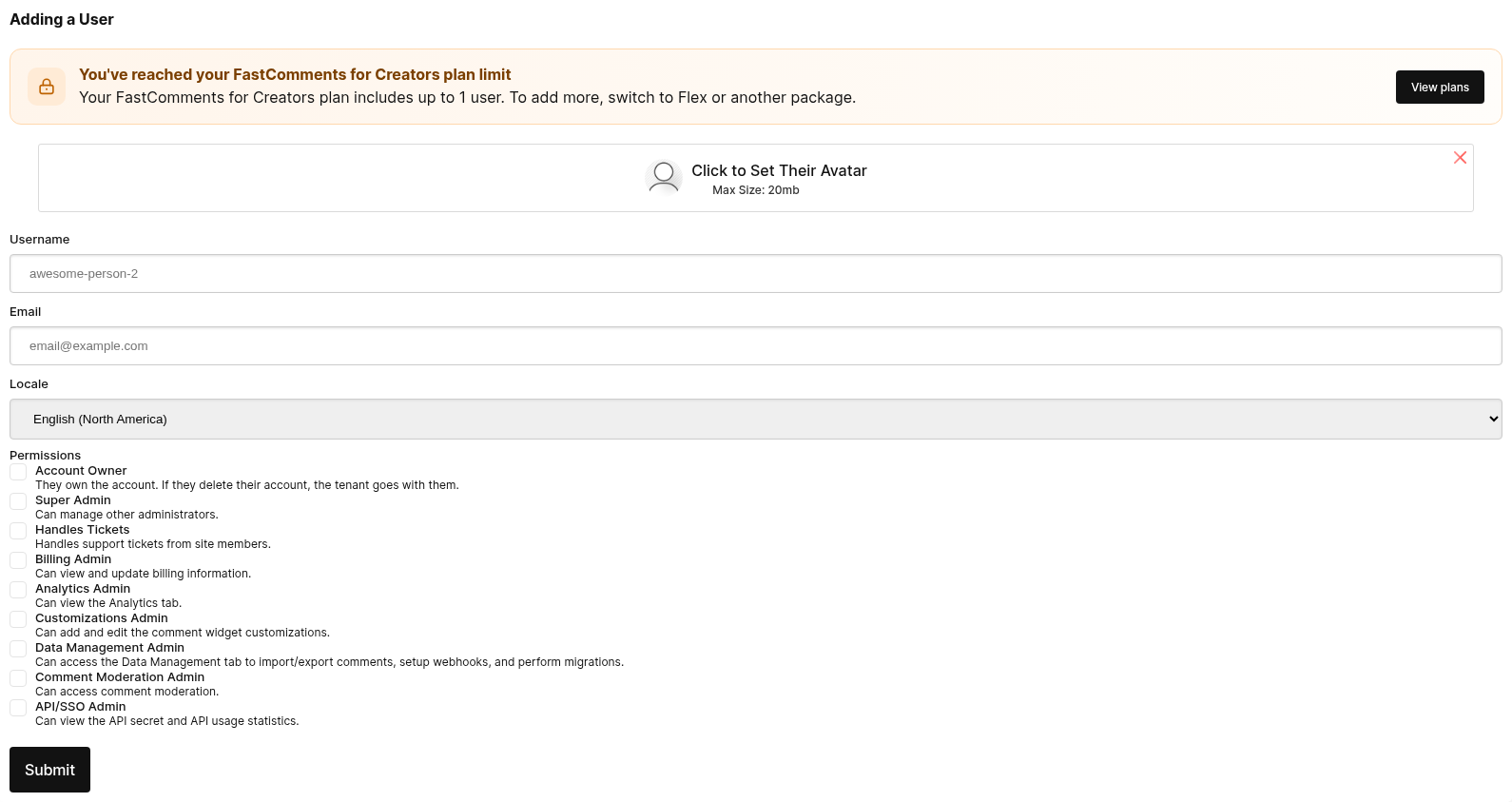
遷移使用者與版主
遷移網域
FastComments 提供了一種自動化方式,讓您可以在不同網域之間遷移評論。
網域遷移只需要一個 from 網域和一個 to 網域。
此操作 移動 評論,並不會複製它們。如果您希望複製評論,請與我們聯繫。
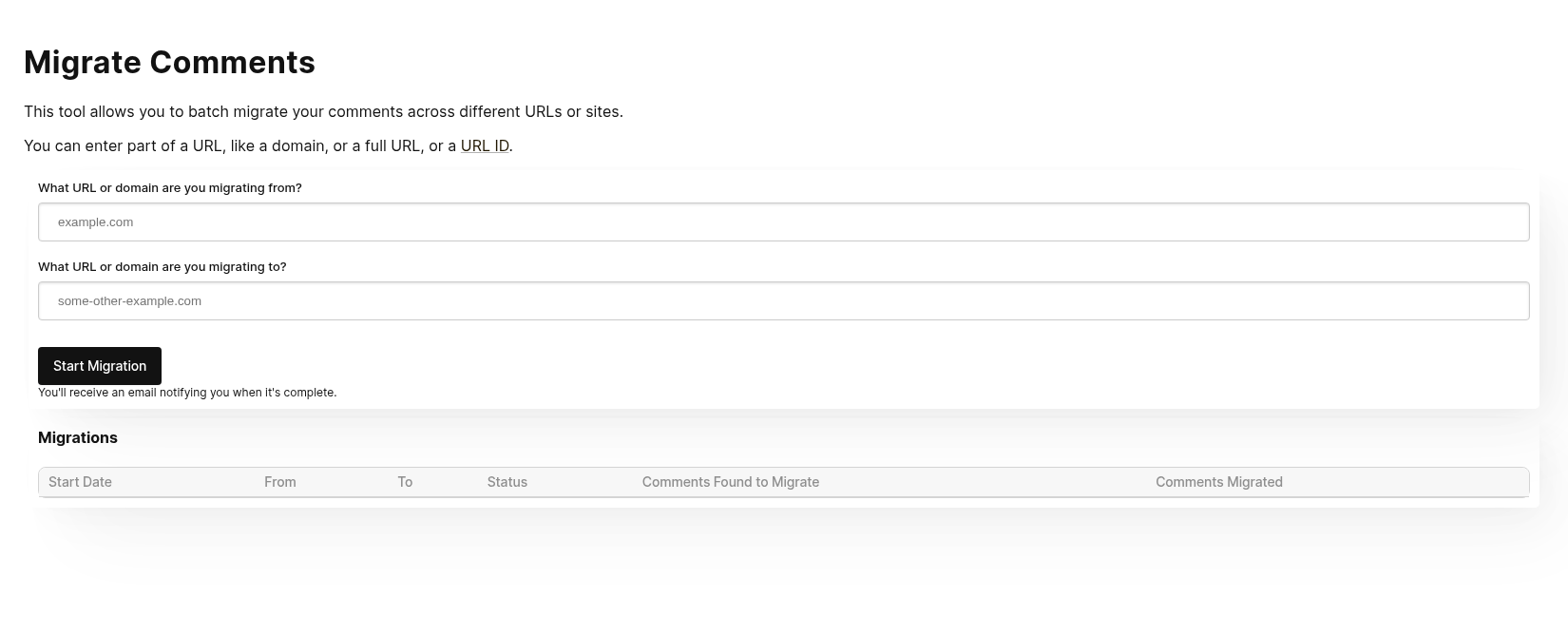
這在某些情況下也很有用,例如如果您遷移到 FastComments 的過程中包含從其他提供者遷移,您的評論匯入 資料可能包含需要遷移的資料。在此情況下,您可以先執行匯入,然後再進行網域遷移。
監控進度
網域遷移工具使用與其他資料管理工具相同的 FastComments 工作處理系統。
在遷移開始之前可能會有延遲。這是正常的,因為系統會定期檢查是否有新工作需要處理。
當工作執行時,系統會顯示已找到的待遷移評論數量,以及目前已遷移的評論數量。
透過 API 遷移網域
也可以使用 POST /api/v1/pages/migrations 並將 type 設為 domain 來遷移網域。可從 GET /api/v1/batch-jobs/:id 取得進度,且遷移可在 90 天內撤銷。
遷移頁面
雖然它的名稱是 Domain Migration 工具,但它也可用於在單個頁面之間遷移評論。
只需在 from 與 to 輸入欄位中輸入舊的與新的 urlId 值。
透過 API 遷移頁面
若要一次遷移多個頁面,請使用 POST /api/v1/pages/migrations。每個請求最多可接受 100 組 from 與 to 配對,並將它們作為批次作業執行。
當 type 設為 urlId 時,僅會移動 urlId 完全等於 from 的頁面,因此 post-1 不會匹配 post-10。儀表板工具沒有此選項。
每個 API 遷移可在 90 天內使用 POST /api/v1/pages/migrations/:undoId/undo 進行復原。
複製評論
如果需要搬移資料,FastComments 提供一個自行服務的工具,用於在頁面與文章之間搬移評論。
以下是評論複製頁面的表單樣子:
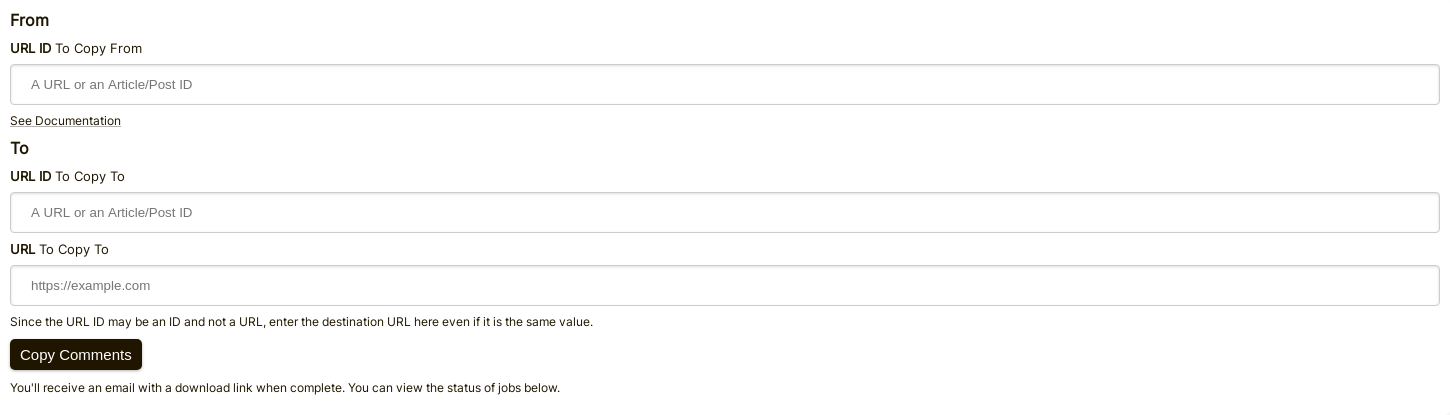
填寫「來源」欄位
要決定從哪裡搬移評論,我們只需要知道來源的 URL ID。
如果在評論小工具設定中未傳遞 urlId 的值,則會使用頁面 URL 的「乾淨」版本。
您可以透過匯出評論來查看每則評論的 URL ID 值。
填寫「目標」欄位
要決定將評論搬移到哪裡,我們需要知道目標的 URL ID 與 URL。
URL ID 會是評論所屬的儲存桶。URL 欄位則用於讓您能從電子郵件或審核工具直接導向該評論。
WordPress
如果您使用 WordPress,則可以在遷移工具的「目標/來源」URL ID 欄位中直接輸入文章 ID,而非 URL。
匯出資料
所有評論資料可以從我們的平台匯出為 CSV 格式。
請注意,此檔案中的日期將採用 UTC 時區,並為 ISO 格式。
如果您希望定期從 FastComments 取得資料,我們建議使用 Webhooks。
WordPress
在 WordPress 整合的情況下,FastComments 會自動將資料同步回您的 WordPress 安裝 定期。基於此,從 FastComments 遷移時,您只需將其關閉即可。